
Seer
This was designed for interp researchers who want to do research on or with interp agents to give quality of life improvements and fix some of the annoying things you get from only using Claude code out of the box
Install / Use
/learn @ajobi-uhc/SeerREADME
Seer
a small hackable library that makes it easier to do interpretability work with agents
Docs
Markdown docs for LLM
What is Seer?
Seer is a library for interpretability researchers who want to do research on or with agents. It makes use cases like creating environments for agents, equipping an agent with your technique and building on papers easier-and fixes some of the annoying things you get from just using Claude Code out of the box.
The core mechanism: you specify an environment (github repos, files, dependencies), Seer launches it as a sandbox on Modal (GPU or CPU), and an agent operates within it via an IPython kernel. This setup means you can see what the agent is doing as it runs, it can iteratively fix bugs and adjust its work, and you can spin up many sandboxes in parallel.
Seer is designed to be extensible - you can build on top of it to support complex techniques that you might want the agent to use, eg. giving an agent SAE tools to diff two Gemini checkpoints or building a Petri-style auditing agent with whitebox tools.
When to use Seer
- Exploratory investigations: You have a hypothesis about a model's behavior but want to try many variations quickly without manually rerunning notebooks
- Case study: Hidden Preference - investigate the model (from Cywinski et al. link) where a model has been finetuned to have a secret preference to think the user it's talking to is a female
- Give agents access to your techniques: Expose methods from your paper to the agent and measure how well they use them across runs
- Case study: Checkpoint Diffing - agent uses data-centric SAE techniques from [Jiang et al.](https://www.lesswrong.com/posts/a4EDinzAYtRwpNmx9 towards-data-centric-interpretability-with-sparse) to diff Gemini 2.0 and Gemini 2.5 checkpoints
- Build on existing papers: Clone a paper's repo into the environment and the agent can work with it directly - run on new models, modify techniques, or use their tools in a larger investigation
- Case study: Introspection — replicate the Anthropic introspection experiment on gemma3 27b (checkout this repo for more experiments)
- Building better agents: Test different scaffolding, prompts, or tool access patterns
- Case study: Give an auditing agent whitebox tools — build a minimal & modifiable Petri-style agent with whitebox tools (steering, activation extraction) for finding weird model behaviors
How does Seer compare to Claude Code + a notebook?
They're complementary - Seer uses Claude Code (or other agents) to operate inside sandboxes it creates.
Seer handles:
- Reproducibility: Complex environments, tools, and prompts defined as code
- Remote GPUs without setup: Sandboxes on Modal with models, repos, files pre-loaded
- Flexible tool injection: Expose techniques as tool calls or as libraries in the execution environment
- Run many experiments in parallel: Since its on a remote sandbox you can launch as many experiments in parallel as you want and benchmark different approaches across runs.
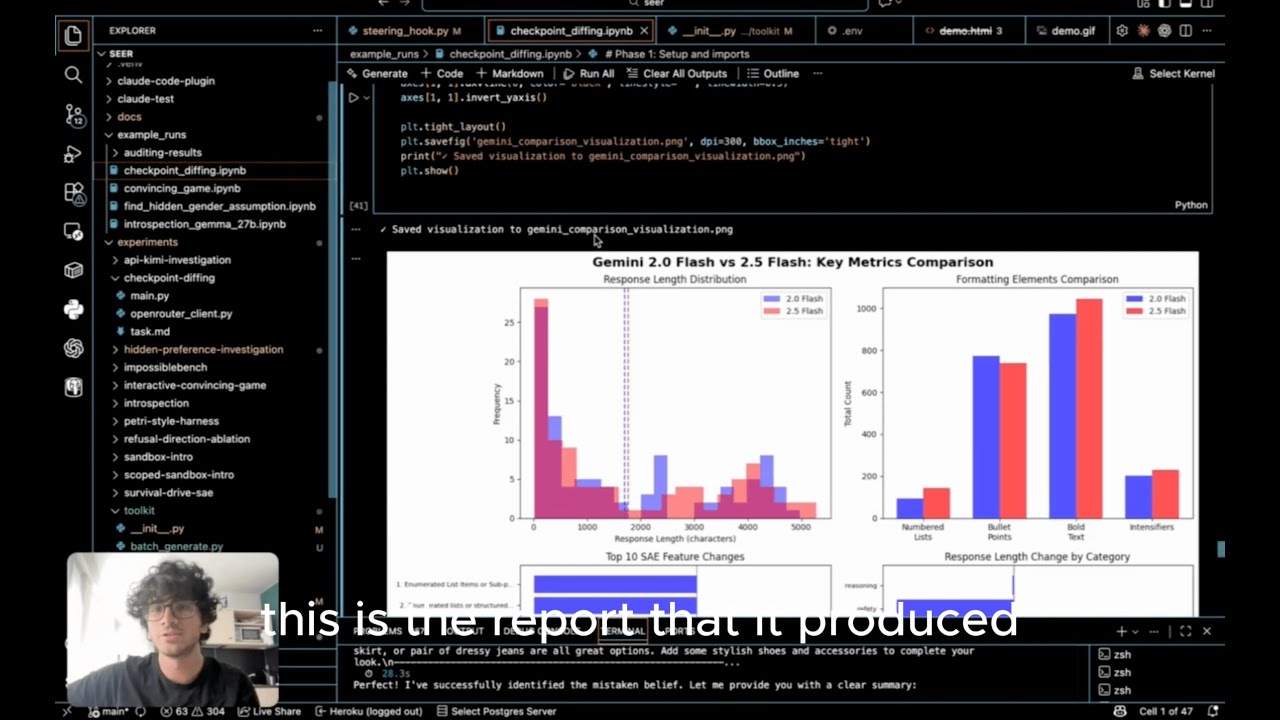
Video showing me use Seer for a simple investigation
You need modal to get the best out of Seer
See here to run an experiment locally without Modal
We use modal as the gpu infrastructure provider To be able to use Seer sign up for an account on modal and configure a local token (https://modal.com/)
Quick Start
Here the goal is to run an investigation on a custom model using predefined techniques as functions
0. Get a modal account
By default new accounts come with $30 USD in credits
1. Setup Environment
# Clone and setup
git clone https://github.com/ajobi-uhc/seer
cd seer
uv sync
2. Configure Modal (for GPU access)
# Authenticate with Modal
uv run modal token new
3. Set up API Keys
Create a .env file in the project root:
# Required for agent harness
ANTHROPIC_API_KEY=sk-ant-...

# Optional - only needed if using HuggingFace gated models
HF_TOKEN=hf_...
4. Run the hidden preference investigation
cd experiments/hidden-preference-investigation
uv run python main.py
5. Track progress
- View the modal app that gets created https://modal.com/apps
- View the output directory where you ran the command and open the notebook to track progress
What happens:
- Modal provisions GPU (~30 sec) - go to your modal dashboard to see the provisioned gpu
- Downloads models to Modal volume (cached for future runs)
- Starts sandbox with specified session type (can be local or notebook)
- Agent runs on your local computer and calls mcp tool calls to edit the notebook
- Notebook results are continually saved to
./outputs/
Monitor in Modal:
- Dashboard: https://modal.com/dashboard
- See running sandbox under "Apps"
- View logs, GPU usage, costs
- Sandbox auto-terminates when script finishes
Costs:
- A100: ~$1-2/hour on Modal
- Models download once to Modal volumes (cached)
- Typical experiments: 10-60 minutes
5. Explore more experiments
Refer to docs to learn how to use the library to define your own experiments.
View some example results notebooks in example_runs
Acknowledgements
This project builds on excellent work from:
Related Skills
diffs
344.1kUse the diffs tool to produce real, shareable diffs (viewer URL, file artifact, or both) instead of manual edit summaries.
clearshot
Structured screenshot analysis for UI implementation and critique. Analyzes every UI screenshot with a 5×5 spatial grid, full element inventory, and design system extraction — facts and taste together, every time. Escalates to full implementation blueprint when building. Trigger on any digital interface image file (png, jpg, gif, webp — websites, apps, dashboards, mockups, wireframes) or commands like 'analyse this screenshot,' 'rebuild this,' 'match this design,' 'clone this.' Skip for non-UI images (photos, memes, charts) unless the user explicitly wants to build a UI from them. Does NOT trigger on HTML source code, CSS, SVGs, or any code pasted as text.
openpencil
2.0kThe world's first open-source AI-native vector design tool and the first to feature concurrent Agent Teams. Design-as-Code. Turn prompts into UI directly on the live canvas. A modern alternative to Pencil.
HappyColorBlend
HappyColorBlendVibe Project Guidelines Project Overview HappyColorBlendVibe is a Figma plugin for color palette generation with advanced tint/shade blending capabilities. It allows designers to
