
Govvv
"go build" wrapper to add version info to Golang applications
Install / Use
/learn @ahmetb/GovvvREADME
govvv
The simple Go binary versioning tool that wraps the go build command.
:warning::warning::warning: DEPRECATED: Go now offers build info natively. Please migrate to use that instead. I am no longer planning to maintain this project.
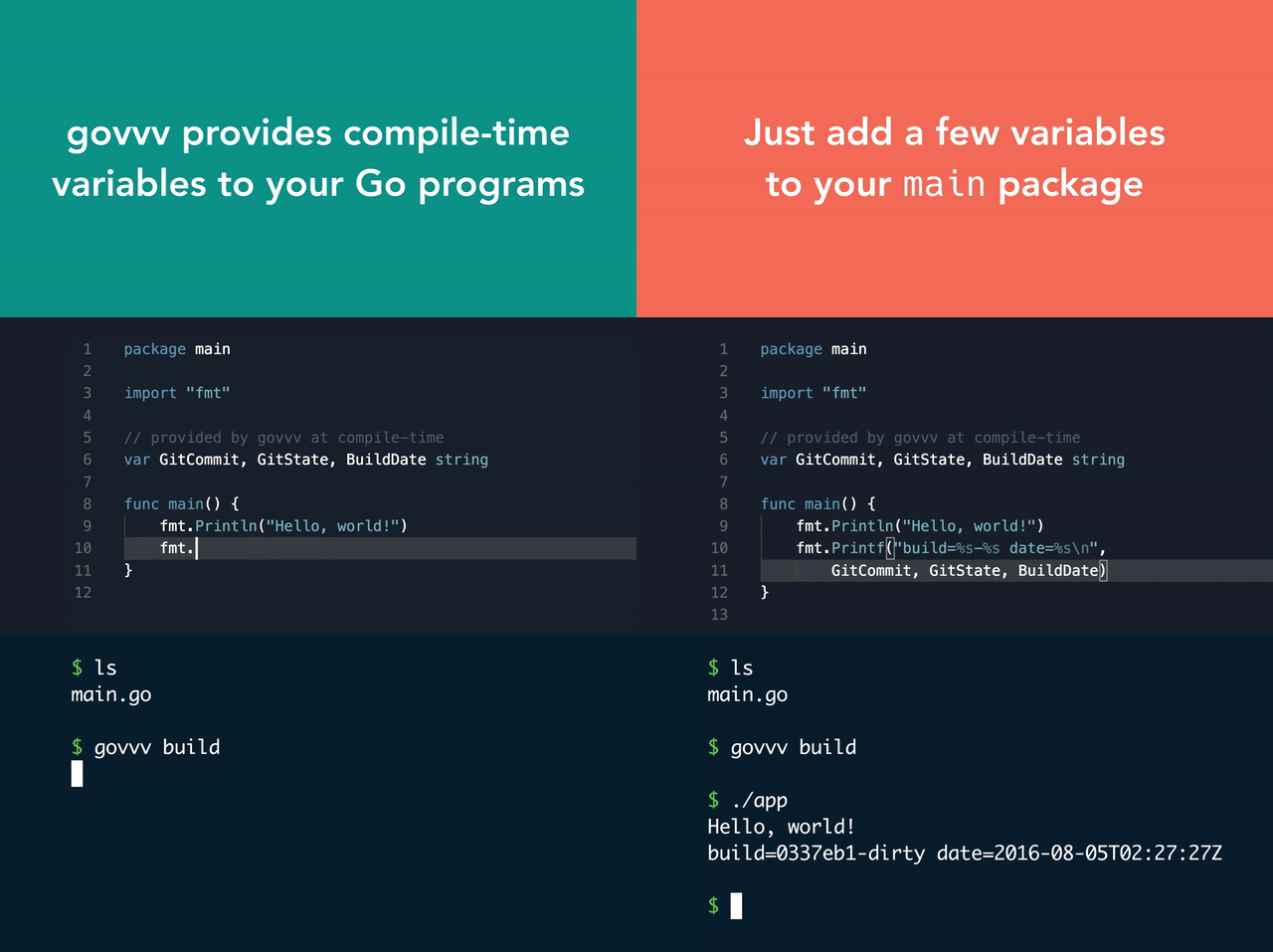
Stop worrying about -ldflags and go get github.com/ahmetb/govvv now.
Build Variables
| Variable | Description | Example |
|----------|-------------|---------|
| main.GitCommit | short commit hash of source tree | 0b5ed7a |
| main.GitBranch | current branch name the code is built off | master |
| main.GitState | whether there are uncommitted changes | clean or dirty |
| main.GitSummary | output of git describe --tags --dirty --always | v1.0.0, <br/>v1.0.1-5-g585c78f-dirty, <br/> fbd157c |
| main.BuildDate | RFC3339 formatted UTC date | 2016-08-04T18:07:54Z |
| main.Version | contents of ./VERSION file, if exists, or the value passed via the -version option | 2.0.0 |
Using govvv is easy
Just add the build variables you want to the main package and run:
| old | :sparkles: new :sparkles: |
| -------------|-----------------|
| go build | govvv build |
| go install | govvv install |
Version your app with govvv
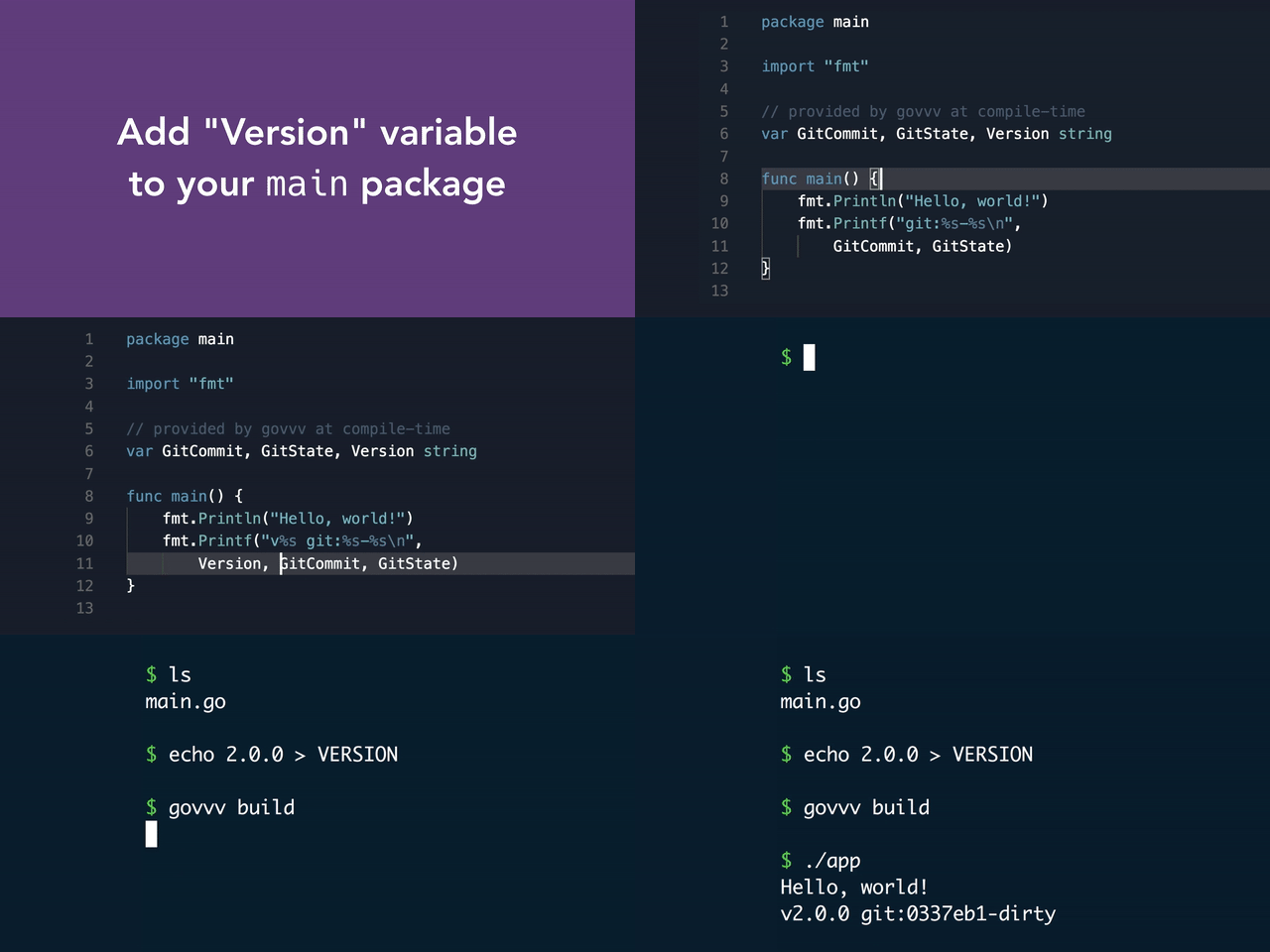
Create a VERSION file in your build root directory and add a Version
variable to your main package.
Do you have your own way of specifying Version? No problem:
govvv lets you specify custom -ldflags
Your existing -ldflags argument will still be preserved:
govvv build -ldflags "-X main.BuildNumber=$buildnum" myapp
and the -ldflags constructed by govvv will be appended to your flag.
Don’t want to depend on govvv? It’s fine!
You can just pass a -print argument and govvv will just print the
go build command with -ldflags for you and will not execute the go tool:
$ govvv build -print
go build \
    -ldflags \
    "-X main.GitCommit=57b9870 -X main.GitBranch=dry-run -X main.GitState=dirty -X main.Version=0.1.0 -X main.BuildDate=2016-08-08T20:50:21Z"
Still don’t want to wrap the go tool? Well, try -flags to retrieve the LDFLAGS govvv prepares:
$ go build -ldflags="$(govvv -flags)"
Want to use a different package?
You can pass a -pkg argument with the full package name, and govvv will
set the build variables in that package instead of main. For example:
# build with govvv
$ govvv build -pkg github.com/myacct/myproj/mypkg

# build with go
$ go build -ldflags="$(govvv -flags -pkg $(go list ./mypkg))"
Want to use a different version?
You can pass a -version argument with the desired version, and govvv will
use the specified version instead of obtaining it from the ./VERSION file.
For example:
# build with govvv
$ govvv build -version 1.2.3

# build with go
$ go build -ldflags="$(govvv -flags -version 1.2.3)"
Try govvv today
$ go get github.com/ahmetb/govvv
govvv is distributed under Apache 2.0 License.
Copyright 2016 Ahmet Alp Balkan

