
Agama
A service-based Linux installer
Install / Use
/learn @agama-project/AgamaREADME
Agama: A Service-based Linux Installer








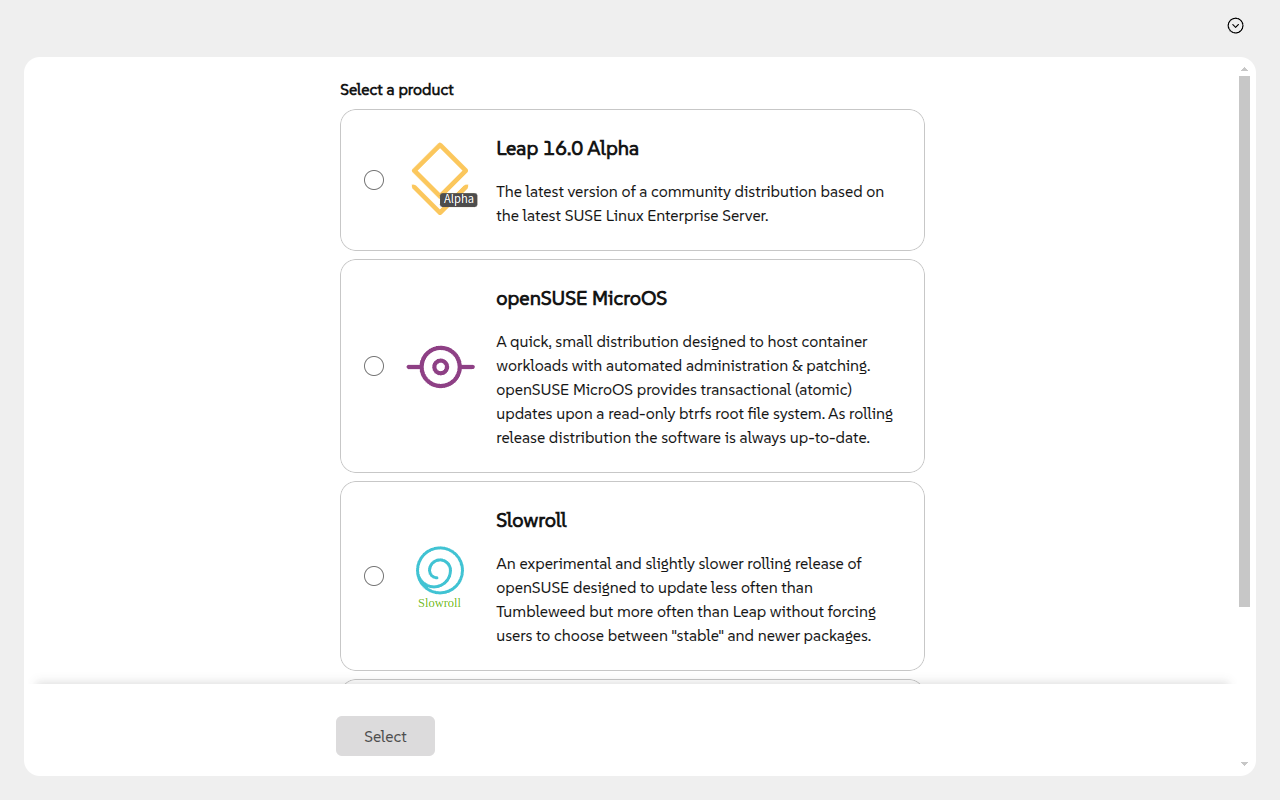
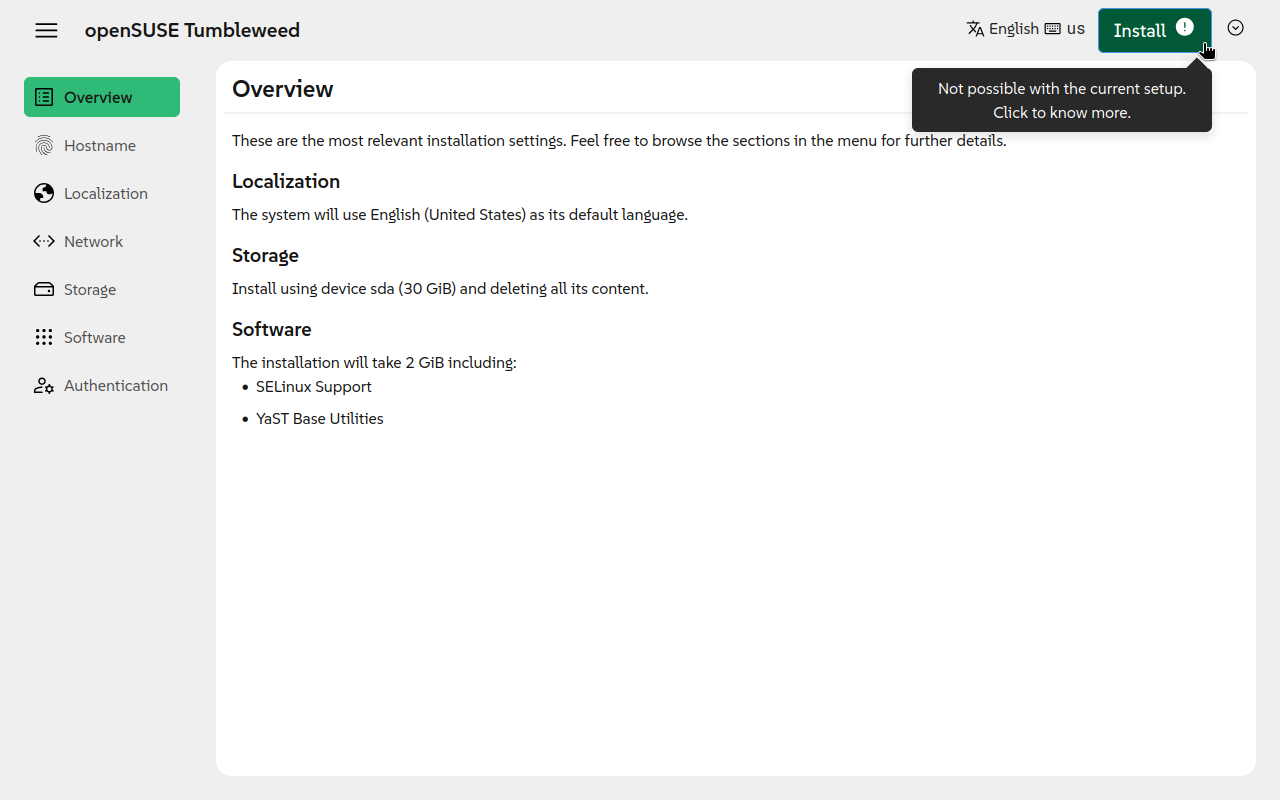
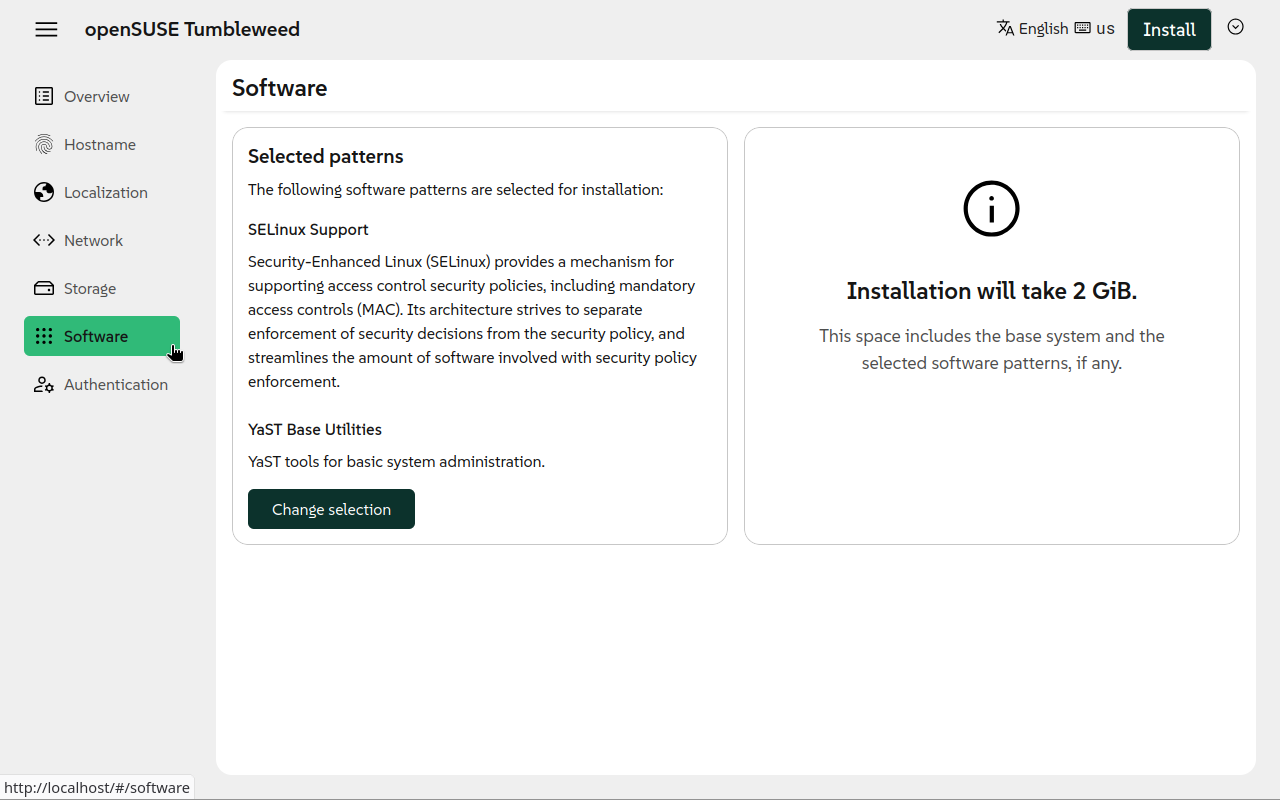
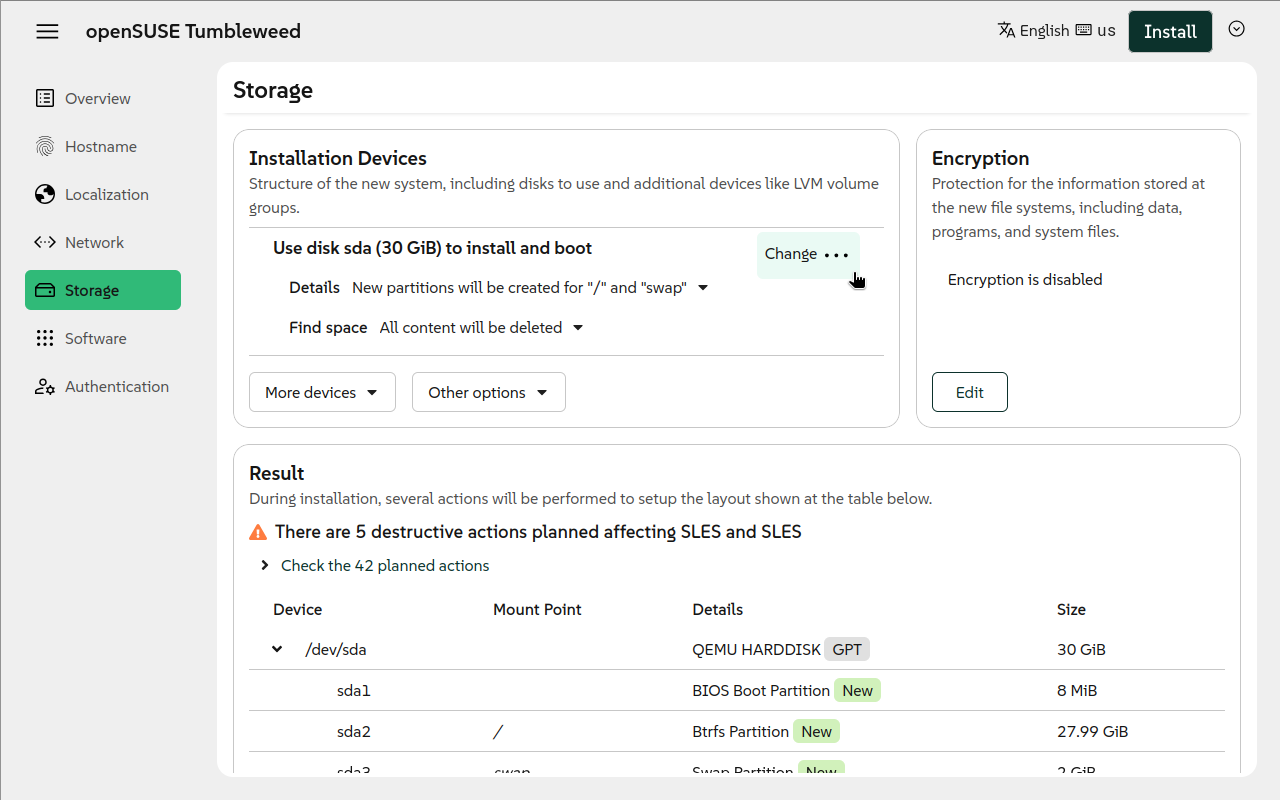
Agama is a new Linux installer born in the core of the YaST team. It is designed to offer re-usability, integration with third party tools and the possibility of building advanced user interfaces over it.
|  |
|  |
| --- | --- |
|
| --- | --- |
|  |
|  |
| --- | --- |
|
|
| --- | --- |
|  |
|  |
|
Why a New Installer
This new project follows two main motivations: to overcome some of the limitations of YaST and to serve as installer for new projects, like those based on SUSE Linux Framework One.
YaST is a mature installer and control center for SUSE and openSUSE operating systems. With more than 20 years behind it, YaST is a competent and flexible installer able to cover uncountable use cases. But time goes by, and the good old YaST is starting to show its age in some aspects:
- The architecture of YaST is complex and its code-base has too much technical debt.
- Designing and building rich and modern user interfaces is a real challenge.
- Sharing logic with other tools like Salt or Ansible is very difficult.
- Some in-house solutions like libyui make more difficult to contribute to the project.
Running Agama
The easiest way to give Agama a try is to grab a live ISO image and boot it in a virtual machine. This is also the recommended way if you only want to play and see it in action. If you want to have a closer look, then clone and configure the project as explained in the next section.
You can download the ISO from the openSUSE Build Service.
[!NOTE] Make sure to download the correct ISO file according to your system architecture (eg. you would need to choose a file including
x86_64if you use an Intel or AMD 64-bit processor).
Remote access
The Live ISO automatically starts a graphical interface (using the local browser). However, you
might want to access remotely to the installer. If you know the IP address of the system, you just
need to point your browser to https://$IP.
For the case you do not know the address, or just for convenience, the Live ISO is configured to use
Multicast DNS (sometimes called mDNS, Avahi,
Zeroconf, Bonjour) for hostname resolution. Therefore, connecting to https://agama.local should do
the trick.
[!WARNING] Do not use the
.localhostnames in untrusted networks (like public WiFi networks, shared networks), it is a security risk. An attacker can easily send malicious responses for the.localhostname resolutions and point you to a wrong Agama instance which could for example steal your root password!
If you have troubles or you want to know more about this feature, check our Remote access documentation.
Other Resources
- If you want to know how Agama works, you should read about Agama's architecture
- If you would like to contribute, you might be interested in:
- You can check the overall status of the project through the status page.
How to Contribute
If you want to contribute to Agama, then please open a pull request or report an issue. You can also get involved in our discussions.
For more details, please read the contributing guidelines.
Translators
Thank you for translating Agama to your language!
If something is broken about the translations, see the detailed Agama i18n workflow and internals documentation.
See also the openSUSE Translation mailing list and its archives.
Related Skills
node-connect
349.0kDiagnose OpenClaw node connection and pairing failures for Android, iOS, and macOS companion apps
frontend-design
109.4kCreate distinctive, production-grade frontend interfaces with high design quality. Use this skill when the user asks to build web components, pages, or applications. Generates creative, polished code that avoids generic AI aesthetics.
openai-whisper-api
349.0kTranscribe audio via OpenAI Audio Transcriptions API (Whisper).
qqbot-media
349.0kQQBot 富媒体收发能力。使用 <qqmedia> 标签,系统根据文件扩展名自动识别类型(图片/语音/视频/文件)。
