Movinin
Rental Property Management Platform with Mobile App
Install / Use
/learn @aelassas/MovininREADME






Movin' In
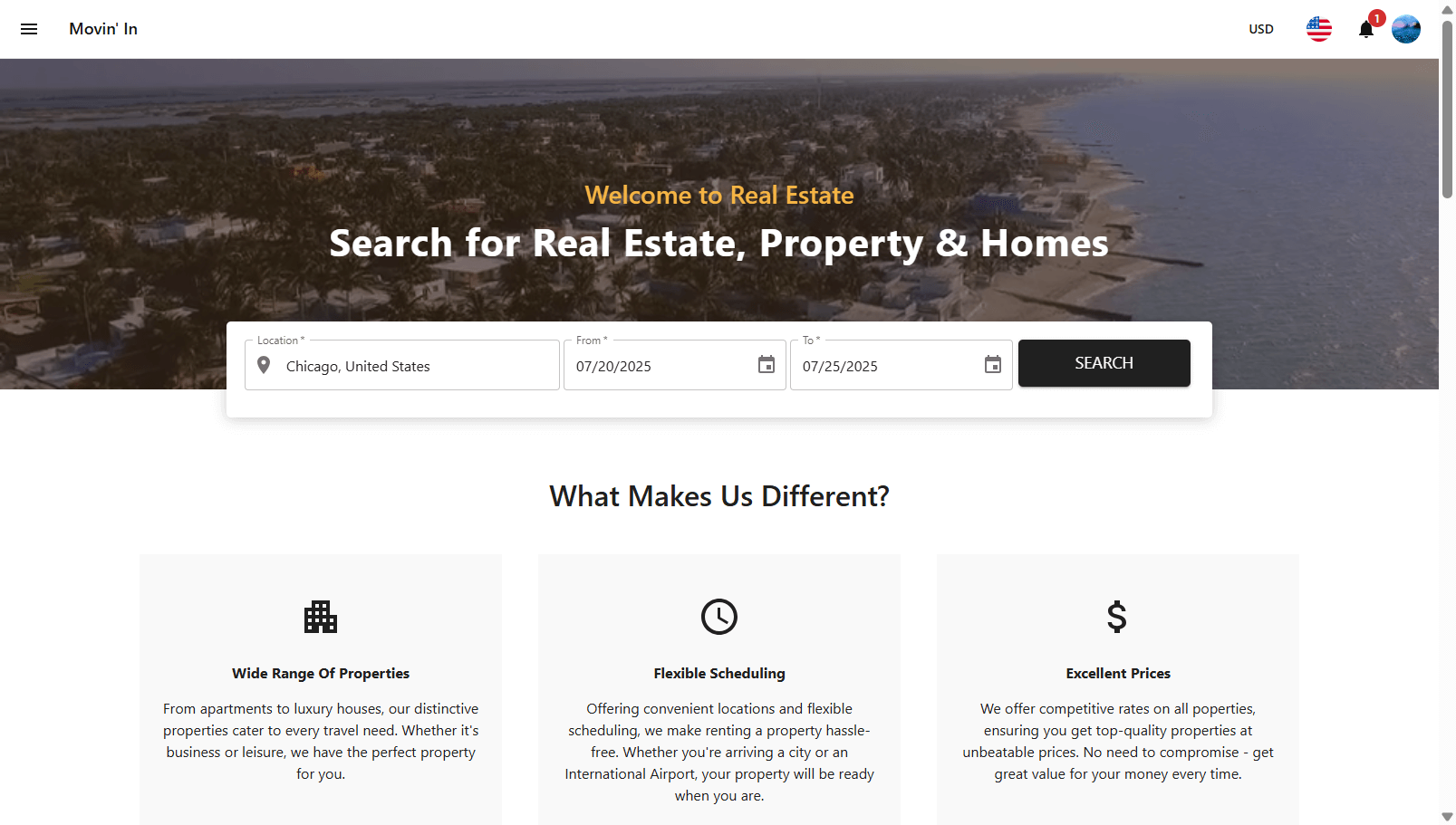
Movin' In is a Rental Property Management Platform with an admin panel for managing properties, customers and bookings, a frontend and a mobile app for renting properties.
The platform supports Stripe and PayPal payment gateways, allowing you to choose the one best suited for your country or business model. If Stripe isn't available in your region, PayPal serves as a secure and convenient alternative for accepting payments.
Movin' In supports both single-agency and multi-agency modes. Agencies have access to an admin panel to manage their properties, customers, and bookings. Each newly created agency receives an email prompting them to register and access the system.
The admin panel allows admins to manage agencies, properties, countries, locations, customers, bookings and payments.
Customers can sign up via the frontend or mobile app, browse available properties based on location and date, and complete the booking and payment process seamlessly.
Quick Links
- Overview
- Install Guide (Self-hosted)
- Install Guide (Docker)
- Build Mobile App
- Payment Gateways
- FAQ
- Full Documentation
Features
Agency & Property Management
- Agency management
- Ready for single or multiple agencies
- Property management
- Flexible time-based property availability
- Booking management
- Property scheduler
- Auto-notification system
Pricing & Payments
- Payment management
- Multiple payment gateways supported: Stripe, PayPal
- Multiple payment methods: Credit Card, PayPal, Google Pay, Apple Pay, Link, Pay Later
Locations & Mapping
- Hierarchical locations with country and map integration
- Location-based search with nested location support
- Map display for locations
User Experience
- Customer management
- Multiple login options: Google, Facebook, Apple, Email
- Multiple language support: English, French
- Multiple currencies support
- Multiple pagination styles: classic (next/previous), infinite scroll
- Push notifications
Security & Performance
- Secure against XSS, XST, CSRF, MITM, and DDoS attacks
- Responsive admin panel and frontend
- Native mobile app for Android and iOS (single codebase)
- Docker support for easy deployment and better developer experience
- Error monitoring and performance tracing
Supported Platforms
- iOS
- Android
- Web
- Docker
Support & Contributing
If this project helped you, saved you time, or inspired you in any way, please consider supporting its future growth and maintenance. You can show your support by starring the repository (it helps increase visibility and shows your appreciation), sharing the project (recommend it to colleagues, communities, or on social media), or if you'd like to financially support the development via GitHub Sponsors (one-time or monthly), PayPal, or Buy Me a Coffee.
Open-source software requires time, effort, and resources to maintain. Your support helps keep this project alive, up-to-date, and accessible to everyone. Every contribution, big or small, makes a difference and motivates continued work on features, bug fixes, and new ideas.
<!--<a href="https://github.com/sponsors/aelassas"><img src="https://aelassas.github.io/content/github-sponsor-button.png" alt="GitHub" width="210"></a> <a href="https://www.paypal.me/aelassaspp"><img src="https://aelassas.github.io/content/paypal-button-v2.png" alt="PayPal" width="208"></a> <a href="https://www.buymeacoffee.com/aelassas"><img src="https://aelassas.github.io/content/bmc-button.png" alt="Buy Me A Coffee" width="160"></a>--> <!-- To contribute code or report issues, please read the [Contribution Guide](https://github.com/aelassas/movinin/blob/main/.github/CONTRIBUTING.md) to learn about the process, coding standards, and how to submit pull requests. If you want to customize Movin' In while keeping your fork up to date with the latest changes, check out the [Fork, Customize, and Sync](https://github.com/aelassas/movinin/wiki/Fork,-Customize,-and-Sync) guide in the Wiki. -->Live Demo
Frontend
- URL: https://movinin.dynv6.net/
- Login: jdoe@movinin.io
- Password: M00vinin
Admin Panel
- URL: https://movinin.dynv6.net:3003/
- Login: admin@movinin.io
- Password: M00vinin
Mobile App
You can install the Android app on any Android device.
Scan this code with a device
Open the Camera app and point it at this code. Then tap the notification that appears.
<img alt="" width="120" src="https://movin-in.github.io/content/qr-code-7.0.png">How to install the Mobile App on Android
-
On devices running Android 8.0 (API level 26) and higher, you must navigate to the Install unknown apps system settings screen to enable app installations from a particular location (i.e. the web browser you are downloading the app from).
-
On devices running Android 7.1.1 (API level 25) and lower, you should enable the Unknown sources system setting, found in Settings > Security on your device.
Alternative Way
You can also install the Android App by downloading the APK and installing it on any Android device.
- Download APK
- Login: jdoe@movinin.io
- Password: M00vinin
License
Movin' In is MIT licensed.
Related Skills
bluebubbles
351.2kUse when you need to send or manage iMessages via BlueBubbles (recommended iMessage integration). Calls go through the generic message tool with channel="bluebubbles".
node-connect
351.2kDiagnose OpenClaw node connection and pairing failures for Android, iOS, and macOS companion apps
slack
351.2kUse when you need to control Slack from OpenClaw via the slack tool, including reacting to messages or pinning/unpinning items in Slack channels or DMs.
frontend-design
110.6kCreate distinctive, production-grade frontend interfaces with high design quality. Use this skill when the user asks to build web components, pages, or applications. Generates creative, polished code that avoids generic AI aesthetics.