
Experience
A SwiftUI application that allows users to rate their shopping experience through an intuitive and visual interface.
Install / Use
/learn @adrien1020/ExperienceREADME
Experience
A SwiftUI application that allows users to rate their shopping experience through an intuitive and visual interface.<br>
Overview
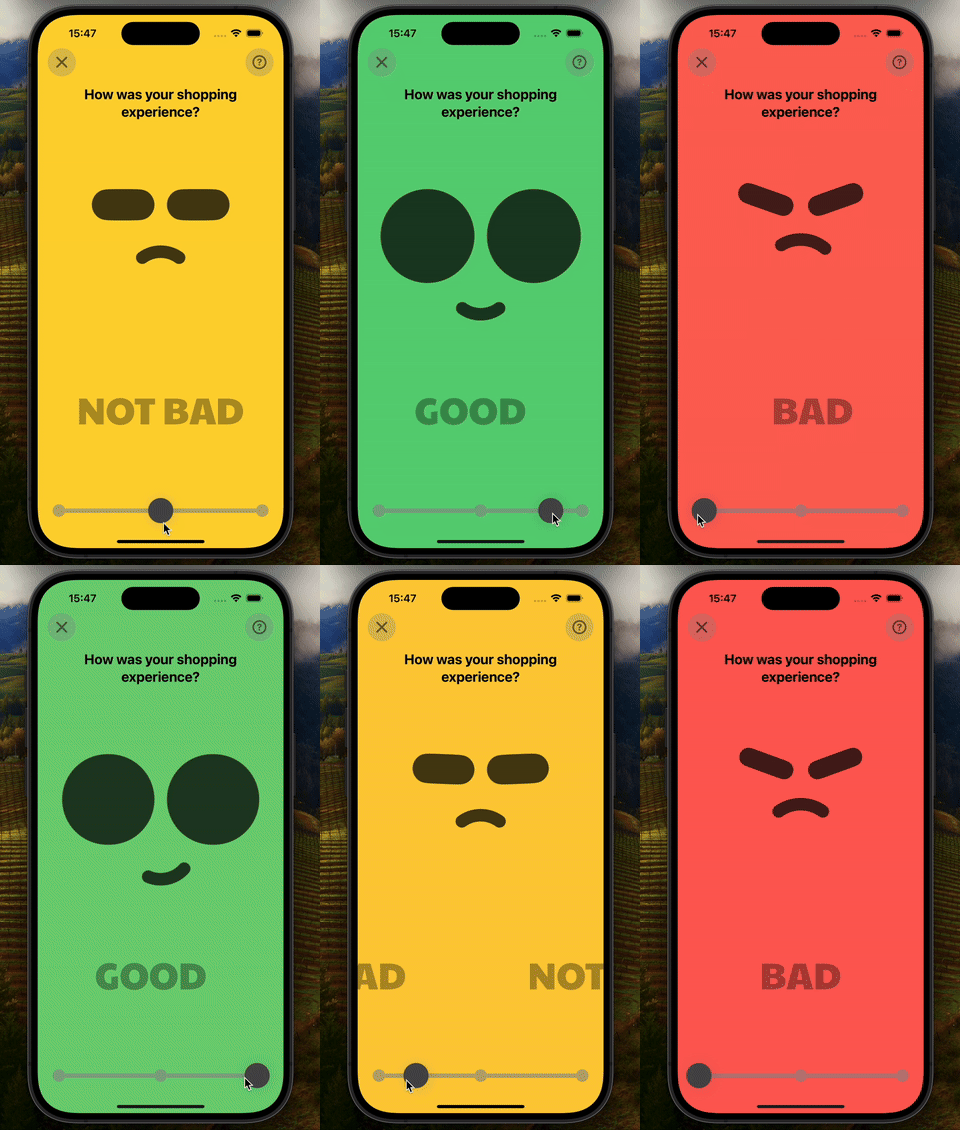
The app enables users to evaluate their shopping experience through a series of animated interfaces with custom smileys representing different moods. Users can navigate between three evaluation pages, each with a distinct appearance and smiley.
<a href="https://www.buymeacoffee.com/adr1021" target="_blank"><img src="https://www.buymeacoffee.com/assets/img/custom_images/orange_img.png" alt="Buy Me A Coffee" style="height: 41px !important;width: 174px !important;box-shadow: 0px 3px 2px 0px rgba(190, 190, 190, 0.5) !important;-webkit-box-shadow: 0px 3px 2px 0px rgba(190, 190, 190, 0.5) !important;" ></a>
Features
- Smooth Navigation: Users can swipe between different pages or click directly on the indicators to change the page.
- Animated Smileys: Smileys change in shape and expression based on the selected page.
- Responsive Design: The interface adapts to different screen sizes with a responsive layout.
User Interactions:
- Swipe to change pages: Users can swipe left or right to navigate between pages. The offset is constrained to prevent moving out of bounds.
- Tap on page indicators: Users can also tap on the indicators to directly switch to the corresponding page.
Installation
-
Clone this repository to your local machine:
git clone https://github.com/adrien1020/experience.git -
Open the project in Xcode.
-
Run the app on a simulator or connected device.
Usage
- Launch the app on your simulator or device.
- Interact with the interface by swiping between pages or clicking on the indicators at the bottom of the screen.
- Observe the smileys' animations change according to the selected page.<br>
