
Arrakis
A fully customizable and self-hosted sandboxing solution for AI agent code execution and computer use. It features out-of-the-box support for backtracking, a simple REST API and Python SDK, automatic port forwarding, and secure MicroVM isolation. Perfect for safely running, testing, and backtracking multi-step agent workflows.
Install / Use
/learn @abshkbh/ArrakisREADME

Arrakis

Introduction
AI agents can generate malicious or buggy code that can attack the host system its run on.
Many agents have elaborate multi-step plans to achieve their goals and benefit from the ability to backtrack to intermediate states.
Arrakis provides a secure, fully customizable, and self-hosted solution to spawn and manage Sandboxes for code execution and computer use. It has out-of-the box support for backtracking via snapshot-and-restore.
-
Secure by design, each sandbox runs in a MicroVM.
-
Each sandbox runs Ubuntu inside with a code execution service and a VNC server running at boot.
-
A REST API, Python SDK py-arrakis, and a MCP server let clients (both humans and AI Agents) programatically spawn sandboxes, upload files, and execute code inside each sandbox.
-
Automatically sets up and manages port forwarding from the self-hosted public server to the sanboxes running on it i.e. clients can easily access the sandbox GUI (including Chrome for computer use) without extra setup.
-
Supports snapshot-and-restore out of the box i.e. AI Agents can do some work, snapshot a sandbox, and later backtrack to the exact previous state by restoring the snapshot. This means any processes spawned, files modified etc. will be restored as is inside the sandbox.Useful for Monte Carlo Tree Search based agents or explainability of elaborate agent execution flows.
Table of Contents
Demo
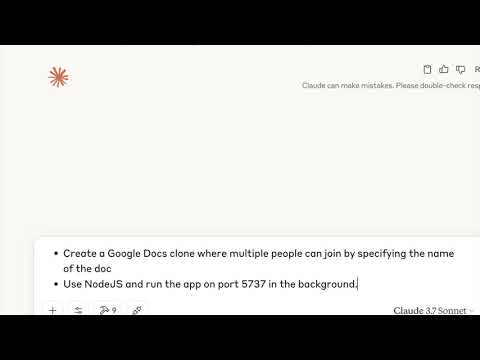
Watch Claude code a live Google docs clone using Arrakis via MCP. It even snapshots the sandbox to checkpoint progress.
Setup
Prerequisites
-
cloud-hypervisoronly works with/dev/kvmfor virtualization on Linux machines. Hence, we only support Linux machines. -
Check if virtualization is enabled on the host by running.
stat /dev/kvm
GCP Setup
- Follow the instructions in GCP Setup to set up Arrakis on GCE VM.
Quick setup using prebuilts
- You can leverage our setup.sh script and prebuilt binaries to easily set up Arrakis.
curl -sSL https://raw.githubusercontent.com/abshkbh/arrakis/main/setup/setup.sh | bash
ls arrakis-prebuilt
Run the arrakis-restserver
- Now we have a folder with all binaries and images pulled. We always need to run
arrakis-restserverfirst.cd arrakis-prebuilt sudo ./arrakis-restserver
Use the CLI or py-arrakis
- You can use the CLI or py-arrakis to spawn and manage VMs.
cd arrakis-prebuilt
./arrakis-client start -n agent-sandbox
Quickstart
SDK
Arrakis comes with a Python SDK py-arrakis that lets you spawn, manage, and interact with VMs seamlessly.
-
Install the SDK
pip install py-arrakis -
Follow the instructions in Usage to run the
arrakis-restserveron a Linux machine, or download pre-built binaries from the official releases page. -
Use py-arrakis to interact with
arrakis-restserver. -
Run untrusted code
# Replace this with the ip:port where `arrakis-restserver` is running. sandbox_manager = SandboxManager('http://127.0.0.1:7000') # Start a new sandbox. with sb as sandbox_manager.start_sandbox('agent-sandbox'): sb.run_cmd('echo hello world') # Sandbox `sb` automatically destroyed when the context is exited. -
Snapshot and restore a sandbox
# Start a sandbox and write some data to a file.
sandbox_name = 'agent-sandbox'
sandbox = sandbox_manager.start_sandbox(sandbox_name)
sandbox.run_cmd("echo 'test data before snapshot' > /tmp/testfile")
snapshot_id = sandbox.snapshot("initial-state")
sandbox.run_cmd("echo 'test data after snapshot' > /tmp/testfile")

# Destroy the sandbox.
sandbox.destroy()

# Restore the sandbox from the snapshot and verify we have the same data at the time of the
# snapshot.
sandbox = sandbox_manager.restore(sandbox_name, snapshot_id)
result = sandbox.run_cmd("cat /tmp/testfile")
# result["output"] should be "test data before snapshot".
MCP
-
Arrakis also comes with a MCP server that lets MCP clients like Claude Desktop App, Windsurf, Cursor etc.. spawn and manage sandboxes.
-
Here is a sample
claude_desktop_config.json{ "mcpServers": { "arrakis": { "command": "/Users/username/.local/bin/uv", "args": [ "--directory", "/Users/username/Documents/projects/arrakis-mcp-server", "run", "arrakis_mcp_server.py" ] } } }
GUI For Computer Use

-
Every sandbox comes with a VNC server running at boot. It also comes with Chrome pre-installed.
-
Arrakis also handles port forwarding to expose the VNC server via a port on the dev server running
arrakis-restserver. -
Start a sandbox and get metadata about the sandbox including the VNC connection details.
# Replace this with the ip:port where `arrakis-restserver` is running. sandbox_manager = SandboxManager('http://127.0.0.1:7000') sb = sandbox_manager.start_sandbox('agent-sandbox') print(sb.info()) -
We can get the VNC connection details from the
port_forwardsfield in the response. The VNC server is represented by the descriptionguiin a port forward entry. We will use thehost_portfield to connect to the VNC server.{ 'name': 'agent-sandbox', 'status': 'RUNNING', 'ip': '10.20.1.2/24', 'tap_device_name': 'tap0', 'port_forwards': [{'host_port': '3000', 'guest_port': '5901', 'description': 'gui'}] } -
Use any VNC client to connect to the VNC server to access the GUI.
# We see port 3000 is the host port forwarded to the VNC server running inside the sandbox.
./utils/novnc_proxy --vnc <dev-server-ip>:3000
CLI Usage
-
Arrakis comes with an out-of-the-box CLI client that you can use to spawn and manage VMs.
-
Start arrakis-restserver as detailed in the Setup section.
-
In a separate shell we will use the CLI client to create and manage VMs.
-
Start a VM named
foo. It returns metadata about the VM which could be used to interacting with the VM../out/arrakis-client start -n foostarted VM: {"codeServerPort":"","ip":"10.20.1.2/24","status":"RUNNING","tapDeviceName":"tap-foo","vmName":"foo"} -
SSH into the VM.
- ssh credentials are configured here.
# Use the IP returned. Password is "elara0000" ssh elara@10.20.1.2 -
Inspecting a VM named
foo../out/arrakis-client list -n fooVM: {"ip":"10.20.1.2/24","status":"RUNNING","tapDeviceName":"tap-foo","vmName":"foo"} -
List all the VMs.
./out/arrakis-client list-allVMs: {"vms":[{"ip":"10.20.1.2/24","status":"RUNNING","tapDeviceName":"tap-foo","vmName":"foo"}]} -
Stop the VM.
./out/arrakis-client stop -n foo -
Destroy the VM.
./out/arrakis-client destroy -n foo -
Snapshotting and Restoring the VM.
- We support snapshotting the VM and then using the snapshot to restore the VM. Currently, we restore the VM to use the same IP as the original VM. If you plan to restore the VM on the same host then either stop or destroy the original VM before restoring. In the future this won't be a constraint.
./out/arrakis-client snapshot -n foo-original -o foo-snapshot./out/arrakis-client destroy -n foo-original -o foo-snapshot./out/arrakis-client restore -n foo-original --snapshot foo-snapshot
Architecture And Features

arrakis includes the following services and features
-
REST API
- arrakis-restserver
- A daemon that exposes a REST API to start, stop, destroy, list-all VMs. Every VM started is managed by this server i.e. the lifetime of each VM is tied to the lifetime of this daemon.
- The api is present at api/server-api.yaml.
- Code
- arrakis-client
- A Golang CLI that you can use to interact with arrakis-restserver to spawn and manage VMs.
- Code
- arrakis-restserver
-
Python SDK
- Checkout out the official Python SDK - py-arrakis
-
Security
- Each sandbox runs in a MicroVM.
- MicroVMs are lightweight Virtual Machines (compared to
- Each sandbox runs in a MicroVM.
Related Skills
node-connect
335.8kDiagnose OpenClaw node connection and pairing failures for Android, iOS, and macOS companion apps
frontend-design
82.7kCreate distinctive, production-grade frontend interfaces with high design quality. Use this skill when the user asks to build web components, pages, or applications. Generates creative, polished code that avoids generic AI aesthetics.
openai-whisper-api
335.8kTranscribe audio via OpenAI Audio Transcriptions API (Whisper).
commit-push-pr
82.7kCommit, push, and open a PR
