
PSCompletions
A completion manager for a better and simpler tab-completion experience in PowerShell.
Install / Use
/learn @abgox/PSCompletionsREADME
<h1 align="center">✨<a href="https://pscompletions.abgox.com">PSCompletions(psc)</a>✨</h1>
<p align="center">
<a href="README.zh-CN.md">简体中文</a> |
<a href="README.md">English</a> |
<a href="https://www.powershellgallery.com/packages/PSCompletions">Powershell Gallery</a> |
<a href="https://github.com/abgox/PSCompletions">Github</a> |
<a href="https://gitee.com/abgox/PSCompletions">Gitee</a>
</p>
<p align="center">
<a href="https://github.com/abgox/PSCompletions/blob/main/LICENSE">
<img src="https://img.shields.io/github/license/abgox/PSCompletions" alt="license" />
</a>
<a href="https://www.powershellgallery.com/packages/PSCompletions">
<img src="https://img.shields.io/powershellgallery/v/PSCompletions?label=version" alt="module version" />
</a>
<a href="https://www.powershellgallery.com/packages/PSCompletions">
<img src="https://img.shields.io/powershellgallery/dt/PSCompletions" alt="PowerShell Gallery" />
</a>
<a href="https://github.com/abgox/PSCompletions">
<img src="https://img.shields.io/github/languages/code-size/abgox/PSCompletions" alt="code size" />
</a>
<a href="https://github.com/abgox/PSCompletions">
<img src="https://img.shields.io/github/repo-size/abgox/PSCompletions" alt="repo size" />
</a>
<a href="https://github.com/abgox/PSCompletions">
<img src="https://img.shields.io/github/created-at/abgox/PSCompletions" alt="created" />
</a>
</p>

Introduce
[!Tip]
- PowerShell(pwsh): A cross-platform PowerShell (Core). Start it by running
pwsh/pwsh.exe.- Windows PowerShell: A PowerShell (Desktop) which is built-in on Windows system. Start it by running
powershell/powershell.exe.- They can both use
PSCompletions, but PowerShell(pwsh) is more recommended.
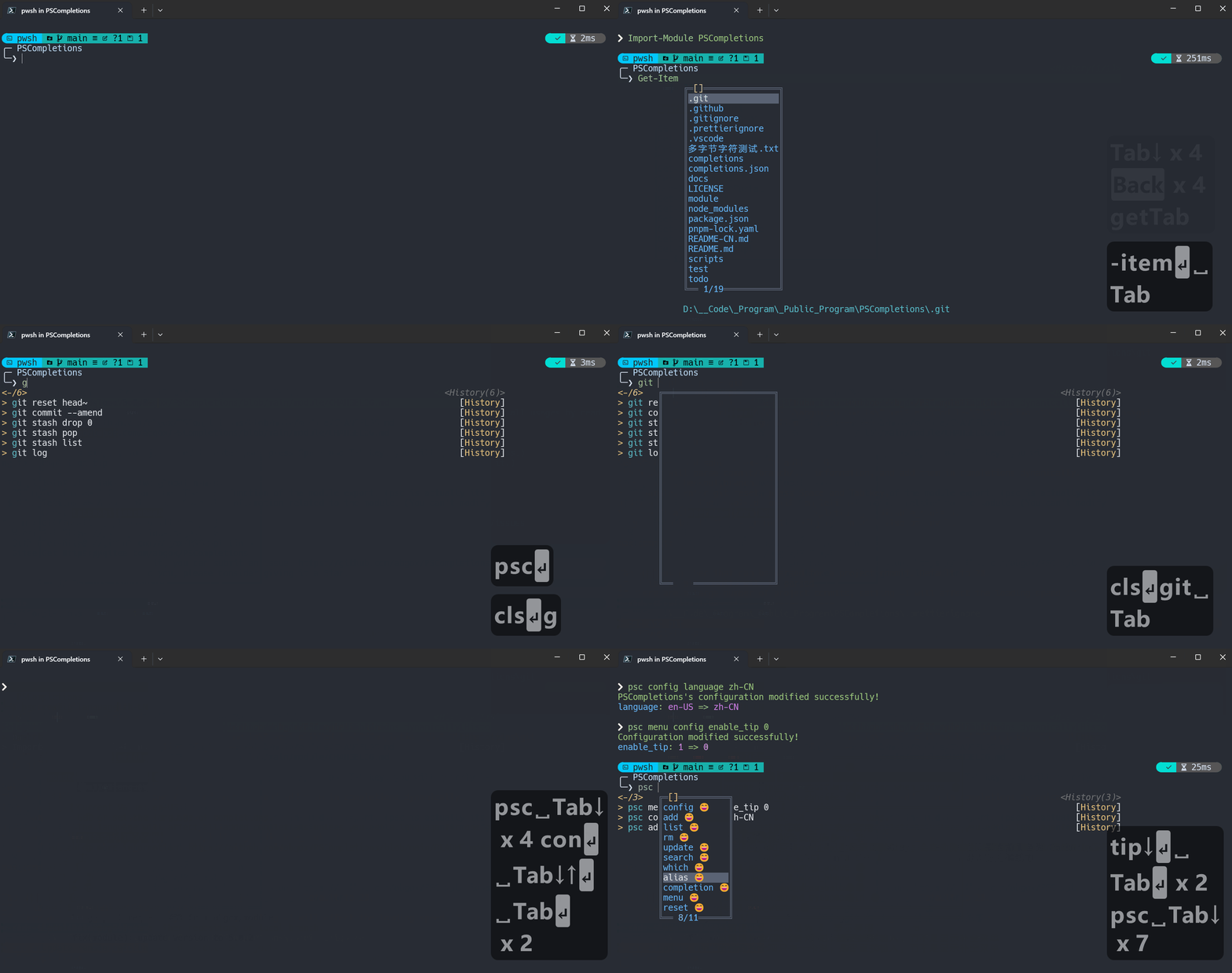
A completion manager for a better and simpler tab-completion experience in PowerShell.
- Built-in completion library.
- More powerful module completion menu.
- Support multiple languages: en-US, zh-CN, etc.
- Sort completion items dynamically based on command history.
- Work with other tools.
Demo
[!Tip]
- If it cannot be displayed here, you can check it on the official website.
- Click to view the videos on Bilibili.
What's new
See the Changelog for details.
FAQ
See the FAQ.
Contribution
See the Contribution Guide for details.
How to install
-
Install the module.
-
Install-Module PSCompletions -
Install-PSResource PSCompletions
-
-
Import the module.
Import-Module PSCompletions
[!Tip]
- If you use
. $Profile, please runpscto reload the module's key bindings and data.- Refer to: https://pscompletions.abgox.com/faq/source-profile
How to use
-
Use the built-in completion library, like
git.- Add completion:
psc add git - Then you can enter
git, pressSpaceandTabkey to get command completion.
- Add completion:
-
Use official completion or other completion libraries.
-
If there is an official completion for
xxx, a similar command may be run:xxx completion powershell | Out-String | Invoke-Expression -
Work with other completion libraries: argc-completions, Carapace
-
For more details, please refer to: https://pscompletions.abgox.com/faq/menu-enhance
-
-
Use PSFzf as the completion menu, refer to Work with PSFzf.
Acknowledgements
- PSReadLine: A built-in module in PowerShell, which is used to enhance command line editing experience.
- PSCompletions uses
Set-PSReadLineKeyHandlerandGet-PSReadLineOption.
- PSCompletions uses
- PS-GuiCompletion: GUI-style tab-completion menu for PowerShell.
- The module completion menu of PSCompletions is inspired by it.
