
Walker
Multi-Purpose Launcher with a lot of features. Highly Customizable and fast.
Install / Use
/learn @abenz1267/WalkerREADME
Walker - A Modern Application Launcher
A fast, customizable application launcher built with GTK4 and Rust, designed for Linux desktop environments. Walker provides a clean, modern interface for launching applications, running commands, performing calculations, and more.


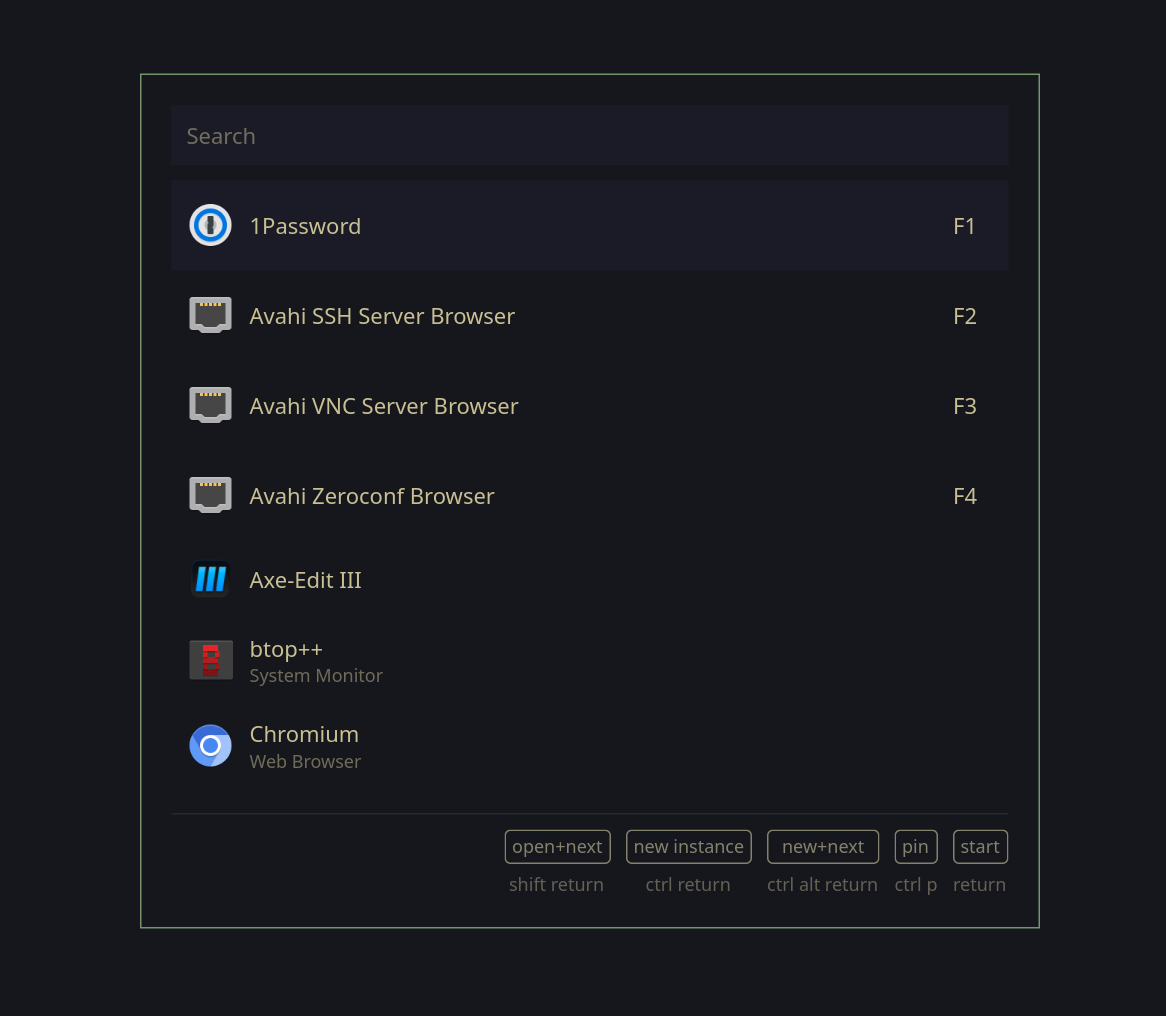
Features
The following Elephant providers are implemented by default:
- Desktop Applications: Launch installed GUI applications
- Calculator: Perform mathematical calculations with
=prefix - File Browser: Navigate and open files with
/prefix - Command Runner: Execute shell commands
- Websearch: Search the web with custom-defined engines
- Clipboard History: Access clipboard history with
:prefix - Symbol Picker: Insert special symbols with
.prefix - Provider List: Switch between providers with
;prefix - Menu Integration: Create custom menus with elephant and let walker display them
- Dmenu: Your good old dmenu ... with seamless menus!
- Arch Linux Packages: Search through available packages (official and aur), install or delete a target! List all exlusively installed packages.
- Todo List: create simple todo items with basic time tracking, scheduling and notifications
- Bookmarks: manage bookmarks, open with specified browsers, assign categories and import bookmarks from browsers
- Bluetooth: basic bluetooth management
- Niri Actions: list niri actions
- Niri Sessions: create stored sets of workspaces/apps
- Bitwarden/1Password: access your passwords
- Wireplumber: handle sound input/output
- Snippets: access text-snippets
- Windows: list and focus opened windows
Installation
Build from Source
# Clone the repository
git clone https://github.com/abenz1267/walker.git
cd walker

# Build with Cargo
cargo build --release

# Run Walker
./target/release/walker
Dependencies
- GTK4 (version 4.6+)
- gtk4-layer-shell
- Protocol Buffers compiler
- cairo
- poppler-glib
- make sure elephant is running before starting Walker
1. Add flake inputs
Add walker and elephant to the inputs of your configs flake.nix and set walker to follow elephant
elephant.url = "github:abenz1267/elephant";

walker = {
  url = "github:abenz1267/walker";
  inputs.elephant.follows = "elephant";
};
2. Install walker
You have 3 options for installing walker.
Option A (Home Manager Module): Import the home-manager module to your home-manager config and enable walker.
imports = [inputs.walker.homeManagerModules.default];

programs.walker.enable = true;
Option B (NixOS Module): Import the nixos module in your NixOS config and enable walker
imports = [inputs.walker.nixosModules.default];

programs.walker.enable = true;
Note: this option doesn't support the
runAsServiceoption; It is recommended that you launch the elephant and walker services using your desktop instead.
Option C (Package): Add inputs.walker.packages.<system>.default to your system packages or home-manager packages. replace <system> with your system architecture. Note: This option doesn't support configuration using nix.
home.packages = [inputs.walker.packages.<system>.default];
environment.systemPackages = [inputs.walker.packages.<system>.default];
3. Configure walker
programs.walker = {
  enable = true;
  runAsService = true; # Note: this option isn't supported in the NixOS module only in the home-manager module

  # All options from the config.toml can be used here https://github.com/abenz1267/walker/blob/master/resources/config.toml
  config = {
    theme = "your theme name";
    placeholders."default" = { input = "Search"; list = "Example"; };
    providers.prefixes = [
      {provider = "websearch"; prefix = "+";}
      {provider = "providerlist"; prefix = "_";}
    ];
    keybinds.quick_activate = ["F1" "F2" "F3"];
  };

  # Set `programs.walker.config.theme="your theme name"` to choose the default theme
  themes = {
    "your theme name" = {
      # Check out the default css theme as an example https://github.com/abenz1267/walker/blob/master/resources/themes/default/style.css
      style = " /* css */ ";

      # Check out the default layouts for examples https://github.com/abenz1267/walker/tree/master/resources/themes/default
      layouts = {
        "layout" = " <!-- xml --> ";
        "item_calc" = " <!-- xml --> ";
        # other provider layouts
      };
    };
    "other theme name" = {
        # ...
    };
    # more themes
  };
};
Optionally, there is 2 binary caches which can be used by adding the following to you config:
nix.settings = {
  extra-substituters = ["https://walker.cachix.org" "https://walker-git.cachix.org"];
  extra-trusted-public-keys = ["walker.cachix.org-1:fG8q+uAaMqhsMxWjwvk0IMb4mFPFLqHjuvfwQxE4oJM=" "walker-git.cachix.org-1:vmC0ocfPWh0S/vRAQGtChuiZBTAe4wiKDeyyXM0/7pM="];
};
Usage
Basic Usage
Make sure elephant is running and you have providers installed. elephant-providerlist and f.e. elephant-desktopapplications.
Launch Walker with walker.
In order to improve startup performance, run a Walker service with:
walker --gapplication-service
If the service is running, you can either open Walker with:
walker
or for an even faster launch make a socket call, f.e. with openbsd-netcat:
nc -U /run/user/1000/walker/walker.sock
The downside of the socket call is that it does not handle any commandline options, so it's just a faster alternative to a simple walker call.
Keybinds
The following modifier keys are valid: ctrl, alt, shift, super.
To get a full list of possible key values, look here: GDK key-values.
F.e. pub const GDK_KEY_semicolon: c_int = 59; means that ctrl semicolon would be a valid keybind.
Config
Configuration should be done in ~/.config/walker.
Check out the default config.
Theming
You can customize Walker's appearance by creating a custom theme. Checkout resources/themes/default for the default theme. Themes inherit the default theme by default, so if you just want to change the CSS, you can just create themes/yours/style.css.
You can customize rendering of list items for each provider individually, f.e. "item_files.xml" will define the layout for items sourced from the files provider.
Please refer to the GTK4 docs to checkout how to write *.xml files for GTK4.
You can set the default theme in your config.toml f.e. theme = "yours".
Contributing
Please do not make PRs to fix single typos. Fix all or nothing.
License
This project is licensed under the GNU General Public License v3.0 - see the LICENSE file for details.
Related Skills
himalaya
343.1kCLI to manage emails via IMAP/SMTP. Use `himalaya` to list, read, write, reply, forward, search, and organize emails from the terminal. Supports multiple accounts and message composition with MML (MIME Meta Language).
node-connect
343.1kDiagnose OpenClaw node connection and pairing failures for Android, iOS, and macOS companion apps
frontend-design
90.0kCreate distinctive, production-grade frontend interfaces with high design quality. Use this skill when the user asks to build web components, pages, or applications. Generates creative, polished code that avoids generic AI aesthetics.
coding-agent
343.1kDelegate coding tasks to Codex, Claude Code, or Pi agents via background process
