
GraphAStarExample
Unreal Engine 4 generic graph A* implementation for hexagonal grids.
Install / Use
/learn @ZioYuri78/GraphAStarExampleREADME
This is the "stable" release branch, look at the master branch for advanced features like:
- Hex Grid Plugin (basic version)
- Simple jump implementation
- EQS support
- Simple A* debug draws
- Simple avoidance
Hexagonal grid pathfinding in Unreal Engine 4
Prerequisites
- A good knowledge of C++.
- Red Blob Games articles about hexagonal grid.
Readings will let you better understand my example project
- Epic wiki article about replacing the pathfinder.
- Neatly replacing NavMesh with A* in UE4 by Chris Russel.
- Epic wiki article about custom Path Following Component.
The GraphAStarExample project
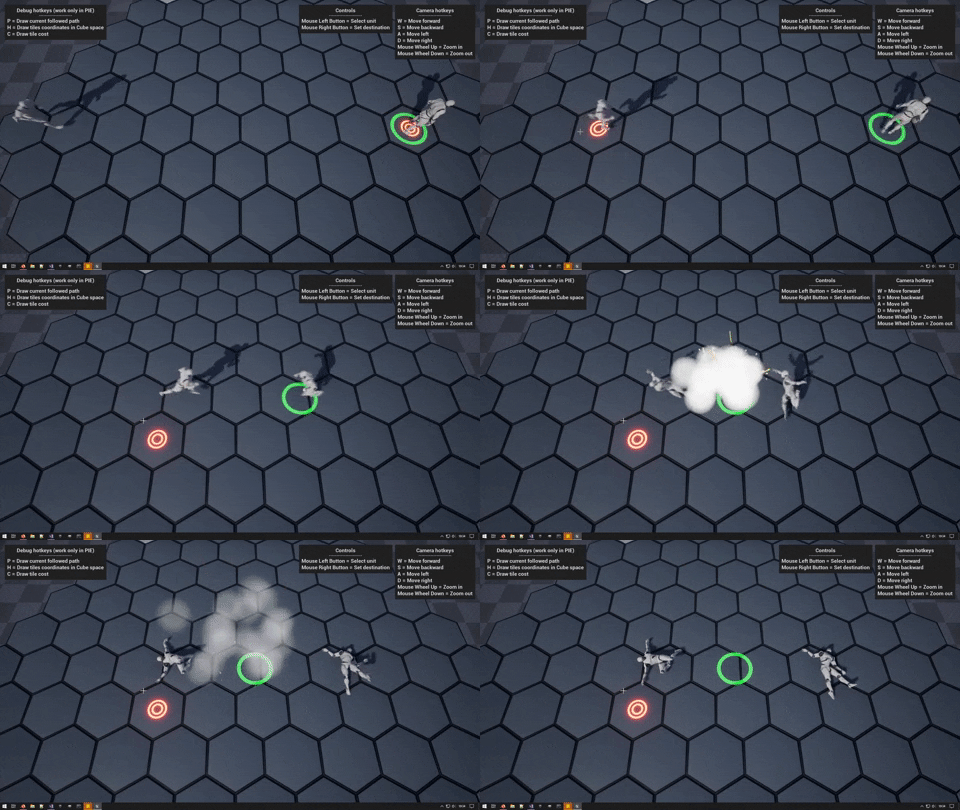
Welcome all to my example project about how to use the Unreal Engine 4 generic graph A* implementation with hexagonal grids, the intent of this project is to guide you on what you need to setup the basics for navigation on hexagonal grids, this is not a complete tutorial but more like a guideline and doesn't cover topics like avoidance, grid transfer etc.
In the project you will find two examples, A and B, both examples work with the same Pathfinder, Example B is just a bonus that will show you what you can do with a custom PathFollowingComponent.
Table of contents
- Classes and structs you need to know.
- Classes and structs we used in the project.
- Core Blueprints of the project.
Classes and Structs you need to know
- ANavigationData
- ARecastNavMesh
- FGraphAStar
- AAIController (optional)
- UPathFollowingComponent (optional)
ANavigationData
Represents abstract Navigation Data (sub-classed as NavMesh, NavGraph, etc). Used as a common interface for all navigation types handled by NavigationSystem.
Here you will find a lot of interesting stuff but the most important for us is the FindPathImplementation class member, this is a function pointer.
typedef FPathFindingResult (*FFindPathPtr)(const FNavAgentProperties& AgentProperties, const FPathFindingQuery& Query);
FFindPathPtr FindPathImplementation;
Also the ANavigationData::FindPath function is very important for us, this function return the result of the function pointed by FindPathImplementation.
/**
 * Synchronously looks for a path from @StartLocation to @EndLocation for agent with properties @AgentProperties.
 * NavMesh actor appropriate for specified FNavAgentProperties will be found automatically
 * @param ResultPath results are put here
 * @return true if path has been found, false otherwise
 *
 * @note don't make this function virtual! Look at implementation details and its comments for more info.
 */
FORCEINLINE FPathFindingResult FindPath(const FNavAgentProperties& AgentProperties, const FPathFindingQuery& Query) const
{
	check(FindPathImplementation);
	// this awkward implementation avoids virtual call overhead - it's possible this function will be called a lot
	return (*FindPathImplementation)(AgentProperties, Query);
}
Take a look at the note "don't make this function virtual!", we will come back on it in a while.
ARecastNavMesh
This class inherit from ANavigationData and extend his functionality, everytime you place a NavMeshBoundsVolume in the map an object of this class is created (you can see it in the World Outliner), is the RecastNavMesh-Default object!
This is the class we have to inherit from!
Let's look how this class implement the ANavigationData::FindPath function, we already know that this function is not virtual, so how we can implement it? We have the FindPathImplementation function pointer!
In the header you can see the ARecastNavMesh::FindPath declaration.
static FPathFindingResult FindPath(const FNavAgentProperties& AgentProperties, const FPathFindingQuery& Query);
the function is static for a reason, (wiki copy-paste->) comments in the code explain it’s for performance reasons: Epic are concerned that if a lot of agents call the pathfinder in the same frame the virtual call overhead will accumulate and take too long, so instead the function is declared static and stored in the FindPathImplementation function pointer. Which means you need to manually set the function pointer in your new navigation class constructor (or in some other function like i did in my example).
This is the function where we will implement (and the FindPathImplementation will point) in our inherited class!
FGraphAStar
Finally we are in the (second) core class (ok ok, is a struct) of our example, the FGraphAstar is the Unreal Engine 4 generic implementation of the A* algorithm.
If you open the (\Engine\Source\Runtime\AIModule\Public) GraphAStar.h file you will find in the comments an explanation about how to use it, let's look:
Generic graph A* implementation. TGraph holds graph representation. Needs to implement functions:
/* Returns number of neighbors that the graph node identified with NodeRef has */
int32 GetNeighbourCount(FNodeRef NodeRef) const;

/* Returns whether given node identification is correct */
bool IsValidRef(FNodeRef NodeRef) const;

/* Returns neighbor ref */
FNodeRef GetNeighbour(const FNodeRef NodeRef, const int32 NeighbourIndex) const;
it also needs to specify node type
FNodeRef - type used as identification of nodes in the graph
TQueryFilter (FindPath's parameter) filter class is what decides which graph edges can be used and at what cost. It needs to implement following functions:
/**
* Used as GetHeuristicCost's multiplier
 */
float GetHeuristicScale() const;

/**
 * Estimate of cost from StartNodeRef to EndNodeRef
 */
float GetHeuristicCost(const int32 StartNodeRef, const int32 EndNodeRef) const;

/**
 * Real cost of traveling from StartNodeRef directly to EndNodeRef
 */
float GetTraversalCost(const int32 StartNodeRef, const int32 EndNodeRef) const;

/**
 * Whether traversing given edge is allowed
 */
bool IsTraversalAllowed(const int32 NodeA, const int32 NodeB) const;

/**
 * Whether to accept solutions that do not reach the goal
 */
bool WantsPartialSolution() const;
So we don't have to create a class (ok ok, is a struct) from FGraphAStar but we have to implement the above code in the class which will call the FGraphAStar::FindPath function, in our case this class will be AGraphAStarNavMesh (inherited from ARecastNavMesh).
You can find a good example on how to do it in (\Engine\Source\Runtime\AIModule\Classes\Navigation) NavLocalGridData.h
AAIController (optional)
In the project you will find two examples, A and B:
- example A use the default AIController (BP_AIController_Example_A)
- example B use a custom AIController (BP_AIController_Example_B) with a custom PathFollowingComponent (HGPathFollowingComponent).
To use a custom PathFollowingComponent we have to inherit the AAIController class and tell her which class of the PathFollowingComponent we want to use.
We will talk about it later, in the AHGAIController section.
UPathFollowingComponent (optional)
This component will let your AI to follow the path, it's full of interesting functions and variables, we will override only two of these functions just to show you they are here and what you can do with a custom PathFollowingComponent.
We will talk about it later, in the UHGPathFollowingComponent section.
Classes and structs we used in the project
- AGraphAStarNavMesh (inherited from ARecastNavMesh)
- AHexGrid (inherited from AActor)
- HGTypes (a collection of structs used by AHexGrid)
- AHGAIController (inherited from AAIController)
- UHGPathFollowingComponent (inherited from UPathFollowingComponent)
AGraphAStarNavMesh
Our most important class, where the magic happen!
Here is where we "integrate" the FGraphAStar implementation and it will be very easy! Before do that we need a pointer to our AHexGrid class, this will be the hexagonal grid on which we will perform the pathfinding (look at the AHexGrid section).
/* Just a pointer to an hexagonal grid actor */
UPROPERTY(VisibleAnywhere, BlueprintReadOnly, Category = "GraphAStarExample|NavMesh")
class AHexGrid *HexGrid;
We also need a function to set this pointer, this function is one of the key points of our example, it will switch from our FindPath implementation to the ARecastNavMesh::FindPath implementation (the default behavior).
This can be done at realtime!
Ok ok, if we do it while the AI is following a path it will finish it before the switch happen. (On top of my head i think is possible to do the switch on the fly but we will not do it in this project.)
/* Set
