OSCLeash
VRChat OSC tool to move a player in the direction of a stretched Physbone.
Install / Use
/learn @ZenithVal/OSCLeashREADME
Download & Setup
Download the latest version of OSCLeash from releases. <br> This app does not provide a model for a Leash at this time. <Br>
<details><summary>Setup Steps (Click the Arrow!)</summary>- Grab the prefab
(OSCLeash.prefab)from releases and drop it into your Unity project. - Place the prefab on the root of your model. (NOT a child of armature) Don't break prefab!
- Select the
Leash Physboneobject and assign the Root Transform of the Physbone to the first bone of your leash. - Select the
Compassobject and assign the source of thePosition constraintto the first bone of your leash. - You can find
Aim Needleas a child of compass. Assign the source of theAim Constraintto the last bone of your leash. - (Optional) You can animate the compass object off for remote users using IsLocal.
- (Optional) Cross Quest/PC support? You'll need to sync the Physbone's network ID. See FAQ.
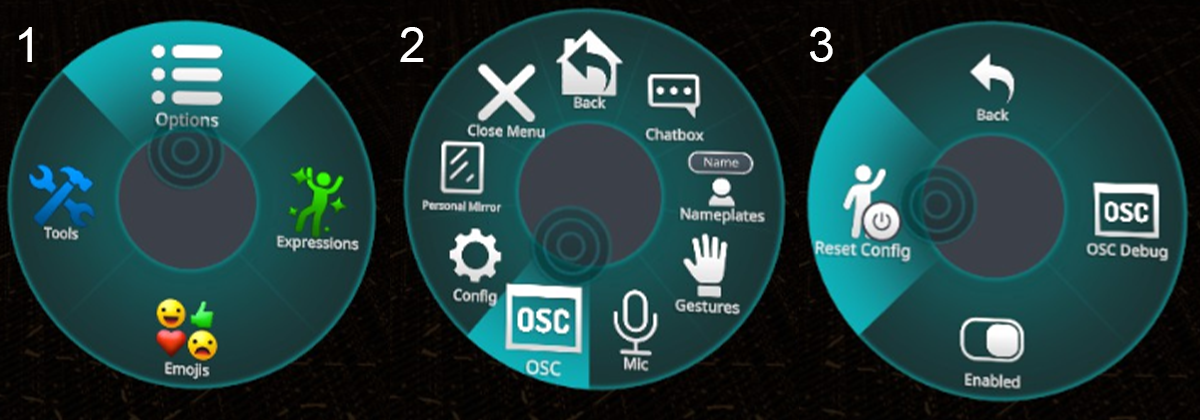
- Enable OSC in VRChat settings. (Or reset OSC if you updated an avatar!) ~ Tutorial
- Run the OSCLeash app and get pulled about!
- Visit Config and fine tune settings for your taste
</details><br>
If you're having issues, make sure to see the FAQ section. <br> If all else fails, feel free to reach out in the #OSC-Talkin channel in my Discord
<br>Config
After running OSCleash at least once, an OSCLeash.json file will be generated. <br>
The default install location of OSCLeash is %LocalAppData%\Programs\OSCLeash <br>
You can open the json file in your favorite text editor and fine tune your OSCLeash.
| Value | Info | Default | |:--------------------- | -------------------------------------------------------------- |:-----------:| | IP | Address to send OSC data to | 127.0.0.1 | | ListeningPort | Port to listen for OSC data on | 9001 | | Sending port | Port to send OSC data to | 9000 | | RunDeadzone | Minimum Stretch % to cause running | 0.70 | | WalkDeadzone | Minimum Stretch % to start walking | 0.15 | | StrengthMultiplier | Multiplies speed values but they can't go above (1.0) | 1.2 | | UpDownCompensation | % of compensation to apply for Up/Down angles | 1.0 | | UpDownDeadzone | Stops movement if pull angle is above/below this. 1.0 Disables | 0.5 | | TurningEnabled | Enable turning functionality | false | | TurningMultiplier | Adjust turning speed | 0.80 | | TurningDeadzone | Minimum Stretch % to start turning | 0.15 | | TurningGoal | Goal degree range for turning. (degrees, 0-144) (0° to 144°) | 90 | | ActiveDelay | Delay in seconds between OSC messages while active | 0.02 | | InactiveDelay | Delay in seconds for OSCLeash while not in use | 0.5 | | Logging | Logging for Directional compass inputs | false | | XboxJoystickMovement | Alt movement method for an old bug. Removing eventually | false | | UseOSCQuery | Enables OSCQuery | false | | PhysboneParameters | A list of Physbones that are leashes | see below | | DirectionalParameters | A list of contacts to use for direction calculation | see below |
</details><br> <details><summary>Default Config.json</summary>{
"IP": "127.0.0.1",
"ListeningPort": 9001,
"SendingPort": 9000,
"RunDeadzone": 0.70,
"WalkDeadzone": 0.15,
"StrengthMultiplier": 1.2,
"UpDownCompensation": 1.0,
"UpDownDeadzone": 0.5,
"TurningEnabled": false,
"TurningMultiplier": 0.80,
"TurningDeadzone": 0.15,
"TurningGoal": 90,
"ActiveDelay": 0.02,
"InactiveDelay": 0.5,
"Logging": false,
"XboxJoystickMovement": false,
"UseOSCQuery": false,
"PhysboneParameters":
[
"Leash"
],
"DirectionalParameters":
{
"Z_Positive_Param": "Leash_Z+",
"Z_Negative_Param": "Leash_Z-",
"X_Positive_Param": "Leash_X+",
"X_Negative_Param": "Leash_X-",
"Y_Positive_Param": "Leash_Y+",
"Y_Negative_Param": "Leash_Y-"
}
}
</details><br> <details><summary>Physbone Parameters</summary>
This is a list of all the Physbones you're using with OSCLeash. <br>
        "PhysboneParameters":
        [
            "Leash",
            "Leash2",
            "Leash3"
        ],
OSCLeash listens for the _IsGrabbed and _Stretch parameters for every listed leash.
</details><br> <details><summary>Multiple Leashes</summary>
This requires an understanding of Physbones Parameters, Animations, and Constraints. <br/>
- Add a new source to
CompassandAim Needlefor each extra leash. 0 Weight by default - Depending on which leash
_IsGrabbed, animate the weights to match the Grabbed leash.
</details><br> <details><summary>Turning Functionality</summary>
⚠️ Motion sickness warning ⚠️
If you want to enable this feature, set TurningEnabled to True.<br/>
Currently Supports North, East, South, & West<br/>
If you had a leash up front and you want to turn to match the direction it's pulled from (EG: a Collar with the leash on the front) Set set the parameter on your Leash Physbone and config to Leash_North.
        "PhysboneParameters":
        [
            "Leash_North"
        ],
We parse the direction to control turning so "Tail_South" would work. <br>
Whenever this leash is grabbed and pulled past the deadzone it will begin to turn. <br/>It will continue to turn until it is greater than the TurningDeadzone value. <br/>
<details><summary>Nerd Stuff</summary>
Here's the simplified logic of the system.
if LeashDirection == "North" and Z_Positive < TurningGoal:
    TurningSpeed = ((X_Negative - X_Positive) * LeashStretch * TurningMultiplier)
How OSCLeash works
Step 1: Get Leash Physbone parameters
We receive the Leash_Stretch and Leash_Grabbed parameters.
If Leash_Grabbed becomes true, we begin reading Leash_Stretch
We'll use these values in this example:
Leash_IsGrabbed = True<br/>Leash_Stretch = $0.95$
Step 2: Gather Directional Contact values
<img src="https://cdn.discordapp.com/attachments/606734710328000532/1011420984303165500/Example_Gif.gif" title="" alt="Function Example" width="502"> <br> 4 Contacts (Blue) surround a object with an aim constraint and a contact at the tip. (Yellow) <br/>
Based on where the constraint is aimed, it will give us 4 values. <br/>
If it was pointing South-South-West, we would get:
Leash_Z+ = $0.0$<br/>Leash_Z- = $0.75$<br/>Leash_X+ = $0.0$<br/>Leash_X- = $0.25$
Step 3: Math
Math is fun. Add the negative and positive contacts & multiply by the stretch value.
(Z_Positive - Z_Negative) * Leash_Stretch = Vertical<br/>(X_Positive - X_Negative) * Leash_Stretch = Horizontal
So our calculation for speed output would look like:
$(0.0 - 0.75) * 0.95 = -0.7125$ = Veritcal<br/>$(0.0 - 0.25) * 0.95 = -0.2375$ = Horizontal
Step 4: Outputs
If either value is above the walking deadzone (default 0.15) we start outputting them instead of 0. <br/>If either value is above the running deadzone (0.7) we tell the player to run (x2 speed)
All movement values are relative to the VRC world's movement speed limits. <br/>So we'd be moving at $142.5$% speed south and $47.5$% speed to the West.
If the values are below the deadzones or _IsGrabbed is false, send 0s for the OSC values once to stop movement.
</details> <br>