
Foil
Flutter package that allows one to wrap a widget with Foil, providing a rainbow shimmer that twinkles as the accelerometer moves.
Install / Use
/learn @Zabadam/FoilREADME
🌈 Foil
pub.dev Listing | API Doc | GitHub
API References: Foil | Foils | Roll | Crinkle | Foil.sheet | Steps | GradientUtils
<br />
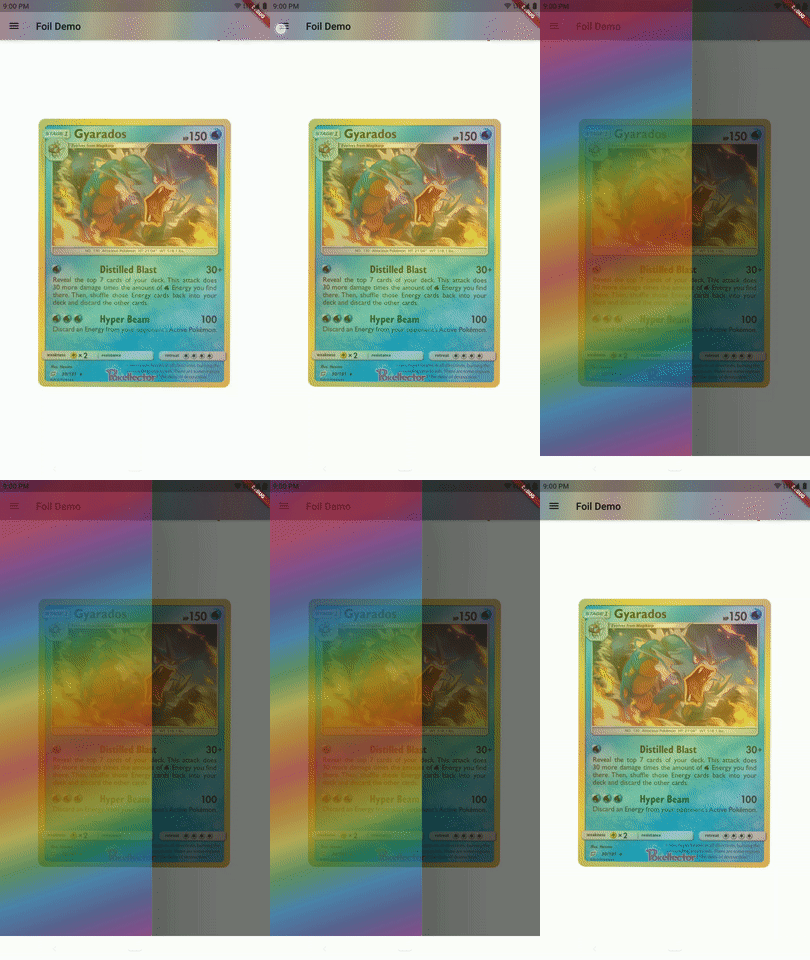
Wrap a widget with Foil, providing a rainbow shimmer
that twinkles as the accelerometer moves.
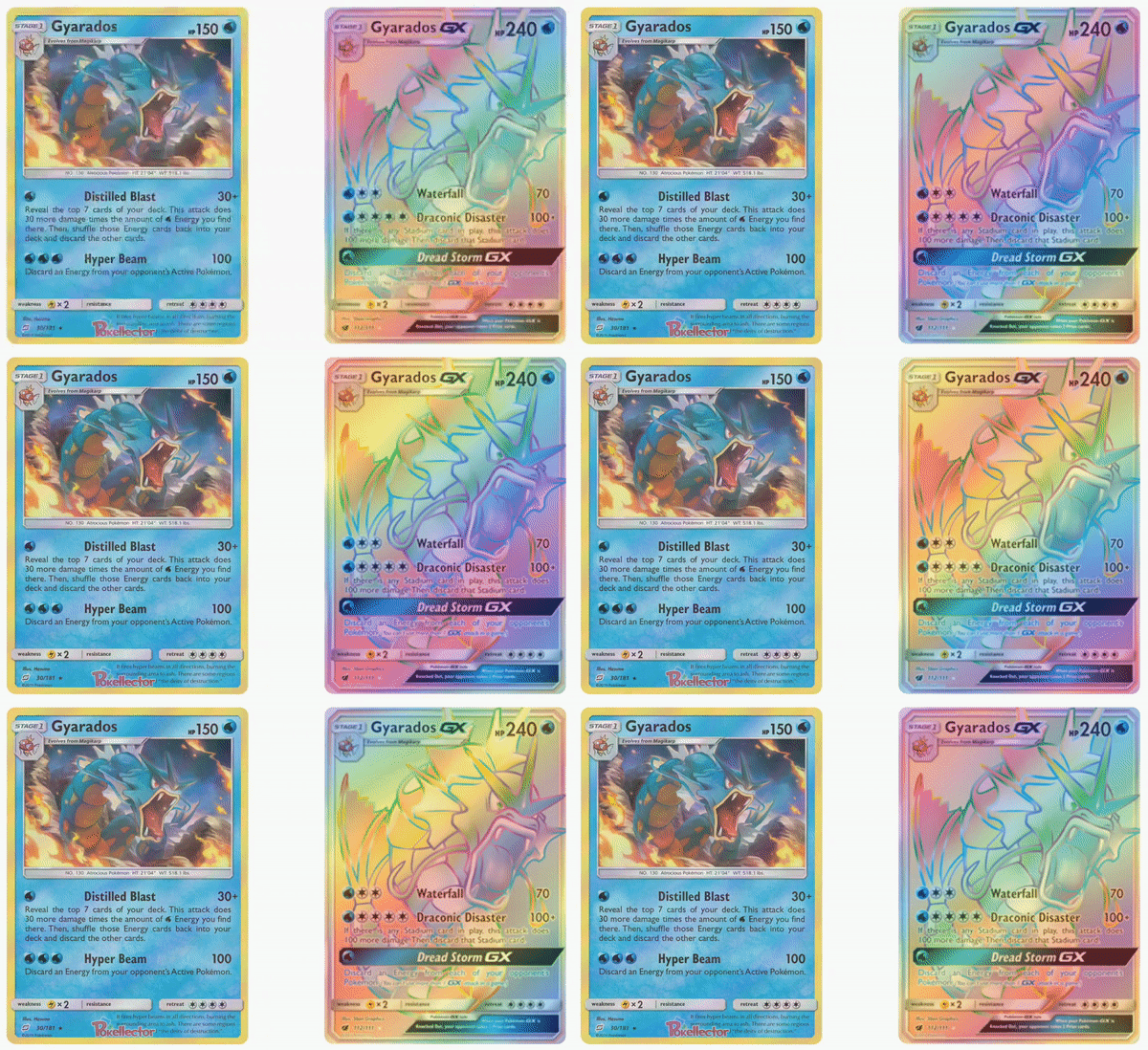
Consider holographic Pokémon trading cards, some credit cards, or an oil slick on the road.
|  |
|  |
| :------------------------------------------------------------------------------------------------------------------------------------------------------------------: | :--------------------------------------------------------------------------------------------------------: |
|
| :------------------------------------------------------------------------------------------------------------------------------------------------------------------: | :--------------------------------------------------------------------------------------------------------: |
📚 Table of Contents
Getting Started
Wrap a widget by providing it as Foil.child.
Use any gradient
of choice and determine the blendMode to mask the gradient
onto the child in different ways. Default is BlendMode.srcATop which will
reveal the child through the gradient if the gradient has opacity or if
Foil.opacity is provided a non-1.0 value.
- Use
BlendMode.srcInto paint only the gradient and use the child as a mask.
Flag isUnwrapped toggles this Foil's invisibility. Default is false.
When this value is changed, the gradient will smoothly animate to a disabled
state, leaving only the child behind.
class Example extends StatelessWidget {
  const Example({Key? key}): super(key: key);

  @override
  Widget build(BuildContext context) => FittedBox(
    child: Foil(
      child: const Text(
        'FOIL',
        style: TextStyle(fontWeight: FontWeight.w900)
      ),
    ),
  );
}
Quickstart
Plop an instance of this
const Example()in a runningListViewyou've got open in a code editor. Run terminal commandflutter pub add foil.import 'package:foil/foil.dart'
Accelerometer
<div style='text-align:right'><h6>📚 <a href='#table-of-contents'>TABLE OF CONTENTS</a></h6></div>
This trading card is wrapped in two
Foilwidgets offering different gradients! Further widget transformation provided by package:xl.
Disable this Foil's reaction to accelerometer sensor motion by
useSensor: false. Default is true.
- In this case, you may want to employ a
RollwithCrinkles.
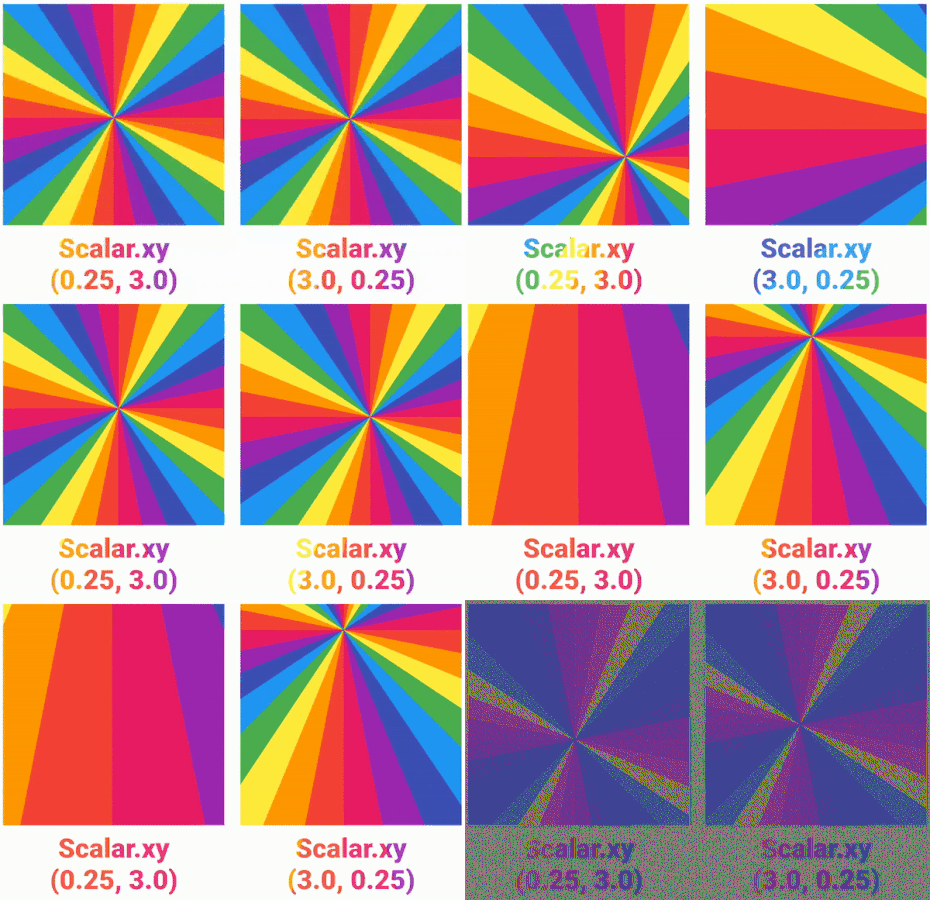
Influence the intensity of this Foil's reaction to accelerometer motion
by providing a speed and custom Scalar property Foil.scalar.
- Default is
Scalar.identitywhich has both ahorizontalandverticalmultiplier of+1.0.

Transitioning
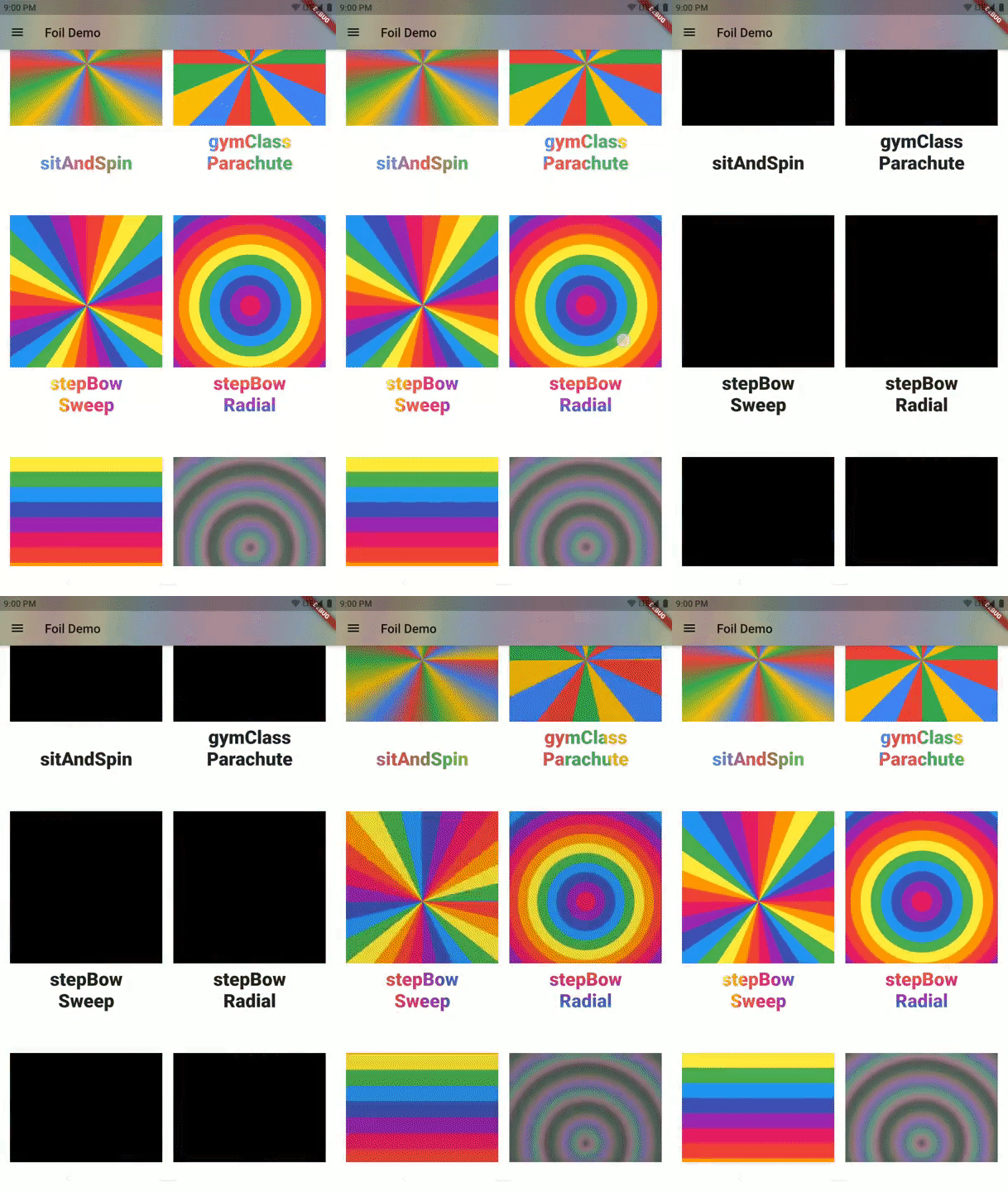
Control how rapidly this Foil transforms its gradient with Foil.speed
and define the animation curve. Defaults are 150ms and Curves.ease.
|  | Furthermore, provide
 Foil.duration to dictate how long intrinsic animations of gradient will take. Foil.duration is also used if isUnwrapped is made true as the duration over which Foil.gradient will lerp to an appropriately-Typed transparent gradient for tweening. There is hard-coded recognition for linear, radial, and sweep gradients, as well as the additional Steps variants this package provides. Falls back to a transparent LinearGradient if Type cannot be matched. Override with Foil.unwrappedGradient. Click images to view full size. | 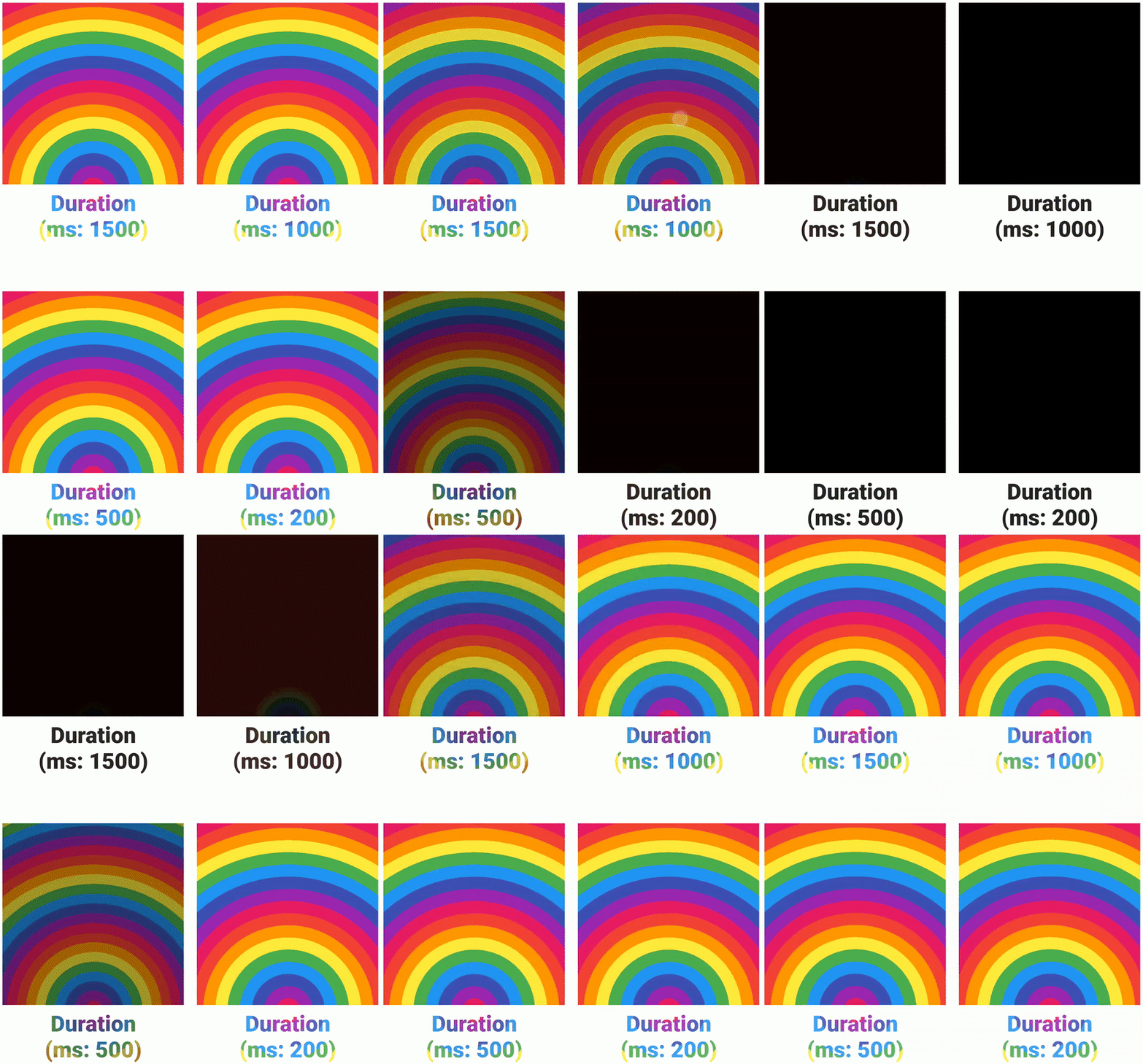 |
| :---------------------------------------------------------------------------------------------------------------------------------------------------------------------------------------------------------------------------------------------: | :----------------------------------------------------------------------------------------------------------------------------------------------------------------------------------------------------------------------------------------------------------------------------------------------------------------------------------------------------------------------------------------------------------------------------------------------------------------------------------------------------------------------------------------------------------------------------------------- | :----------------------------------------------------------------------------------------------------------------------------------------------------------------------------------: |
|
| :---------------------------------------------------------------------------------------------------------------------------------------------------------------------------------------------------------------------------------------------: | :----------------------------------------------------------------------------------------------------------------------------------------------------------------------------------------------------------------------------------------------------------------------------------------------------------------------------------------------------------------------------------------------------------------------------------------------------------------------------------------------------------------------------------------------------------------------------------------- | :----------------------------------------------------------------------------------------------------------------------------------------------------------------------------------: |
<div style='text-align:right'><h6>📚 <a href='#table-of-contents'>TABLE OF CONTENTS</a></h6></div>Upon completion of any tween to a new
gradient, thisFoilwill callonEnd, an optional void callback.
Advanced Usage
Rolls
Wrap any Foil (or many of them!) in a Roll higher in the widget tree
to provide some inherited properties.
A gradient provided by an ancestral Roll may be used by as a Foil.gradient
if one is not explicitly perscribed in the Foil.
- If neither an ancestral
Rollnor aFoildictates its owngradient, then the default isFoils.linearLooping. - A descendent that provides its own
Foil.gradientwill override theRoll.gradient.
One day a
Rollwill also provide the option to "cut" any descendentFoilfrom a single shared gradient sheet that covers a space the size of theRoll.
Rolls can also serve to provide animation properties to a descendent Foil,
regardless of whether its serving its gradient.
Crinkles
These animations are in addition to any accelerometer sensors data
already animating the Foil unless Foil.useSensors: false.
|  | The
| The Roll.crinkle parameter defaults to Crinkle.smooth which is not animated (although each Roll has its own AnimationController for toggling purposes). A Crinkle dictates speed, intensity, and directionality of animation. Click image to view full size. |
| :----------------------------------------------------------------------------------------------------------------------------------------------------------------------------------------
