
Transkun
A simple yet effective Audio-to-Midi Automatic Piano Transcription system
Install / Use
/learn @Yujia-Yan/TranskunREADME
Piano Transcription with Neural Semi-CRF
This repo contains code for following papers for transcribing expressive piano performance into MIDI.
Yujia Yan and Zhiyao Duan, Scoring intervals using non-hierarchical transformer for automatic piano transcription, in Proc. International Society for Music Information Retrieval Conference (ISMIR), 2024, Paper
Yujia Yan, Frank Cwitkowitz, Zhiyao Duan, Skipping the Frame-Level: Event-Based Piano Transcription With Neural Semi-CRFs, Advances in Neural Information Processing Systems, 2021, OpenReview, paper, appendix
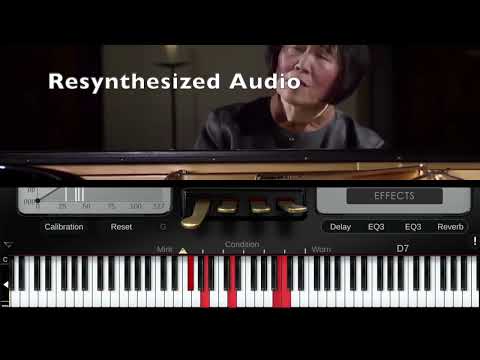
Demo Video:
pip installation
pip3 install transkun
The pip package provides a quick command for transcribing piano performance audio into midi:
$ transkun input.mp3 output.mid
with cuda:
$ transkun input.mp3 output.mid --device cuda
Note: The code/pip package shipped checkpoint is trained without pedal extension of notes, and with data augmentation,which I believe is closer to a real performance. Be cautious that the convention for the piano transcription task in previous works is extending all notes by sustain pedal durations. For more checkpoints, e.g, those reported in the paper, see Model Cards
Colab Notebook Colab
Overview
<img width="1405" alt="image" src="https://user-images.githubusercontent.com/1996534/183318064-db32dbef-500d-4710-93a1-10acd3eb8825.png">This system works as follows:
- A score tensor is computed from the input audio that scores every possible intervals for whether or not being an event.
- The score tensor computed in (1) is then decoded by the proposed semi-CRF layer to obtain event intervals directly via dynamic programming (viterbi).
- Attributes, e.g., velocity and refined onset/offset position, associated with each interval are then predicted from the extracted event intervals from (2).
V2
In V2, as demonstrated in the ISMIR 2024 paper, the changes from V1 are:
- the model architecture is replaced with a transformer
- The Score module is simplified with Scaled Inner Product Interval Scaling. The noise score is now zero tensor for compatibility with V1.
- Segmentwise processing now handles incomplete events with a longer duration
Basic Usage
The Semi-CRF Layer
This code includes an neural semi-CRF module that is optimized for the problem domain.
Here is a minimal example for using this module:
import CRF
import torch

T = 200
NBatch = 4

# representing the score for the interval [TBegin, TEnd]
# dimensions: [TEnd, TBegin, NBatch]
# only the lower triangular part is used
score = ((torch.randn(T,  T, NBatch))).cuda()

# representing the score for being not an interval, dimensions [TBegin, TBegin+1]
noiseScore= ((torch.randn(T-1,  NBatch))).cuda()

# a list of list of non-overlapping intervals
intervals = [
        [(0,2), (4,6),(6,6), (7,8)],
        [(1,2), (3,5), (19,19)],
        [(0,0),(4,7)],
        [],
        ]

crf = CRF.NeuralSemiCRFInterval(score, noiseScore)

## log probability
logP = crf.logProb(intervals)

## decoding
decoded = crf.decode()

## decoding starting from a given position, useful for segment based processing
decoded = crf.decode(forcedStartPos = [4]*NBatch)
Transcribing piano performance into a MIDI file
python3 -m transkun.transcribe -h

usage: transcribe.py [-h] [--weight WEIGHT] [--conf CONF] [--device [DEVICE]] [--segmentHopSize SEGMENTHOPSIZE] [--segmentSize SEGMENTSIZE] audioPath outPath

positional arguments:
  audioPath             path to the input audio file
  outPath               path to the output MIDI file

options:
  -h, --help            show this help message and exit
  --weight WEIGHT       path to the pretrained weight
  --conf CONF           path to the model conf
  --device [DEVICE]     The device used to perform the most computations (optional), DEFAULT: cpu
  --segmentHopSize SEGMENTHOPSIZE
                        The segment hopsize for processing the entire audio file (s), DEFAULT: the value defined in model conf
  --segmentSize SEGMENTSIZE
                        The segment size for processing the entire audio file (s), DEFAULT: the value defined in model conf
This script can also be used directly as the command line command 'transkun' if the pip package is installed, e.g.,
$ transkun input.mp3 output.mid
Model Cards
| |Dataset |Activation| | |Note Onset| | |Note Onset+Offset| | |Note Onset+Offset+ vel.| | |pedal activation| | |pedal onset| | |pedal onset+offset| | | |------------------|--------------------------|----------|------|------|----------|------|------|-----------------|------|------|-----------------------|------|------|----------------|------|------|-----------|------|------|------------------|------|------| |Checkpoint | |prec |recall|F1 |prec |recall|F1 |prec |recall|F1 |prec |recall|F1 |prec |recall|F1 |prec |recall|F1 |prec |recall|F1 | |Transkun V2 |Maestro V3 |0.9576 |0.9489|0.953 |0.9956 |0.9714|0.9832|0.9465 |0.9238|0.9349|0.9411 |0.9186|0.9296|0.9671 |0.9453|0.9541|0.8909 |0.8421|0.8642|0.8632 |0.8165|0.8377| | |MAPS (ad hoc align) |0.887 |0.8252|0.8535|0.8671 |0.9048|0.8849|0.6325 |0.6613|0.6461|0.4351 |0.4551|0.4446|0.8498 |0.8547|0.8449|0.6521 |0.7182|0.6732|0.4903 |0.5427|0.5088| | |SMD |0.9203 |0.9491|0.934 |0.9816 |0.9766|0.979 |0.9013 |0.8968|0.899 |0.8255 |0.8211|0.8232|0.9364 |0.9507|0.942 |0.8722 |0.8101|0.8388|0.803 |0.7471|0.773 | |Transkun V2 Aug |Maestro V3 |0.9495 |0.9522|0.9505|0.9971 |0.9715|0.984 |0.9437 |0.9197|0.9314|0.9386 |0.9149|0.9264|0.9546 |0.9416|0.9454|0.8883 |0.8116|0.8453|0.8497 |0.7790|0.8102| | |MAPS (ad hoc align) |0.9446 |0.8334|0.8843|0.9396 |0.9056|0.9219|0.7105 |0.6854|0.6975|0.5596 |0.5401|0.5495|0.8893 |0.8389|0.8583|0.7313 |0.7529|0.7343|0.5499 |0.5650|0.5532| | |SMD |0.9389 |0.9518|0.9448|0.997 |0.9801|0.9884|0.9284 |0.9128|0.9205|0.8974 |0.8823|0.8897|0.9491 |0.9428|0.9447|0.8788 |0.8043|0.8383|0.8208 |0.7526|0.7837| |Transkun V2 No Ext|Maestro V3 No Ext |0.8671 |0.825 |0.8441|0.9984 |0.9691|0.9833|0.8271 |0.8034|0.8149|0.823 |0.7995|0.8109|0.9498 |0.9518|0.9487|0.8872 |0.8105|0.8444|0.8413 |0.7723|0.8031| | |MAPS (ad hoc align) No Ext|0.9093 |0.6383|0.7465|0.941 |0.9044|0.922 |0.5577 |0.5369|0.5469|0.443 |0.4266|0.4345|0.8753 |0.8471|0.8543|0.7107 |0.7525|0.721 |0.5331 |0.5612|0.5421| | |SMD No Ext |0.8539 |0.8533|0.8524|0.9982 |0.9774|0.9876|0.7936 |0.7778|0.7855|0.7666 |0.7513|0.7588|0.9483 |0.9453|0.9455|0.8812 |0.8067|0.8408|0.8215 |0.7539|0.7848|
- onset deviations on MAPS deviates strongly from a Normal distribution, suggesting potential annotation issues. ad hoc align is used to fix this bias. Offset deviations are still abnormal after this correction.
- Aug means the model is trained with data augmentation
- No Ext means without pedal extension
- The default checkpoint shipped with the code/pip package is Transkun V2 No Pedal Ext. Currently it is fine-tuned from Transkun V2 Aug, will train from scratch in the future.
- There's some minor bug fixes since the paper, the results listed here reflect the latest version which may differ slightly from the paper.
Handling the dataset
Converting to the same sampling rate
We assume the data contains only the same sampling rate 44100hz. Therefore for the maestro dataset it is necessary to perform sampling rate conversion to 44100hz for the last two years (2017 and 2018) .
Generating metadata files
Assuming all audio files have already been converted to the same sampling rate, we iterate the entire dataset to combine the groundtruth midi and metadata into a single file.
The following script will generate train.pt, val.pt and test.pt
python3 -m transkun.createDatasetMaestro -h
usage: createDatasetMaestro.py [-h] [--noPedalExtension] datasetPath metadataCSVPath outputPath

positional arguments:
  datasetPath         folder path to the maestro dataset
  metadataCSVPath     path to the metadata file of the maestro dataset (csv)
  outputPath          path to the output folder

optional arguments:
  -h, --help          show this help message and exit
  --noPedalExtension  Do not perform pedal extension according to the sustain pedal
This command will generate train.pt, dev.pt, test.pt in the outputPath.
Training
After generating the metadata files, we can perform t
Related Skills
docs-writer
98.9k`docs-writer` skill instructions As an expert technical writer and editor for the Gemini CLI project, you produce accurate, clear, and consistent documentation. When asked to write, edit, or revie
model-usage
333.7kUse CodexBar CLI local cost usage to summarize per-model usage for Codex or Claude, including the current (most recent) model or a full model breakdown. Trigger when asked for model-level usage/cost data from codexbar, or when you need a scriptable per-model summary from codexbar cost JSON.
arscontexta
2.8kClaude Code plugin that generates individualized knowledge systems from conversation. You describe how you think and work, have a conversation and get a complete second brain as markdown files you own.
generate-pydantic-ai-prp
Pydantic AI Research Agent Built with the PRP Framework Template
