
CollisionAwareSOROSimulator
Collision Aware Soft Robot Simulator Based on Geometric Computing
Install / Use
/learn @YingGwan/CollisionAwareSOROSimulatorREADME
Collision Aware Soft Robot Simulator Based on Geometric Computing
-
Authors: Guoxin Fang∗, Yingjun Tian∗, Andrew Weightman, and Charlie C.L. Wang
-
IEEE/RSJ International Conference on Intelligent Robots and Systems (IROS 2022), October 23-27, 2022, Kyoto, Japan, accepted, 2022
Compilation
The code of our paper is compiled using qmake and Eigen. A recommended IDE is Visual Studio with embedded qt tool.
Windows 10 (Recommended Platform): Visual Studio 2019 + Qt 5.12.x
The installation guide of this IDE is here: Video Demo
-
After install Qt tool, open visual studio 2019, then select "Extensions" -> "Qt VS Tools" -> "Open Qt Project File (.pro)". This will automatically generate the Qt Vs project.
-
Right click "shapeLab", set "shapeLab" as the start-up project
-
Enable OpenMP: ShapeLab Project Property -> 'Configuration Properties' -> c/c++ -> Language -> Open MP Support -> Select 'Yes (/openmp)'
-
Open Console: ShapeLab Project Property -> 'Configuration Proerties' -> Linker -> System -> Select 'Console (/SUBSYSTEM:CONSOLE)' in 'SubSystem'
-
Dynamic Linking Library (DLL): after compilation, you might need to move the required QT dynamic linking libraries placed in ./thirdPartyDependency/QT_DLL/:
- If you run in release mode, copy files from ./thirdPartyDependency/QT_DLL/release/ to ./ShapeLab/release/
- If you run in debug mode, copy files from ./thirdPartyDependency/QT_DLL/debug/ to ./ShapeLab/debug/
Usage
-
Sequentially press "Input Finger" -> "Input Obstacle" -> "Generate Tet Mesh" before running deformation and collision-related functions.
-
Change the target volume expansion ratio in red and click on “Chamber Deformation” to do the deformation process

-
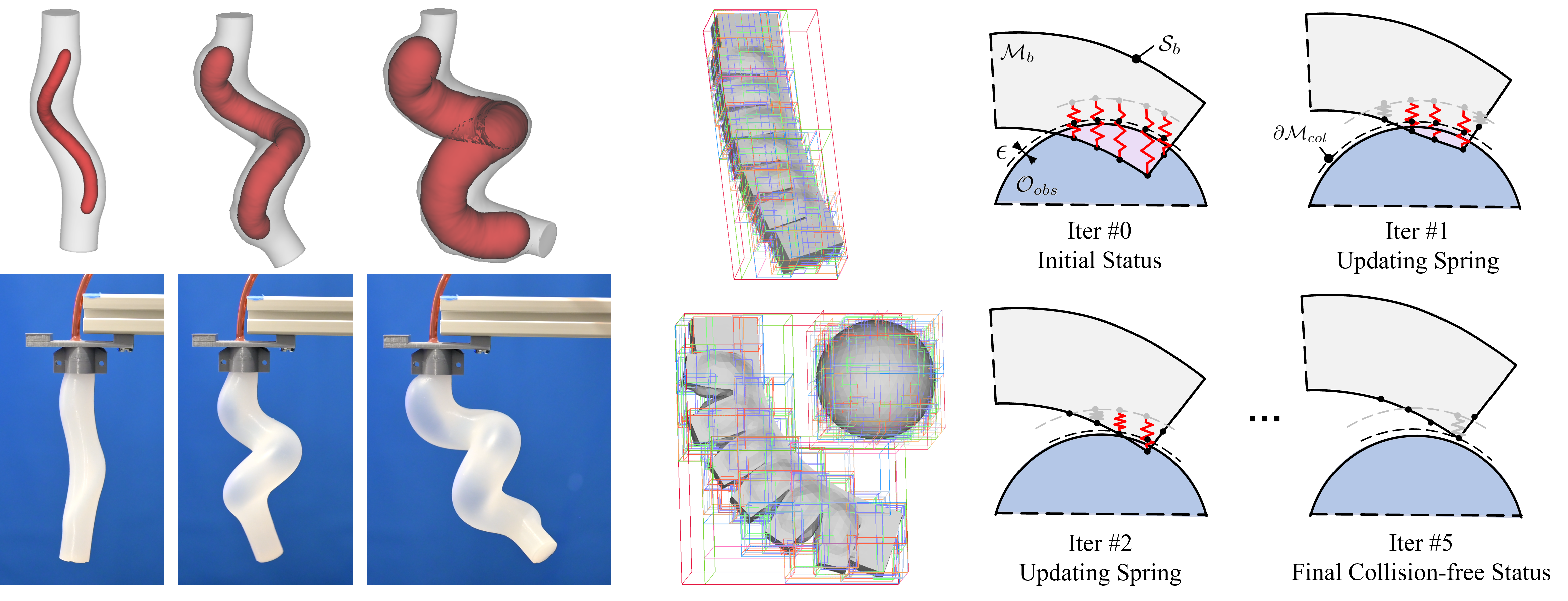
When a collision happened, click on "Collision Checking Response" to do the collision detection and response. Visualization has been added to show the collided tet elements, bounding boxes of these tet, and self-collision correspondence.

AABB Visualization
-
Some AABB Visualization functions are provided to illustrate different levels of AABB Tree
- You can either see a specific depth or the overlapping result
- "Only Show Leaf Node" is included in this visualizer

-
