
Intellij Investor Dashboard
📈 Investor Dashboard for JetBrains IDEs. Support A Share, H.K. Stocks, U.S. Stocks, Crypto etc.
Install / Use
npx skills add WhiteVermouth/intellij-investor-dashboardInstalls into whichever agent you are using.
README
✨ Features
- 📊 Real-time Market Data - Track stocks and cryptocurrencies with live updates
- 🎨 Customizable Display - Choose from multiple color patterns and customize visible table columns
- 🔤 Pinyin Support - Display stock names in Pinyin for easier reading
- 📈 Sortable Columns - Three-state sorting (ascending, descending, unsorted) on any column
- 🪙 Cryptocurrency Support - Monitor crypto assets alongside traditional securities
- 🎯 Custom Stock Names - Set custom names for your favorite stocks
- 🔍 Smart Search - Quickly find and add stocks with intelligent search dialog
- 📋 Batch Operations - Manage multiple stocks at once with batch delete and reorder
- 💾 Persistent Settings - Your preferences and watchlist are saved across IDE sessions
📊 Supported Markets
- A-Shares - Shanghai Stock Exchange (SSE) & Shenzhen Stock Exchange (SZSE)
- Hong Kong Stocks - Hong Kong Stock Exchange (HKEX)
- US Stocks - NASDAQ, NYSE, and other US exchanges
- Cryptocurrencies - Major crypto assets
🚀 Quick Start
-
Install the Plugin
- Open
Settings/Preferences→Plugins→Marketplace - Search for Stocker and click
Install
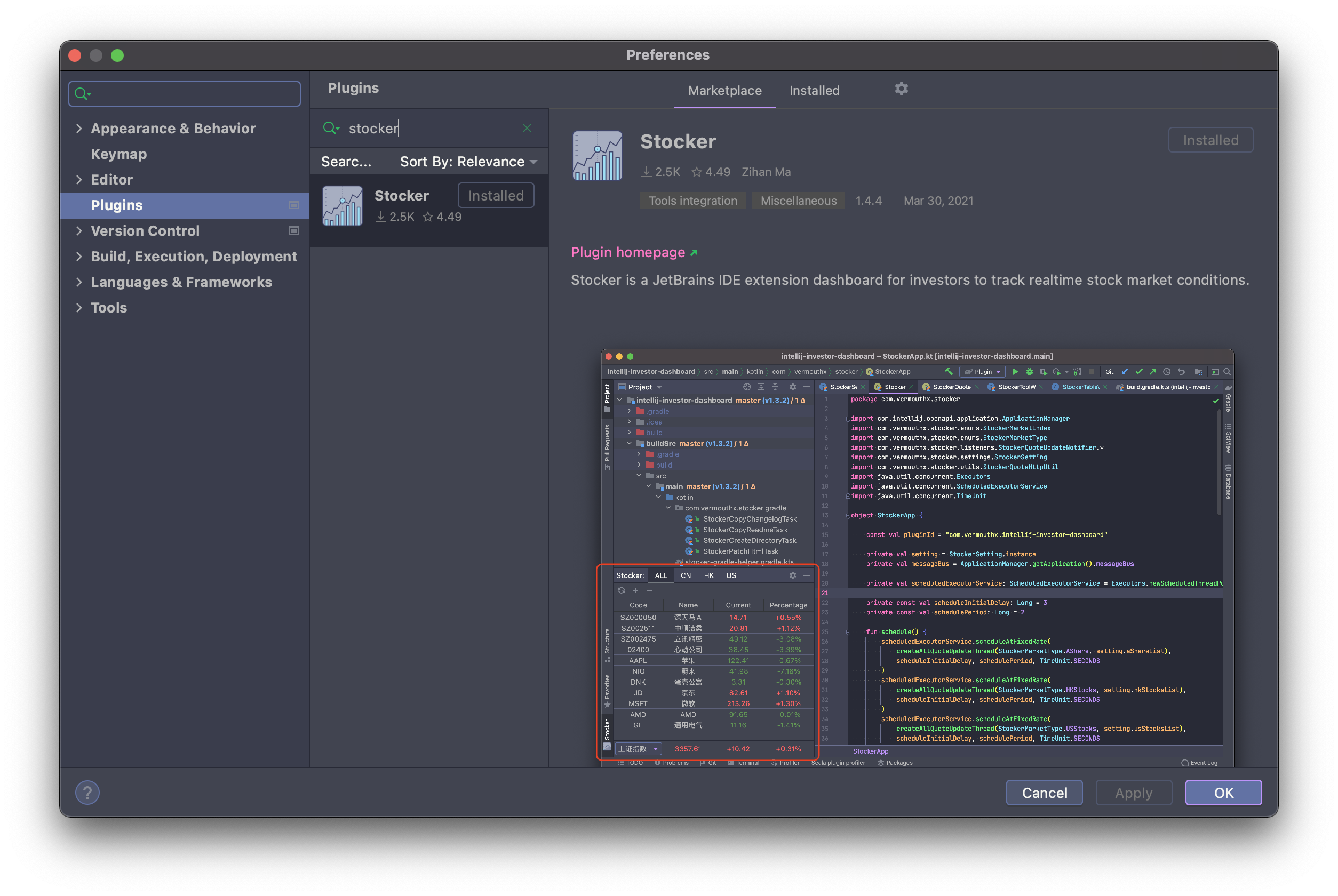
- Open
-
Open Stocker Tool Window
- Find the Stocker tool window in the left or right sidebar
- Click to open the dashboard
-
Add Your Stocks
- Click the Add Favorite Stocks button (🔍 search icon)
- Search for stocks by name or code
- Select and add to your watchlist
-
Customize Settings
- Go to
Settings/Preferences→Tools→Stocker - Configure color patterns, display columns, pinyin mode, and more
- Go to
-
Start Tracking
- Watch your investments update in real-time
- Sort, filter, and manage your watchlist as needed
🔧 Compatibility
- IDE Version: IntelliJ IDEA 2025.3+ (and other JetBrains IDEs)
- Platforms: Windows, macOS, Linux
📖 Documentation
- Tutorial: Getting Started Guide
- Changelog: View Release Notes
- Issues: Report Bugs or Request Features
📄 License
💖 Donation
If you like this plugin, you can buy me a cup of coffee. Thank you!
Related Skills
gortex
1.1kHigh-performance code-intelligence engine for AI agents and IDE, supports 257 languages, multi repositories, based on graph, with access via CLI, MCP Server, and API. AI coding agents teammate - expose only needed information, cutting token usage up to 50x. 100% local.
techrogue
TechRogue – Roguelike technical quiz for engineers. Usage: /techrogue | /techrogue build | /techrogue settings
cc-switch
125.5kA cross-platform desktop All-in-One assistant for Claude Code, Codex, OpenCode, OpenClaw, Grok Build & Hermes Agent. Only official website: ccswitch.io
cc-switch
125.5kA cross-platform desktop All-in-One assistant for Claude Code, Codex, OpenCode, OpenClaw, Grok Build & Hermes Agent. Only official website: ccswitch.io
