OwOFrame
A lightweight MVC framework for PHP
Install / Use
/learn @Tommy131/OwOFrameREADME
OwOFrame

OwO! OwOFrame is developed based on the MVC (Model-Views-Controller) model. The standard of the framework is drawn from the current popular PHP-MVC framework to a certain extent. This project is only my personal practice project.
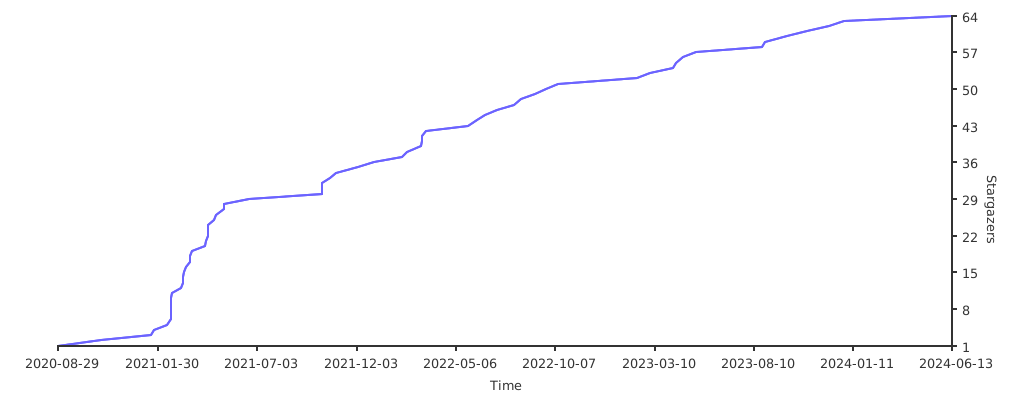
If you think this repository is helpful to you, please give this repository a Star QWQ
Donation: https://owoblog.com/donation/
What can I do?
OwOFrame is a small framework that I developed using my free time. Of course, there are many shortcomings. The functions currently supported by this framework are listed below:
Basic System Components
- [x]
!!!IDE Friendly!!!All comments display nicely inVisual Studio Code - [x]
ApplicationThis framework is a multi-application coexistence framework, and the current application is identified byHTTP_URI - [x]
ConsoleSupport some operations in the terminal throughCommandLine - [x]
ConfigConfiguration file parsing class - [x]
EventManagerEvent Manager (hook method) - [x]
ExceptionError and exception capture and Stack output - [x]
ModuleLoaderModule loader (Application independent and flexible management, in global mode) - [x]
Language~~Custom language pack support~~ (rewriting) - [x]
LoggerSupport the most basic logging - [x]
Redis~~Support basic Redis operations~~ (rewriting) - [x]
RouteRoute analysis/management (personalized route binding settings) - [x]
TemplateBack-end rendering template (basic functions have been completed, and advanced functions have been developed quickly o( ̄▽ ̄)o) - [x]
TextColorOutputSupport ANSI control code output color in CMD & Shell - [x]
WMIWMI operation class written for Windows system - [x]
CookieA common cookie processing class - [x]
SessionA common Session processing class - [x]
EmptyAppGeneratorOne-click generation of new application templates - [x]
FileUploaderFile upload class support - [x]
systemFunctionsA file function that integrates the bottom layer of the system (see the source code for details) - [x]
httpFunctionsA file function that integrates the bottom layer of HTTP (see the source code for details)
Third Party Resources
- [x]
PasswordHash - [x]
Think-ORM
How to use?
§1 Installation
- First way can use command
git clone https://github.com/Tommy131/OwOFrame.gitto clone the repository from Github to location. - Or you can use the second way with command
composer create-project tommy131/owoframe -s devto create the repository to location.
§2 Next Step
After open CMD in Windows or Shell in Linux, use command cd owoframe && composer install to change work path on owoframe.
If you used composer to install this repository, you may not to run the command from the top.
Do I need modify my Web configuration (e.g. for Nginx) ?
Yes. The step(s) please see the below:
# Set your web root path to /public (Example);
root /www/owoframe/public;

location / {
    index index.php index.html;
    try_files $uri $uri/ /index.php$is_args$query_string;
}
How to running my Application in CLI-Mode with OwOFrame?
In the OwOFrame, I built the Command Manager. You can customize the registration management of the implementation Commands, and you can also modify the entry file in the CLI-Mode to touch your project requirements. The basically usage will be called in the root path like owo [command].
Note: The premise of using the
owocommand directly is that the root directory path of the current project folder has been set in the system's global environment ($PATH) variables.

Statement
© 2016-2023 OwOBlog-DGMT. Please comply with the open source license of this project for modification, derivative or commercial use of this project.
My Contacts:
Stargazers over time