
TGCapes
Cape Plugin For api5
Install / Use
/learn @Theslowaja/TGCapesREADME
TGCapes
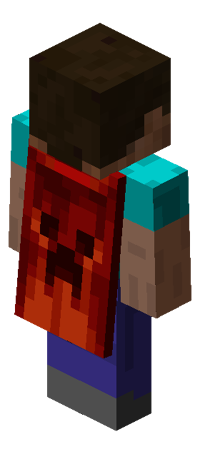
Everyone likes Capes. With this Plugin you can add them to your Pocketmine-MP Server! You can choose a Cape by using the command /cape. Then an UI with the Capes you can choose will be opened!
You can add an unlimited amount of Capes. The Permissions and other settings are explained below!
Features:
• Easy Setup!
• Permissions for using Capes!
• Easy Usage via UI!
• Add unlimited Capes!
Setup:
Download this Plugin and put it in the plugins folder of your Server.
With the Command /cape you can choose a cape.
To add own Capes just put the .png Picture of the Cape in the plugin_data/UltraCapes/ folder.
Then the new Capes automatically appear in the UI.
Important!!! The Capes Size must be 64x32 Pixel. (Of the .png file)
TO DO:
• Automatically set cape for players with a specific permission.
• Add a permission for using all Capes
ScreenShoot
• Menu •
<img src="https://github.com/Theslowaja/image/blob/main/img/menu.png" alt="menu" width="50%">• List •
<img src="https://github.com/Theslowaja/image/blob/main/img/list.png" alt="list" width="50%">• Example •
<img src="https://github.com/Theslowaja/image/blob/main/img/example.png" alt="ex" width="50%">Permissions:
To open the Main CapeUI you need the Permission cape.cmd.
The permissions for the single capes is: {capename}.cape.
For example: firework.cape or energy.cape
Note
• If you have problems open an Issue.
add new cape
Have fun with this plugin on your Server!
Credits: https://github.com/SuperStulle007/UltraCapes
