
LogisimCPU
A CPU I made in logisim with a graphics output and tty interface. It comes with the machine code for pong. Also an assembler written in Java with the assembly code for pong.
Install / Use
/learn @TheDanielPBerry/LogisimCPUQuality Score
Category
Development & EngineeringSupported Platforms
README
LogisimCPU
Version 4
The latest version 4 of this project is available in the version 4 directory using the latest version of Logisim Evolution which is the successor to the original logisim program.
This latest version includes a simple shell with access to different programs such as pong or a painting program.
This new cpu has much more capability to work with pointers as well as do function calls on the stack.
The stdlib.asm program has examples of iterating through strings based on pointers passed on the stack, indexed based addressing, device management and much more.
There is also a simple implementation of malloc in the code to allocate new memory on the stack.
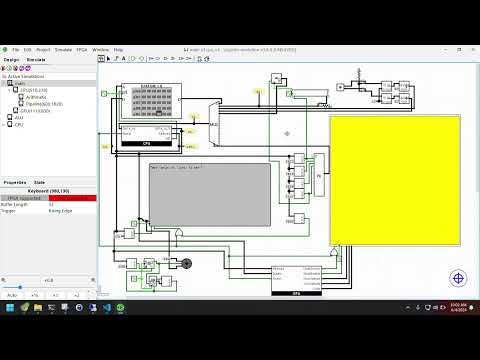
I've made a video with instructions on how to start it using the included JS assembler:
Instructions for original:
A CPU I made in logisim with a graphics output and tty interface. It comes with the machine code for pong. Also an assembler written in Java with the assembly code for pong.
How to operate and load Pong Code:
- Open in Logisim: roget_v3.circ
- At the bottom right is a ROM Module. Right Click and "Load Image."
- Open the "ComputerCode" file from the repo.
- Enable the clock at your desired speed.
- Click once the button next to rom module. It will burn loaded rom into loaded memory of the cpu.
- Once Ram starts writing only zeros the program is done.
- Click power on once.
- Teletype will read info.
- Next to power button use keyboard input to control game. Just give it focus and it will accept your keyboard inputs.
- A to move left. D to move right. The ball will bounce around screen at a slow speed.
- Thanks for using and enjoy
