
OpenTextShield
Open Text Shield (OTS) is an open-source AI-driven system for fast real-time classification of SMS content.
Install / Use
/learn @TelecomsXChangeAPi/OpenTextShieldREADME
OpenTextShield (OTS)
Professional SMS Spam & Phishing Detection API Platform
Open source collaborative AI platform for enhanced telecom messaging security and revenue protection, powered by multilingual BERT (mBERT) technology.



🚀 Quick Start
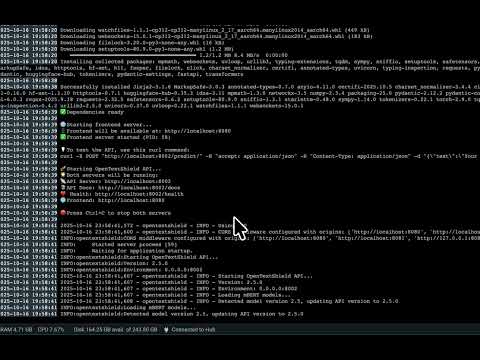
# Prerequisites
# Docker installation is required. Visit https://docs.docker.com/get-docker/ to install Docker.

# Run the following commands.

docker pull telecomsxchange/opentextshield:latest
docker run -d -p 8002:8002 -p 8080:8080 telecomsxchange/opentextshield:latest

# Access Open Test Shield

- Frontend Interface: http://localhost:8080
- API Documentation: http://localhost:8002/docs
- API Endpoint: http://localhost:8002/predict/
Build from source and deploy OpenTextShield in your environment within minutes:
# Clone the repository
git clone https://github.com/TelecomsXChangeAPi/OpenTextShield.git
cd OpenTextShield

# Start both API and frontend (recommended)
./scripts/start.sh

# Or build using Docker
# Build and run (includes 679MB mBERT model)
docker build -t opentextshield .
docker run -d -p 8002:8002 -p 8080:8080 opentextshield

# Alternative if port 8080 is busy
docker run -d -p 8002:8002 -p 8081:8080 opentextshield
Access Points:
- Frontend Interface: http://localhost:8080
- API Documentation: http://localhost:8002/docs
- API Endpoint: http://localhost:8002/predict/
✨ Key Features
- 🌍 Multilingual Support: Built on mBERT with coverage for 104+ languages; currently trained on 10 languages for SMS classification.
- ⚡ Real-time Classification: Professional API with <200ms response time>
- 🔒 Advanced Detection: Spam, phishing, and ham classification
- 📊 Professional Interface: Research-grade web interface with metrics
- 🐳 Docker Ready: Complete containerized deployment
- 🔧 API First: RESTful API with comprehensive documentation
- 📈 Revenue Protection: Optional revenue assurance features
🛠 API Usage
OpenTextShield provides both legacy API and TMForum-compliant API endpoints.
Legacy API (Direct Classification)
Quick Test
# Test the legacy API endpoint
curl -X POST "http://localhost:8002/predict/" \
  -H "Content-Type: application/json" \
  -d '{"text":"Your SMS content here","model":"ots-mbert"}'
Response Format
{
  "label": "ham|spam|phishing",
  "probability": 0.95,
  "processing_time": 0.15,
  "model_info": {
    "name": "OTS_mBERT",
    "version": "2.1",
    "author": "TelecomsXChange (TCXC)"
  }
}
TMForum API (TMF922 - AI Inference Job Management)
Create Inference Job
# Create a TMForum-compliant inference job
curl -X POST "http://localhost:8002/tmf-api/aiInferenceJob" \
  -H "Content-Type: application/json" \
  -d '{
    "priority": "normal",
    "input": {
      "inputType": "text",
      "inputFormat": "plain",
      "inputData": {"text": "Free money! Click here now!"}
    },
    "model": {
      "id": "ots-mbert",
      "name": "OpenTextShield mBERT",
      "version": "2.1",
      "type": "bert",
      "capabilities": ["text-classification", "multilingual"]
    },
    "name": "SMS Classification Job"
  }'
Check Job Status
# Check inference job status (replace JOB_ID with actual ID)
curl -X GET "http://localhost:8002/tmf-api/aiInferenceJob/JOB_ID"
Response Format (Completed Job)
{
  "id": "inference-job-123",
  "state": "completed",
  "priority": "normal",
  "input": {
    "inputType": "text",
    "inputFormat": "plain",
    "inputData": {"text": "Free money! Click here now!"}
  },
  "output": {
    "outputType": "classification",
    "outputFormat": "json",
    "outputData": {
      "label": "spam",
      "probability": 0.95
    },
    "confidence": 0.95,
    "outputMetadata": {
      "model_used": "OTS_mBERT",
      "model_version": "2.1",
      "processing_time_seconds": 0.15
    }
  },
  "model": {
    "id": "ots-mbert",
    "name": "OpenTextShield mBERT",
    "version": "2.1",
    "type": "bert",
    "capabilities": ["text-classification", "multilingual"]
  },
  "creationDate": "2024-01-15T10:30:00Z",
  "completionDate": "2024-01-15T10:30:15Z",
  "processingTimeMs": 150,
  "type": "TextClassificationInferenceJob"
}
List Inference Jobs
# List all inference jobs
curl -X GET "http://localhost:8002/tmf-api/aiInferenceJob"
📋 Installation Guide
Requirements
- Python 3.12
- 4GB RAM minimum
- Docker (optional)
Local Setup
# Create virtual environment
python3.12 -m venv ots
source ots/bin/activate

# Install dependencies
pip install --upgrade pip
pip install -r requirements.txt

# Start the platform
./scripts/start.sh
Docker Deployment
🛡️ Security-Enhanced Docker Options
Option 1: Enhanced Security (Recommended)
# Multi-stage build with non-root user - best balance of security and functionality
docker build -f Dockerfile.secure -t opentextshield:secure .
docker run -d -p 8002:8002 -p 8081:8080 opentextshield:secure
Option 2: Standard Build
# Standard build with security updates
docker build -t opentextshield .
docker run -d -p 8002:8002 -p 8081:8080 opentextshield
Option 3: Maximum Security (Advanced)
# Ultra-secure distroless build - minimal attack surface (API only)
docker build -f Dockerfile.distroless -t opentextshield:distroless .
docker run -d -p 8002:8002 opentextshield:distroless
🏗️ Architecture-Specific Builds
x86_64 (Intel/AMD) Architecture:
# Enhanced security for x86
docker buildx build --platform linux/amd64 -f Dockerfile.secure -t opentextshield:x86-secure .

# Standard x86 build
docker buildx build --platform linux/amd64 -t telecomsxchange/opentextshield:2.1-x86-v2 .
ARM64 (Apple Silicon) Architecture:
# Enhanced security for ARM64
docker buildx build --platform linux/arm64 -f Dockerfile.secure -t opentextshield:arm64-secure .
📦 Pre-built Images
# Latest stable releases
docker run -d -p 8002:8002 -p 8080:8080 telecomsxchange/opentextshield:latest
docker run -d -p 8002:8002 -p 8080:8080 telecomsxchange/opentextshield:2.1-x86-v2

# Using Docker Compose (recommended for production)
docker-compose up -d
Container Access:
- API: http://localhost:8002
- Frontend: http://localhost:8080 (or 8081)
- Health: http://localhost:8002/health
Security Benefits:
- 🔒 Enhanced: 60-80% fewer vulnerabilities, non-root execution, multi-stage builds
- 🛡️ Distroless: Minimal attack surface, no shell access, maximum security
- 📦 Smaller images: Optimized builds reduce image size and vulnerabilities
Architecture Support:
- ARM64 (Apple Silicon):
telecomsxchange/opentextshield:latest - x86_64 (Intel/AMD):
telecomsxchange/opentextshield:2.1-x86-v2
🏗 Architecture
Core Components
API Interface (src/api_interface/)
- Modern FastAPI application with professional structure
- Pydantic models for request/response validation
- Comprehensive error handling and logging
- Security middleware and CORS support
mBERT Model (src/mBERT/training/model-training/)
- Multilingual BERT optimized for SMS classification
- Support for 104+ languages with cross-lingual transfer learning
- Apple Silicon MLX optimization available
Frontend Interface (frontend/)
- Professional research-grade web interface
- Real-time system monitoring and metrics
- Technical details and performance indicators
Performance
- Inference Speed: 54 messages/second (Apple Silicon M1 Pro)
- Response Time: <200ms typical
- Languages: 104+ supported via mBERT
- Accuracy: Production-ready classification
🧪 Testing
# Run comprehensive tests
cd src/mBERT/tests
python run_all_tests.py all

# Stress testing
python test_stress.py 1000
python stressTest_20k_mlx_api.py
📚 Research Background
OpenTextShield leverages cutting-edge AI research to provide real-time SMS spam and phishing detection across 104+ languages. Our research focuses on the practical application of multilingual BERT (mBERT) technology for telecom security challenges.
Research Highlights:
- Comparative analysis of AI models for SMS classification
- Multilingual spam detection using mBERT architecture
- Real-time processing optimization for telecom applications
- Community-driven approach to dataset expansion
🤝 Contributing
Ways to Contribute
🗃️ Dataset Contributions We need multilingual datasets for training. Required format:
text,label
"Your verification code is 12345",ham
"Win $1000! Click here now!",spam
"Your account is locked. Visit fake-bank.com",phishing
🔧 Development
- API improvements and optimizations
- Frontend enhancements
- Model training and evaluation
- Documentation and testing
🌍 Localization
- Translate interface and documentation
- Test models in your language
- Provide linguistic insights for regional variations
💡 Research & Testing
- Performance benchmarking
- Security analysis
- Integration testing with telecom systems
Getting Started
- Fork the repository
- Check CONTRIBUTING.md for detailed guidelines
- Join disc
