
BizHawk
BizHawk is a multi-system emulator written in C#. BizHawk provides nice features for casual gamers such as full screen, and joypad support in addition to full rerecording and debugging tools for all system cores.
Install / Use
/learn @TASEmulators/BizHawkREADME
BizHawk
An emulation project.
EmuHawk is a multi-system emulator written in C#. As well as quality-of-life features for casual players, it also has recording/playback and debugging tools, making it the first choice for TASers (Tool-Assisted Speedrunners). More info below.
A7800Hawk, Atari2600Hawk, C64Hawk, ChannelFHawk, ColecoHawk, GBHawk, IntelliHawk, NesHawk, O2Hawk, PCEHawk, SMSHawk, TI83Hawk, VectrexHawk, and ZXHawk are bespoke emulation cores written in C#. MSXHawk is a bespoke emulation core written in C++. More info below.
DiscoHawk is a disc image converter written in C#.


-GitHub_Actions-8250DF?logo=github&logoColor=333333&style=popout)

-GitHub_Actions-8250DF?logo=github&logoColor=333333&style=popout)

Jump to:
- Installing
- Building
- Usage
- Support and troubleshooting
- Contributing
Features and systems
EmuHawk's features (common across all cores) are:
- format, region, and integrity detection for game images
- 10 save slots with hotkeys and infinite named savestates
- speed control, including frame stepping and rewinding
- memory view/search/edit in all emulated hardware components
- input recording (making TAS movies)
- screenshotting and recording audio + video to file
- firmware management
- input, framerate, and more in a HUD over the game
- rebindable hotkeys for controlling the frontend (keyboard+mouse+gamepad)
- a comprehensive input mapper for the emulated gamepads and other peripherals
- programmatic control over core and frontend with Lua or C#.NET
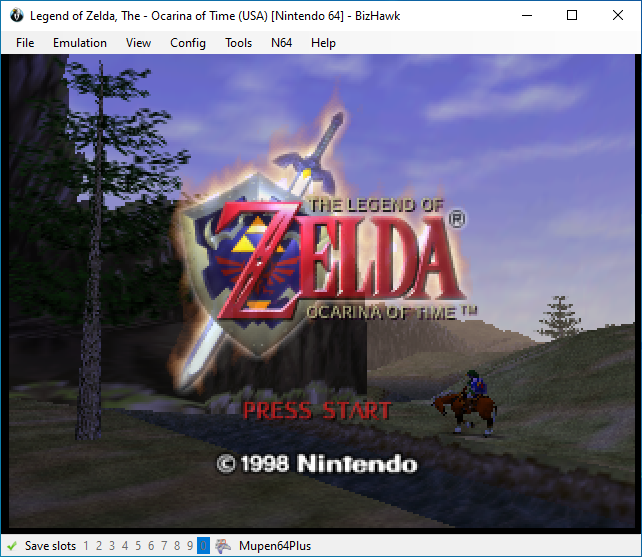
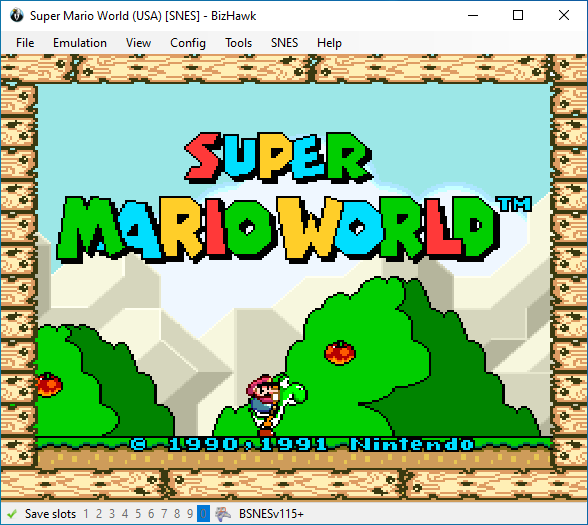
Supported consoles and computers:
- 3DO
- Apple II
- Arcade machines
- Atari
- Video Computer System / 2600
- 7800
- Jaguar + CD
- Lynx
- Bandai WonderSwan + Color
- Commodore
- Amiga
- Commodore 64
- Coleco Industries ColecoVision
- Doom
- DOS / Windows
- Fairchild Channel F
- GCE Vectrex
- Magnavox Odyssey² / Videopac G7000
- Mattel Intellivision
- MSX
- NEC
- PC Engine / TurboGrafx-16 + SuperGrafx + CD
- PC-FX
- Neo Geo Pocket + Color
- Nintendo
- 3DS
- DS + DSi
- Famicom / Nintendo Entertainment System + FDS
- Game Boy + Color
- Game Boy Advance
- Nintendo 64 + N64DD
- Super Famicom / Super Nintendo Entertainment System + SGB + Satellaview
- Virtual Boy
- Sega
- Game Gear
- Genesis + 32X + CD
- Master System
- Saturn
- SG-1000
- Sinclair ZX Spectrum
- Sony Playstation (PSX)
- Texas Instruments TI-83
- TIC-80
- Uzebox
- more coming soon..?
See Usage below for info on basic config needed to play games.
Installing
Windows
Released binaries can be found right here on GitHub (also linked at the top of this readme):

Click BizHawk-<version>-win-x64.zip to download it. Also note the changelog, the full version of which is over on TASVideos.
Extract it anywhere, but don't mix different versions of BizHawk, keep each version in its own folder. You may move or rename the folder containing EmuHawk.exe, even to another drive—as long as you keep all the files together.
Run EmuHawk.exe to start. If startup is blocked by a Windows SmartScreen dialog, click "More Info" to reveal the override button. Third-party antivirus may also block startup. There are some command-line arguments you can use: see Passing command-line arguments.
If you get the message "EmuHawk needs X in order to run!" when launching EmuHawk, it means you need to install that component on your system. As of 2.10, only the MSVC++ redistributable is required.
For older versions we have an all-in-one installer which you can get here, or you could download and install just the component that's missing.
We will be following Microsoft in dropping support for old versions of Windows, that is, we reserve the right to ignore your problems unless you've updated to at least Win11 21H2 (initial release) or Win10 22H2. Read more on MSDN.
You may find that the upgrade from Win10 to Win11 is not available for your PC. Rather than throwing it out and getting a new one, consider switching to Linux. See endof10.org for more info.
A "backport" release, 1.13.2, is available for users of Windows XP, 7, or 8.1 32-bit. It has many bugs that will never be fixed (backports have ceased) and it doesn't have all the features of the later versions—you should probably get a new operating system instead.
Unix
Install the listed package with your package manager (some buttons are links to the relevant package). The changelog can be found over on TASVideos.
-%231793D1.svg?logo=archlinux&style=popout)
No package for your distro? Install via Nix (see below), or install manually by grabbing the latest release here on GitHub:

If you download BizHawk this way, don't mix different versions, keep each version in its own folder.
The runtime dependencies are glibc, Mono "complete", OpenAL, Lua 5.4, and lsb_release.
<sup>The .NET 8 Runtime (a.k.a. .NET Core) is not a runtime dependency, only Mono. Wine is also not a runtime dependency. If you try to use Wine anyway then you're on your own.</sup>
If it's not clear from the downloads here or in your package manager, EmuHawk is for x86_64 CPUs only.
You may be able to run on AArch64 with missing features: see #4052.
Run EmuHawkMono.sh to start EmuHawk—you can run it from anywhere, so creating a .desktop file to wrap the script is fine. The shell script should print an error if it fails, otherwise it's safe to ignore console output.
It takes the same command-line arguments as on Windows: see Passing command-line arguments.
Most features and cores work, a notable omission being Mupen64Plus (N64). See the Linux thread, #1430, for a more detailed breakdown.
Note: While the Linux port is about at parity, this remains a Windows-centric project. Please have patience as most of the dev team are on Windows.
Android
Not available for either AArch64 or x86_64 devices. The feature request is #355.
iOS
As with Apple silicon Macs, not available.
If you were looking to emulate iOS apps, see #3956.
macOS (legacy BizHawk)
EmuHawk depends on certain libraries for graphics, and these don't work on macOS. Users on macOS have three options:
- Use another machine with Windows or Linux, or install either in an x86_64 VM (Wine is not a VM).
- Use an older 1.x release, which was ported to macOS by @Sappharad (with replacements for the missing libraries), via Rosetta. Links and more details are in this TASVideos forum thread (jump to last page for latest binaries). See #3697 for details.
- For the technically-minded, download the source of an older 2.x release. @Sappharad put a lot of work into it but ultimately decided to stop.
- ...or use th
Related Skills
node-connect
339.5kDiagnose OpenClaw node connection and pairing failures for Android, iOS, and macOS companion apps
frontend-design
83.9kCreate distinctive, production-grade frontend interfaces with high design quality. Use this skill when the user asks to build web components, pages, or applications. Generates creative, polished code that avoids generic AI aesthetics.
openai-whisper-api
339.5kTranscribe audio via OpenAI Audio Transcriptions API (Whisper).
commit-push-pr
83.9kCommit, push, and open a PR
