
SwiftyTextView
An iOS enhanced TextView with placeholder and limit characters count support
Install / Use
/learn @SwiftyKit/SwiftyTextViewREADME
SwiftyTextView


Overview
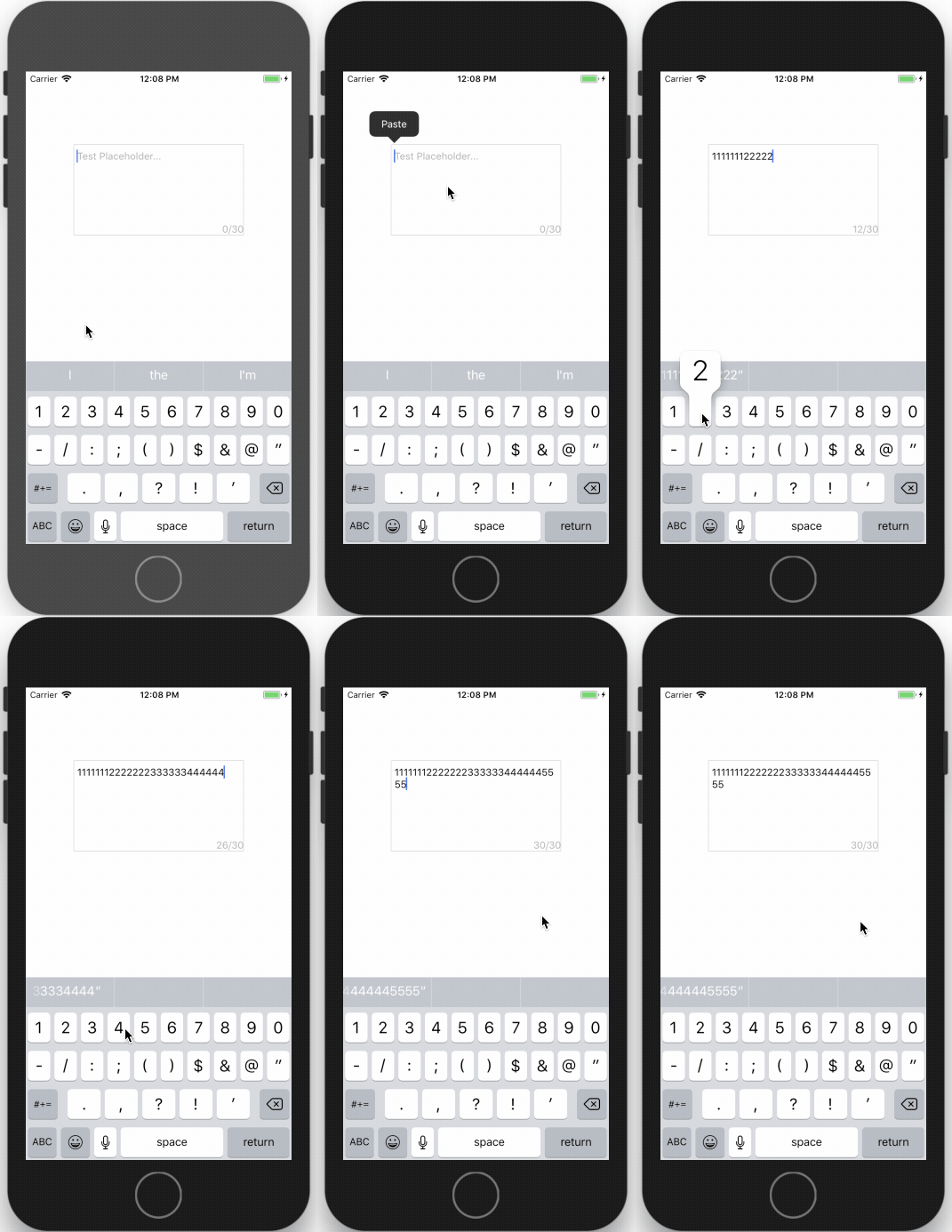
SwiftyTextView is an iOS enhanced TextView with placeholder and limit characters count support.
Installation
CocoaPods
SwiftyTextView is available through CocoaPods. To install it, simply add the following line to your Podfile:
pod 'SwiftyTextView'
Manual
Drag 'n drop SwiftyTextView.swift into your project.
Usage
Interface Builder
Select the UITextView you want to use and change the class to SwiftyTextView.
- Placeholder text
- Placeholder color
- Limit number of characters
- Show text count view
You can see the changes directly on the Interface Builder!
Code
let textView:SwiftyTextView = SwiftyTextView.init(frame: CGRect.init(x: X, y: Y, width: WIDTH, height: HEIGHT))
      textView.backgroundColor = .red
      textView.placeholder = "Please input text..."
      textView.placeholderColor = UIColor.lightGray
      textView.minNumberOfWords = 0
      textView.maxNumberOfWords = 30
      textView.showTextCountView = true
      self.view.addSubview(txtfield)
Requirements
- Swift 5.0+
- iOS 9.0+
Contact & Contribute
- Feel free to contact me with ideas or suggestions at swiftykit@gmail.com
- Fork the project and make your own changes
License
SwiftyTextView is available under the MIT license. See the LICENSE file for more info.
Related Skills
openhue
345.9kControl Philips Hue lights and scenes via the OpenHue CLI.
sag
345.9kElevenLabs text-to-speech with mac-style say UX.
weather
345.9kGet current weather and forecasts via wttr.in or Open-Meteo
tweakcc
1.6kCustomize Claude Code's system prompts, create custom toolsets, input pattern highlighters, themes/thinking verbs/spinners, customize input box & user message styling, support AGENTS.md, unlock private/unreleased features, and much more. Supports both native/npm installs on all platforms.
