
37studio
Open-source AI alternative to Buffer and Opus Clip: Claude Code makes on-brand videos, posts them to 9 platforms and drafts replies. Self-hosted, your own keys.
Install / Use
claude mcp add Shaitrish -- npx -y github:Shaitrish/37studioIf the server publishes to npm under a different name, use that package instead — check the repo README.
MCP Server
Model Context Protocol server
Quality Score
Category
OperationsSupported Platforms
Our assessment of 37studio
37studio scores 87/100 on our quality scale, 447th of 759 Operations skills we index.
Its MCP Server is 31 KB long, well organised into 20 sections with 6 code examples: a thorough specification that gives an agent plenty to work with.
It has 49 GitHub stars, so there is little community track record yet; judge it on its content.
Maintenance, license and trust
- The repository was last updated today, so 37studio is actively maintained.
- It is released under the MIT license, a permissive license that allows use, modification and commercial use with attribution.
- Its trust signals score 97/100, with no cautions. These come from repository metadata, not a code audit — read the skill file before letting an agent act on it.
37studio compared with similar skills
All 4 of these similar skills score higher than 37studio; compare them before choosing.
| Skill | Score | Stars | Updated | Format |
|---|---|---|---|---|
| 37studio (this skill)by Shaitrish | 87 | 49 | today | MCP Server |
| Agent-Reachby Panniantong | 100 | 101.5k | 1d ago | CLAUDE.md |
| headroomby headroomlabs-ai | 100 | 77.7k | today | CLAUDE.md |
| CowAgentby zhayujie | 100 | 47.5k | today | CLAUDE.md |
| Scraplingby D4Vinci | 100 | 89.4k | 1d ago | MCP Server |
Frequently asked questions
- How do I install 37studio?
- Run
claude mcp add Shaitrish -- npx -y github:Shaitrish/37studio. The install tabs above show the steps for each supported agent. - Which AI agents does 37studio work with?
- It is written for Claude Code and Claude Desktop, as a MCP Server file. Other agents that read the same format can often use it too.
- Is 37studio safe to use?
- It is MIT-licensed and scores 97/100 on trust signals. Skills are instructions an agent will follow, so read the file before installing it and do not approve commands you do not understand.
- Is 37studio still maintained?
- The repository was last updated today, so 37studio is actively maintained.
Skill content
View source on GitHub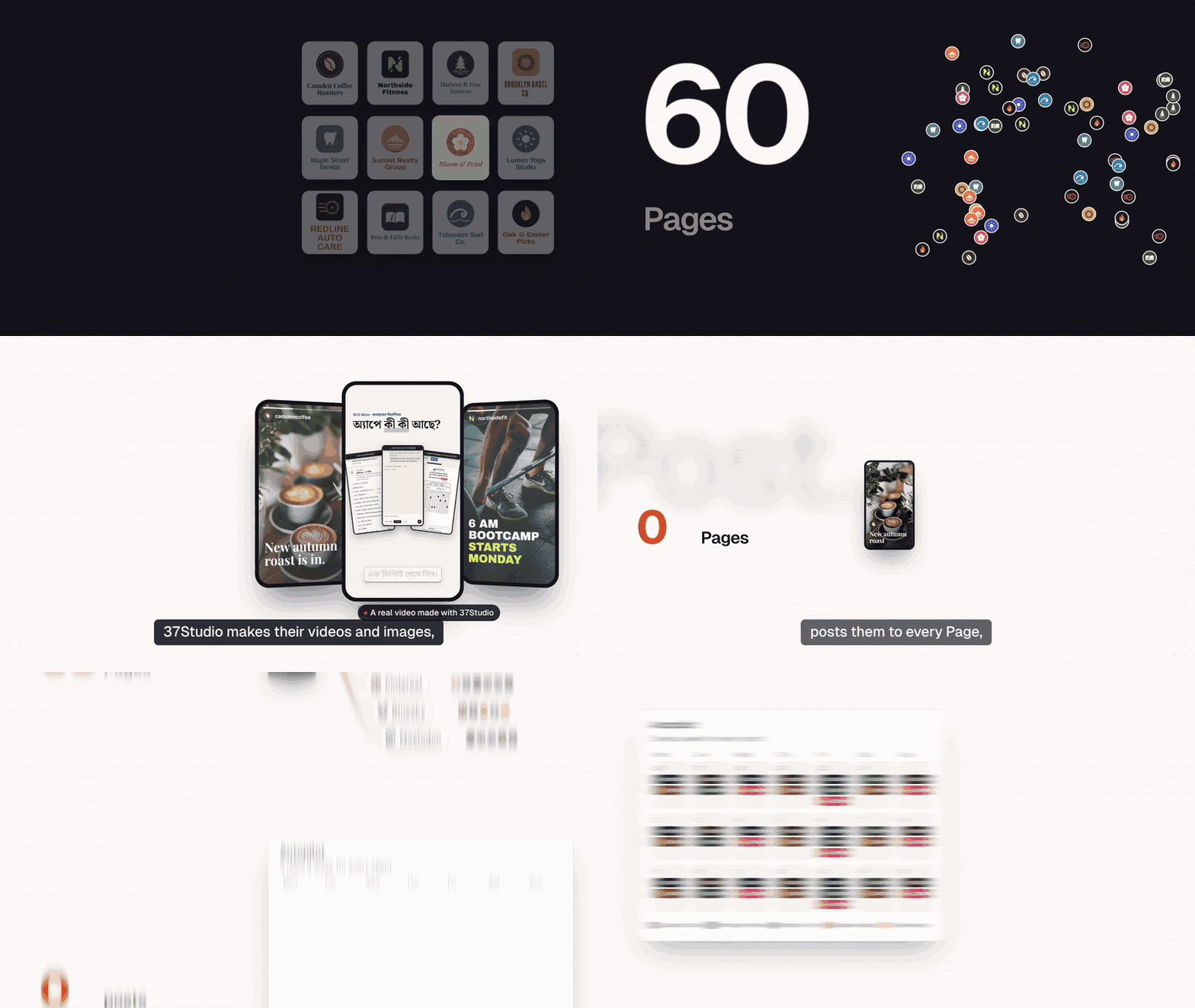

37Studio makes videos for a business and runs its social accounts, from one app on your own computer. Add a company from its website and it builds a brand library and a knowledge base. Brief a video and Claude Code, the editor agent, builds it as a HyperFrames composition in that brand, checks its own frames and renders it on your machine. Publish it to the company's accounts with a caption written for each platform, now, on a schedule or on Autopilot. Messages and comments land in one inbox with replies drafted from the knowledge base.
You bring your own keys (a Claude plan or an Anthropic API key; Gemini and ElevenLabs optional) and pay the providers directly. Every project shows what it cost in AI usage, in USD by default. 37Studio is free and open source under the MIT License, made by Shaitrish, a software team in Dhaka.
What it does
- Brand library from a website or folder. Paste a URL, or pick the company's own project folder, and get its logos, people, photos, fonts and exact colours sorted and captioned, plus a design system (
design.md) and a knowledge base (knowledge.md). - An editor agent. Claude Opus 5.5 builds each video as an animated HyperFrames composition, checks its own frames and takes changes in plain words. Edit by hand on a real timeline when you want to.
- Many kinds of output. Hook reels, captioned clips, motion-graphics explainers, podcast clips, promo ads, square and portrait posts, and thumbnails. Save any finished video as a template for the next one.
- Long recordings into many videos. A 2-hour class becomes ten reels. Transcription runs locally with faster-whisper: free, private, about 100 languages. YouTube and Google Drive links import directly.
- Generated media. Gemini images and video clips; ElevenLabs voiceover, sound effects and music. The agent uses them only when the footage and brand library can't do the job, and says what it made.
- Publishing and Autopilot. Post to any mix of a company's accounts on nine platforms now or on a schedule, or let a content plan make a fresh video before every slot and wait for one-click approval.
- One inbox. Messenger, Instagram and WhatsApp messages and Facebook and Instagram comments, with replies drafted in the customer's language, following the company's own rules. Off, drafts to approve, or fully automatic, per company.
- Assistant and MCP. Run everything by chatting with the Assistant in the sidebar, or from your own AI agent (Claude Code, Claude Desktop, Cursor) through 37Studio's MCP server: companies, campaigns, videos, publishing, Autopilot, settings and connections.
- Real costs. Every project, campaign and company shows its AI spend in your currency. No markup: you pay Anthropic, Google and ElevenLabs directly.
Everything runs in one Docker container, on your computer or your own server. Footage, brands and messages stay there; API keys and platform credentials are encrypted on disk.
Platforms
| Platform | Publishes | Inbox | You connect with | | --- | --- | --- | --- | | Facebook Pages | Reels and Page videos | Messenger, comments | Facebook Login: your own Meta app, or the shared 37Studio app as a tester | | Instagram (Business or Creator) | Reels | Messages, comments | The same sign-in as Facebook | | YouTube | Videos | | Your own Google OAuth client | | TikTok | Videos, or to the creator's drafts | | Your own TikTok app | | LinkedIn | Videos to your profile; company Pages with LinkedIn's approval | | Your own LinkedIn app | | X | Video posts | | Your own X app | | Pinterest | Video Pins, on the boards you pick | | Your own Pinterest app | | Bluesky | Video posts | | Handle and an app password | | Mastodon | Video posts | | Server URL and an access token | | WhatsApp | | Messages | A WhatsApp Business API number |
Not possible: Threads (its API only takes a video from a public URL, which a local-first app doesn't have), Facebook Groups and personal profiles (Meta removed it), Reddit and Snapchat (no usable public video-posting API). Setup for each platform: Social publishing.
Quick start
You need Docker Desktop (Windows 10 or 11 with WSL 2, macOS on Intel or Apple Silicon) or Docker Engine (Linux), 16 GB of RAM and about 20 GB of free disk, plus a Claude plan or an Anthropic API key.
On your computer: the ready-made app
- Install Docker Desktop and open it once.
- Download 37studio.zip and unzip it into a folder you'll keep, for example
Documents/37Studio. - Double-click
start.bat(Windows) orstart.command(Mac; the first time, right-click → Open), or run./start.sh(Linux).
The launcher starts Docker, pulls the latest image (about 3 GB the first time) and opens the app at http://localhost:8080, which only accepts connections from your own computer. Every later start checks for updates first. Your work lives in the data folder next to the launcher; back it up. The setup guide walks through every step for Windows, Mac and Linux.
From source
git clone https://github.com/Shaitrish/37studio.git && cd 37studio
cp .env.example .env      # optional: keys can also be added later in Settings → Keys
docker compose up --build
# open http://localhost:8080
- Agent permissions. From source, the agent uses an allowlist (
safe: file edits, ffmpeg,npx hyperframes, python and node) unless you setSTUDIO37_AGENT_PERMISSIONS=bypassin.env, which lets it run any command inside the container. The launcher and the cloud file setbypass, because the container is the sandbox. - Windows. Use Docker Desktop with the WSL 2 backend. Footage under
./datais a bind mount, so for multi-GB files keep the repo inside the WSL filesystem (\\wsl$\...) rather than onC:\.
To work on the code with hot reload, see CONTRIBUTING.md.
Run it in the cloud
Run it on a server when a team shares it, or when Autopilot and auto-replies should keep going while your laptop sleeps. docker-compose.cloud.yml runs the app behind Caddy, which gets and renews an HTTPS certificate for your domain by itself.
Server. A Linux VPS with 16 GB of RAM (recommended) and 4 or more vCPUs: rendering and transcription run on the CPU, so more cores make them faster. Give it 50 GB or more of disk for the image, footage and renders. Both amd64 and arm64 servers work.
-
Point a DNS A record (and AAAA, if the server has IPv6) for your domain, for example
studio.example.com, at the server. -
Install Docker:
curl -fsSL https://get.docker.com | sh. -
Open TCP ports 80, 443 and 3100–3109 in the server's firewall (and in your cloud provider's firewall, if it has one).
-
Get the compose file and create
.envnext to it:mkdir 37studio && cd 37studio curl -fsSLO https://raw.githubusercontent.com/Shaitrish/37studio/main/docker-compose.cloud.yml printf 'STUDIO37_DOMAIN=studio.example.com\nSTUDIO37_PASSWORD=%s\n' "$(openssl rand -base64 24)" > .env cat .env # note the password mkdir -p data && sudo chown 1000:1000 data # the app runs as uid 1000 and writes here docker compose -f docker-compose.cloud.yml up -d -
Open
https://studio.example.comand sign in with any username and the password. Add your Claude key in Settings → Keys (for a subscription token, rundocker compose -f docker-compose.cloud.yml exec studio claude setup-token).
What is different on a server:
-
Password. The cloud file won't start without
STUDIO37_PASSWORD. It is HTTP basic auth on every page, API call and timeline editor, over HTTPS. Use a long random one and share it only with people you trust with the agent (next point). -
Agent permissions. The cloud file sets
STUDIO37_AGENT_PERMISSIONS=bypass, like the launcher: the agent can run any command inside the container. Anyone who can sign in can therefore have it run commands there, read every company's files in/data, and reach the internet. The container runs as an unprivileged user (uid 1000) with no access to the Docker socket or the host's files beyond./data. For the allowlist instead, change that line tosafein the compose file; commands outside the allowlist are then refused, which can block some tasks. -
Sign-in redirects. The cloud file sets
STUDIO37_PUBLIC_URL=https://<your domain>, so registerhttps://<your domain>/api/oauth/<platform>/callbackwith each platform. Use your own Meta app (the shared one only knowslocalhost), and the Web platform for TikTok. -
Timeline editor. The UI opens each project's editor at the page's own address on a port from 3100 to 3109 (
https://studio.example.com:3100, ...). Caddy serves HTTPS on those ports with the same certificate and passes each one to the same port on the app, so the editor works once the ports are open. Your browser asks for the password once more the first time, because a different port counts as a different site. Up to ten editors can be open at once. If you'd rather not open those ports, everything else still works; make changes by chatting with the agent. -
Updates. The sidebar says when a new version is out. Then:
docker compose -f docker-compose.cloud.yml pull && docker compose -f docker-compose.cloud.yml up -d. -
Backups. Everything lives in
./data: the database,secret.key(which decrypts the keys in it), company files, footage and videos. The database is SQLite in WAL mode, so copy it while the app is stopped, or snapshot the whole disk:docker compose -f docker-compose.cloud.yml stop studio tar czf 37studio-$(date +%F).tgz data docker compose -f docker-compose.cloud.yml start studioThe archive holds platform tokens and keys, so store it somewhere private. Agent chat sessions live in the
claude-homevolume; they are only needed to resume old chats.
To build the image from your own checkout on the server, clone the repo and replace the image: line in docker-compose.cloud.yml with build: ..
First steps
- Add keys. Settings → Keys: an Anthropic API key, or a Claude subscription token (run
docker compose exec studio claude setup-tokenin the launcher's folder; from source the service is37studio). Gemini and ElevenLabs are optional. Key
Truncated for display — read the full file on GitHub.
Related Skills
Agent-Reach
101.5kGive your AI agent eyes to see the entire internet. Read & search Twitter, Reddit, YouTube, GitHub, Bilibili, XiaoHongShu — one CLI, zero API fees.
headroom
77.7kCompress tool outputs, logs, files, and RAG chunks before they reach the LLM. 20% fewer tokens for coding agents, 60-95% fewer tokens for JSON, same answers. Library, proxy, MCP server.
CowAgent
47.5kOpen-source personal AI assistant & Agent Harness. Plans tasks, runs tools and skills, self-evolves with memory and knowledge. Multi-agent, multi-model, multi-channel. Lightweight, extensible, one-line install.
Scrapling
89.4k🕷️ A Web Scraping framework that handles everything from a single request to a full-scale crawl! Don't be shy, join here: https://discord.gg/EMgGbDceNQ and follow here for daily tips and tricks: https://x.com/Scrapling_dev

Languages
Trust signals
From repository metadata: license, adoption, age and documentation. Not a code audit — see the Safety scan above for what the skill file itself contains.