
HelloMobile
Mobile HTTP API examples of WPF, iOS, Android, UWP and OSX Clients
Install / Use
/learn @ServiceStackApps/HelloMobileREADME
ServiceStack Mobile and Desktop Apps
This projects contains several examples for consuming ServiceStack Typed Services from different native Mobile and Desktop Apps developed with .NET. Using C# to develop native Mobile and Desktop Apps provides a number of benefits including maximum reuse of your investments across multiple Client Apps where they're able to reuse shared functionality, libraries, knowledge, development workflow and environment in both Client and Server Apps.
This reusability is enhanced with ServiceStack which provides a highly productive development workflow which lets you reuse the same POCO DTOs used to define the Services contract with, in Clients Apps to provide a terse, end-to-end typed API without any additional custom build tools, code-gen or any other artificial machinery, by using just the DTOs in the shared ServiceModel.dll with any of the available highly performant .NET generic Service Clients which encourages development of resilient message-based Services for enabling highly decoupled and easily substitutable and mockable Service Integrations.
Mobile and Desktop Apps
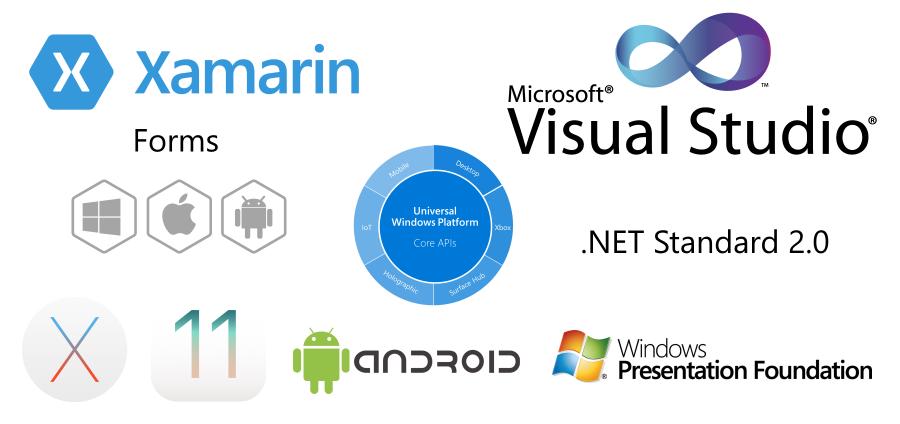
This project contains multiple versions of the same App demonstrating a number of different calling conventions, service integrations and reuse possibilities for each of the following platforms:
- WPF
- UWP
- Xamarin.Android
- Xamarin.iOS
- Xamarin.OSX
- Xamarin.Forms
- iOS
- Android
- UWP
Whilst the event handler registrations in each App can vary, the source code used to call ServiceStack Services remains the same.
Native SDKs and Development Environments
This project focuses solely on Mobile and Desktop Apps developed with C#, if you would prefer to utilize the native SDK's and development environment and language of each platform, you can instead use the Add ServiceStack Reference feature to generate Typed DTOs for calling ServiceStack Services in Android Apps using either Java and Kotlin, or use the Swift support in development of native iOS or OSX Apps or TypeScript for calling Services in React Native, Node.js or Web Apps.
Each platform provides a similar development experience as C# using just the generated DTOs and the generic Service Client available in each platform which utilize the same method names and message-based API idiomatic to each platform to maximize knowledge reuse and simplify any porting efforts, if needed.
C# Clients can also use C# Add ServiceStack Reference to generate Typed DTOs as an alternative to sharing the Server DTOs in ServiceModel.dll to eliminate binary coupling. In either case the source code for both solutions remains exactly the same.
Install ServiceStack Client
ServiceStack's Service Clients can be used in .NET v4.5+ or .NET Standard 2.0 platforms where it can be installed from the ServiceStack.Client NuGet package:
PM> Install-Package ServiceStack.Client
Alternatively you can instead use JsonHttpClient from ServiceStack.HttpClient:
PM> Install-Package ServiceStack.HttpClient
Which as it's based on Microsoft's async HttpClient can be configured to be used with ModernHttpClient to provide a thin wrapper around iOS's native NSURLSession or OkHttp client on Android, offering improved performance and stability for mobile connectivity.
All JsonHttpClient instances can be configured to use ModernHttpClient's NativeMessageHandler with:
JsonHttpClient.GlobalHttpMessageHandlerFactory = () => new NativeMessageHandler()
Cache Aware Service Clients
When HTTP Caching is enabled on Services, the "Cache-aware" Service Clients can dramatically improve performance by eliminating server requests entirely as well as reducing bandwidth for re-validated requests. They also offer an additional layer of resiliency as re-validated requests that result in Errors will transparently fallback to using pre-existing locally cached responses. For bandwidth-constrained environments like Mobile Apps they can dramatically improve the User Experience.
Cache-Aware clients implement the full IServiceClient API making them an easy drop-in enhancement for existing Apps:
IServiceClient client = new JsonServiceClient(baseUrl).WithCache();

//Equivalent to:
IServiceClient client = new CachedServiceClient(new JsonServiceClient(baseUrl));
Likewise for the HttpClient-based JsonHttpClient:
IServiceClient client = new JsonHttpClient(baseUrl).WithCache();

//Equivalent to:
IServiceClient client = new CachedHttpClient(new JsonHttpClient(baseUrl));
ServiceStack Server App
Each App calls the same simple ServiceStack Server WebServices.cs implementation that thanks to ServiceStack's versatility, can be hosted on any of .NET's popular HTTP Server hosting configurations:
Server.NetCore
The AppHost for hosting the ServiceStack Services in a ASP.NET Core 2.0 App:
public class AppHost : AppHostBase
{
    public AppHost() : base(nameof(Server.NetCore), typeof(WebServices).Assembly) { }
    public override void Configure(Container container) => SharedAppHost.Configure(this);
}
Server.NetCoreFx
The same source code can be used to run a ServiceStack ASP.NET Core App on the .NET Framework:
public class AppHost : AppHostBase
{
    public AppHost() : base(nameof(Server.NetCoreFx), typeof(WebServices).Assembly) { }
    public override void Configure(Container container) => SharedAppHost.Configure(this);
}
The difference between a .NET Framework v4.7 and a .NET Core 2.0 ASP.NET Core App is in Server.NetCoreFx.csproj where it needs to reference ServiceStack.Core NuGet package to force using the .NET Standard 2.0 version of ServiceStack which contains the support for hosting ASP.NET Core Apps.
Server.AspNet
The same source code is also used for hosting classic ASP.NET Web Applications:
public class AppHost : AppHostBase
{
    public AppHost() : base(nameof(Server.AspNet), typeof(WebServices).Assembly) { }
    public override void Configure(Container container) => SharedAppHost.Configure(this);
}
The ASP.NET Host also needs to be configured to use a wildcard mapping in IIS Express to accommodate access from Mobile platforms that need to use a Remote IP to access the locally running ServiceStack Instance.
The difference between .NET Core is how ServiceStack's AppHost is initialized, where in ASP.NET it's initialized in Global.asax:
public class Global : System.Web.HttpApplication
{
    protected void Application_Start(object sender, EventArgs e)
    {
        new AppHost().Init();
    }
}
Whereas in ASP.NET Core Apps it's initialized in the Startup class in Program.cs
public class Startup
{
    public void Configure(IApplicationBuilder app, IHostingEnvironment env)
    {
        app.UseServiceStack(new AppHost());
    }
}
Server.HttpListener
To host in a .NET Framework Self-Hosting HttpListener App, the AppHost just needs to inherit from AppSelfHostBase:
public class AppHost : AppSelfHostBase
{
    public AppHost() : base(nameof(Server.HttpListener), typeof(WebServices).Assembly) {}
    public override void Configure(Container container) => SharedAppHost.Configure(this);
}
Shared ServiceStack Services
All AppHost's above are configured to run the same Web Services implementation below:
public static class SharedAppHost
{
    public static void Configure(IAppHost appHost)
    {
        appHost.Config.DefaultRedirectPath = "/metadata";

        appHost.Plugins.Add(new CorsFeature());

        appHost.Plugins.Add(new AuthFeature(() => new AuthUserSession(),
            new IAuthProvider[] {
                new CustomCredentialsAuthProvider(),
                new JwtAuthProvider
                {
                    AuthKeyBase64 = Config.JwtAuthKeyBase64,
                    RequireSecureConnection = false,
                },
            }));

        appHost.Plugins.Add(new EncryptedMessagesFeature
        {
            PrivateKeyXml = Config.PrivateKeyXml
        });
    }

    public class CustomCre
