
Bundler
Compile & Minify Less/Sass/Stylus/Css/JS/CoffeeScript/LiveScript files. Integrates with MVC and ServiceStack
Install / Use
/learn @ServiceStack/BundlerREADME
New Project Update:
ServiceStackVS modern Single Page App Templates!
To provide the ultimate Single Page App development experience from VS.NET we've developed the gold standard Angular and React, Vue.js and Aurelia Single Page App VS.NET templates for ASP.NET focusing on providing an optimal run-time and development experience using a pre-configured starting project template that leverages the world-class Webpack build ecosystem for optimized debugging, packaging and deployments.
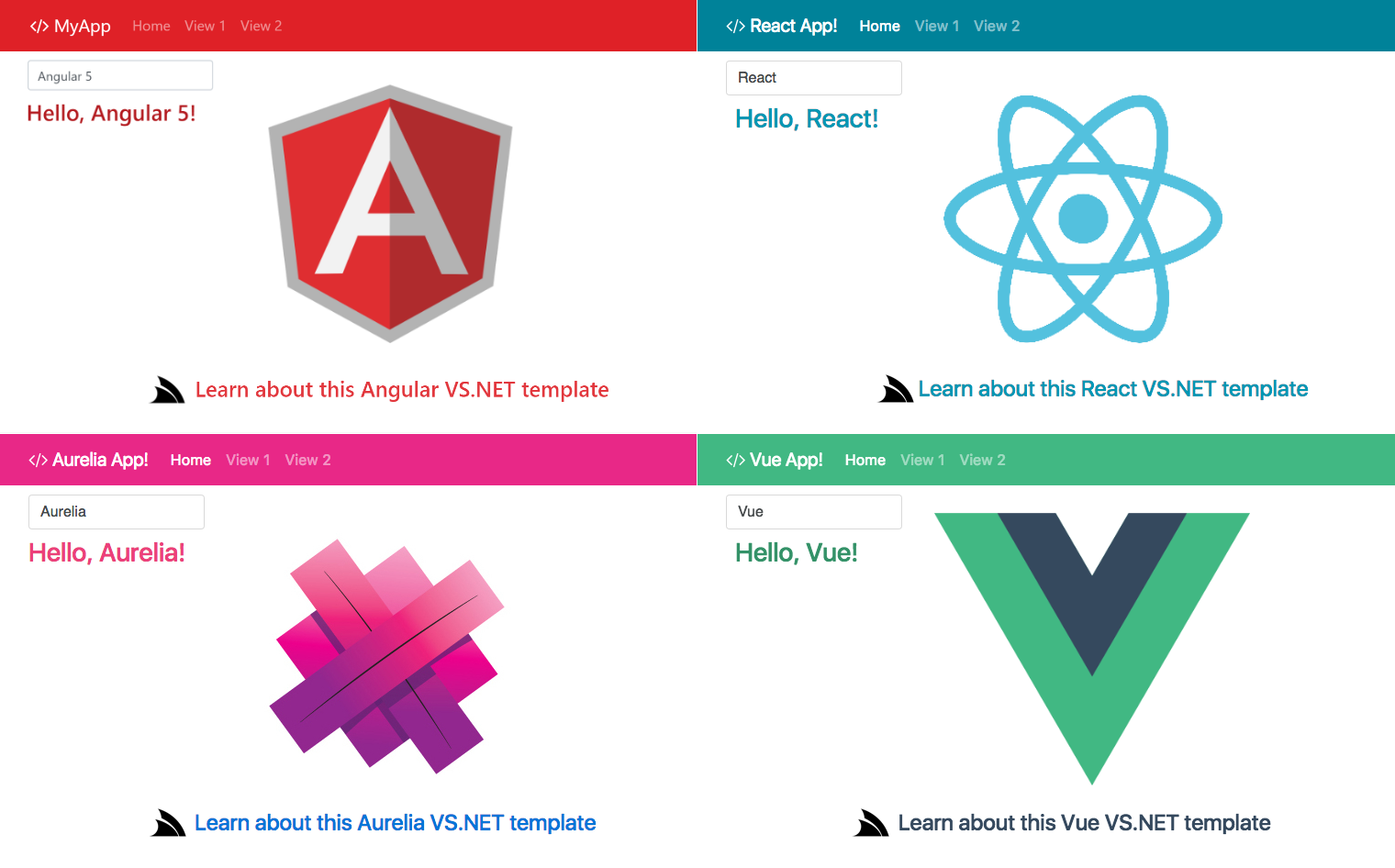
All Single Page App templates are available in the ServiceStackVS VS.NET Extension.
In contrast, this Bundler project below uses a vanilla node.js-based build system configured using plain .txt files and avoids Gulp.js by referencing npm packages directly:
Bundler
Bundler is a fast, cross-platform, command-line runner (easily integrated into existing IDEs, inc VS.NET) with optimized support for ASP.NET MVC and ServiceStack that statically compiles, minifies and combines your websites less, sass, stylus, css, coffeescript, livescript and js files.
Bundler uses the popular and well-tested javascript libraries in node's package manager for all minification and compilation. This enables it to generate faster and more up-to-date outputs than any other .NET wrapper solution which either uses old .NET ports of node.js or ruby implementations, or they have to invoke external out-of-process IronRuby and JavaScript processes resulting in slower execution - consuming valuable iteration-time on each dev-cycle.
- Easy to use! All .bundle's are plain text files which just contain a list of the file names that make up each bundle
- Includes VS.NET Integration! Saving any supported file auto-runs Bundler. Works seamlessly behind-the-scenes while you code
- Integrates with ASP.NET MVC and ServiceStack! Includes 1 C# Bundler.cs class to seamlessly integrate with web apps
- Runs outside the context of your ASP.NET website so client scripts can be re-compiled without restarting your C# project
- Can be used with any website project (not only .NET). Includes a windows node.exe although all scripts work cross-platform
- All bundling done at compile time, by running the single
bundler.cmdcommand - no dependencies needed at runtime - Uses a self-contained node.exe for all compilation & minification - designed for maximum runtime and compile time performance
- All node.js
.jsand C#.cssrc files used are in plain-text - so can be easily be followed, extended or customized
Extremely fast at both Build and Runtime
Bundler is extremely fast - uses Googles leading V8 JavaScript engine (inside node.exe). All build scripts use only pure JavaScript implementations (uglifyjs, coffee-script, clean-css, etc) allowing all compilation and minification to run in a single process.
Async / Non-Blocking
The packager is completely async and non-blocking - allowing the processing inside each bundle to happen in parallel.
No Runtime overhead
Designed for maximum runtime performance since no compilation/minification happens at runtime. Even the generated HTML output is cached in memory (in production mode) - so has effectively no runtime overhead.
Cuts build-time in 1/2
After moving to Bundler for all their compilation and minification, StackOverflow Careers have reduced their total build times by more than 1/2! YMMV but if your current .NET-based Compilation/Optimization build-system is slowing you down - definitely tryout Bundler.
Pre-configured Single Page App Starter Template
Checkout Social Bootstrap Api for a great starting template to base your next Single Page App on. Includes Twitter Bootstrap + Backbone.js + ASP.NET MVC + ServiceStack with Bundler all wired-up with Twitter + Facebook + HTML Form + Basic and Digest Auth providers ready-to-go out-of-the-box.
Release Notes
v1.16 Release Notes
Bundler has added support for LiveScript and Stylus thanks to @legomind.
LiveScript is a terse, functionally-inspired language with CoffeeScript roots popular with functional programmers who want to target JS. Whilst Stylus is another creation from JavaScript's code hero @tjholowaychuk, with his take on a terse white-space significant DSL for CSS.
SASS support has also been vastly improved thanks to the integration efforts of @michael-misshore who updated Bundler's SASS provider to use the more robust node-sass implementation.
In addition to supporting ASP.NET MVC we've also added first-class support for ServiceStack-only web projects. To reflect this change Mvc.Bundler.cs (which contains all MVC and ServcieStack HTML Helper utils) has been renamed to Bundler.cs and now sits in the ServiceStack.Html namespace. If you're upgrading from an older version of Bundler you may need to update to use the new references.
v1.10 Release Notes
This release is thanks to the hard work of @fody who implemented both the VS.NET Extension and advanced bundling options.
- Added VS.NET the Bundler Integration via Bundler's VS.NET Extension
- Added advanced bundling options for finer-grain control
- Lets you skip bundling or minification steps
- Lets you recursively compile and minify all files in current and sub-directories without having to list them
Community Resources
- Using ServiceStack Bundler - Fantastic step-by-step guide to enable Bundler in MVC.
Install
To run you just need a copy of /bundler folder in your website host directory. This can be done by cloning this repo or installing via NuGet:

Once installed you can optionally exclude the '/bundler' or '/bundler/node_modules' folders from your VS.NET project since they contain a lot of files (not required to be referenced).
By default bundler looks at /Content and /Scripts project folders - this can be changed by editing /bundler/bundler.cmd:
node bundler.js ../Content ../Scripts
Now you can define .bundle files in any of the above folders.
Setup a Bundler runner
You basically want to run Bundler when a file your website references has changed, so you can see those changes before your next page refresh.
Although bundler.cmd is just a simple command-line script, there are a few different ways you can run it during development (in order of most productive):
- Automatically on save of a .less, .css, .sass, .js, .coffee and .bundle (after the 2010 VS.NET Extension is installed)
- Add an External Tool in VS.NET that runs
bundler.cmd. Optionally assign a short-cut so you can run with 1 key-stroke - Add a Post-Build event to your project to automatically run it at the end of every build
Reminder: If you don't check-in compiled or .min files you should also get your CI build agents run bundler.cmd after each build.
Installing the Run on Save VS.NET 2010 Extension
If you have VS.NET 2010 you should also double-click the bundler\vs2010-extension\BundlerRunOnSave.vsix package to install Bundler's VS.NET extension which will automatically runs bundler when any .less, .css, .sass, .js, .coffee and .bundle file is saved.

Note: You should reboot VS.NET for the changes to take effect
Once installed the BundlerRunOnSave.vsix VS.NET extension runs bundler when you save any file in the project with any of the supported extensions .less, .css, .sass, .js, .coffee and .bundle.
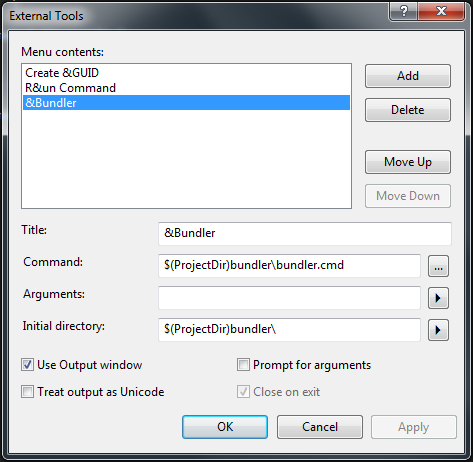
Create an External Tool inside VS.NET:
Allows you to run Alt T + B (or assign your own short-cut) to re-compile and minify your changed assets without re-building your project:
Run script on post-build event
Alternatively you can run bundler after every successful build. Add the line below to Properties > Build events > Post-build event:
"$(ProjectDir)bundler\node.exe" "$(ProjectDir)bundler\bundler.js" "$(ProjectDir)Content" "$(ProjectDir)Scripts"

How it works
You define css or js bundles (in plain text) that specifies the li
