
Diffeqpy
Solving differential equations in Python using DifferentialEquations.jl and the SciML Scientific Machine Learning organization
Install / Use
/learn @SciML/DiffeqpyREADME
diffeqpy


diffeqpy is a package for solving differential equations in Python. It utilizes DifferentialEquations.jl for its core routines to give high performance solving of many different types of differential equations, including:
- Discrete equations (function maps, discrete stochastic (Gillespie/Markov) simulations)
- Ordinary differential equations (ODEs)
- Split and Partitioned ODEs (Symplectic integrators, IMEX Methods)
- Stochastic ordinary differential equations (SODEs or SDEs)
- Random differential equations (RODEs or RDEs)
- Differential algebraic equations (DAEs)
- Delay differential equations (DDEs)
- Mixed discrete and continuous equations (Hybrid Equations, Jump Diffusions)
directly in Python.
If you have any questions, or just want to chat about solvers/using the package, please feel free to chat in the Gitter channel. For bug reports, feature requests, etc., please submit an issue.
Installation
To install diffeqpy, use pip:
pip install diffeqpy
and you're good!
Colab Notebook Examples
- Solving the Lorenz equation faster than SciPy+Numba
- Solving ODEs on GPUs Fast in Python with diffeqpy
General Flow
Import and setup the solvers available in DifferentialEquations.jl via the command:
from diffeqpy import de
If only the solvers available in OrdinaryDiffEq.jl are required, then use the command:
from diffeqpy import ode
The general flow for using the package is to follow exactly as would be done
in Julia, except add de. or ode. in front. Note that ode. has a shorter loading time and a smaller memory footprint compared to de..
Most of the commands will work without any modification. Thus
the DifferentialEquations.jl documentation
and the DiffEqTutorials
are the main in-depth documentation for this package. Below we will show how to
translate these docs to Python code.
Note about !
Python does not allow ! in function names, so this is also a limitation of pyjulia.
To use functions which on the Julia side have a !, like step!, replace ! by _b. For example:
from diffeqpy import de

def f(u,p,t):
    return -u

u0 = 0.5
tspan = (0., 1.)
prob = de.ODEProblem(f, u0, tspan)
integrator = de.init(prob, de.Tsit5())
de.step_b(integrator)
is valid Python code for using the integrator interface.
Ordinary Differential Equation (ODE) Examples
One-dimensional ODEs
from diffeqpy import de

def f(u,p,t):
    return -u

u0 = 0.5
tspan = (0., 1.)
prob = de.ODEProblem(f, u0, tspan)
sol = de.solve(prob)
The solution object is the same as the one described
in the DiffEq tutorials
and in the solution handling documentation
(note: the array interface is missing). Thus for example the solution time points
are saved in sol.t and the solution values are saved in sol.u. Additionally,
the interpolation sol(t) gives a continuous solution.
We can plot the solution values using matplotlib:
import matplotlib.pyplot as plt
plt.plot(sol.t,sol.u)
plt.show()
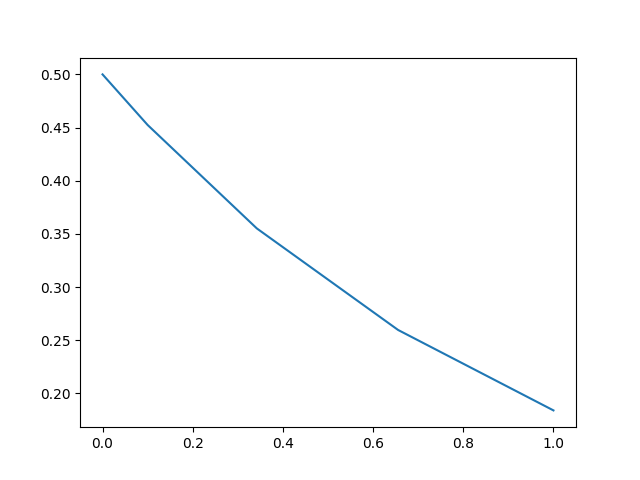
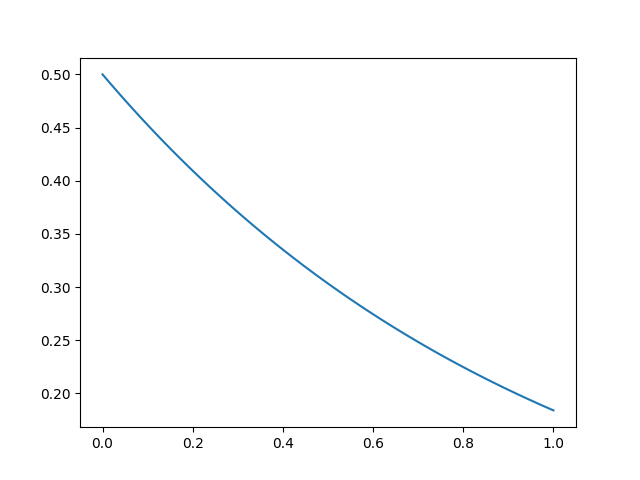
We can utilize the interpolation to get a finer solution:
import numpy
t = numpy.linspace(0,1,100)
u = sol(t)
plt.plot(t,u)
plt.show()
Solve commands
The common interface arguments
can be used to control the solve command. For example, let's use saveat to
save the solution at every t=0.1, and let's utilize the Vern9() 9th order
Runge-Kutta method along with low tolerances abstol=reltol=1e-10:
sol = de.solve(prob,de.Vern9(),saveat=0.1,abstol=1e-10,reltol=1e-10)
The set of algorithms for ODEs is described at the ODE solvers page.
Compilation with de.jit and Julia
When solving a differential equation, it's pertinent that your derivative
function f is fast since it occurs in the inner loop of the solver. We can
convert the entire ode problem to symbolic form, optimize that symbolic form,
and emit efficient native code to simulate it using de.jit to improve the
efficiency of the solver at the expense of added setup time:
fast_prob = de.jit(prob)
sol = de.solve(fast_prob)
Additionally, you can directly define the functions in Julia. This will also
allow for specialization and could be helpful to increase the efficiency for
repeat or long calls. This is done via seval:
jul_f = de.seval("(u,p,t)->-u") # Define the anonymous function in Julia
prob = de.ODEProblem(jul_f, u0, tspan)
sol = de.solve(prob)
Limitations
de.jit, uses ModelingToolkit.jl's modelingtoolkitize internally and some
restrictions apply. Not all models can be jitted. See the
modelingtoolkitize documentation
for more info.
Systems of ODEs: Lorenz Equations
To solve systems of ODEs, simply use an array as your initial condition and
define f as an array function:
def f(u,p,t):
    x, y, z = u
    sigma, rho, beta = p
    return [sigma * (y - x), x * (rho - z) - y, x * y - beta * z]

u0 = [1.0,0.0,0.0]
tspan = (0., 100.)
p = [10.0,28.0,8/3]
prob = de.ODEProblem(f, u0, tspan, p)
sol = de.solve(prob,saveat=0.01)

plt.plot(sol.t,de.transpose(de.stack(sol.u)))
plt.show()
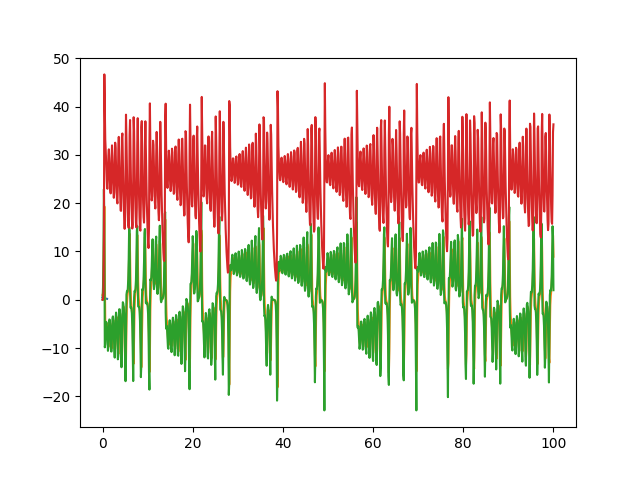
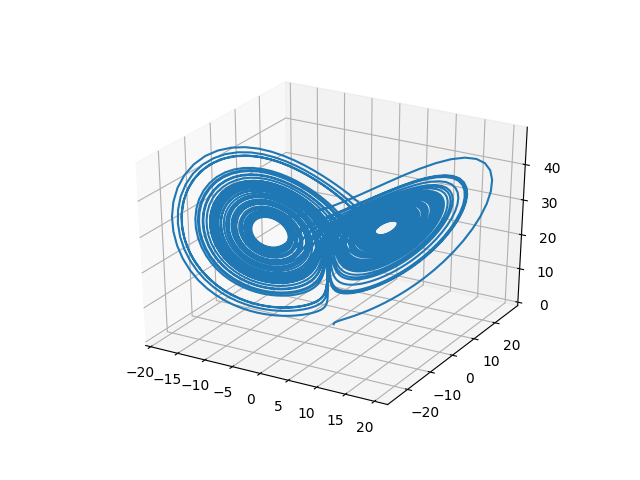
or we can draw the phase plot:
us = de.stack(sol.u)
from mpl_toolkits.mplot3d import Axes3D
fig = plt.figure()
ax = fig.add_subplot(111, projection='3d')
ax.plot(us[0,:],us[1,:],us[2,:])
plt.show()
In-Place Mutating Form
When dealing with systems of equations, in many cases it's helpful to reduce memory allocations by using mutating functions. In diffeqpy, the mutating form adds the mutating vector to the front. Let's make a fast version of the Lorenz derivative, i.e. mutating and JIT compiled:
def f(du,u,p,t):
    x, y, z = u
    sigma, rho, beta = p
    du[0] = sigma * (y - x)
    du[1] = x * (rho - z) - y
    du[2] = x * y - beta * z

u0 = [1.0,0.0,0.0]
tspan = (0., 100.)
p = [10.0,28.0,2.66]
prob = de.ODEProblem(f, u0, tspan, p)
jit_prob = de.jit(prob)
sol = de.solve(jit_prob)
or using a Julia function:
jul_f = de.seval("""
function f(du,u,p,t)
  x, y, z = u
  sigma, rho, beta = p
  du[1] = sigma * (y - x)
  du[2] = x * (rho - z) - y
  du[3] = x * y - beta * z
end""")
u0 = [1.0,0.0,0.0]
tspan = (0., 100.)
p = [10.0,28.0,2.66]
prob = de.ODEProblem(jul_f, u0, tspan, p)
sol = de.solve(prob)
Stochastic Differential Equation (SDE) Examples
One-dimensional SDEs
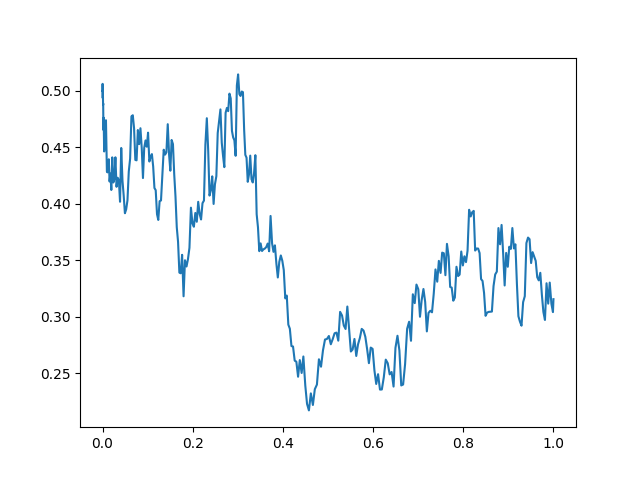
Solving one-dimensonal SDEs du = f(u,t)dt + g(u,t)dW_t is like an ODE except
with an extra function for the diffusion (randomness or noise) term. The steps
follow the SDE tutorial.
def f(u,p,t):
  return 1.01*u

def g(u,p,t):
  return 0.87*u

u0 = 0.5
tspan = (0.0,1.0)
prob = de.SDEProblem(f,g,u0,tspan)
sol = de.solve(prob,reltol=1e-3,abstol=1e-3)

plt.plot(sol.t,de.stack(sol.u))
plt.show()
Systems of SDEs with Diagonal Noise
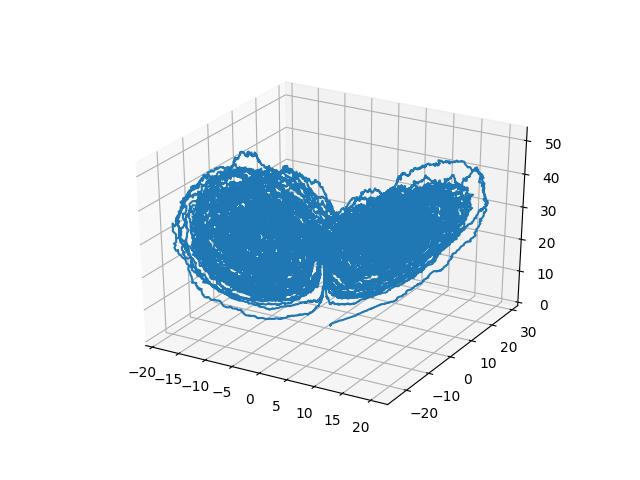
An SDE with diagonal noise is where a different Wiener process is applied to every part of the system. This is common for models with phenomenological noise. Let's add multiplicative noise to the Lorenz equation:
def f(du,u,p,t):
    x, y, z = u
    sigma, rho, beta = p
    du[0] = sigma * (y - x)
    du[1] = x * (rho - z) - y
    du[2] = x * y - beta * z

def g(du,u,p,t):
    du[0] = 0.3*u[0]
    du[1] = 0.3*u[1]
    du[2] = 0.3*u[2]

u0 = [1.0,0.0,0.0]
tspan = (0., 100.)
p = [10.0,28.0,2.66]
prob = de.jit(de.SDEProblem(f, g, u0, tspan, p))
sol = de.solve(prob)

# Now let's draw a phase plot

us = de.stack(sol.u)
from mpl_toolkits.mplot3d import Axes3D
fig = plt.figure()
ax = fig.add_subplot(111, projection='3d')
ax.plot(us[0,:],us[1,:],us[2,:])
plt.show()
Systems of SDEs with Non-Diagonal Noise
In many cases you may want to share noise terms across the system. This is known as non-diagonal noise. The DifferentialEquations.jl SDE Tutorial explains how the matrix form of the diffusion term corresponds to the summation style of multiple Wiener processes. Essentia
Related Skills
YC-Killer
2.7kA library of enterprise-grade AI agents designed to democratize artificial intelligence and provide free, open-source alternatives to overvalued Y Combinator startups. If you are excited about democratizing AI access & AI agents, please star ⭐️ this repository and use the link in the readme to join our open source AI research team.
best-practices-researcher
The most comprehensive Claude Code skills registry | Web Search: https://skills-registry-web.vercel.app
research_rules
Research & Verification Rules Quote Verification Protocol Primary Task "Make sure that the quote is relevant to the chapter and so you we want to make sure that we want to have it identifie
groundhog
398Groundhog's primary purpose is to teach people how Cursor and all these other coding agents work under the hood. If you understand how these coding assistants work from first principles, then you can drive these tools harder (or perhaps make your own!).
