
TizenTVApps
Tutorial and Sample apps for the Tizen TV web platform
Install / Use
/learn @Samsung/TizenTVAppsREADME
TizenTVApps
This repository hosts applications for the Tizen TV Web Platform. Tizen TV apps are HTML5/JS/CSS applications and can be run in the Tizen TV Web Simulator. You can find the Tizen TV SDK 1.4 (with Web Simulator) here:
https://developer.samsung.com/smarttv/develop/getting-started/setting-up-sdk/installing-tv-sdk.html
App Overview
May 28, 2015
We added 2 video apps (HTML5 and AVPlayer) and a simple image slideshow:
TVDemoSlideShow A simple HTML5/CSS3 image slide show: <img src="https://raw.githubusercontent.com/rodrigogrow/TizenTVApps/master/screenshots/imageslideshow.png" alt="Demo in Web Simulator" style="width:250px"/>
TVDemoVideoPlayer A simple video player app, it uses HTML5 tag video: <img src="https://raw.githubusercontent.com/rodrigogrow/TizenTVApps/master/screenshots/videotizenappdemon.png" alt="Demo in Web Simulator" style="width:250px"/>
TVDemoAvPlay A simple video player using Tizen WebAPI for AVPlay component (It supports DRMs and streaming engines like DASH, HAS, HLS and SmoothStreaming) Must be tested on TV Tizen Emulator: <img src="https://raw.githubusercontent.com/rodrigogrow/TizenTVApps/master/screenshots/avplayerappdemo.png" alt="Demo in Web Simulator" style="width:250px"/>
October 24, 2014
We are happy to add 2 new apps that use the Phaser game library:
TVDemoGrandmasBakery : A match-3 games using the Phaser game library. <img src="https://raw.githubusercontent.com/Samsung/TizenTVApps/master/screenshots/grandmas_01.png" alt="Demo in Web Simulator" style="width:250px"/>
TVDemoSimonSaysDemo : A "Simon Says" games using the Phaser game library. <img src="https://raw.githubusercontent.com/Samsung/TizenTVApps/master/screenshots/simonsays_01.png" alt="Demo in Web Simulator" style="width:250px"/>
August 12, 2014
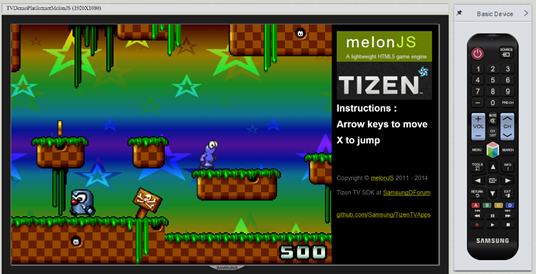
TVDemoPlatformerMelonJS : A port of the MelonJS game demo application.
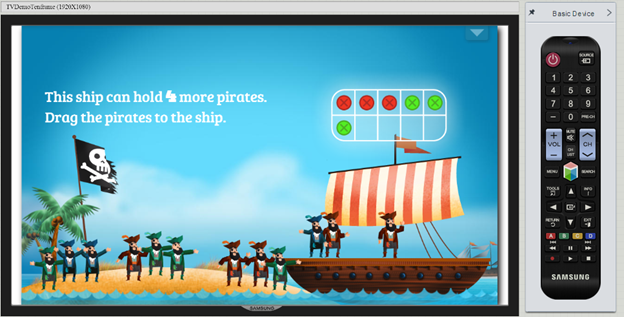
TVDemoTenframe : A port of a Tizen demo showing an educational application.
How to Run
- Clone this repository to your desktop
- Install the Tizen TV Web 1.5 (available here: https://developer.samsung.com/smarttv/develop/getting-started/setting-up-sdk/installing-tv-sdk.html)
- Launch the Tizen IDE and import each app's folder into your workspace
- After important, right-click on the app's folder and choose Run As > Tizen TV Web Simulator Application (Samsung TV)
- NOTE: If you are running latest Tizen IDE and try running these projects, you might get following error. {code} Cannot run program "tizen-sdk/tools/sec_tv_websimulator/node-webkit.app/Contents/MacOS/node-webkit": error=2, No such file or directory. {code}
- Default IDE settings look like this: 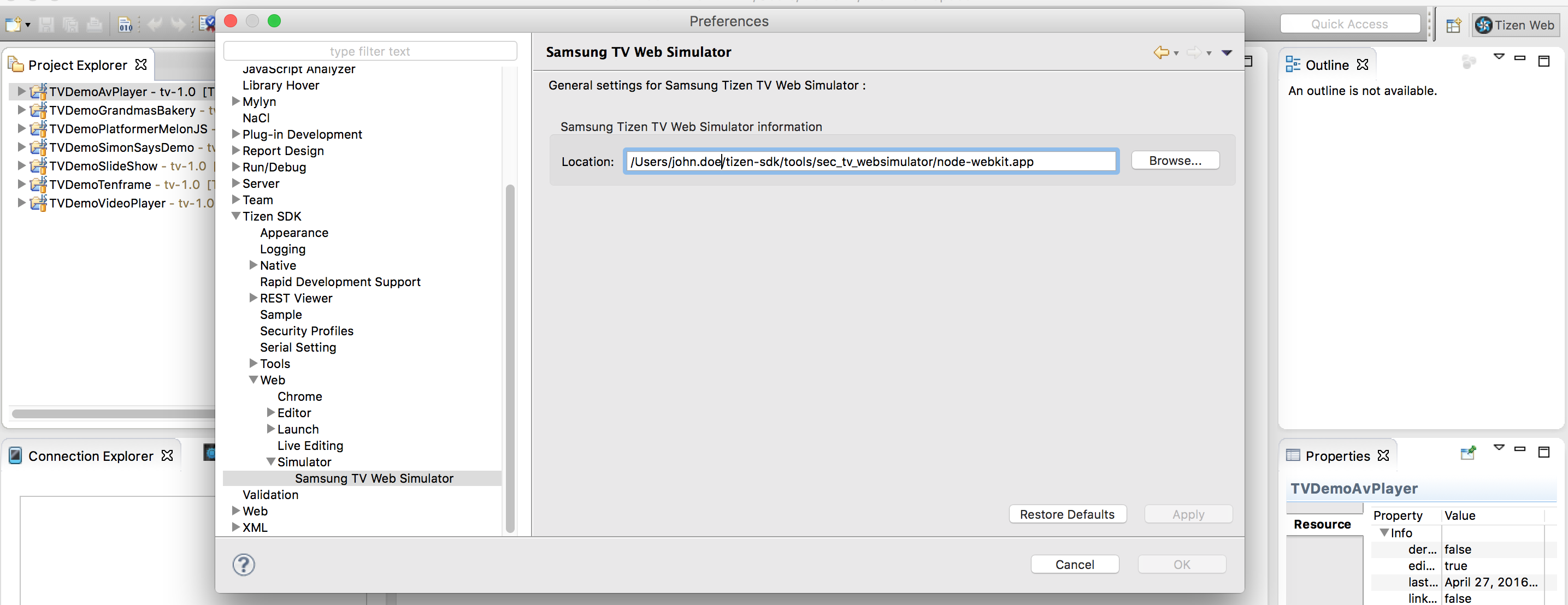
- Make following changes to your IDE configuration in order to make it work.
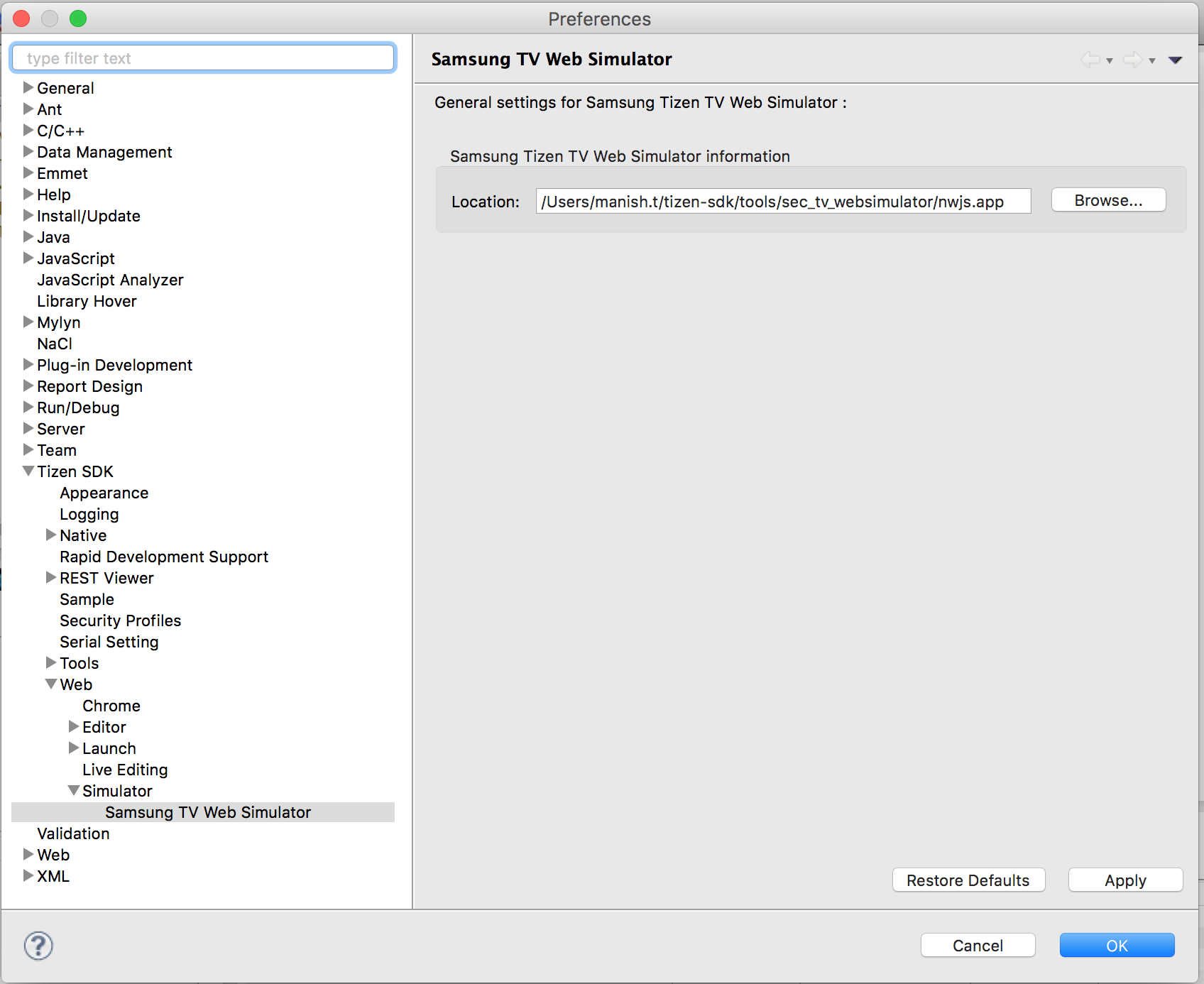
- Go to Tizen SDK directory and navigate to tools/sec_tv_websimulator/nwjs.app/Contents/MacOS/
- rename the file nwjs to node-webkit
Current Issues
- Remote Control events are not working properly. Please use keyboard and/or mouse.
Credits
Original MelonJS Demo App: http://melonjs.github.io/tutorial-platformer/
Additional Tizen HTML5 Apps: https://developer.tizen.org/downloads/sample-web-applications
Phaser homepage: http://phaser.io/
Related Skills
node-connect
344.1kDiagnose OpenClaw node connection and pairing failures for Android, iOS, and macOS companion apps
frontend-design
96.8kCreate distinctive, production-grade frontend interfaces with high design quality. Use this skill when the user asks to build web components, pages, or applications. Generates creative, polished code that avoids generic AI aesthetics.
openai-whisper-api
344.1kTranscribe audio via OpenAI Audio Transcriptions API (Whisper).
qqbot-media
344.1kQQBot 富媒体收发能力。使用 <qqmedia> 标签,系统根据文件扩展名自动识别类型(图片/语音/视频/文件)。
