
UEPlasticPlugin
Plastic SCM Plugin for Unreal Engine
Install / Use
/learn @SRombauts/UEPlasticPluginREADME
Unity Version Control (formerly Plastic SCM) plugin for Unreal Engine

This is the official Unity Version Control (formerly Plastic SCM) plugin for Unreal Engine 5 (UE 5.0 to 5.7) with previous releases also supporting UE4.27.

As a general rule, the Fab and GitHub versions of the plugin will always be the most up-to-date and recent versions. They're easier for us to patch by applying a hotfix, in case a bug is raised and something broken must be fixed quickly.
However, you can of course still use the "Plastic SCM" in-engine integration in Unreal.
This plugin is not intended to replace the Desktop Client or command line interface "cm". It is a complementary tool improving efficiency in your daily workflow with assets in Editor.
It tracks status of assets, most notably locks, brings common source control tasks inside the Editor, including updating, branching and merging, and provides visual diffing of Blueprints. It also helps import an existing Unreal Project into source control in a simple operation, with appropriate ignore.conf file. Since the Unreal Editor does not manage C++ source code, but only assets, the plugin is especially useful for tech designers, level designers and artists in general.
Quick tour "Branching with Unity Version Control (Plastic SCM) in Unreal Engine 5" on YouTube:
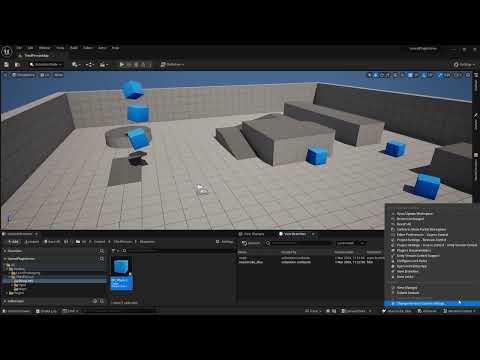
Table of Contents
- User Guide
- Status
- Support
- Source code architecture
- Copyright
User Guide
Plugin Setup
In-Engine version of the plugin
Having a version of "Plastic SCM" integrated in-Engine helps with discoverability and it is the easiest way to get started with Unity Version Control. However the integrated version will always be lagging behind the latest release in Github and Fab.
- UE4.24 to 4.27 shipped with an old version 1.4.6 of this plugin
- UE5.0 shipped with the same outdated version 1.4.6, not performing well overall with UE5, especially on OFPA
- UE5.1 shipped with the version 1.6.2 with support for the new View Changelists window
- UE5.2 & 5.3 shipped with the version 1.8.0 with support for the Shelves in the renamed View Changes window
- UE5.4 & 5.5 shipped with the version 1.9.0 with a new View Branches window to create, switch to and merge branches.
- UE5.6 & 5.7 shipped with the version 1.11.0 with the new View Changesets history, to switch to older changesets or update the workspace.
Install from Fab
As a general rule, the Fab and GitHub versions of the plugin will always be the most up-to-date and recent versions. They're easier for us to patch by applying a hotfix, in case a bug is raised and something broken must be fixed quickly.
In Fab, the Unity Version Control plugin supports all Engine Versions 5.x
- Click on the "Add to My Library" button in the Fab page and complete the checkout process.

- Click on the "Download" button below (or just open the Epic Games Launcher directly)

- Click the on "Epic Games Launcher" link at the bottom of the "Download" popup

- In the Epic Games Launcher, in Unreal Engine -> Library -> "Fab Library" search "Unity Version Control" or "Plastic SCM"

- Click the "Install to Engine" button, select the Engine version for your project, then install.

- Open your project in Unreal, navigate to "Edit -> Plugins" and in "Installed" plugins, tick to enable "Unity Version Control", and restart the Editor

- Navigate to "Revision Control -> Connect to Revision Control"

- And for the "Provider" select "UnityVersionControl" to override the older "Plastic SCM" integration

Install from releases in Github
- Download the latest binary release UE5PlasticPlugin-x.x.x.zip targeting your UE5 version.
- Either:
- Unzip the content of the ZIP directly at the root of your project folder. This creates a "Plugins\UEPlasticPlugin" subdirectory into your project. This is the way to go to use Unity Version Control on a specific project, and to share the plugin with other team members by adding it to source control. Some users reported they also had to remove the integrated plugin from "Engine\Plugins\Developer\PlasticSourceControl" to avoid a collision. This is only needed for some specific use case I have not yet identified (eg. on CI/CD, or on Unix OSes).
- Unzip the content of the ZIP in the Engine\ directory of UEX.Y directly for all your projects (for instance "C:\Program Files\Epic Games\5.1\Engine") This creates a "UEPlasticPlugin" folder into the "Plugins" subdirectory. Then remove the integrated plugin from "Engine\Plugins\Developer\PlasticSourceControl" to avoid the collision. This is the way to enable Unity Version Control for all Unreal Engine projects on the machine.
- Then, launch your Unreal project, click on the Source Control icon "Connect to Source", select "Plastic SCM".
Build from sources
Building from sources enable you to test features before they are released, debug issues, and contribute. It's required if you have your own fork of Unreal Engine.
If your project is already a C++ project, you only have to re-generate Visual Studio project files (step 4 below) and the plugin will get rebuilt the next time you compile your project.
Else, if you want to rebuild the plugin for a Blueprint project:
- You need Visual Studio 2015 or 2017 with C++ language support (free Community Edition is fine).
- Launch the Unreal Engine Editor, create a new C++ Basic Code Project (No Starter Content), for instance ProjectName. This should launch Visual Studio, build the game project, and open it into the Editor.
- Close the Editor, then using the file explorer, create a
Related Skills
node-connect
341.0kDiagnose OpenClaw node connection and pairing failures for Android, iOS, and macOS companion apps
frontend-design
84.4kCreate distinctive, production-grade frontend interfaces with high design quality. Use this skill when the user asks to build web components, pages, or applications. Generates creative, polished code that avoids generic AI aesthetics.
openai-whisper-api
341.0kTranscribe audio via OpenAI Audio Transcriptions API (Whisper).
commit-push-pr
84.4kCommit, push, and open a PR
