
Sharer.NET
Arduino & .NET serial communication library to read/write variables and remote call functions using the Sharer protocol. Works on Windows, Linux and MacOS.
Install / Use
/learn @Rufus31415/Sharer.NETREADME













Sharer is both a <b>.NET and an Arduino Library</b>. It allows a desktop application to <b>read/write variables</b> and <b>remote call functions on Arduino</b>, using the Sharer protocole accross a serial communication. Sharer has initially been developped for the Ballcuber project (https://ballcuber.github.io), but it is now a standalone library ;).
<p align="center"> <a href="https://github.com/Rufus31415/Sharer/releases"> <img alt="Download arduino library and examples" src="https://img.shields.io/badge/▼-Download%20Arduino%20library%20and%20examples-blue?logo=arduino&style=for-the-badge" /> </a> <a href="https://github.com/Rufus31415/Sharer.NET/releases"> <img alt="Download .NET library and example" src="https://img.shields.io/badge/▼-Download%20.NET%20Library%20and%20examples-green?logo=c%20sharp&style=for-the-badge" /> </a> <br/> <a href="https://www.nuget.org/packages/Sharer"> <img alt="Download Nuget library" src="https://img.shields.io/badge/▼-Download%20Nuget%20.NET%20Library-20038d?logo=nuget&style=for-the-badge" /> </a> </p>Overview 🧐
How to connect
// C#
var connection = new SharerConnection("COM3", 115200);
connection.Connect();
Remark : for some boards, like Micro and Leonardo, it is necessary to set the RTS and DTR signals with the RtsEnable and DtrEnable properties.
How to call a function
// C# - My Arduino code has a function : int Sum(int a, byte b);
var result = connection.Call("Sum", 10, 12);
// result.Status : OK
// result.Type : int
// result.Value : 22
// C# - Read all digital pins : digitalRead(0) to digitalRead(13)
for(int i=0; i <= 13; i++){
	var digitalValue = connection.Call("digitalRead", i);
	// digitalValue.Status : OK
	// digitalValue.Type : bool
	// digitalValue.Value : true or false
}
// C# - Definition of all functions
var functions = connection.Functions;
// functions[0].Name : function name
// functions[0].ReturnType : enum void, int, long, ...
// functions[0].Arguments[0].Name // Name of first argument
// functions[0].Arguments[0].Type // enum void, int, long, ...
How to write a variables
// C#
connection.WriteVariable("myVar", 15); // returns true if writting OK
// C# - Write simultaneously several variables by passing a List<WriteVariable>()
connection.WriteVariables(listOfVariablesToWrite);
// C# - Definition of all variables
var variables = connection.Variables;
// variables[0].Name : variable name
// variables[0].Type : enum int, long, ...
How to read variables
// C#
var value = connection.ReadVariable("myVar");
// value.Status : OK
// value.Value : 12
// C# - Read simultaneously several variables
var values = connection.ReadVariables(new string[] {"myVar", "anotherVar", "yetAnother"});
Get board information
// C#
var info = connection.GetInfos();
// info.Board : Arduino UNO
// info.CPUFrequency : 16000000 (Hz)
// a lot more : info.CPlusPlusVersion, info.FunctionMaxCount, info.VariableMaxCount, ...
Receive and send custom messages
You can send and receive classic messages on the serial port with the WriteUserData functions. Also, the UserDataReceived event is raised when data is sent by the Arduino.
Warning : it is not possible to read or write variables and call functions in your UserDataReceived event handler.
// C#
connection.WriteUserData("Hello!");
connection.WriteUserData(12.2);
connection.WriteUserData(new byte[] {0x12, 0x25, 0xFF});

// Event raised when new user data sent by Arduino
connection.UserDataReceived += UserDataReceived;
Arduino code
// C++ Arduino
#include <Sharer.h>

// A simple function that sums an integer and a byte and return an integer
int Sum(int a, byte b) {
	return a + b;
}

// a simple integer
int myVar = 25;

void setup() {
	Sharer.init(115200); // Init Serial communication with 115200 bauds

	// Expose this function to Sharer : int Sum(int a, byte b)
	Sharer_ShareFunction(int, Sum, int, a, byte, b);

	// Share system functions
	Sharer_ShareFunction(bool, digitalRead, uint8_t, pin);
	Sharer_ShareVoid(pinMode, uint8_t, pin);

	// Expose this variable to Sharer so that the desktop application can read/write it
	Sharer_ShareVariable(int, myVar);
}

// Run Sharer engine in the main Loop
void loop() {
	Sharer.run();
}
Get Started 💪
Sources
Sharer is divided into 2 repositories, one for the Arduino sources and the other for .NET sources
- Arduino : https://github.com/Rufus31415/Sharer
- .NET : https://github.com/Rufus31415/Sharer.NET
Download and install Arduino library
Library manager
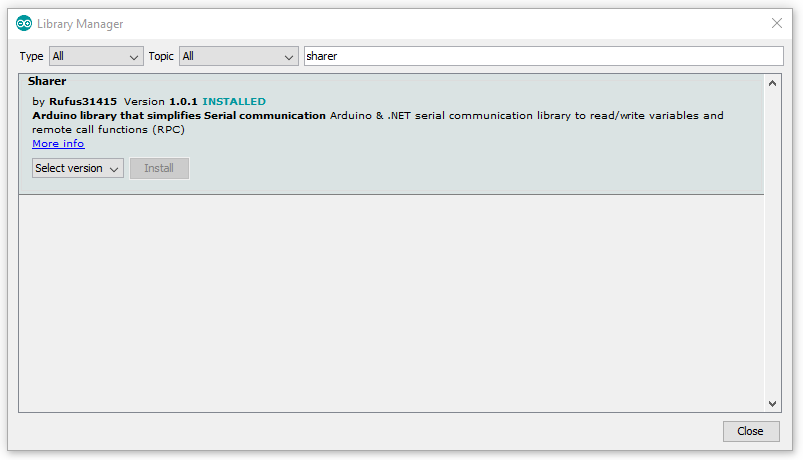
Sharer is available in the library manager available in the menu Tools/Manage Libraries.... Just look for Sharer and install the latest version.
Direct download
Please download the Sharer library archive : https://github.com/Rufus31415/Sharer/releases/latest/download/Sharer.zip
Sharer has been tested with Arduino UNO, NANO, MEGA and DUE. It may work with other boards.
Extract so that you get a Sharer directory in your Arduino "libraries" directory : C:\Program Files (x86)\Arduino\libraries\Sharer
You can then enjoy the examples by restarting your Arduino IDE and go to menu File / examples / Sharer.
Sharer .NET
Nuget
Sharer.NET is available on nuget : https://www.nuget.org/packages/Sharer/
Use this command line to install it with you package manager :
Install-Package Sharer
Download .NET assembly
Sharer.dll assembly can be downloaded here : https://github.com/Rufus31415/Sharer.net/releases/latest/download/SharerAsssemblies.zip
This archive contains the nuget package Sharer.nupkg and Sharer.dll compiled in AnyCPU Release for the following targets:
- NET Framework 3.5, 4.0, 4.5.1, 4.5.2, 4.6, 4.6.1, 4.6.2, 4.7, 4.7.1, 4.7.2, 4.8
- NET Core 2.0, 2.1, 2.2, 3.0, 3.1
- NET Standard 2.1
Try examples
Windows Forms
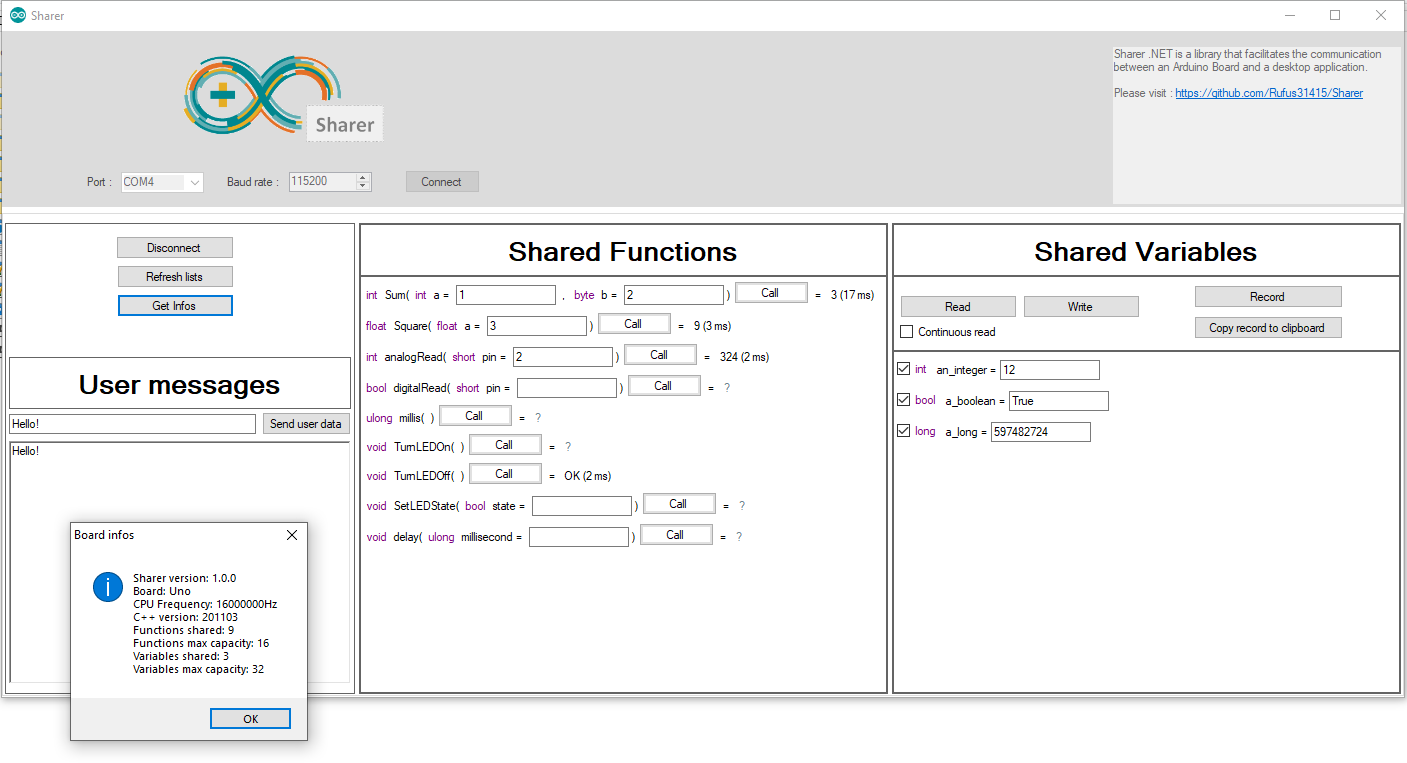
Windows Forms example requires .NET Framework 3.5. It can be downloaded here : https://github.com/Rufus31415/Sharer.net/releases/latest/download/SharerWindowsFormsExample.zip
Console cross-plateform example
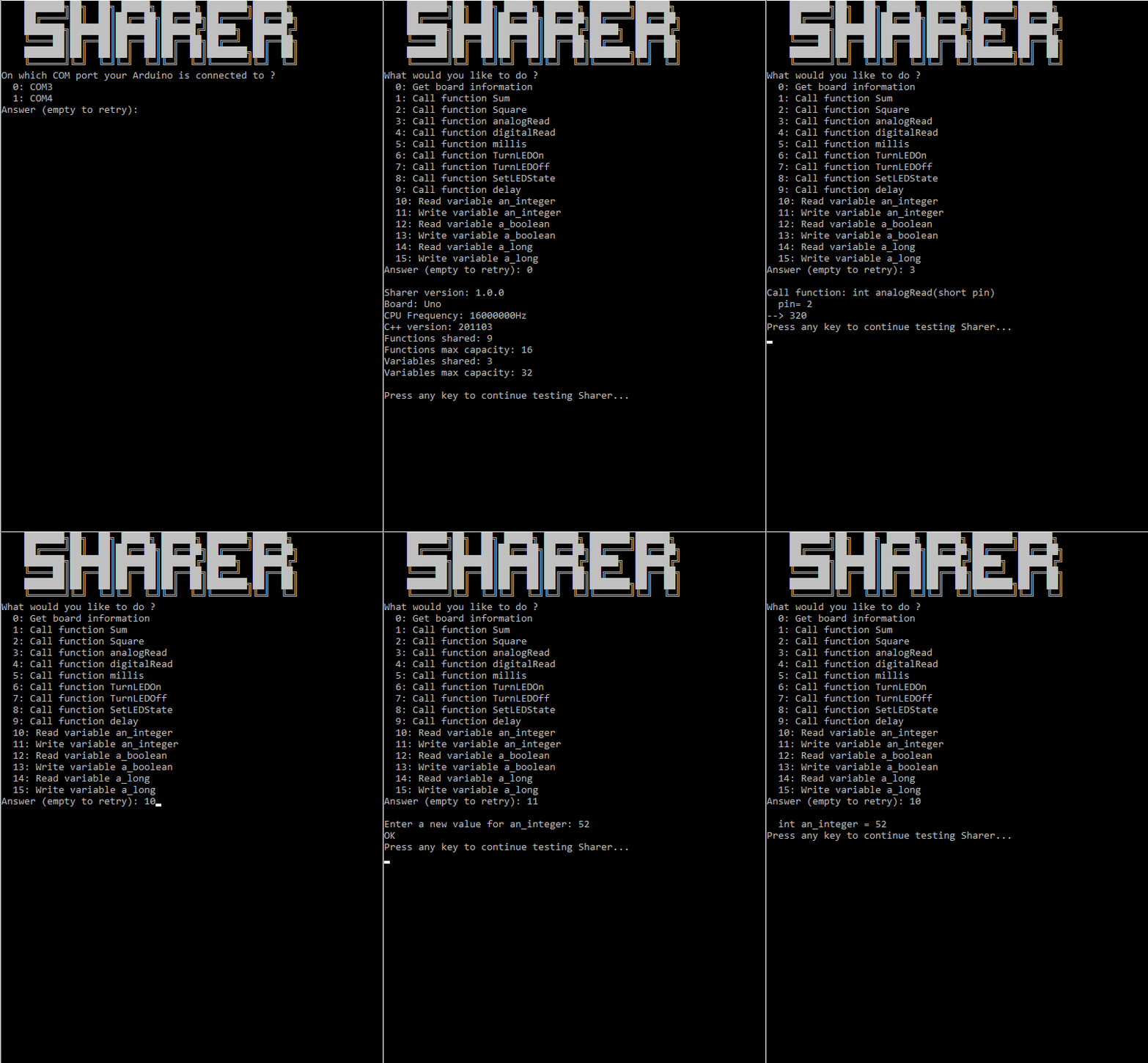
The console example run with .NET Core 3.0. But you don't need any runtime to execute it. The standalone console examples are available here :
- Windows 64 bits : https://github.com/Rufus31415/Sharer.net/releases/latest/download/SharerConsoleExample_win-x64.zip
- Windows 32 bits : https://github.com/Rufus31415/Sharer.net/releases/latest/download/SharerConsoleExample_win-x86.zip
- Windows ARM (for example Windows IOT for Raspberry PI) : https://github.com/Rufus31415/Sharer.net/releases/latest/download/SharerConsoleExample_win-arm.zip
- Linux ARM (for example Raspbian for Raspberry PI) : https://github.com/Rufus31415/Sharer.net/releases/latest/download/SharerConsoleExample_linux-arm.zip
- Linux 64 bits : https://github.com/Rufus31415/Sharer.net/releases/latest/download/SharerConsoleExample_linux-x64.zip
- Mac OS X : https://github.com/Rufus31415/Sharer.net/releases/latest/download/SharerConsoleExample_osx-x64.zip
License: MIT 😘
© Rufus31415 See the license file for details.
Usage 🛠️
Arduino Usage
Initialization
The header file <Sharer.h> should be included.
In function setup(), Sharer is initialized by passing a baudrate to function Sharer.init(...). It internally call Serial.init() with the same baudrate.
In function loop(), Sharer.run() should be called. It runs the internal kernel of Sharer that decodes commands received.
#include <Sharer.h>

void setup() {
	Sharer.init(115200);
}

void loop() {
	Sharer.run();
}
You also can initialize Sharer with another stream, such as the Serial2 of Arduino DUE if you use Serial2 to communication with the desktop application :
void setup() {
	// Initialize with another Serial interface
	Serial2.begin(9600);
	Sharer.init(Serial2);
}
Share variables
To add a variable in the shared variable list, you should call the macro Sharer_ShareVariable. Its first argument is the type of the variable, and the second is its name. This
