
North
一个易于搭建的图床服务
Install / Use
/learn @Redns/NorthREADME
North



Recent Progress
-
用户登录授权系统
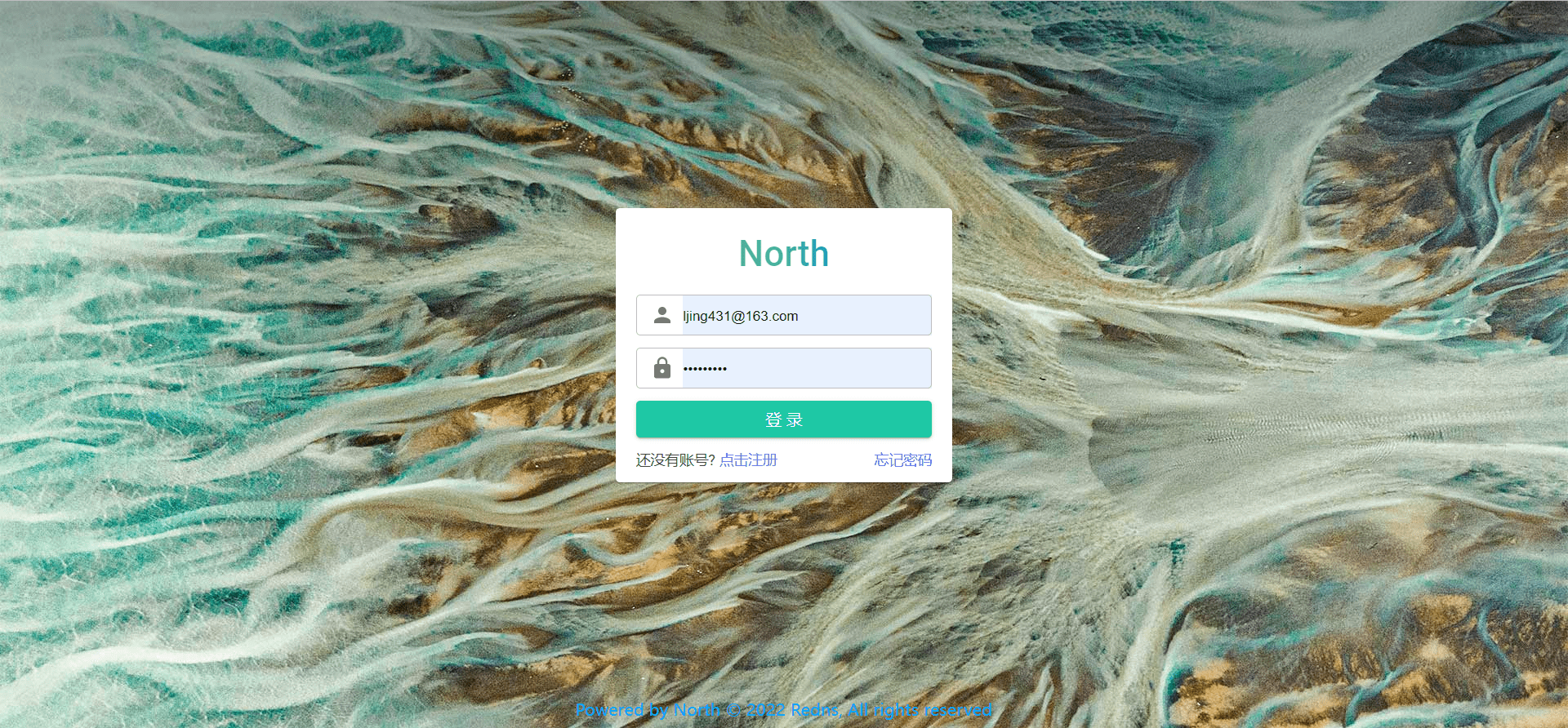
-
全新风格 UI
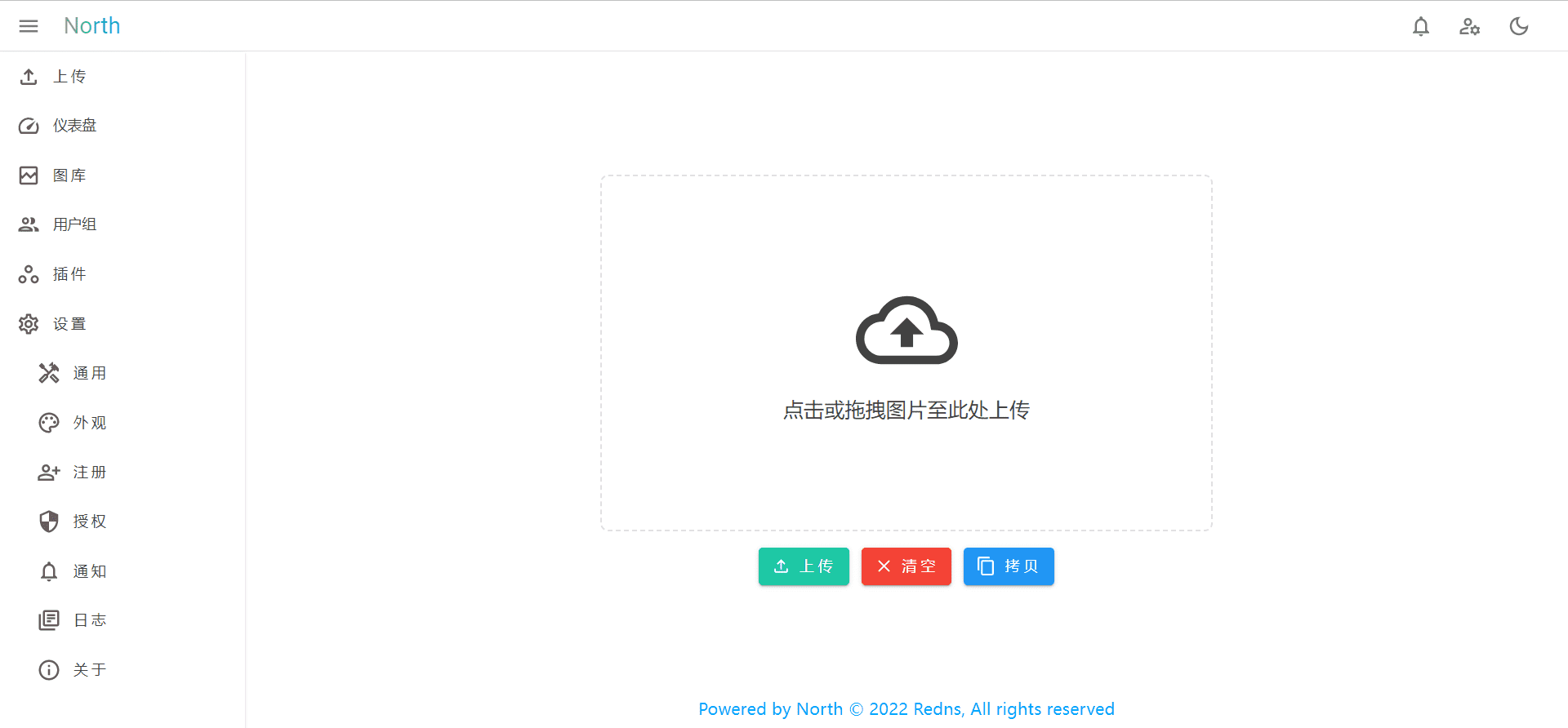
-
插件化开发
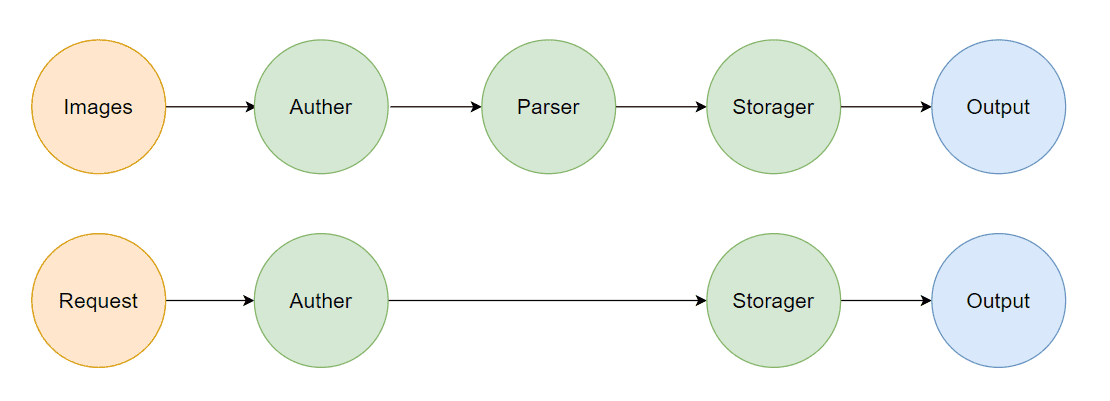
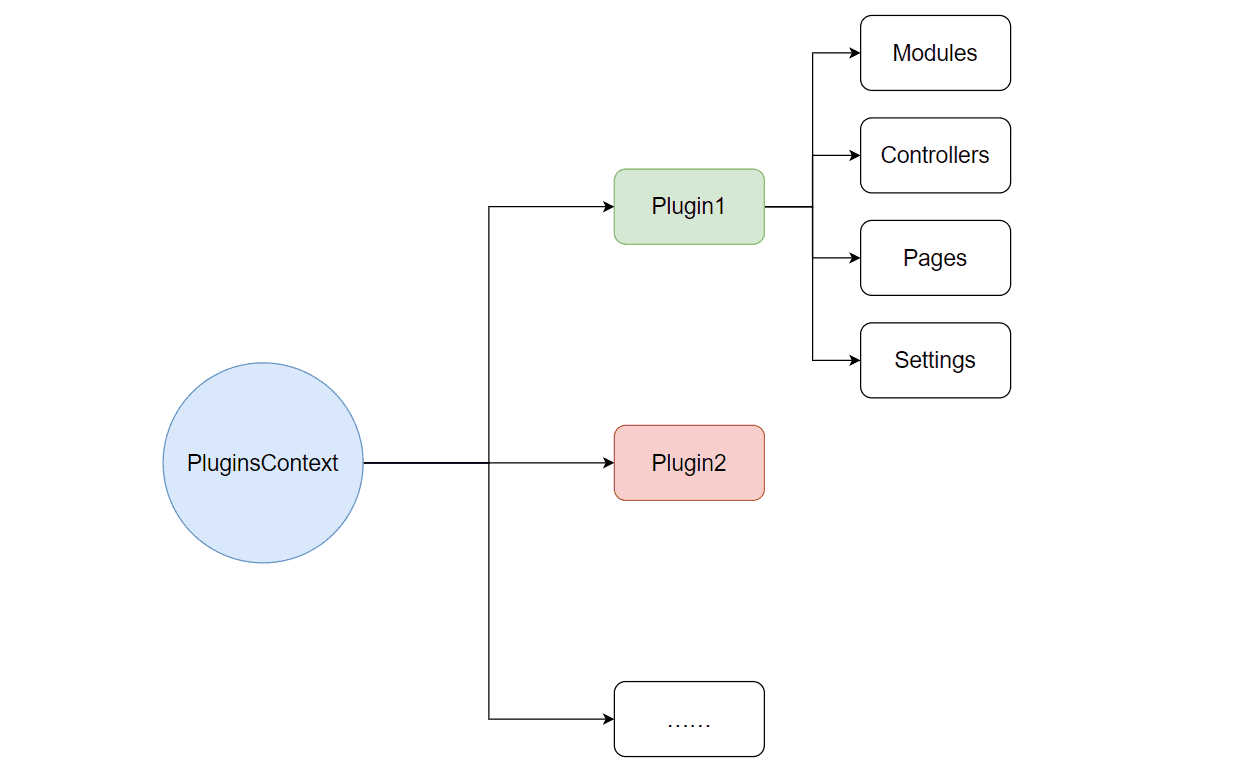
-
其他
- 支持 docker 部署
- 可视化安装、迁移
- 支持用户组策略、图片权限设置
- 多数据库支持(MySql、SQL Server、Oracle、Sqlite、PostgreSQL、……)
- ……
Background
图床可以把图片转为链接,从而方便我们书写、分享博客,目前图床主要分为以下几类
- 利用
Git仓库存储 - 对象存储(OSS、COS、七牛云等)
- 免费公共图床(SM.MS、聚合图床、ImgTP、Postimage等)
但上述图床都有些不尽人意
- 公共图床的稳定性未知,往往会开启审查机制、限制上传图片的尺寸
Github国内访问速度堪忧,并且官方明令禁止将Github和Gitee仓库作为图床- 对象存储的容量和访问速度还不错,但流量较贵
图床服务并不需要高性能的服务器去承载,现在云服务器的价格也并不昂贵,因此搭建个人图床也许是不错的选择。出于这样的想法,作者设计了 ImageBed 以供大家快速搭建个人图床服务。
Feature
- 剪贴板图片上传、链接自动复制
- 可视化图片管理
- 安全可靠,图片完全存储在主机
- 无图片尺寸、数量、带宽限制(取决于环境)
- 跨平台,可在
windows、Linux、MacOS部署
Install
Requirement
All Release
在这里可快速选择适合自己的版本,表格中的格式为 "最小版本/ 推荐版本"
| 功 能 | ImageBed 版本 | picgo-plugin-imagebed版本 | | :------------: | :----------------------------------------------------------: | :------------------------------------------------------: | | 图片上传与下载 | v1.0.0 / v1.1.4 | v1.1.1 | | 图库管理 | v2.0.0 / v2.2.13 | | | 自动更新 | v2.3.14 / v2.3.14 | |
本地搭建
版本: Windows 11 家庭中文版 (21H2)
-
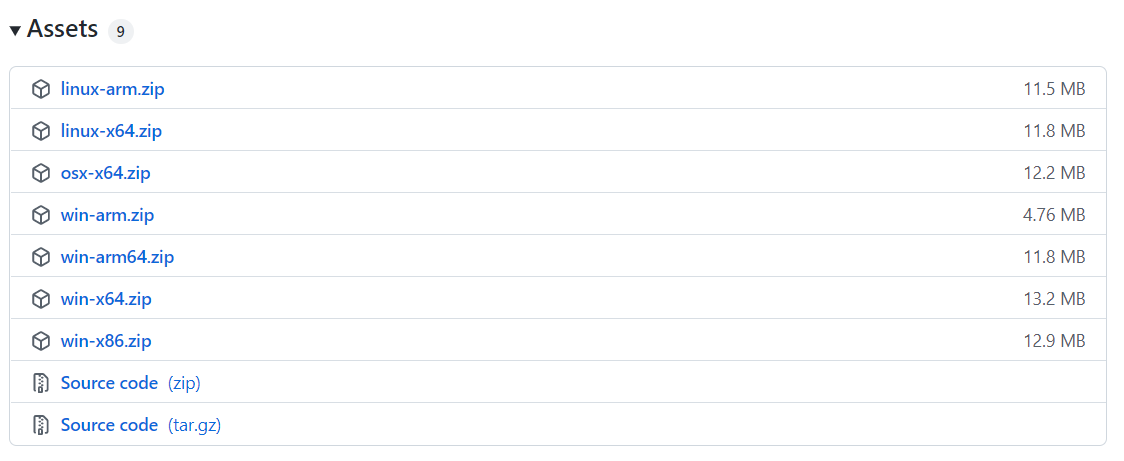
前往 ImageBed主页 下载资源包
-
解压资源包 (图片存储路径为
Data/Resources/Images)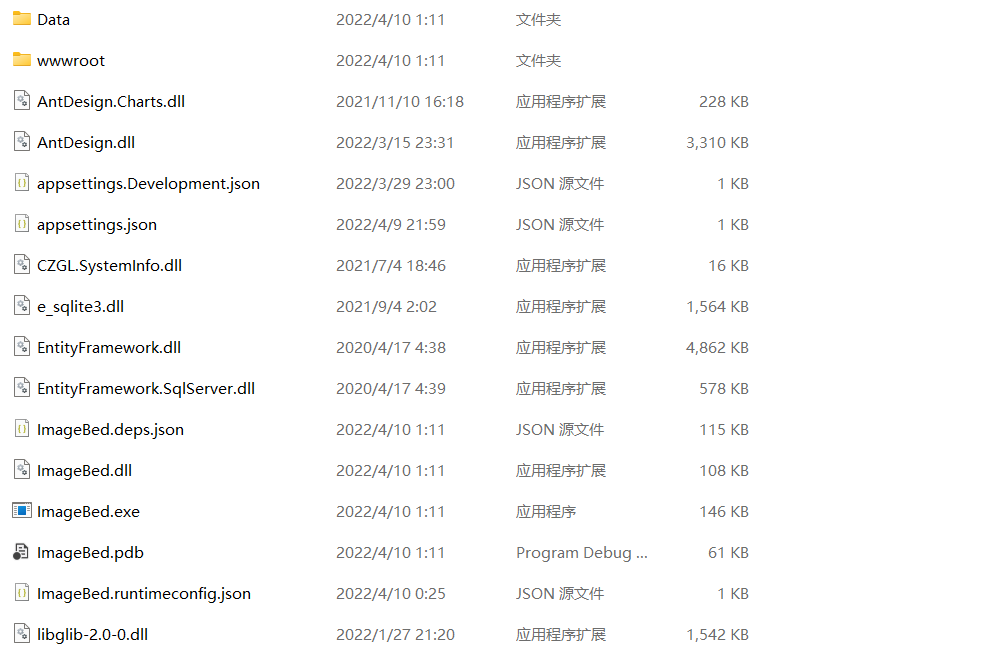
-
双击
ImageBed.exe运行服务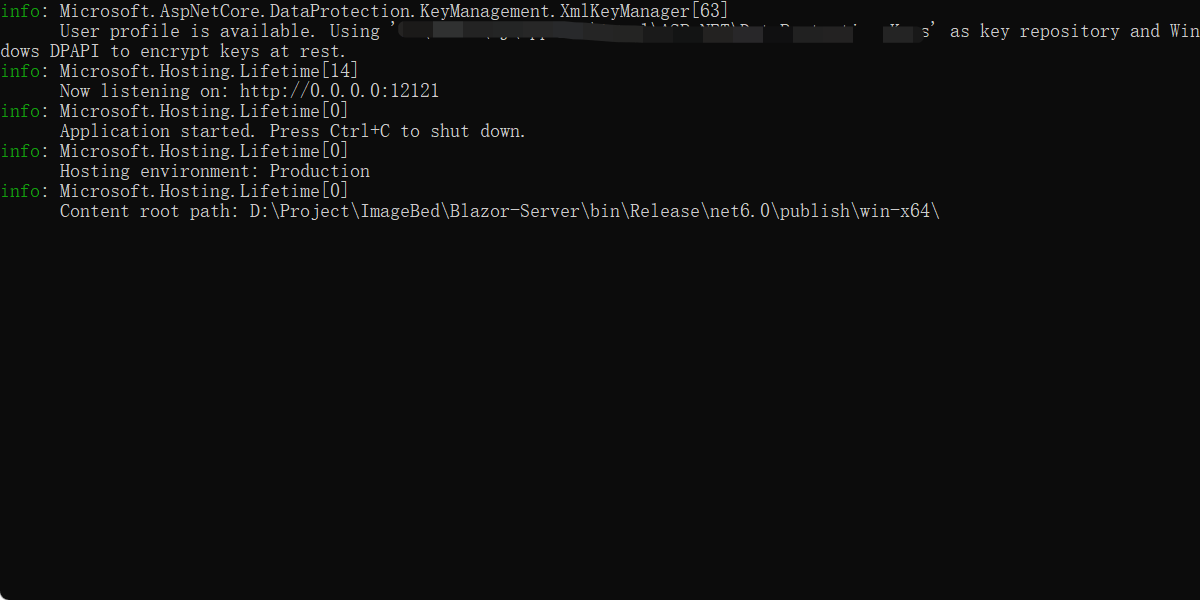
-
浏览器地址栏输入
localhost:12121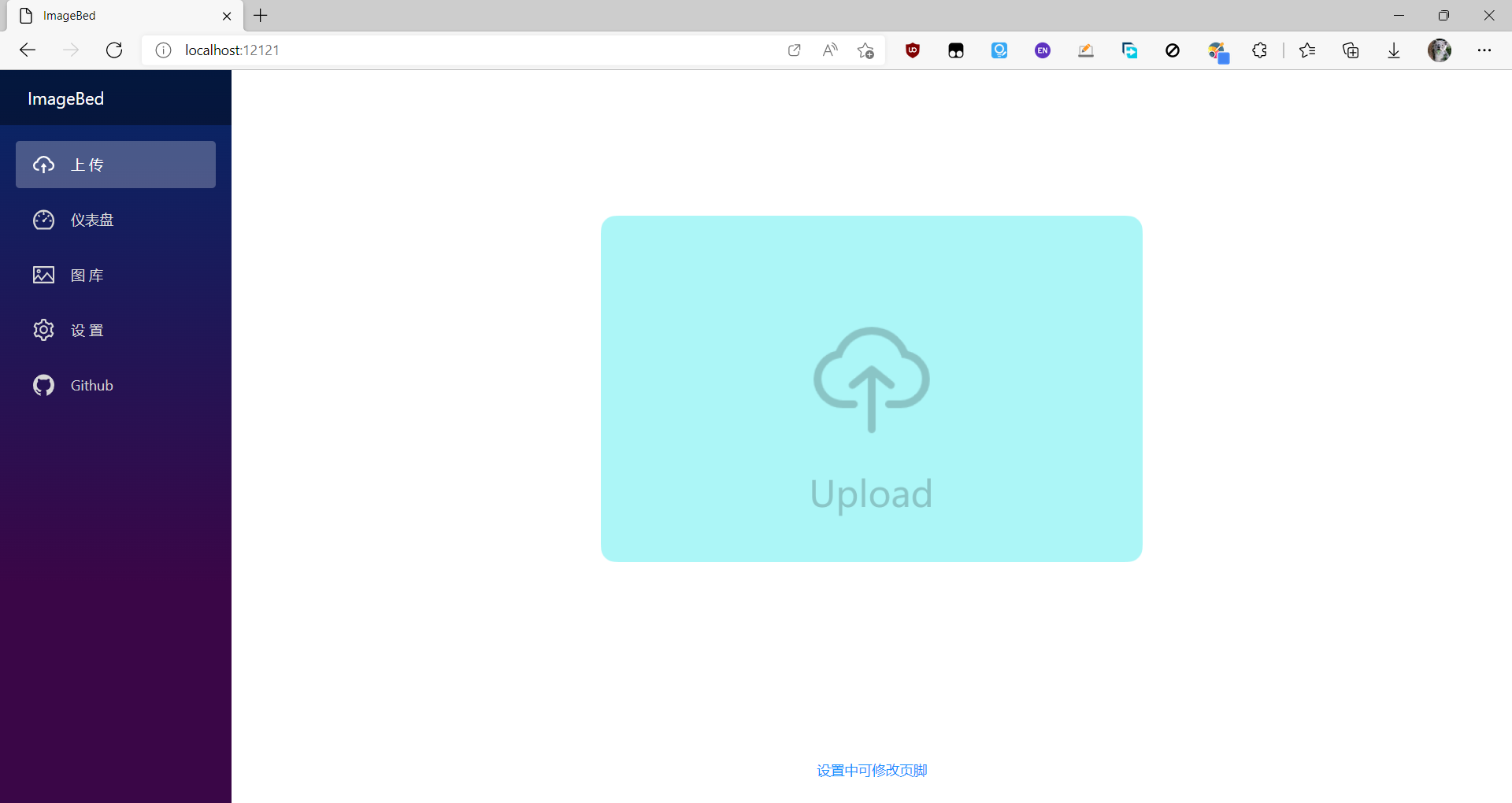
-
点击上传图片
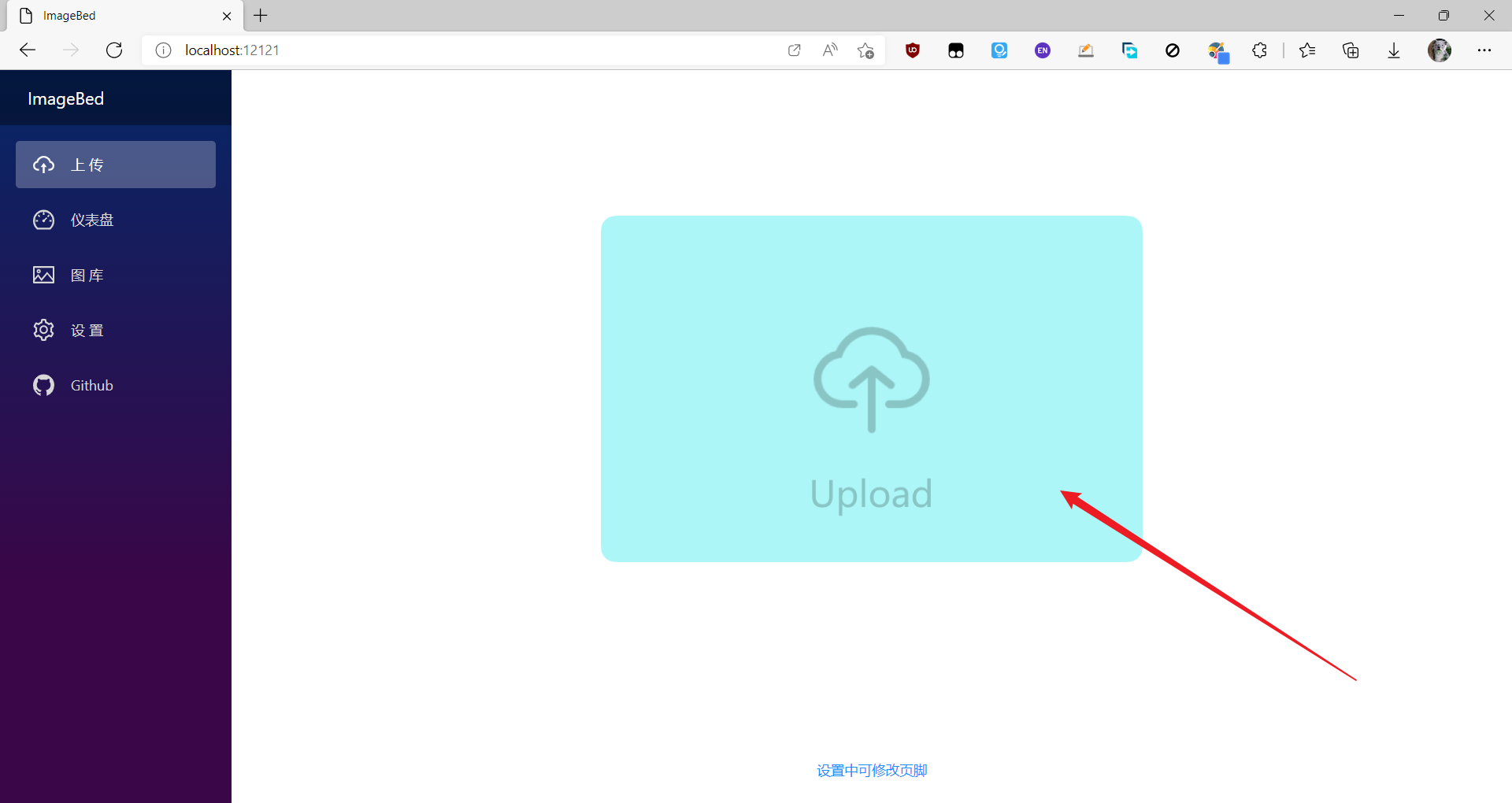

-
安装完成
云服务器搭建
版本: Ubuntu 18.04.4 LTS(GNU/Linux 4.15.0-159-generic x86_64)
-
将资源包解压后上传至云服务器

-
进入
ImageBed文件夹,运行ImageBed.dllnohup dotnet ImageBed.dll &该命令会在后台运行
ImageBed.dll,若要关闭ImageBed服务,需要先查询ImageBed服务的pid,之后用kill命令关闭# 查询ImageBed服务pid ps -ef | grep dotnet # pid为4363 ubuntu 4363 1636 0 19:32 pts/0 00:00:01 dotnet ImageBed.dll ubuntu 31389 30239 0 21:47 pts/2 00:00:00 grep --color=auto dotnet # 关闭ImageBed服务 ubuntu@VM-0-16-ubuntu:~$ sudo kill 4363 -
浏览器地址栏输入
{ip}:12121即可访问图床服务,其中{ip}为云服务器公网ip -
安装完成
Nginx 反向代理
反向代理概念、原理、功能请 移步,这里不再赘述。下面主要叙述如何在 Linux 上搭建 Nginx 反相代理
-
安装
nginxsudo apt-get install nginx -
打开
/etc/nginx/nginx.conf,修改相关设置user www-data; worker_processes auto; pid /run/nginx.pid; include /etc/nginx/modules-enabled/*.conf; events { worker_connections 768; } http { sendfile on; tcp_nopush on; tcp_nodelay on; keepalive_timeout 65; types_hash_max_size 20480; include /etc/nginx/mime.types; default_type application/octet-stream; ssl_protocols TLSv1 TLSv1.1 TLSv1.2; # Dropping SSLv3, ref: POODLE ssl_prefer_server_ciphers on; access_log /var/log/nginx/access.log; error_log /var/log/nginx/error.log; gzip on; map $http_connection $connection_upgrade { "~*Upgrade" $http_connection; default keep-alive; } # ========================== 重点看这里======================== server { listen 80; server_name xxx.xxx.xxx.xxx; # 云服务器公网ip (或域名) location / { client_max_body_size 100m; # html报文尺寸限制 proxy_pass http://127.0.0.1:12121; # Configuration for WebSockets proxy_set_header Upgrade $http_upgrade; proxy_set_header Connection $connection_upgrade; proxy_cache off; # WebSockets were implemented after http/1.0 proxy_http_version 1.1; # Configuration for ServerSentEvents proxy_buffering off; # Configuration for LongPolling or if your KeepAliveInterval is longer than 60 seconds proxy_read_timeout 100s; proxy_set_header Host $host; proxy_set_header X-Forwarded-For $proxy_add_x_forwarded_for; proxy_set_header X-Forwarded-Proto $scheme; } } include /etc/nginx/conf.d/*.conf; include /etc/nginx/sites-enabled/*; } -
检查
nginx.conf语法是否正确sudo nginx -t若格式正确则输出
nginx: the configuration file /etc/nginx/nginx.conf syntax is ok nginx: configuration file /etc/nginx/nginx.conf test is successful -
关闭防火墙并重新加载
nginxsudo systemctl stop firewalld sudo systemctl start girewalld sudo firewall-cmd --reload sudo nginx -s reload
Usage
上传
web 界面上传
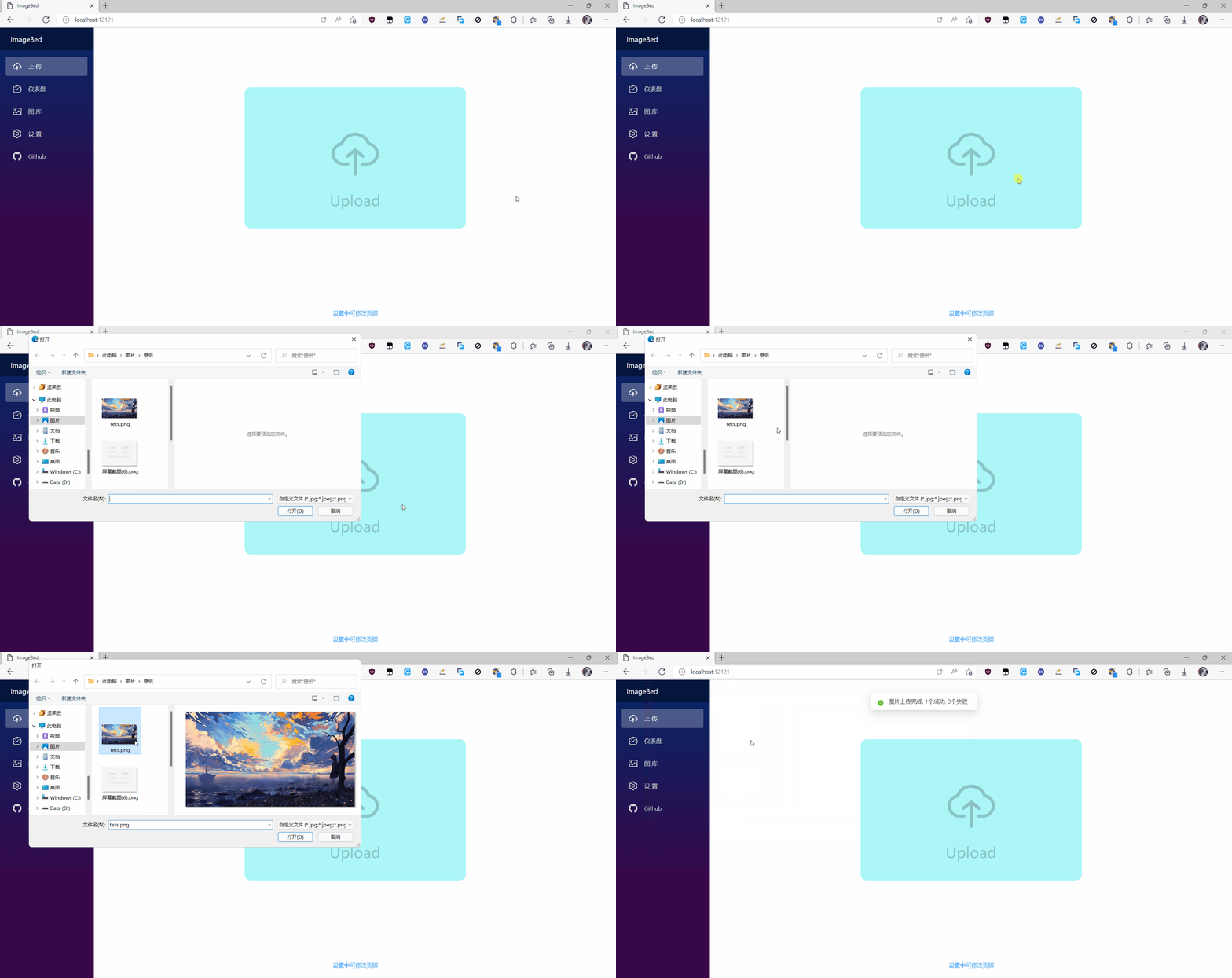
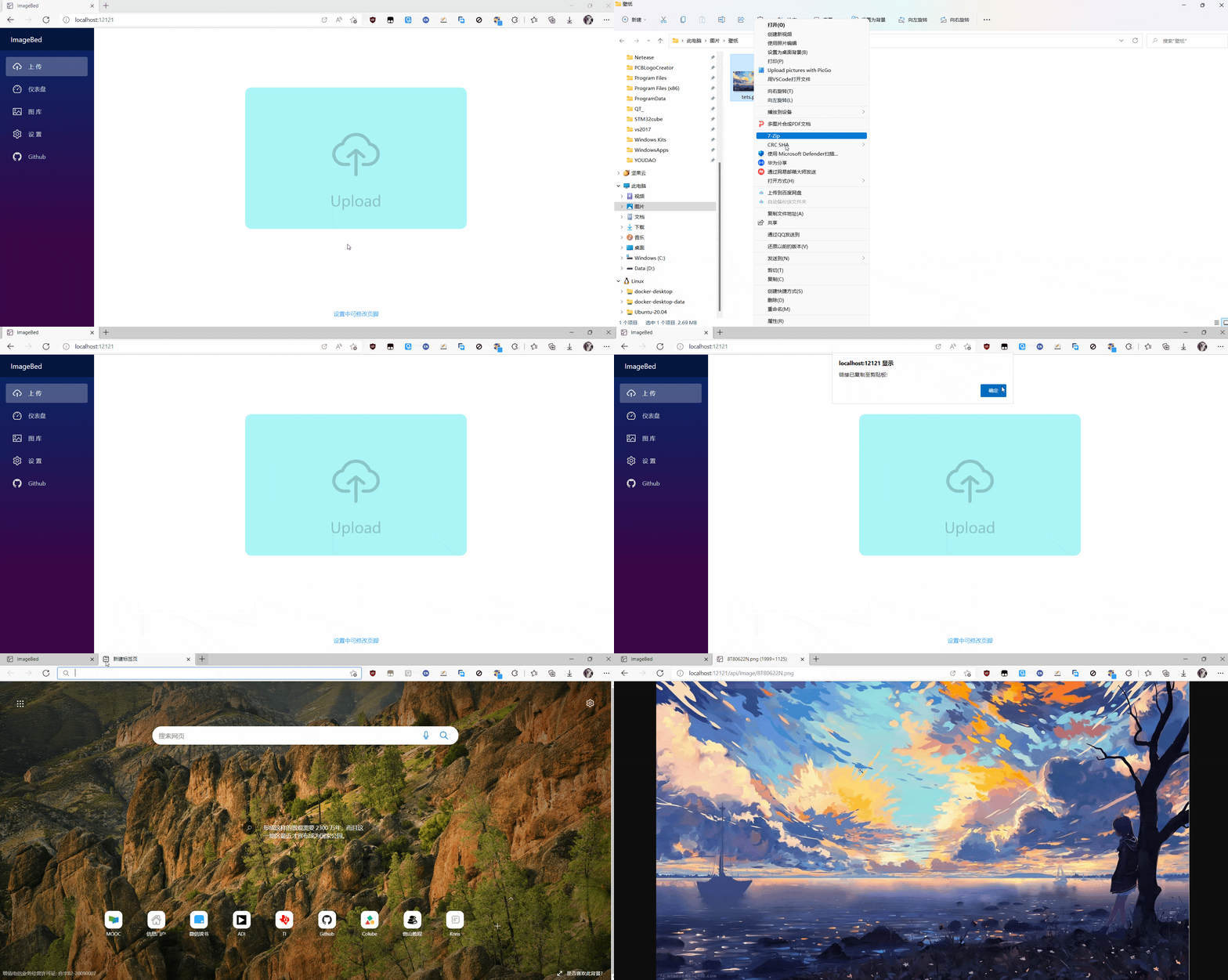
剪贴板上传
删除
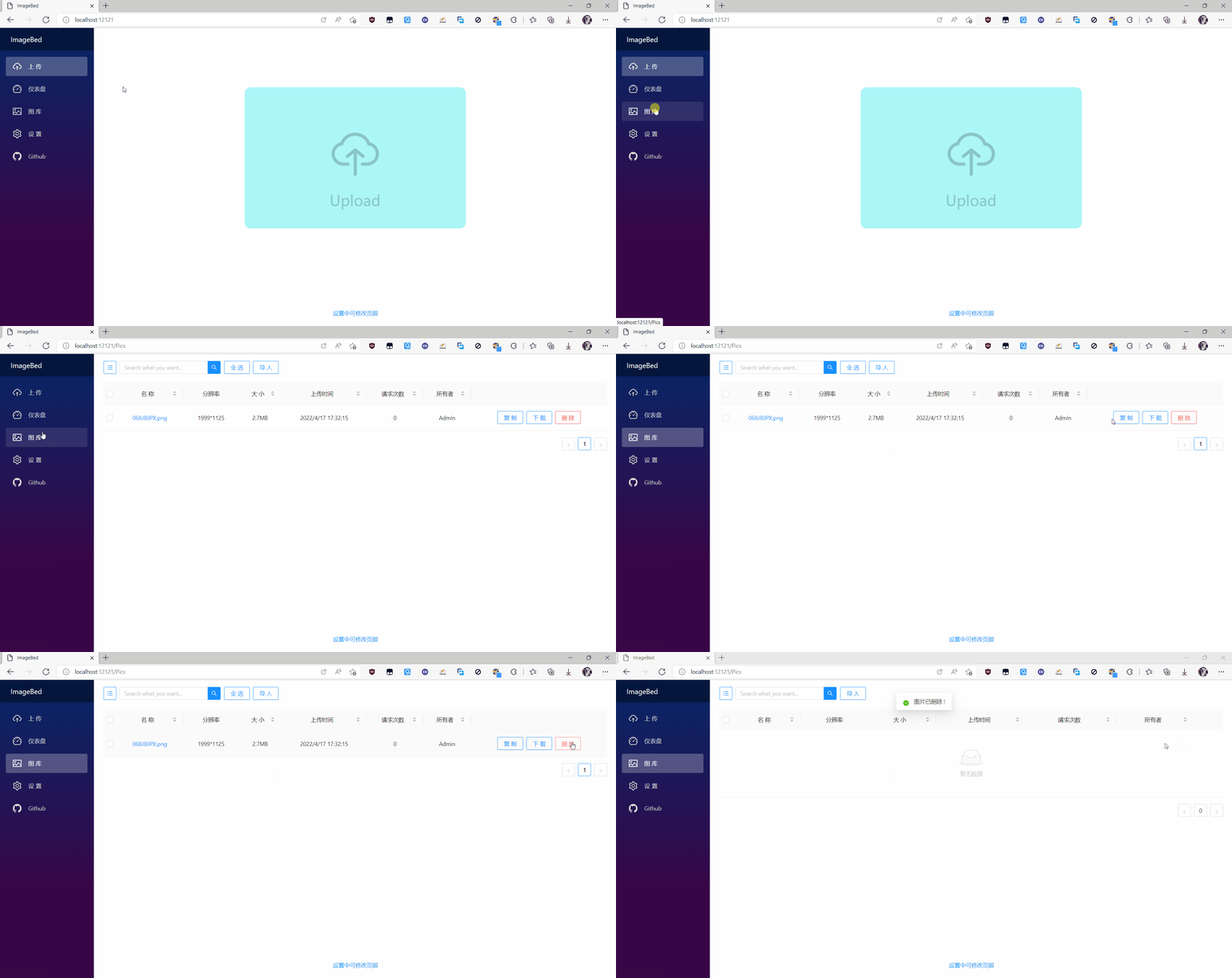
导入导出
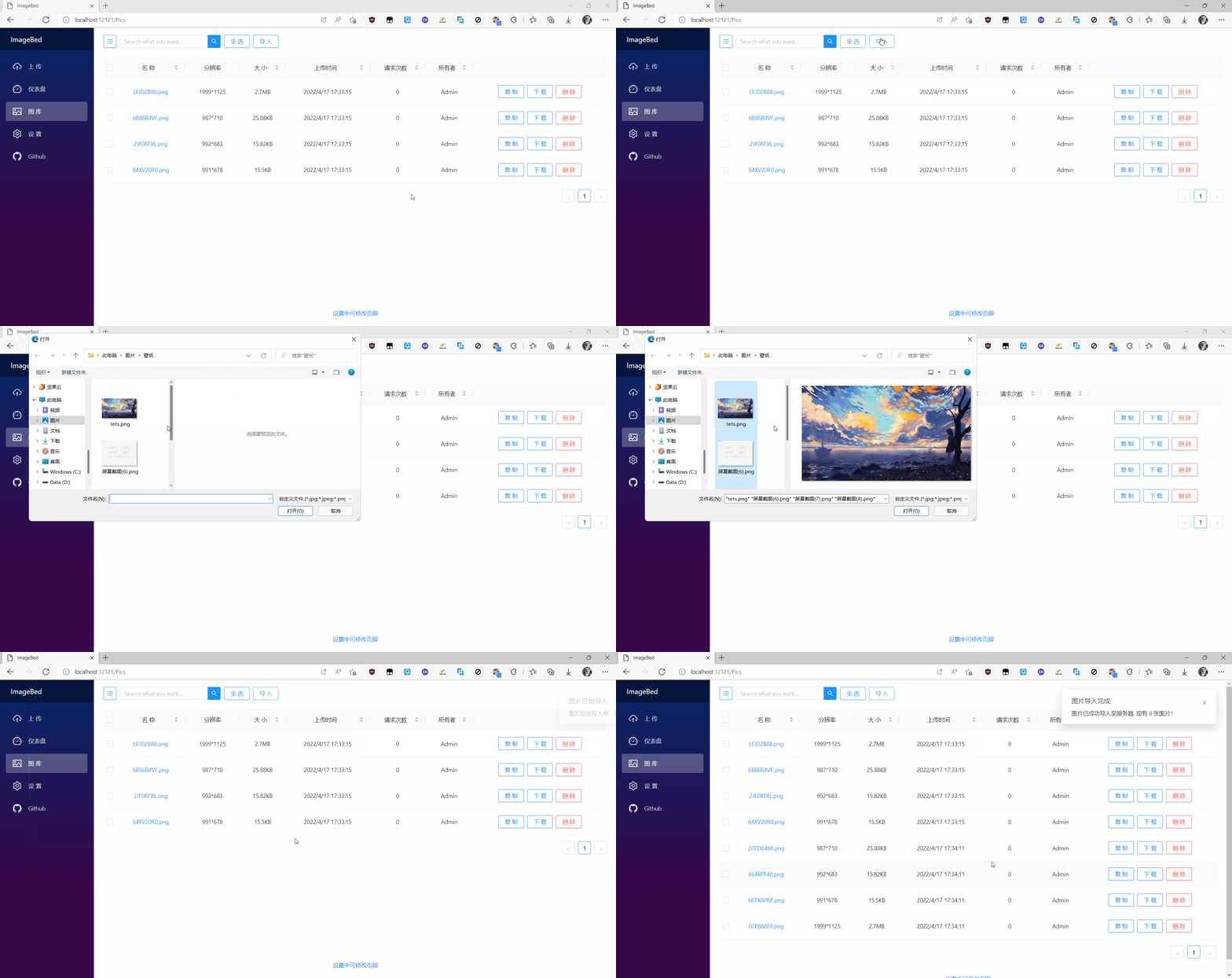
导入图片
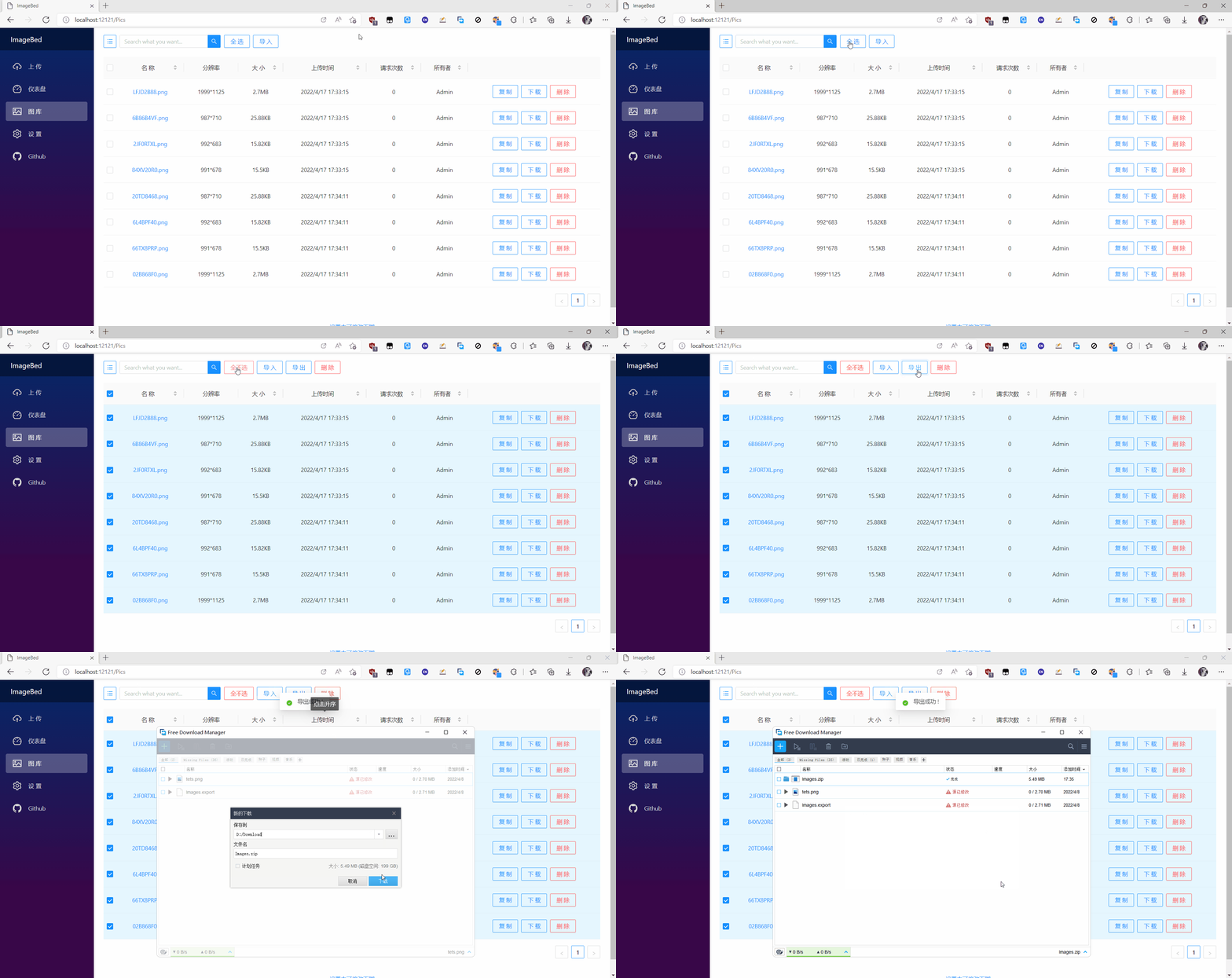
导出图片
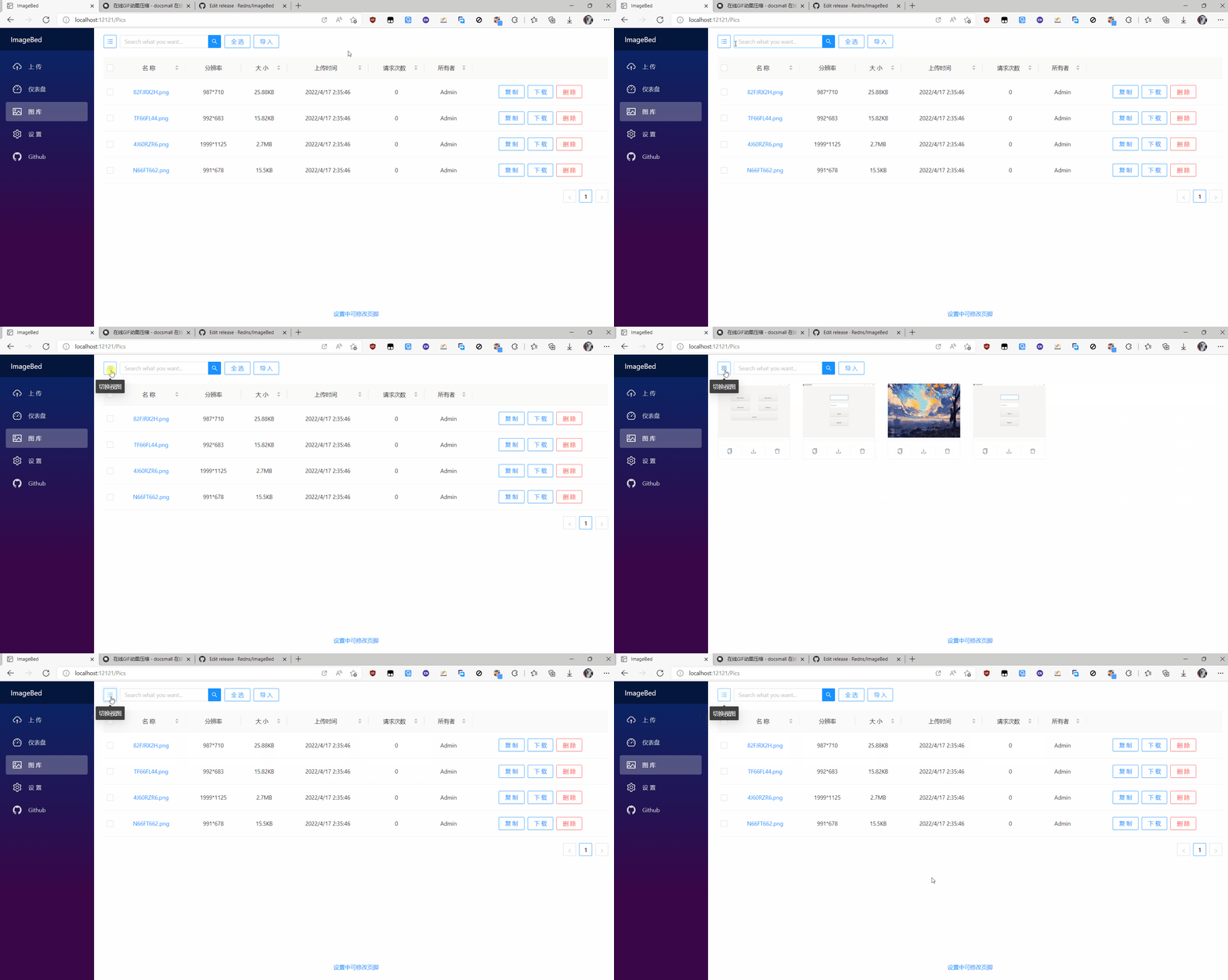
视图切换
API
该图床服务器包含三个API(上传、下载、删除),控制器为 Controllers/ImageController
上传图片
HTTP POST /api/image
Body 请求参数
Form-data
| 参数名 | 类型 | 必填 | 说明 | | :----: | :----: | :--: | :------: | | * | [file] | 是 | 图片文件 |
返回参数
JSON最外层结构为: Object
| 参数名 | 类型 | 必含 | 说明 | | :--------: | :------: | :--: | :------: | | statusCode | [int] | 是 | 状态码 | | message | [string] | 是 | 提示信息 | | res | [array] | 是 | 图片链接 |
下载图片
HTTP GET /api/image/{imageName}
REST参数
| 参数名 | 类型 | 必填 | 说明 | | :-------: | :------: | :--: | :------: | | imageName | [string] | 是 | 图片名称 |
返回参数
Binary
| 图片文件 | | -------- |
删除图片
HTTP DELETE /api/image/{imageName}
REST参数
| 参数名 | 类型 | 必填 | 说明 | | :-------: | :------: | :--: | :------: | | imageName | [string] | 是 | 图片名称 |
返回参数
JSON最外层结构为: Object
| 参数名 | 类型 | 必含 | 说明 | | :--------: | :------: | :--: | :------: | | statusCode | [int] | 是 | 状态码 | | message | [string] | 是 | 提示信息 | | res | [object] | 是 | 恒为null |
Q & A
S1. 局域网用户如何上传图片?
局域网内用户在浏览器输入 {ip}:12121 即可访问图床服务器,其中 {ip} 为服务器的 局域网IP
S2. 如何对接Picgo?
PicGo 是一款图床管理软件,支持多种图床。使用 picgo 可大大简化我们上传图片的流程,笔者在此开发了 picgo 插件 picgo-plugin-imagebed 以供大家使用
S3. 导入图片压缩包无响应?
请尝试直接压缩图片,而不是包含图片的文件夹
S4. 通知设置中的邮箱授权码如何获取?
请移步 这里
Related Skills
node-connect
345.4kDiagnose OpenClaw node connection and pairing failures for Android, iOS, and macOS companion apps
frontend-design
104.6kCreate distinctive, production-grade frontend interfaces with high design quality. Use this skill when the user asks to build web components, pages, or applications. Generates creative, polished code that avoids generic AI aesthetics.
openai-whisper-api
345.4kTranscribe audio via OpenAI Audio Transcriptions API (Whisper).
qqbot-media
345.4kQQBot 富媒体收发能力。使用 <qqmedia> 标签,系统根据文件扩展名自动识别类型(图片/语音/视频/文件)。
