
FFmpegAndroid
No description available
Install / Use
/learn @PratikVekariya4445/FFmpegAndroidREADME
FFmpegAndroid
FFmpeg is a multimedia framework able to decode, encode, transcode, mux, demux, stream, filter and play almost any type of content. It is used for professional image and video processing, including for various TV companies.
Supported Architecture
- armeabi-v7a
- arm64-v8a
- x86
- x86_64
Sample output
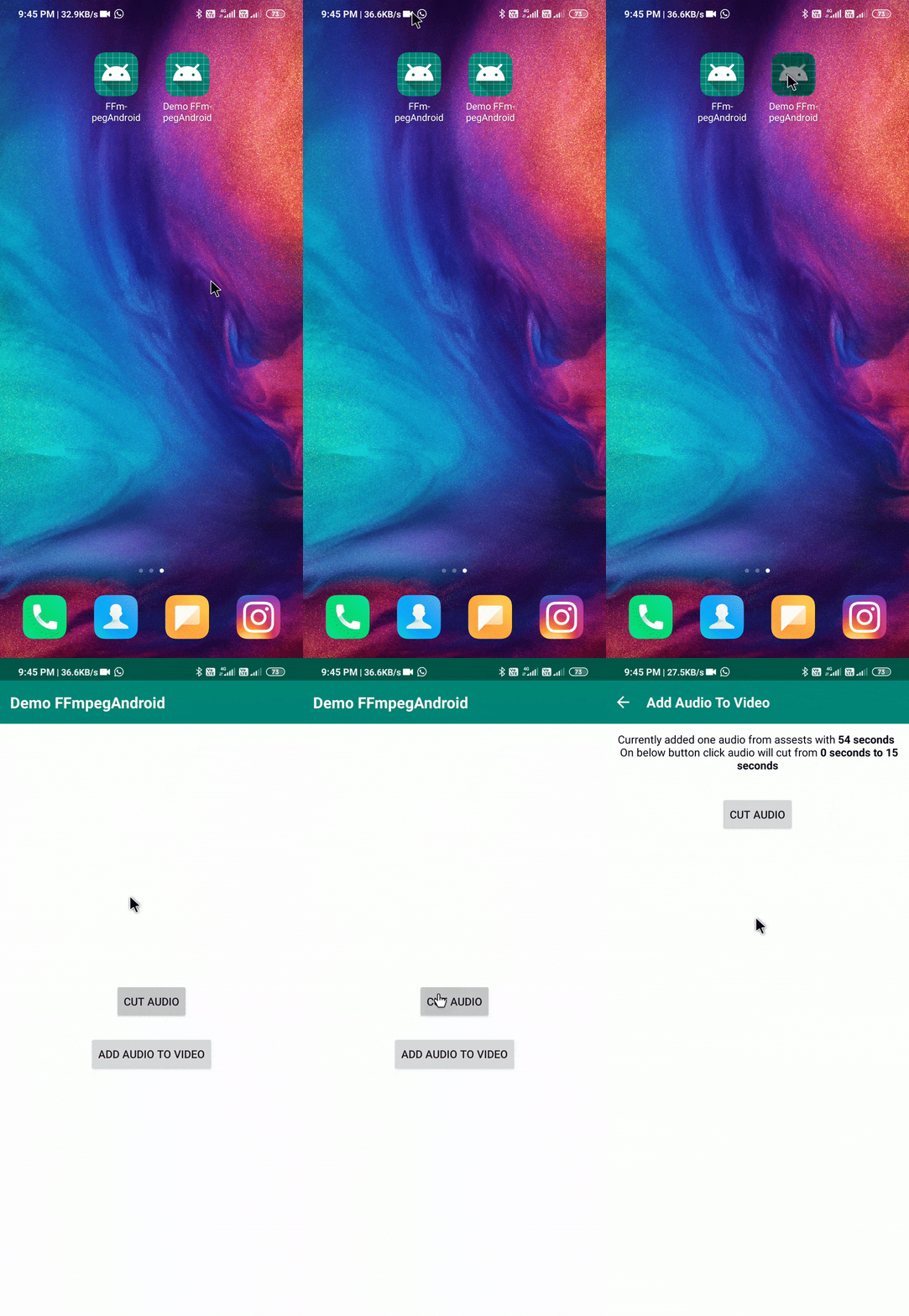
Add dependency
- In your project’s build.gradle add the following line
        allprojects {
		repositories {
			...
			maven { url 'https://jitpack.io' }
		}
	}
- Now in your app’s build.gradle add the dependency
       dependencies {
	        implementation 'com.github.PratikVekariya4445:FFmpegAndroid:1.0'
	}
How to use?
- First step is to load ffmpeg and then execute your command
        try {
            FFmpeg  ffmpeg = FFmpeg.getInstance(this);
            ffmpeg.loadBinary(new LoadBinaryResponseHandler() {
                @Override
                public void onFailure() {
                }

                @Override
                public void onSuccess() {
                }
            });
        } catch (FFmpegNotSupportedException e) {
            e.printStackTrace();
        } catch (Exception e) {
            e.printStackTrace();
        }
Example : cut audio
public void cutAudio() {

        String[] command = {
                "-i"
                , inputAudioFilePath
                , "-ss"
                , String.valueOf(startTime)
                , "-to"
                , String.valueOf(endTime)
                , "-c"
                , "copy"
                , "-preset"
                , "ultrafast"
                , outputAudioPath
        };

        execFFmpegBinary(command);
    }
    private void execFFmpegBinary(final String[] command, final int commandNum) {

        try {
            ffmpeg.execute(command, new ExecuteBinaryResponseHandler() {
                @Override
                public void onFailure(String s) {
                    Toast.makeText(this, "Failed", Toast.LENGTH_SHORT).show();
                }

                @Override
                public void onSuccess(String s) {
                   Toast.makeText(this, "Succrss", Toast.LENGTH_SHORT).show();
                }

                @Override
                public void onStart() {
                    super.onStart();
                }

                @Override
                public void onProgress(String message) {
                    super.onProgress(message);

                }

                @Override
                public void onFinish() {
                    super.onFinish();
                }
            }, this);
        } catch (FFmpegCommandAlreadyRunningException e) {
            e.printStackTrace();
        }
    }
Related Skills
node-connect
341.8kDiagnose OpenClaw node connection and pairing failures for Android, iOS, and macOS companion apps
frontend-design
84.6kCreate distinctive, production-grade frontend interfaces with high design quality. Use this skill when the user asks to build web components, pages, or applications. Generates creative, polished code that avoids generic AI aesthetics.
openai-whisper-api
341.8kTranscribe audio via OpenAI Audio Transcriptions API (Whisper).
commit-push-pr
84.6kCommit, push, and open a PR
