
PSDecode
PowerShell based module that can decode System Errors, Exit codes, port numbers, HTTP Statuses and more. This module can be used to quick lookup Error descriptions, to add verbosity to your custom error messages and for a better Error Handling, Investigation and Analysis.
Install / Use
/learn @PrateekKumarSingh/PSDecodeREADME
PSDecode
PowerShell based module that can decode System Errors, Exit codes, port numbers, HTTP Statuses and more. This module can be used to quick lookup Error descriptions, to add verbosity to your custom error messages and for a better Error Handling, Investigation and Analysis. Read more on my blog about this module and how I web scraped the error code data.
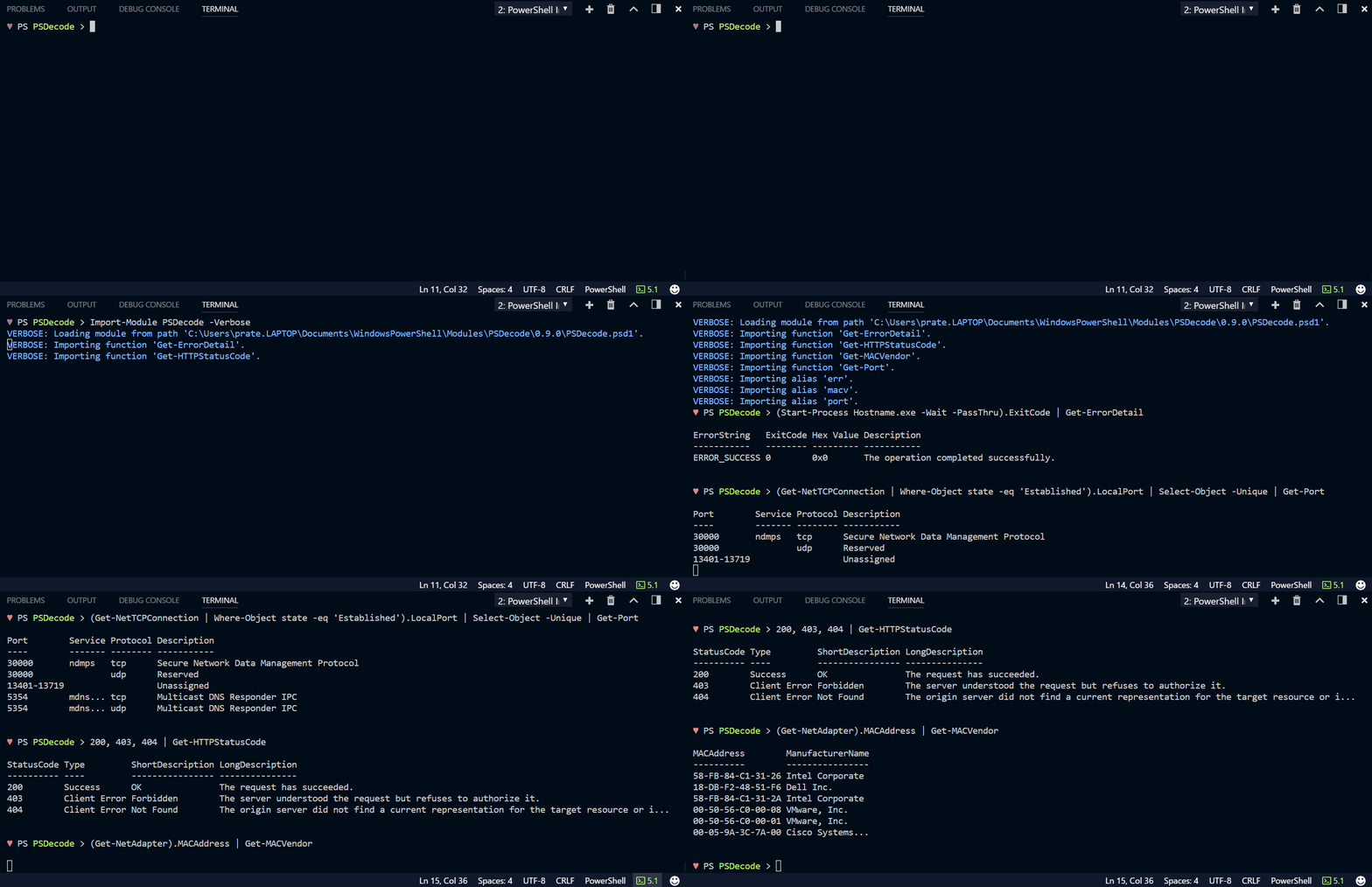
Technically the module offers a set of cmdlets that query a database of Error/Exit codes, port numbers, and MAC addresses which totals to 83049 individual records as of now when I’m writing this.
Type| Range | Count | Comments :---------|:----------:|:---------:|:--------- System Errors | 0-15999 | 2764 | Windows System Errors and Exit Codes Internet Errors | 12000-12175 | 114 | Subset of System Errors Port Numbers | 0-65535 | 56506 | Registered and Unregistered ports HTTP Status Codes | 100-599 | 63 | Status codes - Informational, Success, Redirection, Client/Server Error MAC Vendor Codes | N/A | 23602 | 16754 Manufacturers mapped to 23602 MAC Vendor bits
Use-Case
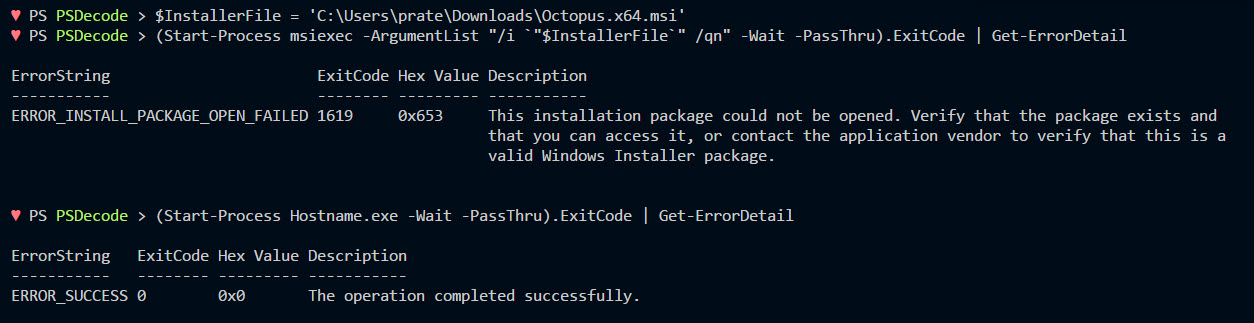
- Decode Exit Codes and Windows System errors
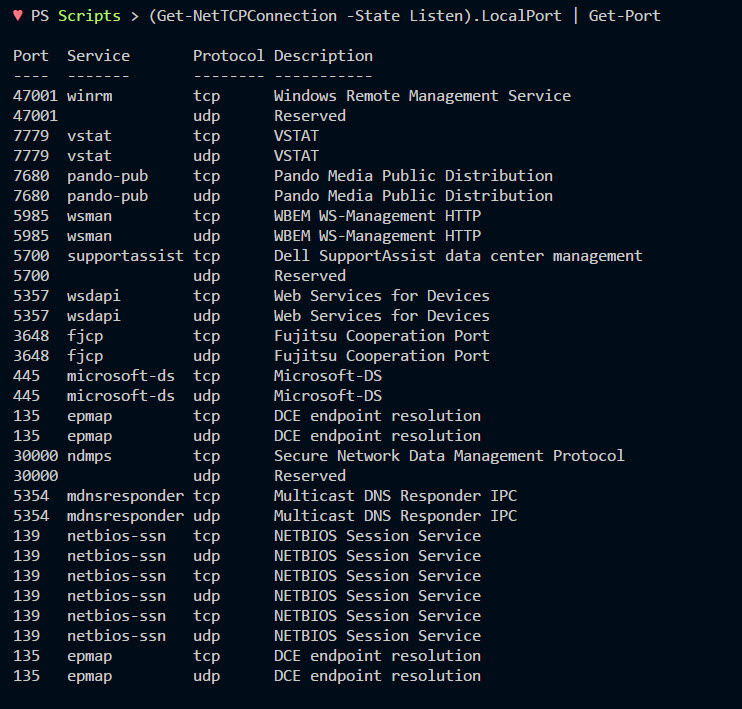
- List all 'Listening' ports and service with description
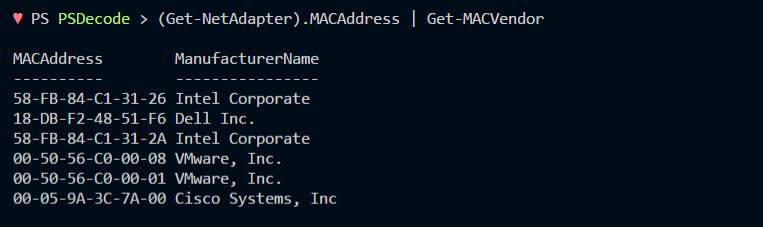
- Identify MAC vendors for Network related troubleshooting
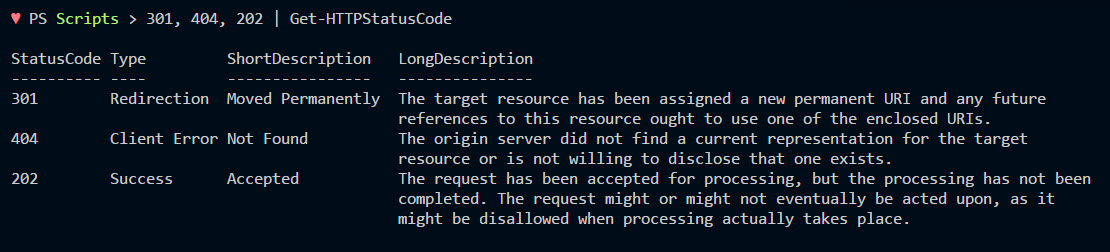
- Adds verbosity to you HTTP requests
Installation
PowerShell V5 and Later
You can install the Gridify module directly from the PowerShell Gallery
- [Recommended] Install to your personal PowerShell Modules folder
Install-Module PSDecode -scope CurrentUser
- [Requires Elevation] Install for Everyone (computer PowerShell Modules folder)
Install-Module PSDecode
PowerShell V4 and Earlier
To install to your personal modules folder run:
iex (new-object System.Net.WebClient).DownloadString('https://raw.githubusercontent.com/PrateekKumarSingh/PSDecode/master/Install.ps1')
