
GHScraper
A tool for gathering potentially sensitive data from github's public stream
Install / Use
/learn @Plazmaz/GHScraperREADME
Installation
Windows
To use GHScraper, you must first download and install nodejs and npm. Once this is finished, open command prompt in the GHScraper directory and use
npm install
to download the required dependencies.
Ubuntu
Install npm and nodejs:
sudo apt-get install nodejs npm git
git clone https://github.com/Plazmaz/GHScraper.git
cd GHScraper
npm install
Configuration
To use GHScraper, you'll need to create a new oauth application. You can do this here. Once you've created an oauth application, GitHub will generate a client id and secret.
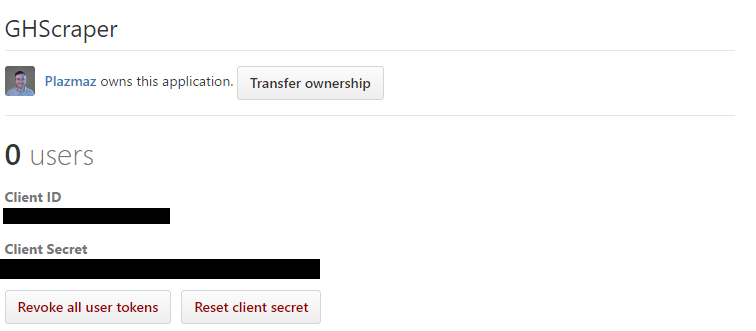
From here, simply open the config.json file and put in your client id and secret.
Once configured, you can run
npm start
or
node index.js
to begin scraping.
Extension/Contributing
To add new queries to the database or modify existing ones, you can edit the github-dorks.txt file. This uses a modified version of GitHub's search syntax.
| Query | Purpose | Example usage | |-----------|--------------------------------------------------------|--------------------| | filename | Search for files by name | filename:README.md | | path | Searches for files within a specific path | path:var/www | | extension | Searches for files by extension | extension:txt | | other | All other text is treated as a search of file contents | Test one two three |
If you find something cool, feel free to make a pull request!
