
ATOMS
Another Take on Metro Steam.
Install / Use
/learn @Plaer1/ATOMSREADME
Another Take On Metro Steam:


A theme for Steam, based on: The Unofficial Metro for Steam and Steam Dark mode by AikoMidori.
<small>If you need support: you can find me as Plær1’ in The Unofficial Metro for Steam Discord.</small>
| Library |
| ------------------- |
|  |
|
| Store Page |
| ------------------------------ |
|  |
|
Install:
Download and install SFP to a folder on your pc*
<small><i>*you're going to need this app <b>forever</b> so put it somewhere you'll remember... or else.</i></small>
Download and extract the skin folder (ATOMS) to:
%steamdata%/steamui/skins
(this is easily accessed from the "open file" menu in the bottom right of SFP)
These SFP settings must be configured for a normal experience:
	   ✓ Inject on Steam start
	   ✓ Inject CSS
	   ✓ Inject Javascript
	   ✓ Make sure ATOMS is selected from the "Steam skin" dropdown.
It's not required, but for maximum convenience, I recommend applying the following settings:
	   ✓ Show Tray Icon
	   ✓ Minimize to Tray
	   ✓ Close to Tray
	   ✓ Start Minimized
	   ✓ Inject on app start
	   ✓ Run Steam on start
	   ✓ Run on boot
<small> (please note that you should now <b>DISABLE Steam opening on boot</b> in the Steam settings)</small>
Features:
-
Built from the ground up to be highly configurable, there are already plenty of settings in the
config.csswith more to come! -
Theme'd basically every page in Steam, if you see anything that doesn't look theme'd at all, please fill out a bug report or contact me on discord!
-
Skip the age gate on store pages (make sure to fill out your real birthday in the file:
utility.js!!). -
Is there any deal integration:
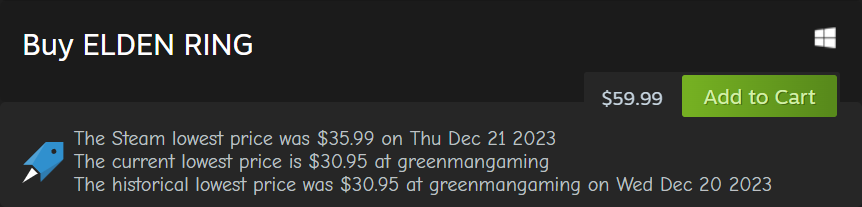
-
Removed bottom menu and moved buttons to top right:

-
Moved "Root" menu to it's own hidden menu:
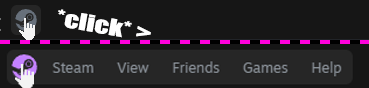
-
added Reload/Restart steam buttons:
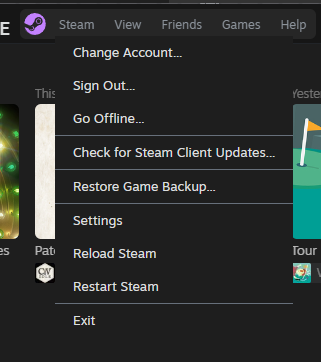
-
Dim the artwork of uninstalled games in the library:
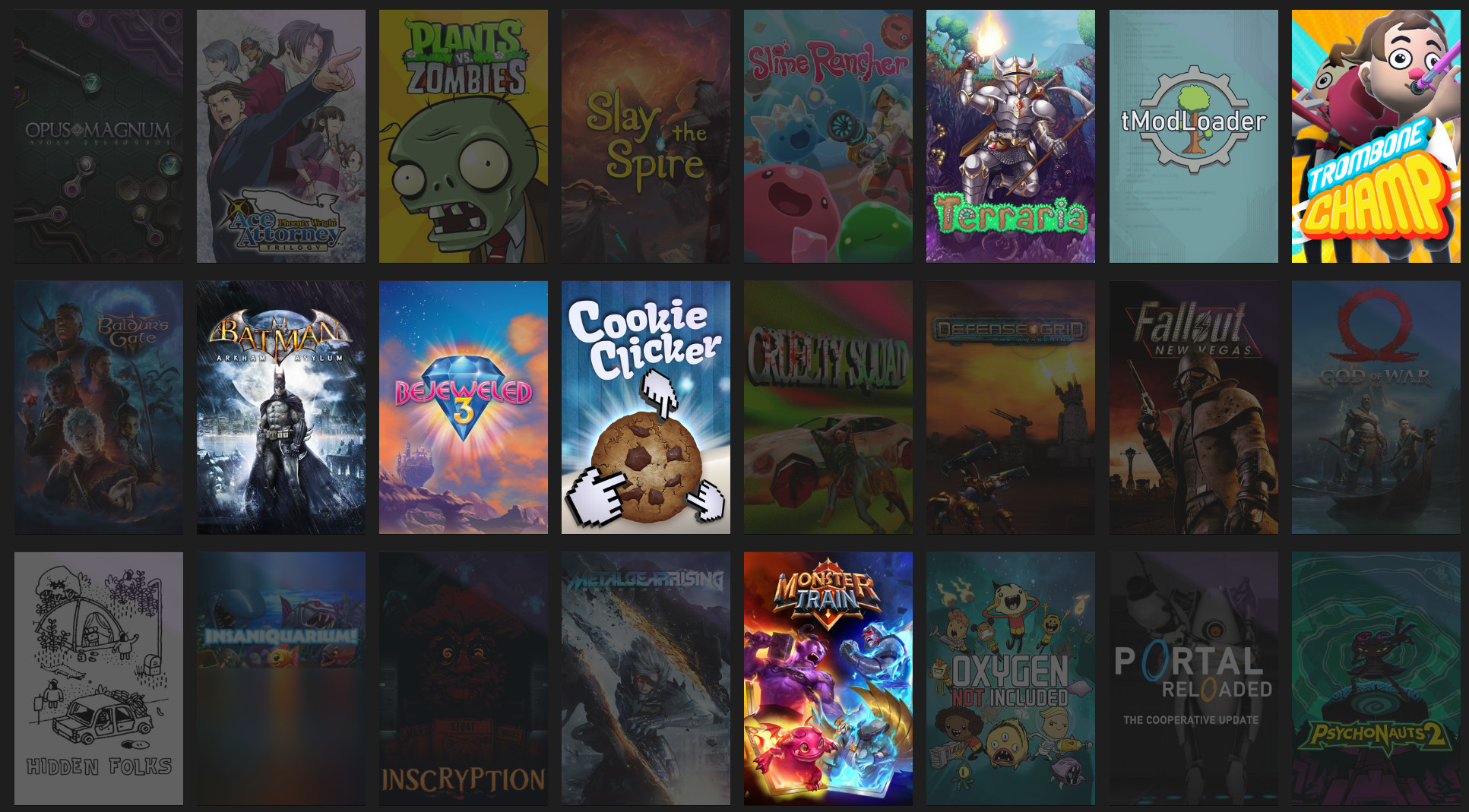
-
Hides any personal ickyness. from your steam profile (only works for you, the world still knows what you did).
-
You can use the arrow keys to navigate the steam discovery que.
-
You can use
'Control' + '+'and'Control' + '-'to zoom in and out on the non-library pages.
Known bugs/to-do's
<small>If you find any bugs not listed here, please don't hesitate to contact me in the place(s) listed above to report new issues.</small>
- The ITAD integration doesn't show any bundles, etc, just the main game on the page.
- *Big picture mode is not done, this is however a very high priority, as I have a steam deck and would like to get that part of the skin on the CSS loader repo.
- Skin is not tested on MacOS please let me know what's not working and I'll add it to the to-do list!
- Most of the web pages are still running a hacky version of "webkit.css" and as such there are tons of accents that are still the vanilla steam blue, (hopefully all the backgrounds at least are dark-mode however). I will be updating this file myself eventually, however I'm waiting on an anticipated big update from Valve first (so we'll see when it happens if ever 😴😴😴).
- The "translations" for the "Reload Steam", and "Restart Steam" buttons are google translate and as-such are most likely all wrong if anyone who is multilingual could help out here that would be quite appreciated!
- On that same note, I will be implementing the correct regional pricing for the ITAD support, before I fix all the translations, it's just easier to start there. I am very sorry for any inconvienance this causes.
Credits:
- PhantomGamers for SFP, and being generally a cool guy.
- Shiina for the Steam Dark Mode skin, which many pages in this project still use.
- ShadowMonster99 for Millennium, and being generally a cool guy.
