
Peppermint
An open source issue management & help desk solution. A zendesk & jira alternative
Install / Use
/learn @Peppermint-Lab/PeppermintREADME
<h1 align="center">Welcome to Peppermint Ticket Management 🍵</h1>
<p align="center">
<img alt="Version" src="https://img.shields.io/badge/version-0.2-blue.svg?cacheSeconds=2592000" />
<a target="_blank">
<img alt="Github Stars: " src="https://img.shields.io/github/stars/jwandrews99/winter?style=social" />
</a>
<img src="https://img.shields.io/docker/pulls/pepperlabs/peppermint" />
</p>
<p align="center">
<img src="./static/logo.svg" alt="Logo" height="80px" >
</p>
<p align="center">This project is supported by:</p>
<p align="center">
<a href="https://www.digitalocean.com/">
<img src="https://opensource.nyc3.cdn.digitaloceanspaces.com/attribution/assets/SVG/DO_Logo_horizontal_blue.svg" width="201px">
</a>
</p>
Ticket Management System in order to help helpdesks & service desks manage internal staff & customer requests
✨ Features
- Ticket Creation: Bog standard ticket creation with a markdown editor and file uploads
- A log of client history
- Markdown based Notebook with todo lists
- Responsive: Designed for variable screen sizes from mobile up to 4k
- Multi-deployment: Quickly deploy using docker & pm2
- Simple to Use: Designed to be easy to use with a simple logical workflow
🐳 Installation with docker
Check out the getting started guide if this is the first time you've used Peppermint:
version: "3.1"

services:
  peppermint_postgres:
    container_name: peppermint_postgres
    image: postgres:latest
    restart: always
    ports:
      - 5432:5432
    volumes:
      - pgdata:/var/lib/postgresql/data
    environment:
      POSTGRES_USER: peppermint
      POSTGRES_PASSWORD: 1234
      POSTGRES_DB: peppermint

  peppermint:
    container_name: peppermint
    image: pepperlabs/peppermint:latest
    ports:
      - 3000:3000
      - 5003:5003
    restart: always
    depends_on:
      - peppermint_postgres
    environment:
      DB_USERNAME: "peppermint"
      DB_PASSWORD: "1234"
      DB_HOST: "peppermint_postgres"
      SECRET: 'peppermint4life'

volumes:
 pgdata:
Once this is completed then you can go to your server-ip:3000 which was added to the compose file and login.
The default login credentials are
admin@admin.com
1234
One click installers
- We are now on linode marketplace we can be viewed here <a href="https://www.linode.com/marketplace/apps/peppermint-lab/peppermint/">here</a>
- We have a one line installer for Ubuntu and Debian (for the moment) and can be viewed here <a href="https://spearmint.sh/">here</a>
Documentation
We have started working on creating documentation for peppermint which covers development to general usage. Click <a href="https://docs.peppermint.sh">here</a> to be taken directly there.
Motivation
- This was initially a project to tie together my react and nodeJS skills and show something for my portfolio
- It looked terrible! But it worked and showed functionaility, which got me a job.
- Learn and deploy with docker
- Redo the UI, completly from the ground up. Which has now been completed and for me looks great.
- Build on this foundation and create a fully fledged product which offers what the big boys offer, but, at a much better ROI than signing up for zendesk etc.
Give a ⭐️ if this project helped you!
Star History
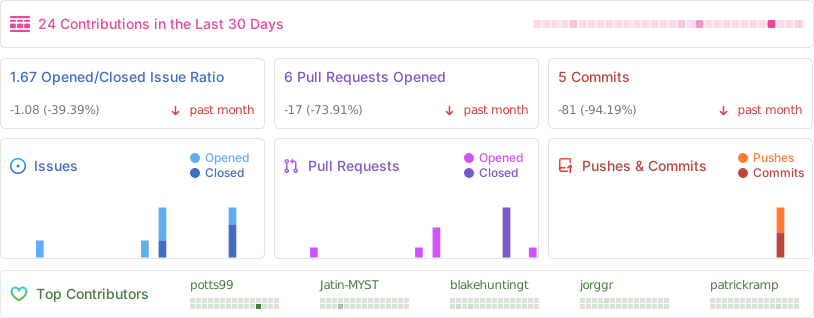
Activity
- Website: peppermint.sh
- Github: @potts99
- LinkedIn: @jack-andrews-146852131
