
OpenX32
Linux and Custom Firmware for the Behringer X32 Audio-Mixing-Console
Install / Use
/learn @OpenMixerProject/OpenX32README

This repository contains software to load and start the Linux-Kernel on the Behringer X32, some userland tools and x32ctrl - the main logic of our custom firmware. This audio-mixing-console uses a Freescale/NXP i.MX253 Microcontroller with an ARM926EJ-S core that supports booting Linux.
Currently the Linux Kernel is running in Version 6.18 (LTS) with busybox (the picture is older, shows Kernel 6.12):

x32ctrl is the new GUI and program that controls the individual boards and devices:

Since the beginning in May 2025 the UI has improved a bit and some of the original X32-functions are already implemented in OpenX32:

You can find more information in the two related Youtube-Videos:
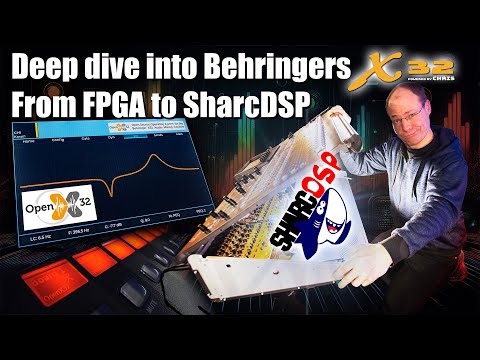

A Youtube Short of the complete OpenX32 Alpha running on a X32 Rack:
What is working at the moment and what is planned so far
Next to the underlaying Linux we are working on the audio-processing as well.
The Linux has control over most parts of the i.M253 main-controller:
- [x] Linux-Kernel in Version 6.18 (LTS) starts to shell using 800x480 display framebuffer
- [x] init-script for setting up the operating system
- [x] MIDI-Input and -output is used as an additional serial-port-terminal (see pinout down below)
- [x] Support of 100MBit ethernet network-support with DHCP
- [x] Support of internal Realtime-Clock
- [x] Support of USB-Host interface (HID-Keyboard, HID-Mouse, Mass-Storage-Devices, Joystick, Soundcard, etc.)
- [x] Support of internal SD-Card to read MAC-Address and the general configuration
Most audio-functions are already supported:
- [x] Configuration of FPGA (Xilinx Spartan 3A or Lattice ECP5) via internal SPI-interface
- [x] Support of both AnalogDevices DSPs (ADSP-21371 SHARC DSPs) via internal SPI-interface
- [x] Support of 1:1-routing for the available 112 inputs (32x XLR, 8x AUX, 32x Card, 40x DSP) to 112 outputs (16x XLR, 16x UltraNet, 8x AUX, 32x Card, 40x DSP)
- [x] Support of UltraNet-Output
- [x] Support of internal 8-channel analog input- and output-cards including headamp- and phantom-power-control
- [x] Support of internal 8-channel AUX-AD/DA-Converter (CS42438 on older revisions, M8000 on newer revisions)
- [x] Noisegate, 4-band EQ and compressor per channel is already working within the main-DSP
- [x] Some more advanced audio-algorithms are already implemented in DSP2
- [x] AES50 is working on Lattice-FPGA-versions. Receiving and sending audio and using the AUX-channel for headamp-control is working.
The hardware-surface is working, too:
- [x] Support of booting from SD-Card and via USB using the original DCP-Bootloader
- [x] Control of X32 surface (faders, buttons, LEDs, encoders) through x32ctrl-software
So the most important things (audio in/out, control-surface, display) are working already and more things are on the ToDo-list:
- [ ] In-Progress: Boot from barebox as a successor of U-Boot (U-Boot has ended the support of i.MX25 since a couple of years; barebox already boots OpenX32 from development sd-cards)
- [ ] Planned: ALSA Soundcard with I2S to main-FPGA (DeviceTree option "simple-audio-card" via SSI1 and AUDMUX is not initializing)
- [ ] Planned: GPIO support via libgpiod (at the moment libgpiod is not working and has no control over /dev/gpiochipX)
LVGL v9.5.0 is running on the X32 with a good performance (30 fps). So this will be a basis for this open-source Operating System:


What's the reason for developing such a thing?
I want to learn things about embedded systems and how they work. The X32 is a very powerful playground with lots of different controllers, nice faders and displays. So that's the only reason why I'm doing this :-)
Is there a Community Forum to get in touch and talk about all this nice stuff?
Yes, here: https://discourse.openmixerproject.de
Steps to run OpenX32 without recompiling
Checkout the most recent release from https://github.com/OpenMixerProject/OpenX32/releases and follow the instructions there. You only have to copy a couple of files onto an USB-thumbdrive and boot into Linux :)
Steps to compile the new operating system
Step 1: Init Git-Submodules and install dependencies
This system uses the most recent versions of the tools I could find: the bootloader u-Boot is used in Version 2020.10 as this is the last U-Boot supporting the i.MX25. Up to now Linux has still support for the i.MX25 and I selected v6.12, the most recent LTS-kernel.
So the repository uses other GitHub-repositories as submodules (u-Boot, Linux and pyATK). Please use the following command to checkout the main-repo together with submodules. To minimze the download-size and -time, we will clone the submodules separately:
git clone --depth 1 https://github.com/xn--nding-jua/OpenX32.git
cd openx32
./gitinitsubmodules.sh
Next to the sourcecode, your system needs to be setup correctly to compile the whole system: setup your debian-based system by calling:
./setup.sh
This script will install several dependencies to compile u-boot and the linux-kernel. After installing the packets, it will patch pyATK to run with recent versions of Python 3.11 and newer. It will also configure pyATK in a virtual python-environment.
Step 2: Run the scripts
Compile u-boot, Linux and busbox by calling the script ./compile_all.sh and upload the new operating system into the RAM by calling the script ./run.sh
./compile_all.sh
./run.sh
- compile_all.sh will copy some patched files into the submodules, compile a small program called "miniloader", the U-Boot-bootloader and the Linux kernel. The kernel-image "zImage" will be converted to a "uImage" and will be merged together with the miniloader and u-boot-image into a single binary-file.
- Finally, run.sh will use pyATK to initialize the most important hardware of the i.MX253 using the file "meminit.txt" and upload the generated binary-blob into the RAM of the processor. The Serial-Download-Program of the i.MX will then start the small assembler-program "miniloader" placed at address 0x80000000 - hence the begin of the RAM. The only task of Miniloader is to jumpstart the U-Boot-Bootloader at offset 0x3C0. U-Boot is placed at offset 0x0C0, but the first function-entry of the U-Boot will not start when using the Serial-Download-Program. So with this small hack, U-Boot takes control over the i.MX, reallocate itself to a higher memory-region and starts the linux-kernel together with the DeviceTreeBlob. The kernel is then decompressed and will start up.
Step 3: Compile user-softwares
Within the software-folder several user-applications are placed. You can call the script "compile_software.sh" to compile all softwares at once or compile them individual:
- x32ctrl: call "make". The binary is copied to the folder "../bin/"
- x32sdconfig: call "compile.sh". Program will read the original SD-card on boot and put general information about the board to the folder /etc/
There are some test-softwares in the "test"-folder. Use individual "compile.sh" scripts
- fpgaconfig: program to configure the Xilinx Spartan 3A FPGA using spidev2.0
- dspconfig: program to configure the two AnalogDevices 21371 SHARC DSP using spidev0.0 and spidev0.1
- spiread: program to test the communication to the DSPs
- uarttest: program to test communication with FPGA
As the X32 has limited RAM available, you might use the script "build_distribution.sh" to copy all important files into the folder "usb". Then take an USB-Thumbdrive, copy all files within this folder to the root of the USB-drive and mount the device on the X32 with the command "mount /dev/sda1 /mnt/usb".
Now run the script "/mnt/usb/scripts/startall.sh". This will create important Symlinks to the main-system and start an SSH-Server.
Important: at this early development stage, some packages, libraries or other things will be missing. Please create a ticket in GitHub so that I can fix this.
Step 4: Compiling logic for the FPGA
The X32 devices before 2020 are using a Xilinx Spartan-3A X3CS1400 FPGA to route the audio between the individual ADCs, DACs, expansion card and digital connectors like AES50 and UltraNet. For the Spartan-3A we can use the free version of Xilinx ISE 14.7 as the most recent toolchain to synthesize logic for this FPGA:
Download ISE 14.7 from the Xilinx (AMD) website: https://www.xilinx.com/support/download/index.html/content/xilinx/en/downloadNav/vivado-design-tools/archive-ise.html. There are two options: a preinstalled linux virtual machine or the direct version. The virtual machine is working fine. If you want to use the direct version under Windows, here is a short manual as this needs some adjustments:
- Download the DVD image: https://www.xilinx.com/member/forms/download/xef.html?filename=Xilinx_ISE_DS_14.7_1015_1.tar
- Start the setup and install the software (the setup will take a loooong time). Between 93% and 95% the installation will hang: go into the taskmanager and kill the software "Webtalk32.exe" and "xwebtalk.exe" several times until the setup finishes (successfully!)
- Set the Windows-Environmental-Variable "XILINX_VC_CHECK_NOOP" to "1". Otherwise the software will complain about a non-installed VisualStudio Runtime 2008 even if it is installed correctly
- On modern Windows 10/11 ISE 14.7 will not start beyond the Splash-Screen due to the use of "SmartHeap" within the file "libPortability.dll". Download a hotfix from https://
Related Skills
node-connect
341.0kDiagnose OpenClaw node connection and pairing failures for Android, iOS, and macOS companion apps
frontend-design
84.4kCreate distinctive, production-grade frontend interfaces with high design quality. Use this skill when the user asks to build web components, pages, or applications. Generates creative, polished code that avoids generic AI aesthetics.
openai-whisper-api
341.0kTranscribe audio via OpenAI Audio Transcriptions API (Whisper).
commit-push-pr
84.4kCommit, push, and open a PR
