
Helia
Open source discord music and moderation bot - made by Middlle#7488
Install / Use
/learn @Obsidian-Development/HeliaREADME






It's interesting to see that there's also now an ipfs/helia repository that exists since 2022, using the same name. I had the same idea for the name "Helia" back in August 2020, back in Commit 537d6e9.
</h6> <div align="center"> <h3 align="center">An open-source music and moderation bot made for your pleasure</h3> <h3 align="center">Main bot features</h3> <h3 align="center"> Music </h3> <h3 align="center"> Moderation </h3> <h3 align="center"> Information Commands and wikipedia Search</h3> </div>Moderation features such as ban, kick, purge, mute and unmute. You can also view user information and profile pictures.
Wikipeida commands as well, such as wikipedia search. You can use //wiki to search on Wikipedia. The bot also includes some commands to see short bits of info on a few of Linux distributions.
More info on bot features can be seen in //help and you can always contribute to betterment of the bot if you know python by heading to the bot repository on github at https://github.com/pieckenst/helia and following our contributing guidelines at https://github.com/pieckenst/helia/blob/master/CONTRIBUTING Source code on public github can be a bit behind hosted version since updates to it are pushed when enough changes pile up
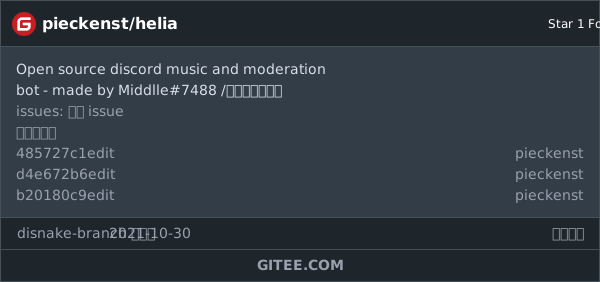
Gitee mirror for mainland china /面向中国大陆的 Gitee 镜子
We have a complete copy of this repository for mainland china folk up at gitee , the address of which is located at https://gitee.com/pieckenst/helia
我们在 gitee 上为居住在中国大陆的人提供了此存储库的完整副本,其地址位于 https://gitee.com/pieckenst/helia 。
Russian Description
Бот с открытым исходным кодом для модерации и музыки Основные возможности бота Музыка (может иногда ломаться) Бот может воспроизводить музыку с YouTube, пропускать ее, есть очередь, обычные вещи для музыкальных ботов в целом
Функции модерации (например, ban,kick,mute,unmute). Имеется возможность просматривать информацию о пользователе и смотреть аватарку профиля.
Информационные команды а также поиск в википедии. Вы можете воспользоваться //wiki для поиска в Википедии. Кроме того, бот включает в себя несколько команд, позволяющих быстро ознакомиться с кратким описанием популярных дистрибутивов Linux.
Более подробную информацию о функциях бота можно увидеть в //help, и вы всегда можете внести свой вклад в улучшение бота, если знаете python, перейдя в репозиторий бота на github по адресу https://github.com/pieckenst/helia и сделать изменения сответствуя нашим требованиям для пул реквестов на https://github.com/pieckenst/helia/blob/master/CONTRIBUTING. Исходный код на общедоступном github может немного отставать от захосченной версии, поскольку обновления в него отправляются, когда накапливается достаточно изменений
CROWDIN
Wamt to help us translate the bot to your language? We appreciate your enthusiasm so head over to https://crwd.in/helia to start helping us translate the bot
BOT HOSTING GUIDE
- Create an .env file in src folder with this content DISCORD_TOKEN=your token without quotes, symbols, or anything
- If you want to host locally then just launch the bot with python, file main.py, otherwise follow the next steps
- Heroku CLI setup
- Follow step 1
- Go to heroku.com and Sign Up or Log In if already have an account.
- For command line setup install Git and do git init when inside your directory
- Install Heroku CLI
- Then do Heroku apps:create name_of_app and heroku buildpacks:set heroku/python
- Finally, do git push heroku master or git push heroku branch_name:master if you want to only push one branch
- For heroku gui setup do
- Go to heroku.com and Sign Up or Log In if already have an account.
- Go to Heroku Dashboard
- Hit New. Now give the application on Heroku a unique name
- Click on Connect to Github. You might need to authorize the app. If so, do that.
- Create a private repository on github
- Upload bot files into your private repository and edit gitignore and remove .env file mentions from there
- Create .env file in src folder of your private repository with this content DISCORD_TOKEN=your token without quotes, symbols, or anything
- Now go back to Heroku and link your private repository there by entering your name of private repository. Hit search and then connect.
- Now scroll down below and Enable Auto Deploy. Now Scroll a little more and hit Deploy Branch.
Enabling the bot to launch in heroku
- Go to Resources Tab once the bot deployement is finished
- Click the little edit icon near our apps' name to enable our dynos
- Enable it and hit confirm
- Congratulations, you now have your own Helia instance
Contributors ✨
Credits goes to these wonderful people (emoji key):
<!-- ALL-CONTRIBUTORS-LIST:START - Do not remove or modify this section --> <!-- prettier-ignore-start --> <!-- markdownlint-disable --> <table> <tr> <td align="center"><a href="https://github.com/pieckenst"><img src="https://avatars.githubusercontent.com/u/46422808?v=4?s=100" width="100px;" alt=""/><br /><sub><b>Andrey Savich </b></sub></a><br /><a href="https://github.com/helia-developers/helia/commits?author=pieckenst" title="Code">💻</a> <a href="#design-pieckenst" title="Design">🎨</a> <a href="#translation-pieckenst" title="Translation">🌍</a></td> <td align="center"><a href="https://github.com/Sviat946"><img src="https://avatars.githubusercontent.com/u/83779551?v=4?s=100" width="100px;" alt=""/><br /><sub><b>sviat946</b></sub></a><br /><a href="#ideas-Sviat946" title="Ideas, Planning, & Feedback">🤔</a></td> <td align="center"><a href="https://discord.gg/5JEb7ju"><img src="https://avatars.githubusercontent.com/u/52179357?v=4?s=100" width="100px;" alt=""/><br /><sub><b>Nigaman</b></sub></a><br /><a href="https://github.com/helia-developers/helia/commits?author=NigamanRPG" title="Code">💻</a></td> <td align="center"><a href="https://github.com/arslee07"><img src="https://avatars.githubusercontent.com/u/50916030?v=4?s=100" width="100px;" alt=""/><br /><sub><b>Arsenii Liunsha</b></sub></a><br /><a href="https://github.com/helia-developers/helia/commits?author=arslee07" title="Code">💻</a> <a href="#translation-arslee07" title="Translation">🌍</a></td> <td align="center"><a href="https://github.com/eaxecx"><img src="https://avatars.githubusercontent.com/u/61050197?v=4?s=100" width="100px;" alt=""/><br /><sub><b>eax-ebx</b></sub></a><br /><a href="#talk-eaxecx" title="Talks">📢</a> <a href="#example-eaxecx" title="Examples">💡</a> <a href="https://github.com/helia-developers/helia/commits?author=eaxecx" title="Code">💻</a> <a href="#question-eaxecx" title="Answering Questions">💬</a></td> <td align="center"><a href="https://github.com/DoggieLicc"><img src="https://avatars.githubusercontent.com/u/76987398?v=4?s=100" width="100px;" alt=""/><br /><sub><b>DoggieLicc</b></sub></a><br /><a href="https://github.com/helia-developers/helia/commits?author=DoggieLicc" title="Code">💻</a></td> <td align="center"><a href="https://shadidev.tk/"><img src="https://avatars.githubusercontent.com/u/66328589?v=4?s=100" width="100px;" alt=""/><br /><sub><b>Shadi Alostaz</b></sub></a><br /><a href="#maintenance-SilentSerenityy" title="Maintenance">🚧</a> <a href="https://github.com/helia-developers/helia/commits?author=SilentSerenityy" title="Documentation">📖</a></td> </tr> <tr> <td align="center"><a href="https://blacktooth-bot.com/"><img src="https://avatars.githubusercontent.com/u/71964154?v=4?s=100" width="100px;" alt=""/><br /><sub><b>Kye</b></sub></a><br /><a href="https://github.com/helia-developers/helia/commits?author=kyelmao" title="Code">💻</a> <a href="#talk-kyelmao" title="Talks">📢</a></td> </tr> </table> <!-- markdownlint-restore --> <!-- prettier-ignore-end --> <!-- ALL-CONTRIBUTORS-LIST:END -->This project follows the all-contributors specification. Contributions of any kind welcome!
