
JellyToggleButton
Cute and colorful toggle button with 18 jelly types and 30 ease types.
Install / Use
/learn @Nightonke/JellyToggleButtonREADME
JellyToggleButton


JellyToggleButton(JTB) is a cute toggle button with 18 jelly types and 30 ease types.
You can also define your own style and have your JTB custom-made.
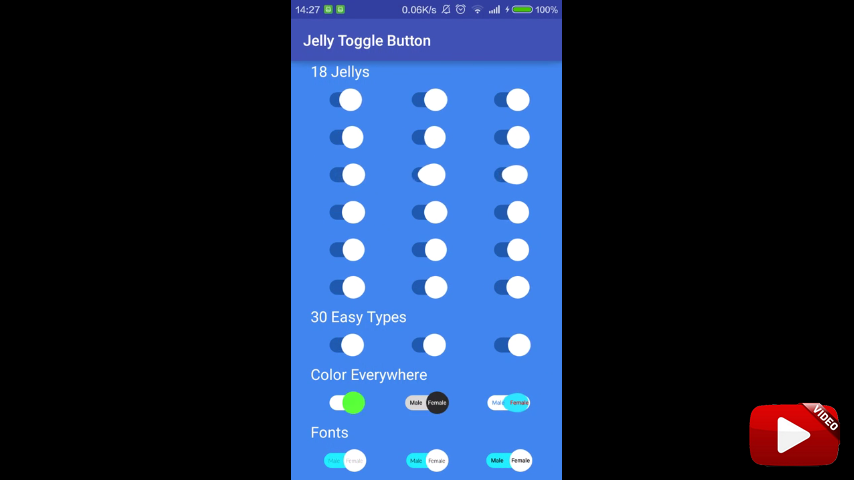
Maybe the gif above can not show how cute JTB is. You can click to see the video of JTB below.
Guide
Note
- Code inspired from SwitchButton
Gradle
dependencies {
    ...
    compile 'com.nightonke:jellytogglebutton:1.0.2'
    ...
}
Demo

Try the demo above to see how cute JTB is. Download the apk from:

Use Guide
- 18 Jellys
- Define Your Jelly
- Ease Types
- SetCheck Methods
- Colors
- ColorChangeType
- Fonts
- Duration
- Text, Text Size and Margins
- Draggable
- Listener
- Other Methods
18 Jellys
JTB provides 18 kinds of jelly types to show different effects of thumb. You can use different jelly types in xml or by setJelly() method.
Use in xml:
<com.nightonke.jellytogglebutton.JellyToggleButton
    android:layout_width="wrap_content"
    android:layout_height="wrap_content"
    app:jtbJelly="itself"
    />
Use in setter:
jtb.setJelly(Jelly.ITSELF);
|app:jtbJelly=""|setJelly()|Effect|
|:---|:---|:---|
|itself|ITSELF| |
|lazy_tremble_head_fatty|LAZY_TREMBLE_HEAD_FATTY|
|
|lazy_tremble_head_fatty|LAZY_TREMBLE_HEAD_FATTY| |
|lazy_tremble_head_slim_jim|LAZY_TREMBLE_HEAD_SLIM_JIM|
|
|lazy_tremble_head_slim_jim|LAZY_TREMBLE_HEAD_SLIM_JIM| |
|lazy_tremble_tail_fatty|LAZY_TREMBLE_TAIL_FATTY|
|
|lazy_tremble_tail_fatty|LAZY_TREMBLE_TAIL_FATTY| |
|lazy_tremble_tail_slim_jim|LAZY_TREMBLE_TAIL_SLIM_JIM|
|
|lazy_tremble_tail_slim_jim|LAZY_TREMBLE_TAIL_SLIM_JIM| |
|lazy_tremble_body_fatty|LAZY_TREMBLE_BODY_FATTY|
|
|lazy_tremble_body_fatty|LAZY_TREMBLE_BODY_FATTY| |
|lazy_tremble_body_slim_jim|LAZY_TREMBLE_BODY_SLIM_JIM|
|
|lazy_tremble_body_slim_jim|LAZY_TREMBLE_BODY_SLIM_JIM| |
|lazy_stiff_fatty|LAZY_STIFF_FATTY|
|
|lazy_stiff_fatty|LAZY_STIFF_FATTY| |
|lazy_stiff_slim_jim|LAZY_STIFF_SLIM_JIM|
|
|lazy_stiff_slim_jim|LAZY_STIFF_SLIM_JIM| |
|active_tremble_head_fatty|ACTIVE_TREMBLE_HEAD_FATTY|
|
|active_tremble_head_fatty|ACTIVE_TREMBLE_HEAD_FATTY| |
|active_tremble_head_slim_jim|ACTIVE_TREMBLE_HEAD_SLIM_JIM|
|
|active_tremble_head_slim_jim|ACTIVE_TREMBLE_HEAD_SLIM_JIM| |
|active_tremble_tail_fatty|ACTIVE_TREMBLE_TAIL_FATTY|
|
|active_tremble_tail_fatty|ACTIVE_TREMBLE_TAIL_FATTY| |
|active_tremble_tail_slim_jim|ACTIVE_TREMBLE_TAIL_SLIM_JIM|
|
|active_tremble_tail_slim_jim|ACTIVE_TREMBLE_TAIL_SLIM_JIM| |
|active_tremble_body_fatty|ACTIVE_TREMBLE_BODY_FATTY|
|
|active_tremble_body_fatty|ACTIVE_TREMBLE_BODY_FATTY| |
|active_tremble_body_slim_jim|ACTIVE_TREMBLE_BODY_SLIM_JIM|
|
|active_tremble_body_slim_jim|ACTIVE_TREMBLE_BODY_SLIM_JIM| |
|active_stiff_fatty|ACTIVE_STIFF_FATTY|
|
|active_stiff_fatty|ACTIVE_STIFF_FATTY| |
|active_stiff_slim_jim|ACTIVE_STIFF_SLIM_JIM|
|
|active_stiff_slim_jim|ACTIVE_STIFF_SLIM_JIM| |
|random|RANDOM|All Above|
|
|random|RANDOM|All Above|
Notice that random type will change the jelly among the other 17 types randomly.
Define Your Jelly
You can define you own jelly easily. But you need sometime to understand what happens in the source code of Jelly enum. All the jelly type are the sub types of JellyStyle.class.
To extend the abstract class, you have to override 3 methods:
public class MyJelly extends JellyStyle {

    @Override
    public void changeShape(PointWithHorizontalPoints p1, PointWithVerticalPoints p2, PointWithHorizontalPoints p3, PointWithVerticalPoints p4, float stretchDistance, float bezierControlValue, float bezierScaleRatioValue, float thumbRadius, float process, State state) {
        // Change the shape of the thumb.
        // Notice that we use 12 points to form 4 bezier lines to draw the thumb.
        // We can control the shape of the thumb by controling the 12 points.
    }

    @Override
    public void changeOffset(PointWithHorizontalPoints p1, PointWithVerticalPoints p2, PointWithHorizontalPoints p3, PointWithVerticalPoints p4, float totalLength, float extractLength, float process, State state, EaseType easeType) {
        // Change the offset of the thumb.
    }

    @Override
    public float extractLength(float stretchDistance, float bezierControlValue, float bezierScaleRatioValue, float thumbRadius) {
        // Return the extract length.
    }
}
After this, use setCustomJelly() to set your custom jelly. Notice that if you don't want to use the custom any more, you
Related Skills
node-connect
332.9kDiagnose OpenClaw node connection and pairing failures for Android, iOS, and macOS companion apps
frontend-design
81.9kCreate distinctive, production-grade frontend interfaces with high design quality. Use this skill when the user asks to build web components, pages, or applications. Generates creative, polished code that avoids generic AI aesthetics.
openai-whisper-api
332.9kTranscribe audio via OpenAI Audio Transcriptions API (Whisper).
commit-push-pr
81.9kCommit, push, and open a PR
