
GenAIMindMapFlowBuilder
GenAI Mind Map Flow Builder uses LLMs (OpenAI & Google Gemini) to generate intelligent mind maps from diverse sources like PDFs, SQL, CSVs, media, and websites. Built with FastAPI and ReactJS, it visualizes key ideas and relationships for data analysis and knowledge discovery.
Install / Use
/learn @NextGenAILabs/GenAIMindMapFlowBuilderREADME
🧠 GenAI Mind Map Flow Builder (Gnosis)
GenAI Mind Map Flow Builder is a cutting-edge, AI-powered tool designed to convert complex, multi-format data into structured, interactive mind maps. Powered by LLMs like OpenAI GPT-4o and Google Gemini, it allows users to process, query, visualize, and summarize knowledge extracted from diverse sources.
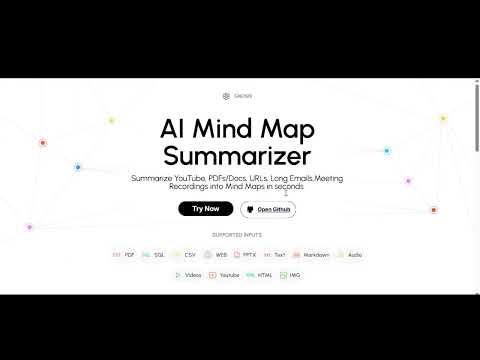
📺 Watch Demo on YouTube
🚀 Key Features
🔗 Multi-Source Data Integration
- Upload or connect multiple data sources including:
- Documents, csv, web pages, databases, images, audio, and video
- Add unlimited data sources in one flow
- Reuse and interlink previous answers
🧠 AI-Powered Mind Map Generation
- Uses OpenAI GPT-4o and Google Gemini to:
- Extract data insights and visualize them with graph and dataframes (tables)
- Ask multiple questions on multiple data sources
- Generate mind maps automatically for single data source
- Prepare PDF Report for the entire flow
🧭 Two Mind Map Modes
- Automatic Mode:
- Upload any one source
- Mind map and summaries are auto-generated with dataframes and graph visualization
- Manual Mode:
- Upload/connect multiple sources as you can
- AI suggests follow-up questions based on context
- You can:
- Ask Answers on follow-up questions
- Ask your own questions
- Generate PDF report
- AI replies in a 3-part format:
- 🧾 Answer
- 📊 Data Table / DataFrame (if applicable)
- 🌐 Graph (if applicable)
🔁 Cross-Source Questioning
- Ask questions across:
- Multiple sources
- Previous AI responses
- Link insights between different data nodes
📚 Mind Map to Report
- Export entire flow as an AI-generated structured PDF report (Insights will be generated)
- Auto-capture questions, answers, tables, graphs, and source traceability
📤 Export Options
- Download/share mind maps as images or JSON
- Export complete flow as a detailed report (PDF)
- Print-friendly visualization
📁 Supported Data Sources
| Category | Supported Formats |
|---------------|-------------------|
| Documents | .pdf, .docx, .txt, .md |
| Spreadsheets | .csv |
| Presentations | .pptx |
| Images | .jpg, .jpeg, .png, .webp, .svg |
| Audio | .wav, .mp3, .aac, .ogg, .flac, .mpeg, .aiff |
| Video | .mp4, .webm, .wmv, .flv, .mov, .3gpp, etc. |
| Web Pages | Web URLs, HTML files |
| YouTube | Public YouTube Video links|
| Databases | SQL (MySQL, PostgreSQL, SQLite), etc
🖼️ Screenshots
🏠 Landing Page


📁 Create Flow & Add Sources


👤 Choose Agent / Persona

🤖 Follow-Up Questions & AI Responses


❓ Custom Q&A Interface


➕ Add More Sources & Continue Flow


🔁 Ask Questions on Previous Responses


🧩 Visualize Complete Mind Map Flow

🧾 Summarize Complete Flow


⚡ Auto Mind Map from PDFs, Videos, and More


🛠️ Tech Stack
| Layer | Tech | |--------------|------| | Frontend | ReactJS, CSS | | Backend | FastAPI (Python) | | AI Models| OpenAI GPT-4o, Google Gemini Pro | | Storage | Local File System, AWS S3 | | Database | MongoDB, SQLite | | Vector Store | ChromaDB (configurable) |
⚙️ Setup Instructions
🔁 Clone the Repository
git clone https://github.com/NextGenAILabs/GenAIMindMapFlowBuilder.git
cd GenAIMindMapFlowBuilder
🔧 Backend Setup (FastAPI + Poetry)
cd backend
python -m venv .venv
source .venv/bin/activate  # or .venv\Scripts\activate (Windows)

pip install poetry
poetry install
uvicorn app:app --reload
💻 Frontend Setup (React)
cd frontend
npm install
npm run dev
🔐 Environment Variables
Create a .env file inside the backend/ folder:
# .env
mongo_db_url=
openai_api_key=
gemini_api_key=
aws_access_key_id=
aws_secret_access_key=
bucket_name=
Replace values with actual credentials.
🧪 Example Workflow
- Upload a
.pdf, connect a SQL database, or paste a URL - AI reads and summarizes data
- System builds a visual mind map
- Ask follow-ups, skip them, or ask custom questions
- Explore answers (text + table + graph)
- Export final report as a shareable PDF
🤖 AI Integration Details
| Model | Purpose | |----------------|---------| | OpenAI GPT-4o | NLP, summarization, Q&A, flow generation | | Google Gemini Pro | Multimodal input (text, image, video), deeper analysis |
💡 Inspirations
📝 LICENSE:
<a rel="license" href="http://creativecommons.org/licenses/by-nc-nd/4.0/"><img alt="Creative Commons Licence" style="border-width:0" src="https://i.creativecommons.org/l/by-nc-nd/4.0/88x31.png" /></a><br />This work is licensed under a <a rel="license" href="http://creativecommons.org/licenses/by-nc-nd/4.0/">Creative Commons Attribution-NonCommercial-NoDerivatives 4.0 International License</a>.
📬 Contact
📧 Email: nextgenailabs99@gmail.com
