
Docstrange
Extract and convert data from any document, images, pdfs, word doc, ppt or URL into multiple formats (Markdown, JSON, CSV, HTML) with intelligent structured data extraction and advanced OCR.
Install / Use
/learn @NanoNets/DocstrangeREADME
<img src="https://public-vlms.s3.us-west-2.amazonaws.com/docstrange_logo.svg" alt="DocStrange" width="32" style="vertical-align: middle; margin-right: 8px;"> DocStrange







DocStrange
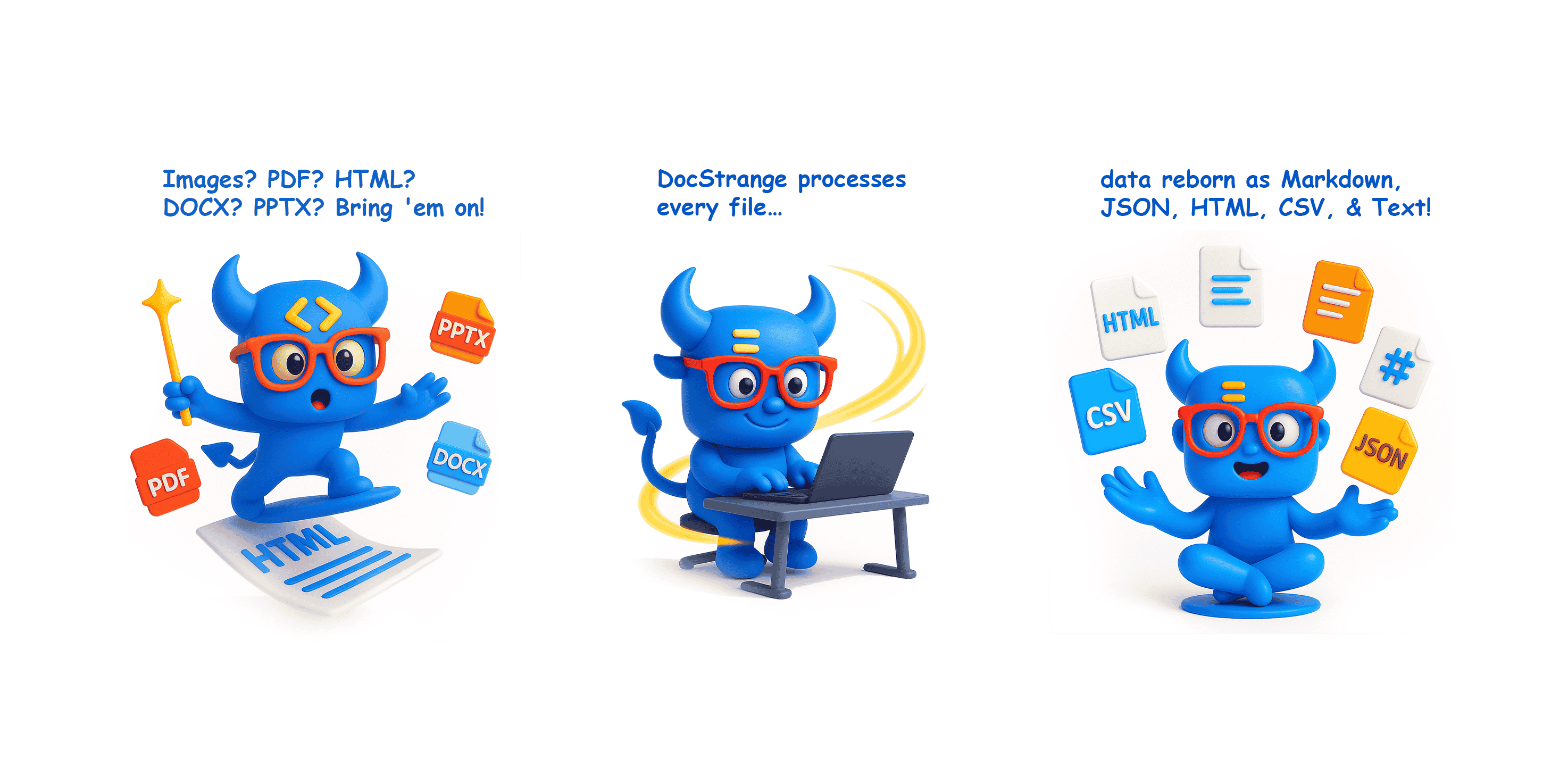
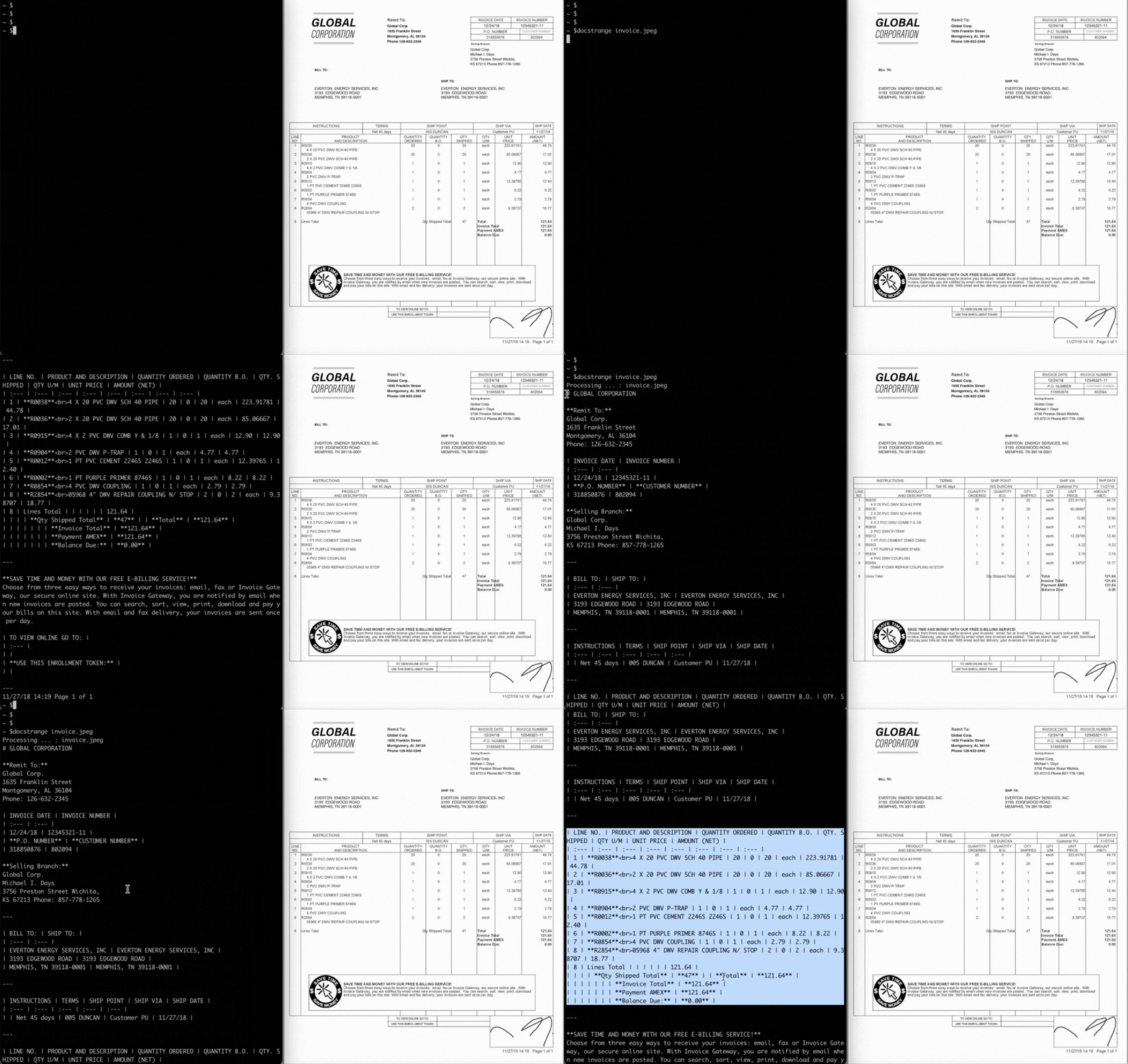
DocStrange converts documents to Markdown, JSON, CSV, and HTML quickly and accurately.
- Converts PDF, image, PPTX, DOCX, XLSX, and URL files.
- Formats tables into clean, LLM-optimized Markdown.
- Powered by an upgraded 7B model for higher accuracy and deeper document understanding.
- Extracts text from images and scanned documents with advanced OCR.
- Removes page artifacts for clean, readable output.
- Does structured extraction, given specific fields or a JSON schema.
- Includes a built-in, local Web UI for easy drag-and-drop conversion.
- Offers a free cloud API for instant processing or a 100% private, local mode.
- Works on GPU or CPU when running locally.
- Integrates with Claude Desktop via an MCP server for intelligent document navigation.
Processing Modes
☁️ Free Cloud Processing upto 10000 docs per month !
Extract documents data instantly with the cloud processing - no complex setup needed
🔒 Local Processing !
Usegpumode for 100% local processing - no data sent anywhere, everything stays on your machine.
What's New
August 2025
- 🚀 Major Model Upgrade: The core model has been upgraded to 7B parameters, delivering significantly higher accuracy and deeper understanding of complex documents.
- 🖥️ Local Web Interface: Introducing a built-in, local GUI. Now you can convert documents with a simple drag-and-drop interface, 100% offline.
About
Convert and extract data from PDF, DOCX, images, and more into clean Markdown and structured JSON. Plus: Advanced table extraction, 100% local processing, and a built-in web UI.
DocStrange is a Python library for converting a wide range of document formats—including PDF, DOCX, PPTX, XLSX, and images — into clean, usable data. It produces LLM-optimized Markdown, structured JSON (with schema support), HTML, and CSV outputs, making it an ideal tool for preparing content for RAG pipelines and other AI applications.
The library offers both a powerful cloud API and a 100% private, offline mode that runs locally on your GPU. Developed by Nanonets, DocStrange is built on a powerful pipeline of OCR and layout detection models and currently requires Python >=3.8.
To report a bug or request a feature, please file an issue. To ask a question or request assistance, please use the discussions forum.
How DocStrange Differs
DocStrange focuses on end-to-end document understanding (OCR → layout → tables → clean Markdown or structured JSON) that you can run 100% locally. It is designed to deliver high-quality results from scans and photos without requiring the integration of multiple services.
- vs. Cloud AI Services (like AWS Textract):
DocStrangeoffers a completely private, local processing option and gives you full control over the conversion pipeline. - vs. Orchestration Frameworks (like LangChain):
DocStrangeis a ready-to-use parsing pipeline, not just a framework. It handles the complex OCR and layout analysis so you don't have to build it yourself. - vs. Other Document Parsers:
DocStrangeis specifically built for robust OCR on scans and phone photos, not just digitally-native PDFs.
When to Pick DocStrange
- You need a free cloud api to extract information in structured format (markdown, json, csv, html) from different document types
- You need local processing for privacy and compliance.
- You are working with scans, phone photos, or receipts where high-quality OCR is critical.
- You need a fast path to clean Markdown or structured JSON without training a model.
Examples
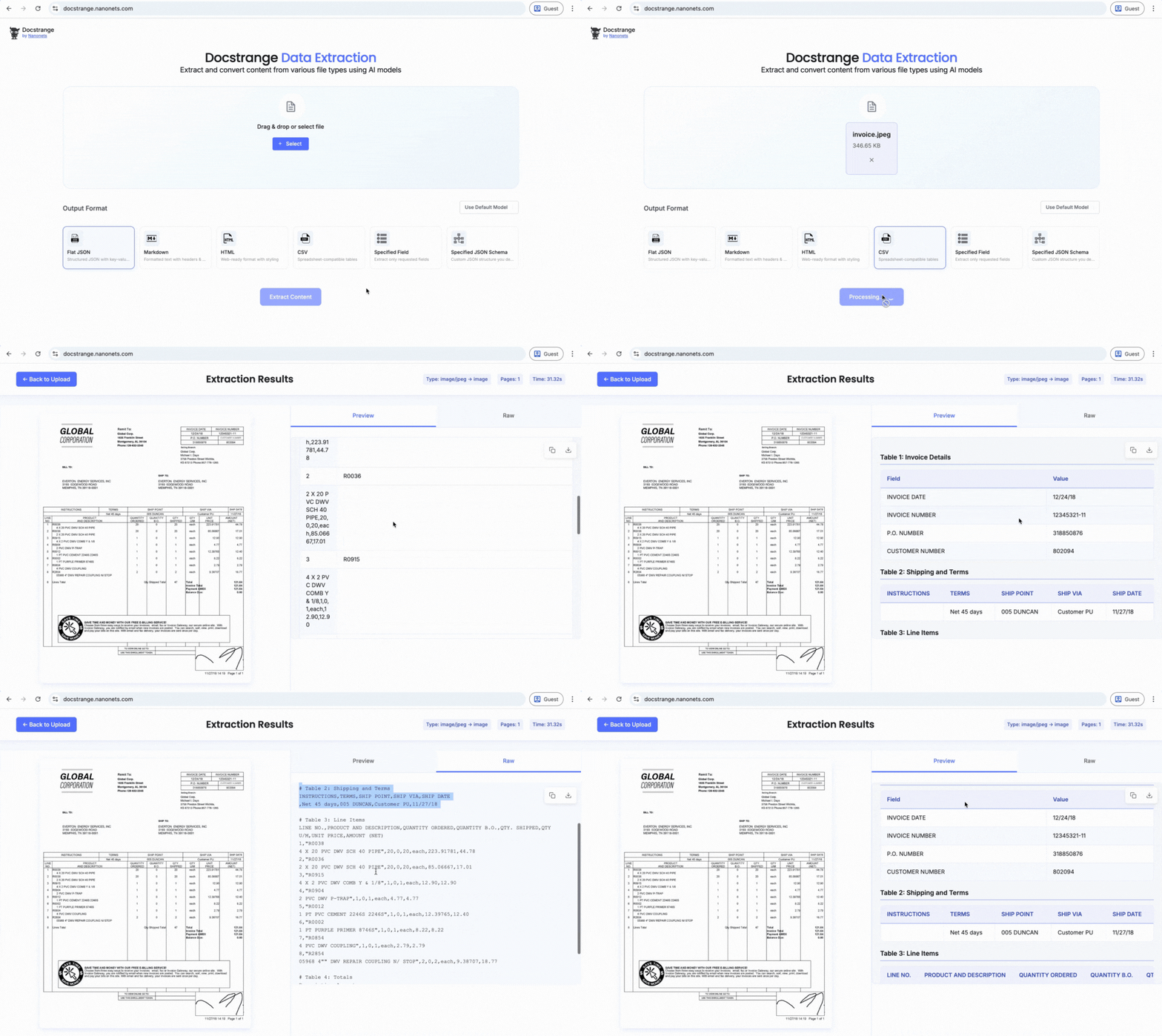
Try the live demo: Test DocStrange instantly in your browser with no installation required at docstrange.nanonets.com
See it in action:
Installation
Install the library using pip:
pip install docstrange
Quick Start
💡 New to DocStrange? Try the online demo first - no installation needed!
1. Convert any Document to LLM-Ready Markdown
This is the most common use case. Turn a complex PDF or DOCX file into clean, structured Markdown, perfect for RAG pipelines and other LLM applications.
from docstrange import DocumentExtractor

# Initialize extractor (cloud mode by default)
extractor = DocumentExtractor()

# Convert any document to clean markdown
result = extractor.extract("document.pdf")
markdown = result.extract_markdown()
print(markdown)
2. Extract Structured Data as JSON
Go beyond plain text and extract all detected entities and content from your document into a structured JSON format.
from docstrange import DocumentExtractor

# Extract document as structured JSON
extractor = DocumentExtractor()
result = extractor.extract("document.pdf")

# Get all important data as flat JSON
json_data = result.extract_data()
print(json_data)
3. Extract Specific Fields from a PDF or Invoice
Target only the key-value data you need, such as extracting the invoice_number or total_amount directly from a document.
from docstrange import DocumentExtractor

# Extract only the fields you need
extractor = DocumentExtractor()
result = extractor.extract("invoice.pdf")

# Specify exactly which fields to extract
fields = result.extract_data(specified_fields=[
    "invoice_number", "total_amount", "vendor_name", "due_date"
])
print(fields)
4. Extract with Custom JSON Schema
Ensure the structure of your output by providing a custom JSON schema. This is ideal for getting reliable, nested data structures for applications that process contracts or complex forms.
from docstrange import DocumentExtractor

# Extract data conforming to your schema
extractor = DocumentExtractor()
result = extractor.extract("contract.pdf")

# Define your required structure
schema = {
    "contract_number": "string",
    "parties": ["string"],
    "total_value": "number",
    "start_date": "string",
    "terms": ["string"]
}

structured_data = result.extract_data(json_schema=schema)
print(structured_data)
Local Processing
For complete privacy and offline capability, run DocStrange entirely on your own machine using GPU processing.
# Force local GPU processing (requires CUDA)
extractor = DocumentExtractor(gpu=True)
Local Web Interface
💡 Want a GUI? Run the simple, drag-and-drop local web interface for private, offline document conversion.
For users who prefer a graphical interface, DocStrange includes a powerful, self-hosted web UI. This allows for easy drag-and-drop conversion of PDF, DOCX, and other files directly in your browser, with 100% private, offline processing on your own GPU. The interface automatically downloads required models on its first run.
How to get started?
- Install with web dependencies:
pip install "docstrange[web]"
- Run the web interface:
# Method 1: Using the CLI command
docstrange web

# Method 2: Using Python module
python -m docstrange.web_app

# Method 3: Direct Python import
python -c "from docstrange.web_app import run_web_app; run_web_app()"
- Open your browser: Navigate to
http://localhost:8000(or the port shown in the terminal)
Features of DocStrange's Local Web Interface:
- 🖱️ Drag & Drop Interface: Simply drag files onto the upload area.
- 📁 Multiple File Types: Supports PDF, DOCX, XLSX, PPTX, images, and more.
- ⚙️ Processing Modes: Choose between Cloud and Local GPU processing.
- 📊 Multiple Output Formats: Get Markdown, HTML, JSON, CSV, and Flat JSON.
- 🔒 Privacy Options: Choose between cloud processing (default) or local GPU processing.
- 📱 Responsive Design: Works on desktop, tablet, and mobile
Supported File Types:
- Documents: PDF, DOCX, DOC, PPTX, PPT
- **Sprea
