
Incognide
Explore the unknown, build the future, own your data.
Install / Use
/learn @NPC-Worldwide/IncognideREADME
Incognide unifies chat, code, documents, web browsing, and media into a tileable workspace with intelligent context and composable automations.
Built for seamless workflows, Incognide eliminates distractions and context switching. A path-based organization keeps your work structured naturally, while auto-saving workspaces let you resume any project exactly where you left off. No more juggling desktops, drowning in browser tabs, or hunting for scattered files.
Highlights
- Write and run code, use terminals, build reusable workflows and tools that chain together natural language and templateable code through jinja execution templates.
- Browse the web, read and annotate PDFs, view 3D STL models, analyze data and create dashboards, compile LaTeX.
- Edit DOCX, XLSX, PPTX, MAPX.
- Arrange chats, editors, PDFs, browsers, terminals, 3D viewers as your work evolves — each tab maintains independent state.
- Manage agents, have them run on scheduled jobs, edit team context, integrate with MCP Servers, approve or reject suggested memories, prune and evolve knowledge graphs.
- Schedule automated memory extraction, knowledge graph evolution, and context compression.
- Fine-tune your own image and text models using curated data from your conversations and memories.
- Built-in Pomodoro timer with programmable schedules and break enforcement.
- Specialized tools for image, video, and audio generation.
Demo Video
Updated version coming soon....
Quick Start
- Download the installer for your platform from enpisi.com/incognide
- Run the installer and launch Incognide
- Configure your models:
- Local models: Install Ollama, LM Studio, or run a llama.cpp server
- Cloud providers: Add API keys in Settings for OpenAI, Anthropic, Gemini, etc.
- Start working - select a model and begin a conversation or open files
Table of Contents
- Office & Productivity
- Development
- 3D & Media
- Research & Knowledge Management
- Model Training & Fine-tuning
- AI Chat & Agents
- Image Tools (Vixynt)
- Focus & Productivity
- Settings & Customization
- Keyboard Shortcuts
- Installation
- Development Setup
- Community
- License
Office & Productivity
Document Editing
Create and edit Office documents directly in Incognide without needing external applications or cloud services.
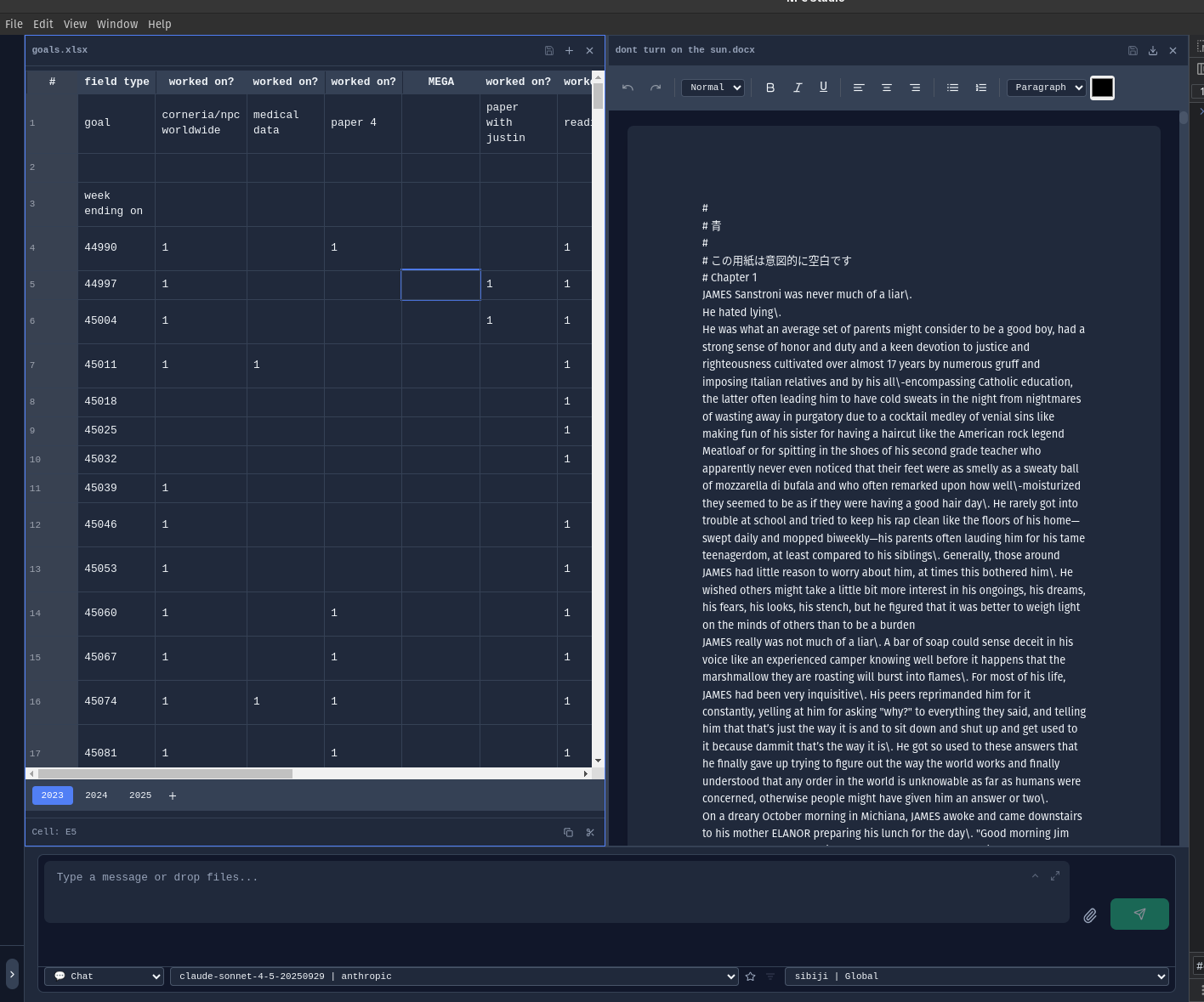
Word Documents (DOCX) - Full rich text editing with formatting, tables, and images:
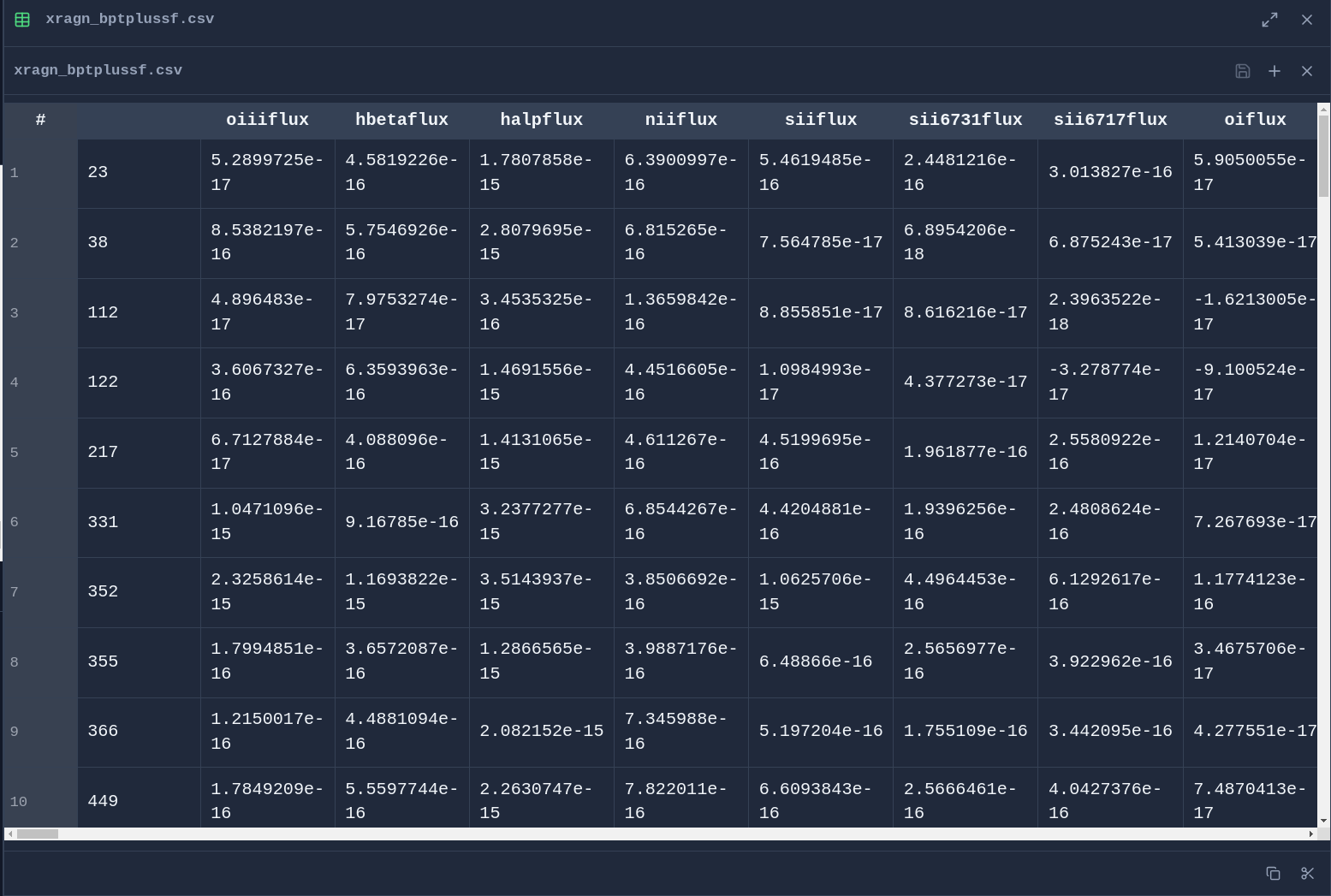
Spreadsheets (XLSX & CSV) - Edit data with formula support and cell formatting:
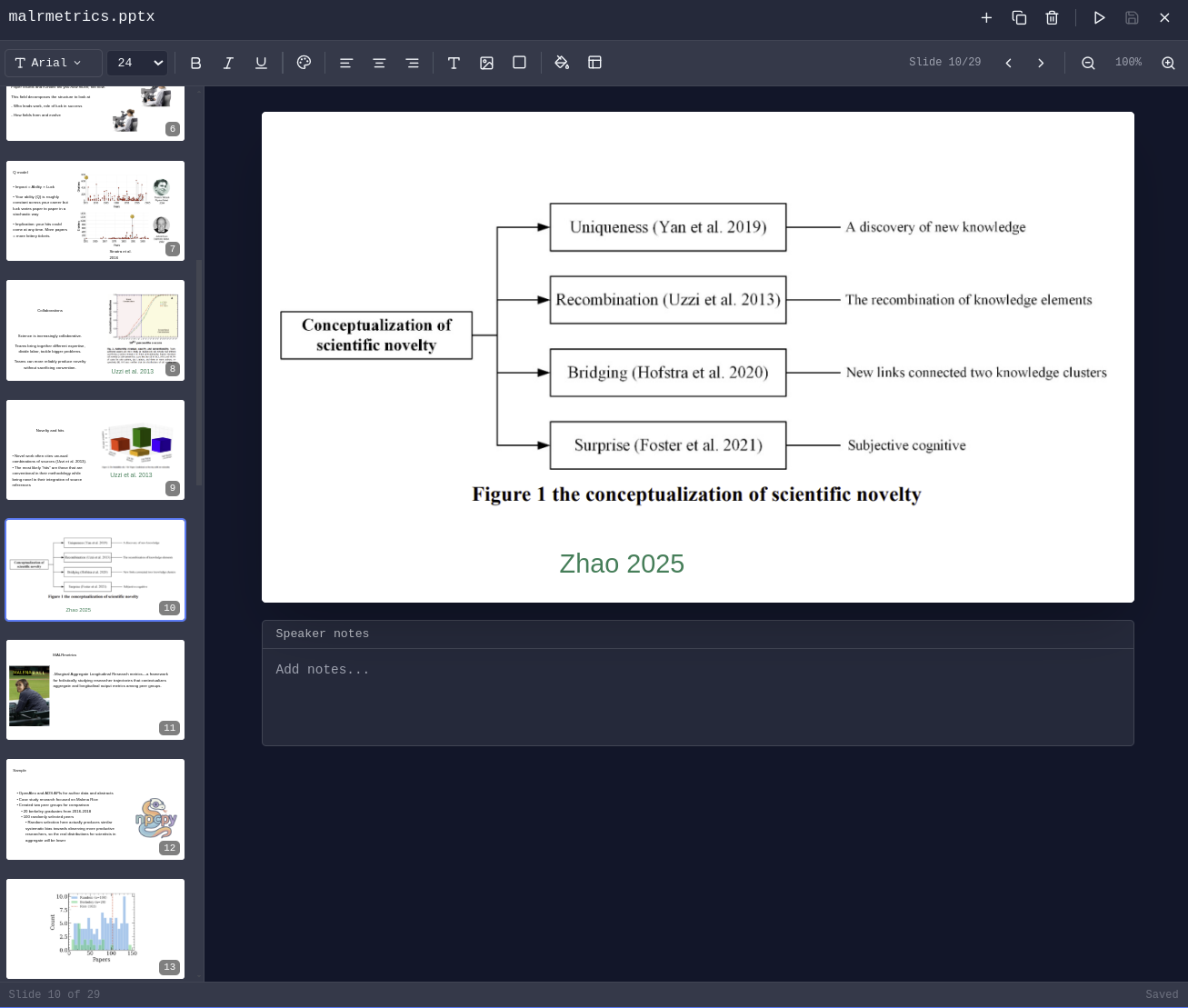
Presentations (PPTX) - View and edit PowerPoint presentations:
PDF Management
Read, annotate, and analyze PDF documents with AI assistance.
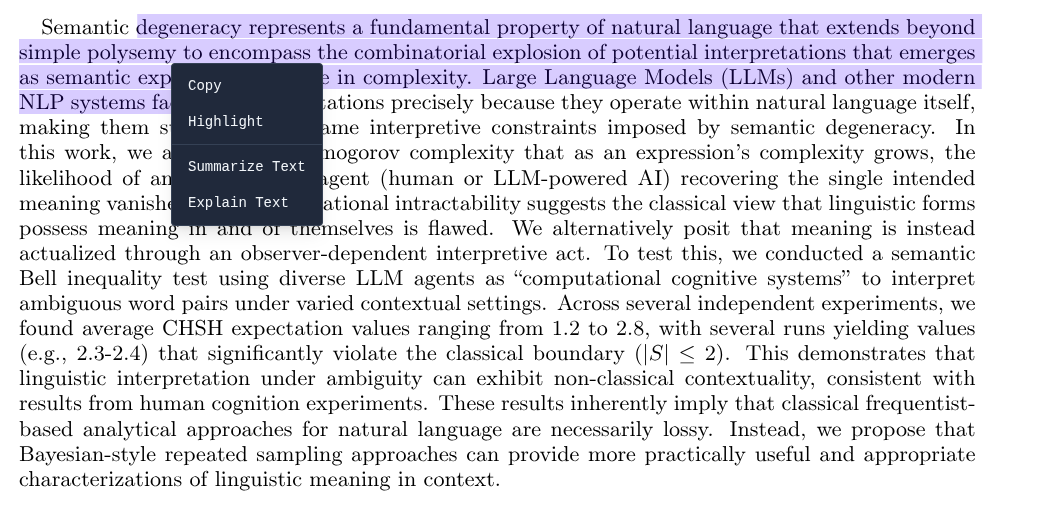
Highlight & Annotate - Mark up PDFs with highlights that persist across sessions:
PDF Library - Browse and organize your PDF collection:
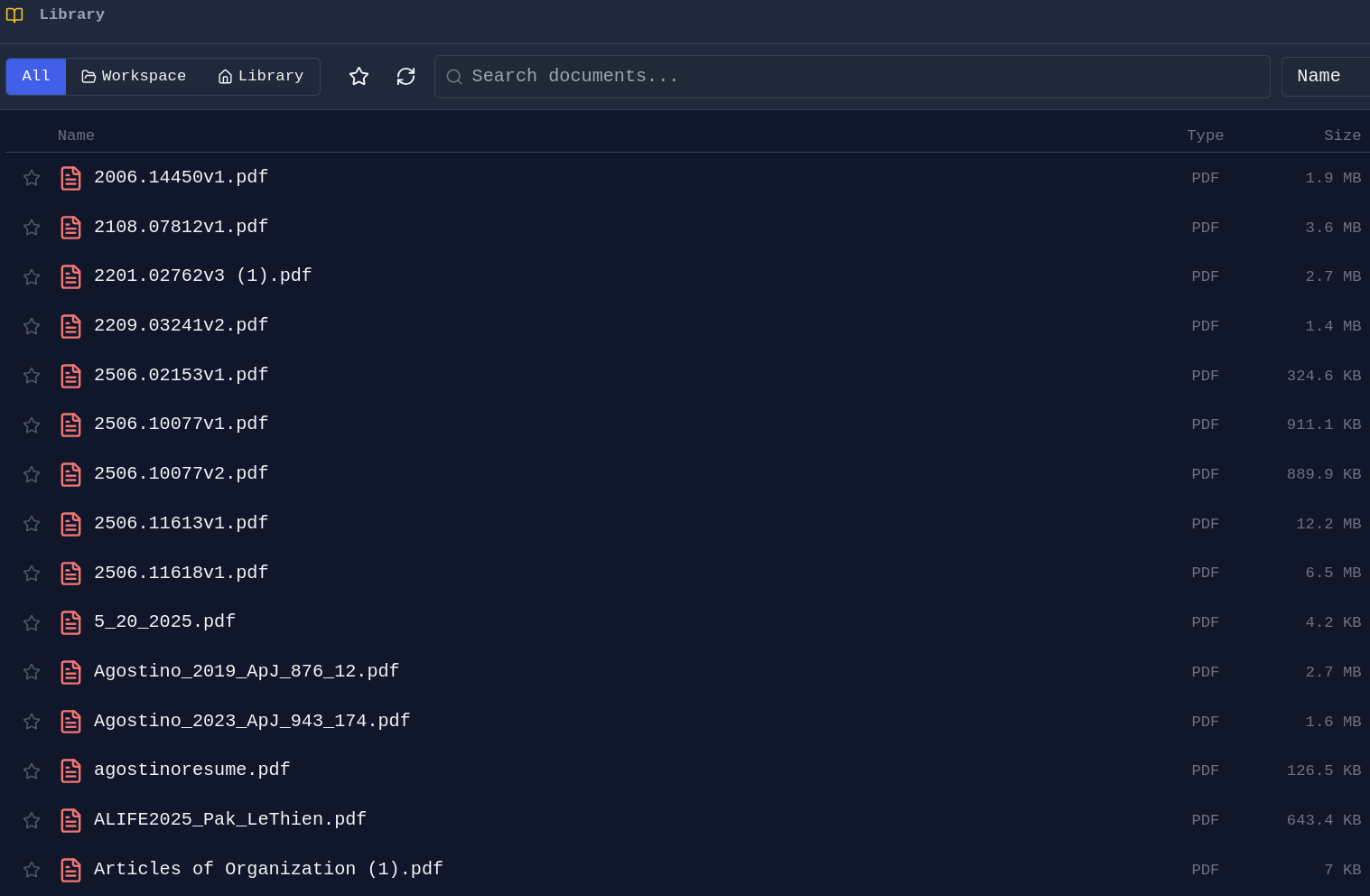
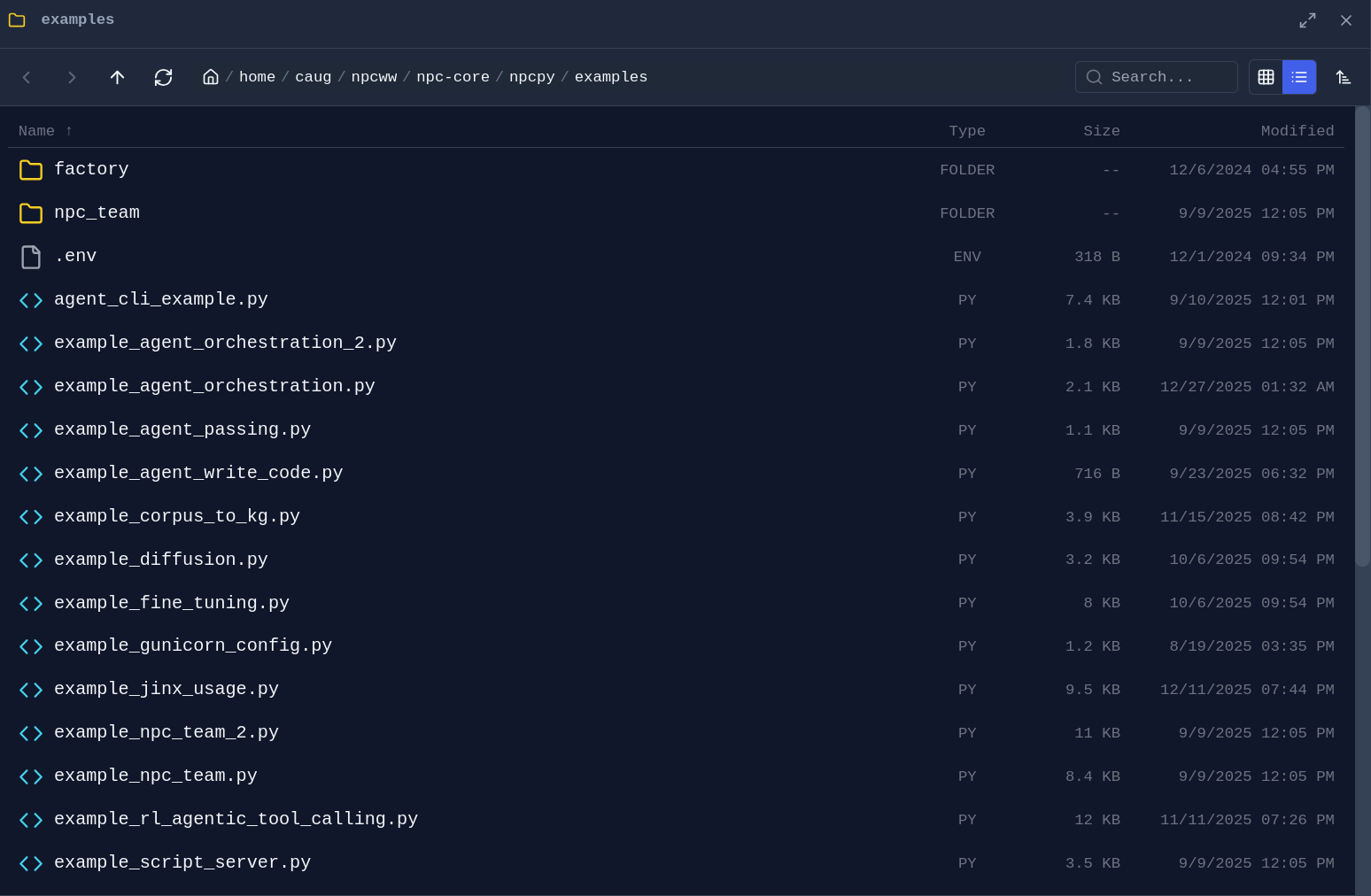
File Management
Folder Explorer - Drag any folder from the sidebar into a pane to open a dedicated file browser:
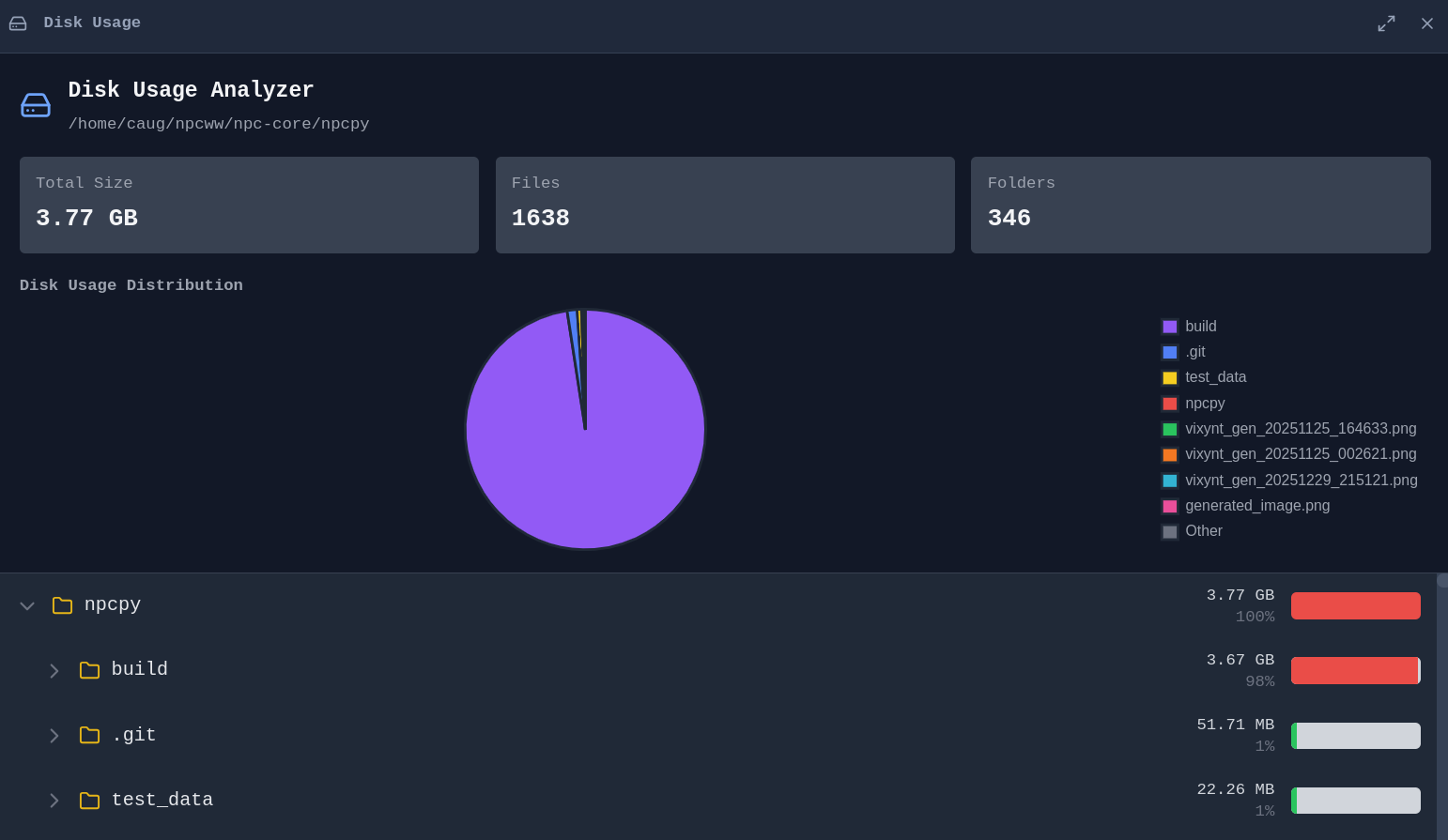
Disk Usage Analyzer - Visualize what's taking up space on your drives:
Web Browsing
Browse the web alongside your documents and chat with AI about what you're viewing.
Integrated Browser - No need to switch to a separate browser window:
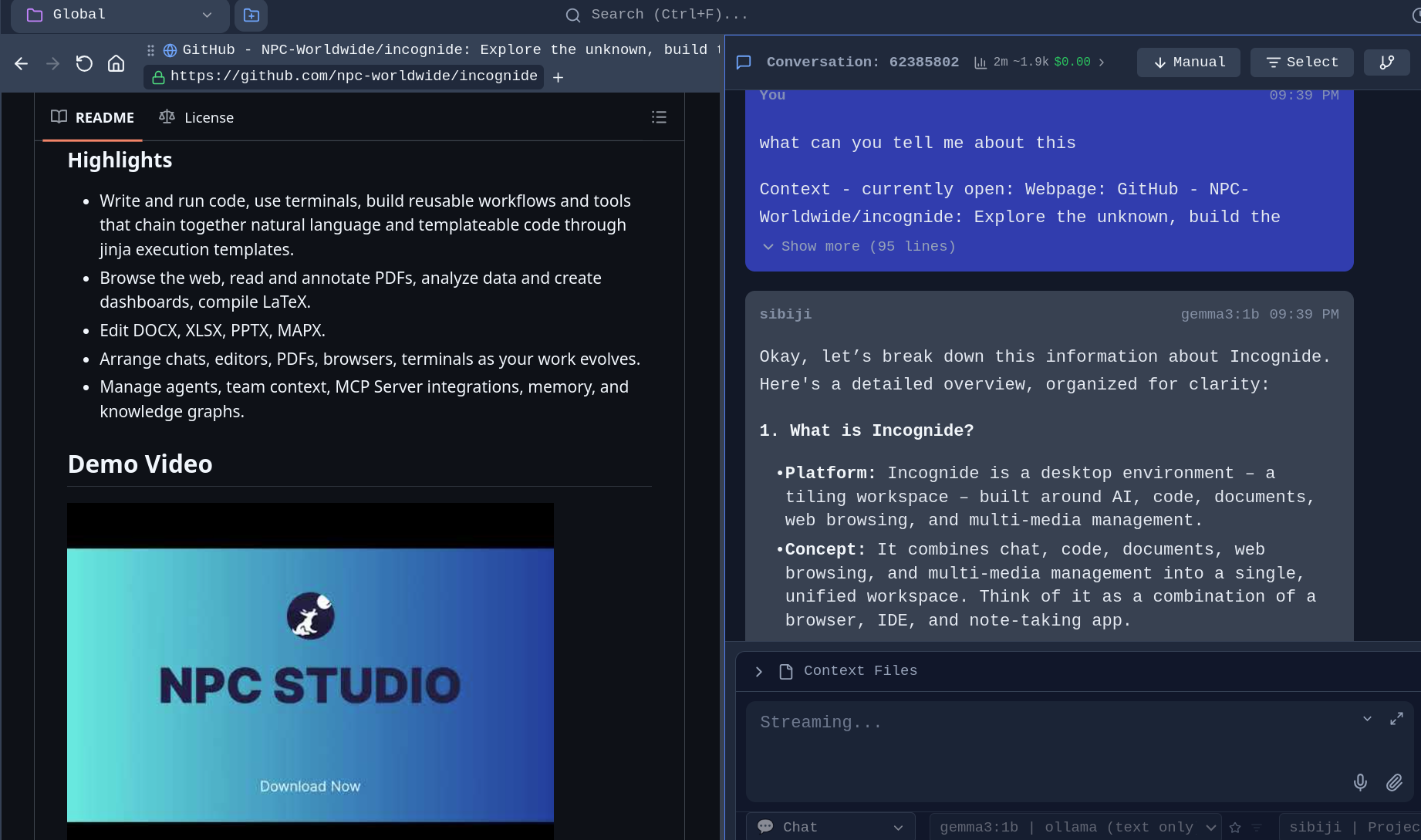
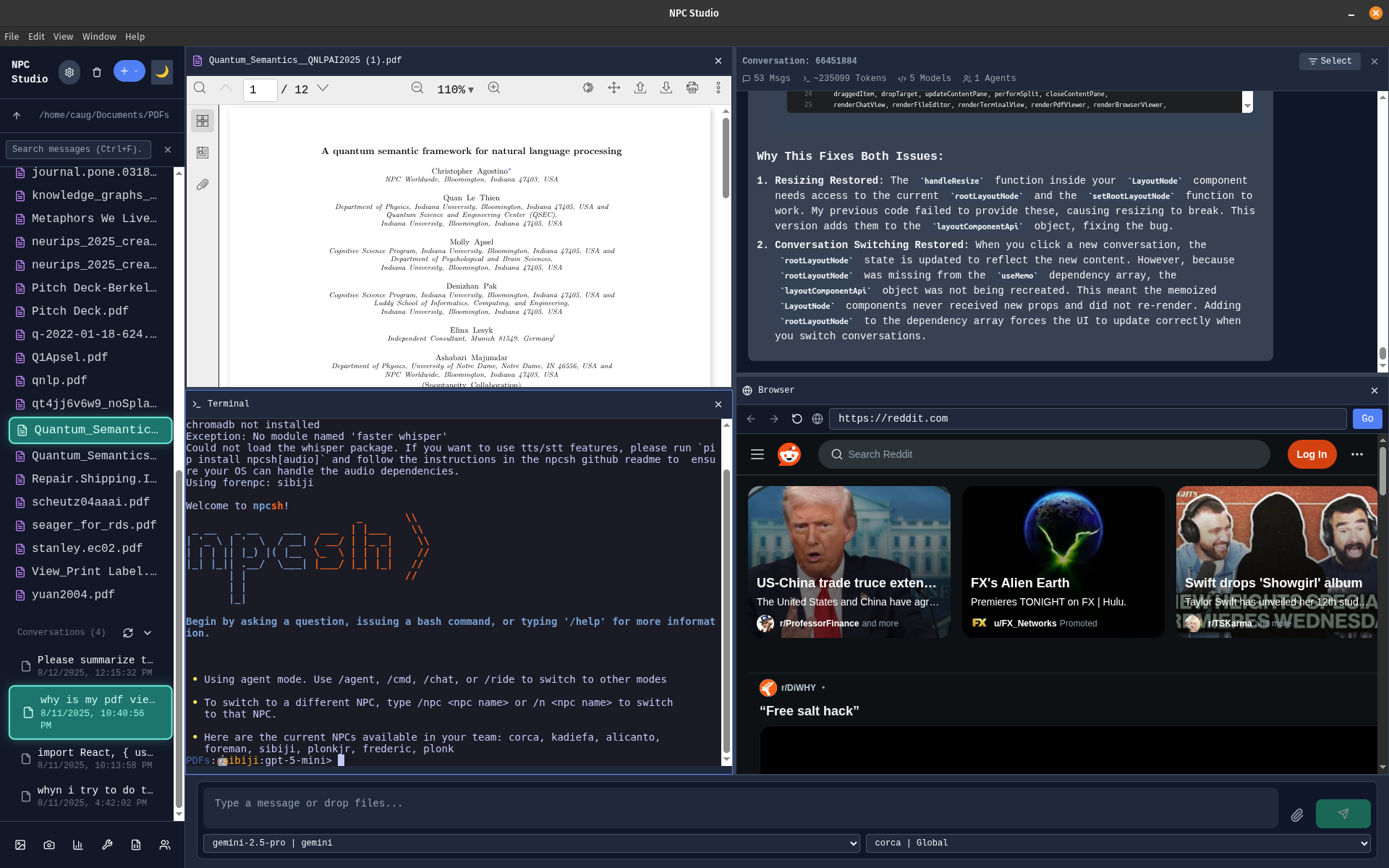
Tileable configuration - Browse while viewing PDF with a terminal open and a chat window:
Development
Code Editing
Write code with syntax highlighting, run scripts, and compile documents.
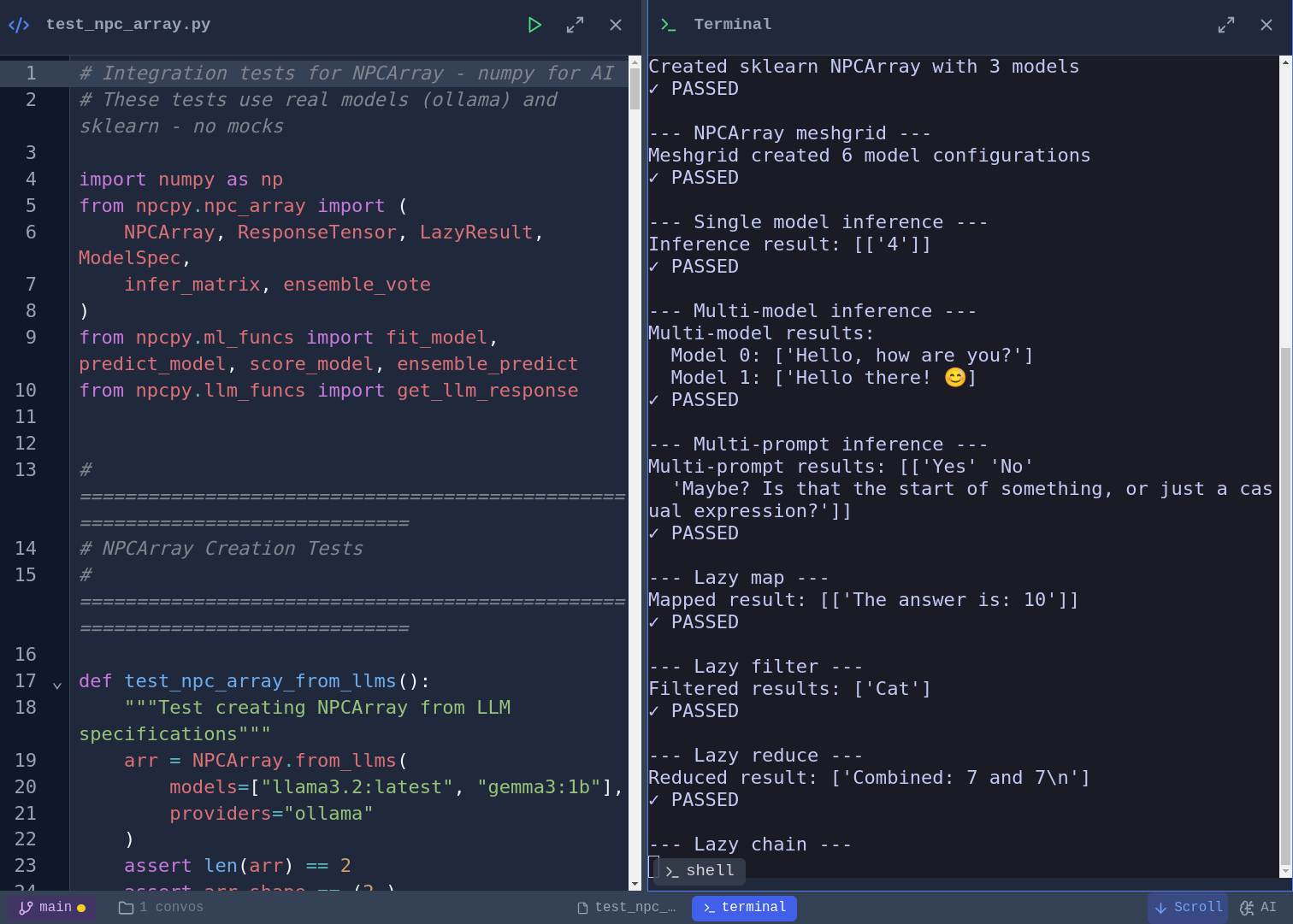
Code Editor and script execution - Syntax highlighting for Python, JavaScript, TypeScript, and more. Vim, Emacs, and Nano keybinding modes with a toggleable cheat sheet. Run Python scripts directly and see output inline:
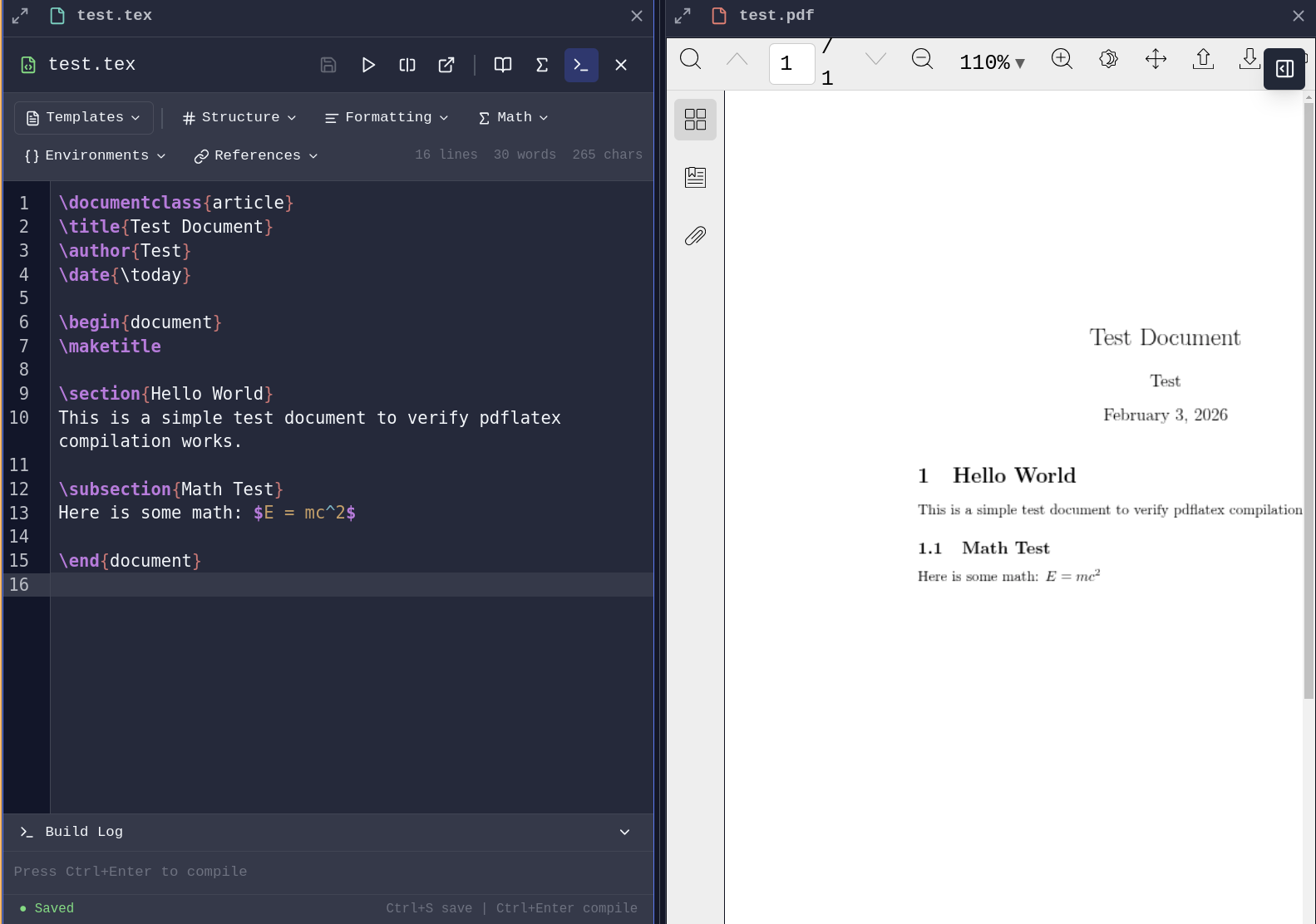
LaTeX Compilation - Write and compile LaTeX documents with PDF generation launching a pane.
AI-Assisted Development
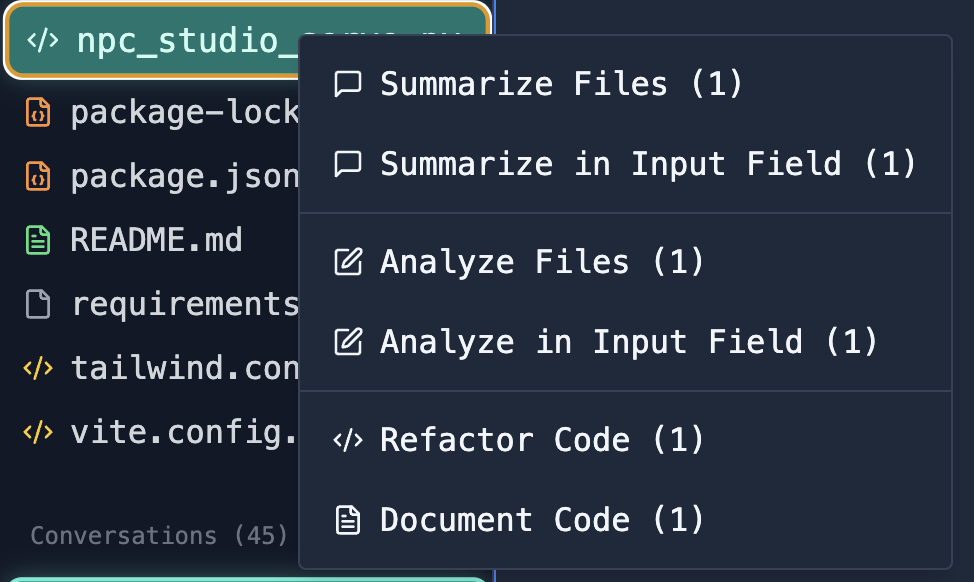
File Analysis - Select files and ask AI to analyze, explain, or refactor code:
Database Tools
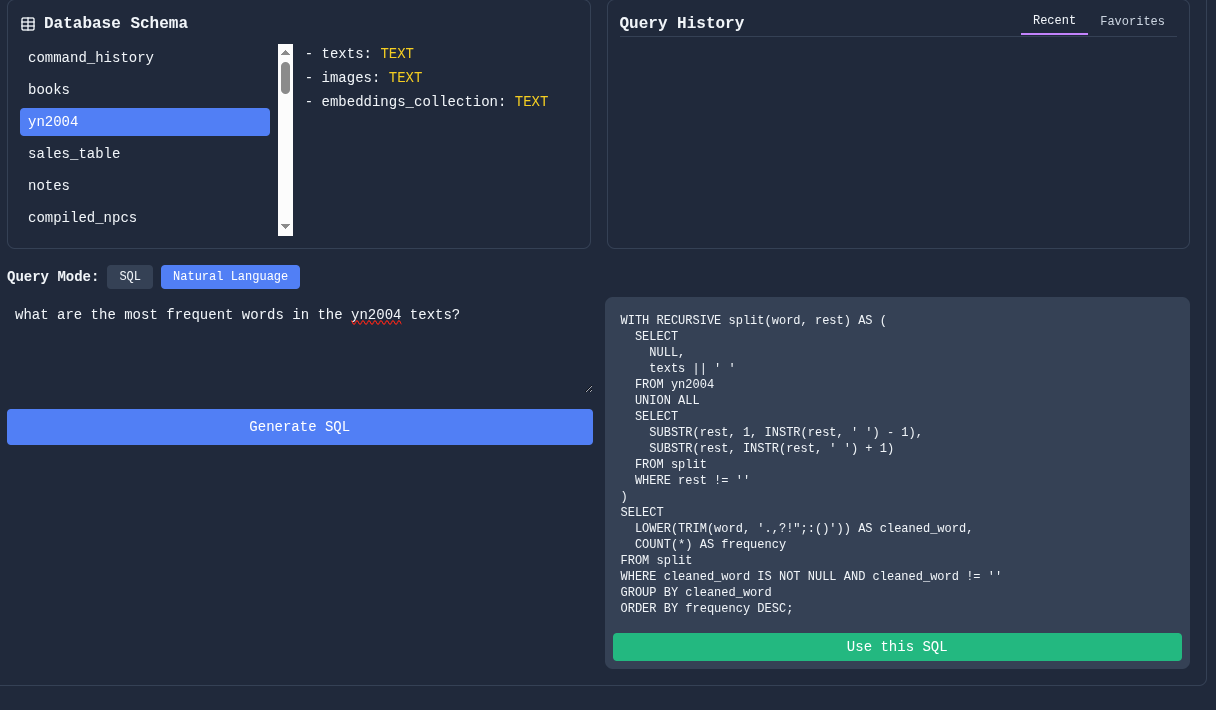
Connect to databases, explore schemas, and run queries.
Schema Viewer and SQL Querying - Investigate your database structure, write queries manually or with natural language.
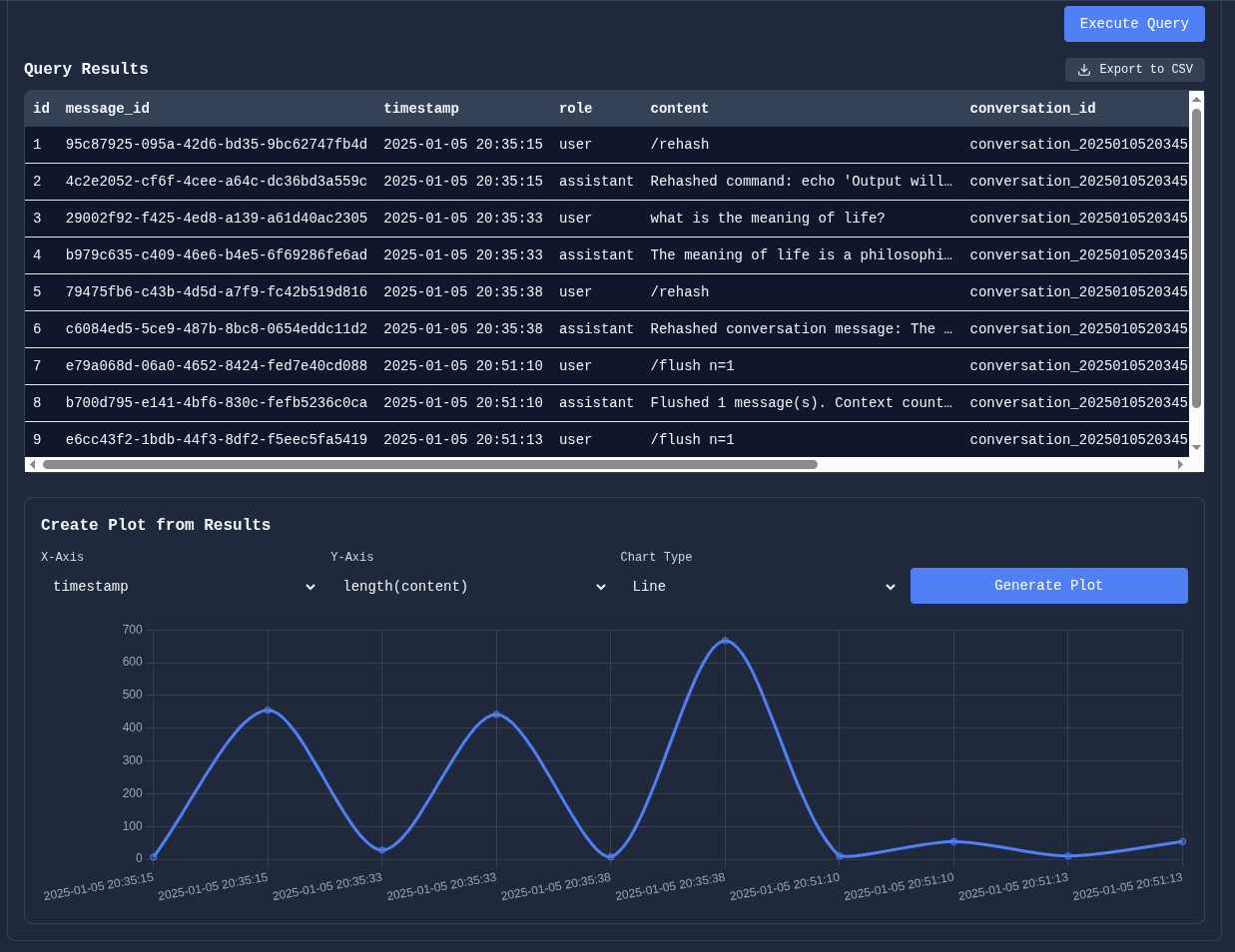
Manipulate table results and plot data directly for quick analysis:
Git Integration
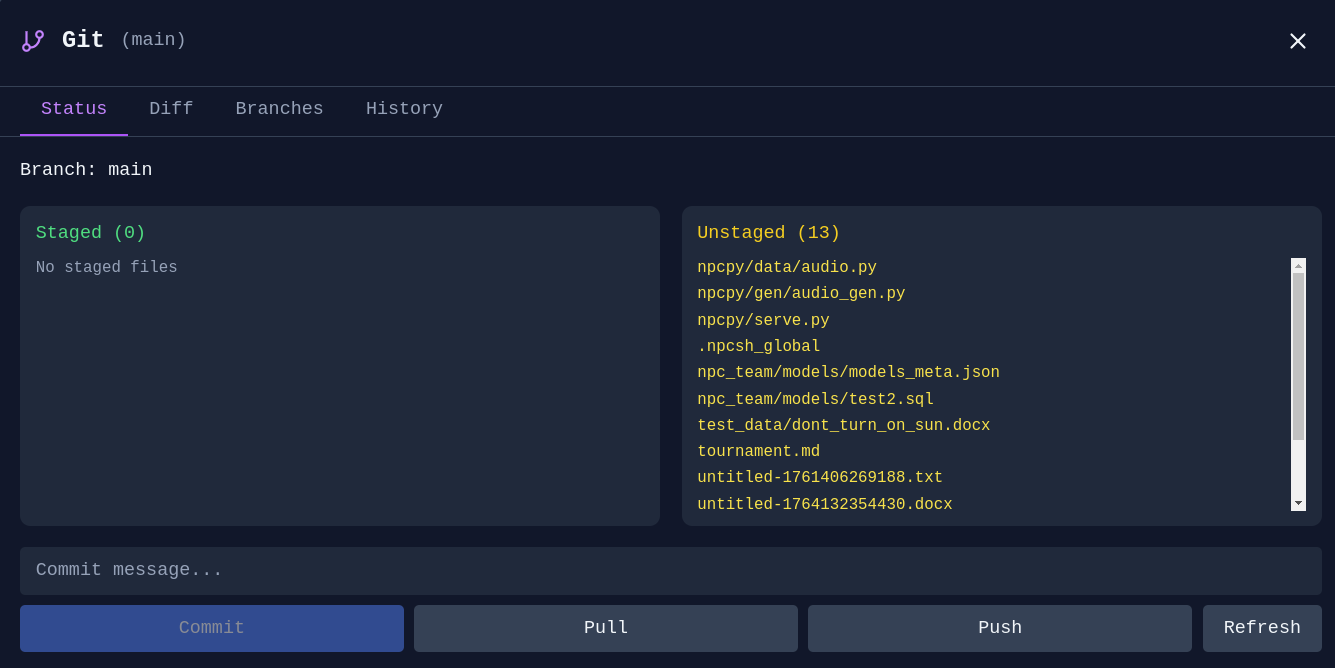
Git Manager - Stage, commit, and manage branches without leaving Incognide:
3D & Media
STL Viewer
View 3D models directly in Incognide with a Three.js-powered viewer.
Features:
- Orbit, pan, and zoom with mouse controls
- Wireframe, axes, and grid toggles in the pane header
- Quick axis views (X, Y, Z) for front/side/top perspectives
- Adjustable mesh color and opacity
- Screenshot export of the current viewport
- Model info: triangle count, vertex count, and bounding box dimensions
Music Player (Scherzo)
Play audio files with a built-in music player and playlist management.
Research & Knowledge Management
Data Analysis
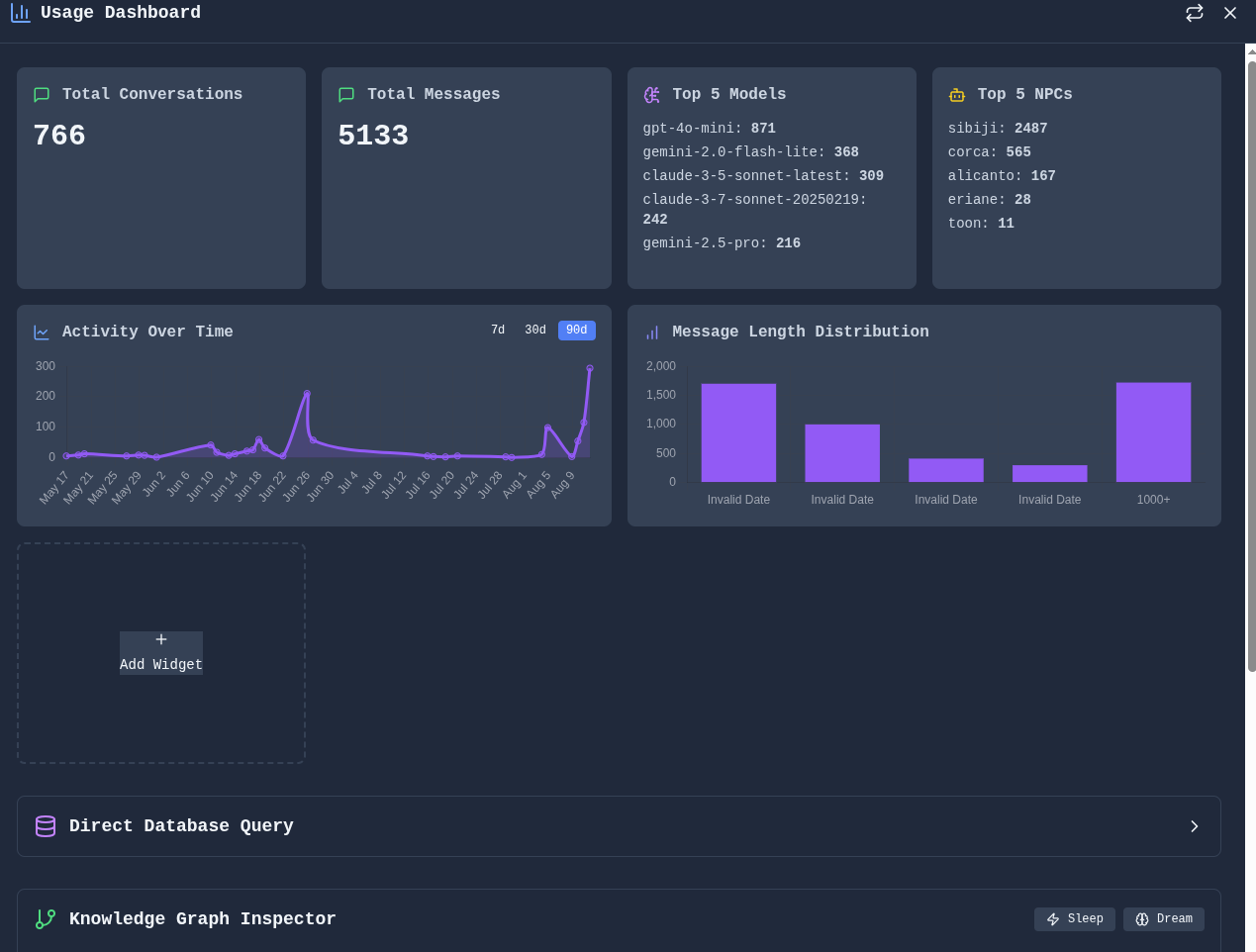
Build dashboards and visualizations from your data.
Data Dashboard - Composable widgets for analytics and visualization:
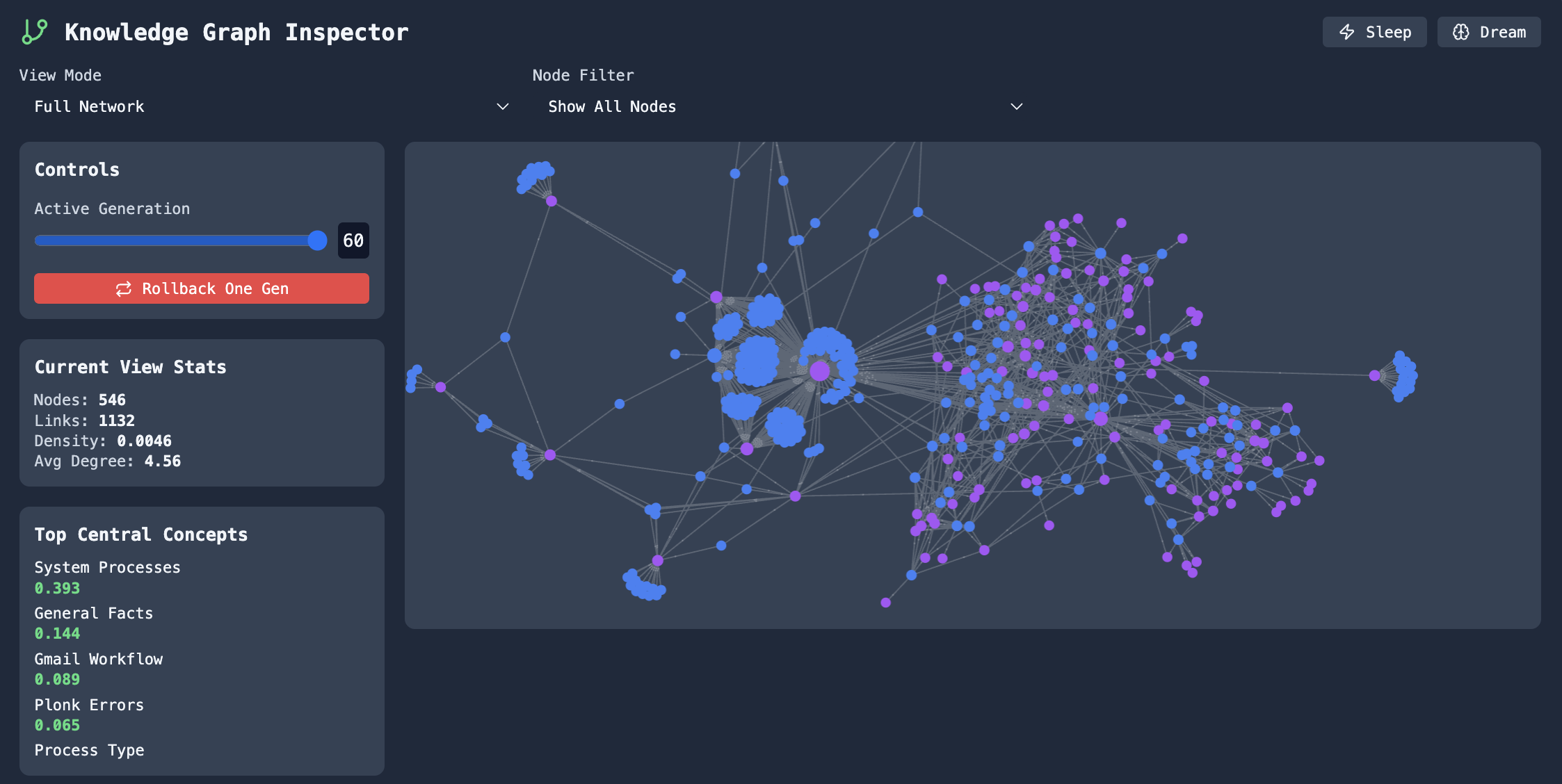
Knowledge Graphs
Explore connections between concepts and entities.
Graph Explorer - Navigate and edit knowledge graphs built from your conversations:
Memory & Context
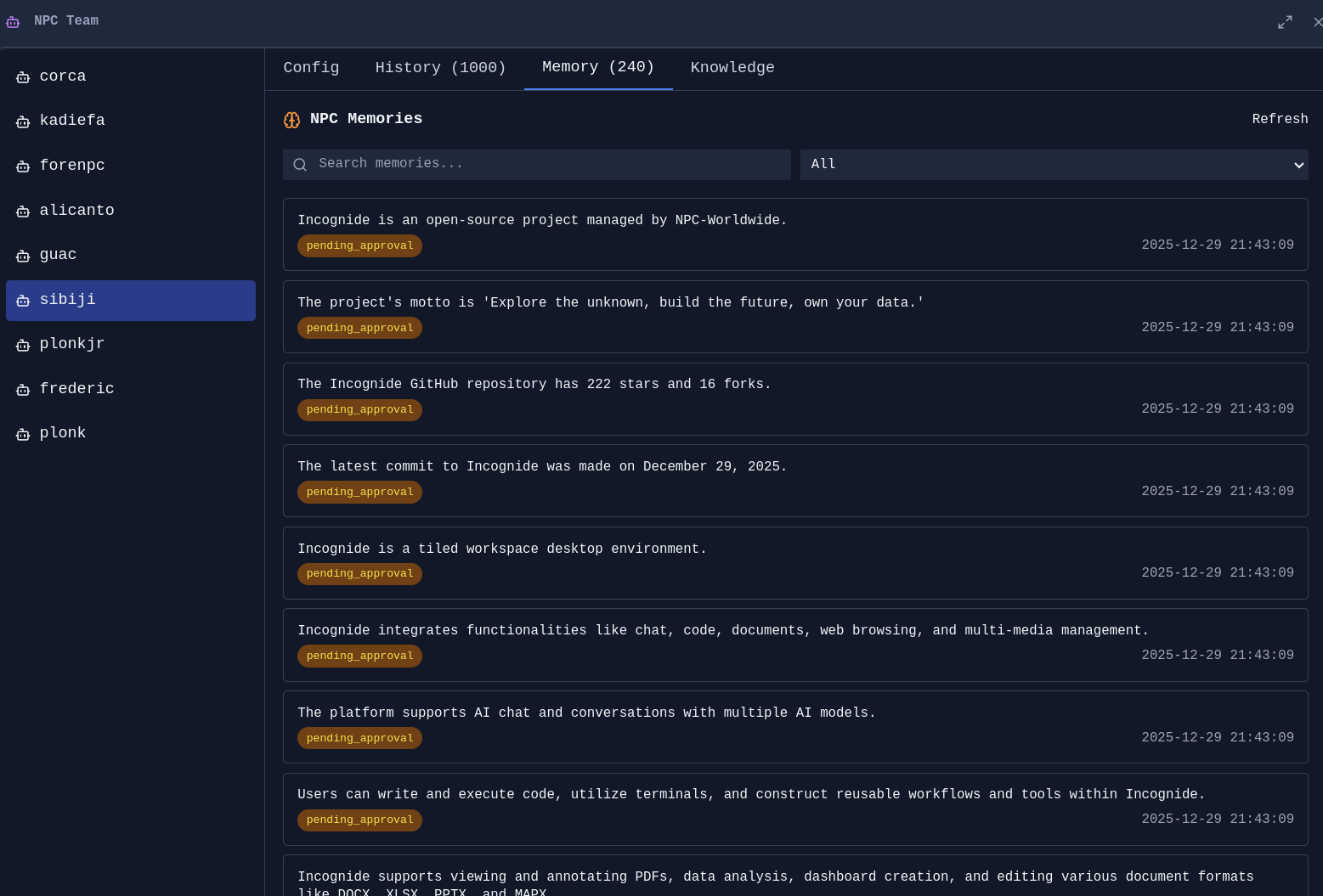
Memory Management - Review, edit, and organize what your agents remember:

Agent Memories - See what context agents have learned from conversations:
Model Training & Fine-tuning
Train custom AI models using your own data—no coding required. Incognide provides first-class UI for curating training data from your conversations and memories, then fine-tuning models locally.
Image Model Training
Fine-tune image generation models with your own images using LoRA training.
Training Interface - Select reference images, configure training parameters, and monitor progress:
<!--  -->Features:
- Drag-and-drop image selection for training datasets
- Automatic captioning with AI assistance
- LoRA training with configurable rank, learning rate, and epochs
- Real-time training progress and loss visualization
- Export trained adapters for use in generation
Text Model Training
Fine-tune language models using curated subsets of your AI interactions and memories.
Data Curation - Select specific conversations, memories, and agent interactions to use as training data:
<!--  -->Features:
- Browse and filter your conversation
Related Skills
proje
Interactive vocabulary learning platform with smart flashcards and spaced repetition for effective language acquisition.
YC-Killer
2.7kA library of enterprise-grade AI agents designed to democratize artificial intelligence and provide free, open-source alternatives to overvalued Y Combinator startups. If you are excited about democratizing AI access & AI agents, please star ⭐️ this repository and use the link in the readme to join our open source AI research team.
best-practices-researcher
The most comprehensive Claude Code skills registry | Web Search: https://skills-registry-web.vercel.app
groundhog
400Groundhog's primary purpose is to teach people how Cursor and all these other coding agents work under the hood. If you understand how these coding assistants work from first principles, then you can drive these tools harder (or perhaps make your own!).
