
Jcoder
Java Dynamic code or JAR , publish you Api or Schedule in flying
Install / Use
/learn @NLPchina/JcoderREADME
Welcome to the Jcoder
In this project you can fast publish your API and schedule task, dynamic edit you java class and add or remove jar !
-
Getting Started
- first you need jdk8(must) and maven(not must)
- to down last release war https://github.com/NLPchina/Jcoder/releases
- run it
java -jar jcoder-[version].warand visit http://localhost:8080/ Login by name:admin password:admin
-
about config on startup
you can make a config file named
coder.conf#only localhost can visit Management background host=localhost # default port is 8080 port=8080 # home path .default is ~/.jcoder #home=~/.jcoder # mvn exepath , it is a full path like /home/maven/bin/mvn maven=mvn # log path log=log/jcoder.lognow you can use it by :
java -jar jcoder-[version].war -f=coder.confOf course you can take these by args :
java -jar jcoder-[version].war --home=~/.jcoder --port=9090 --host=localhost -
Publish a API
Click
Test->Create-Task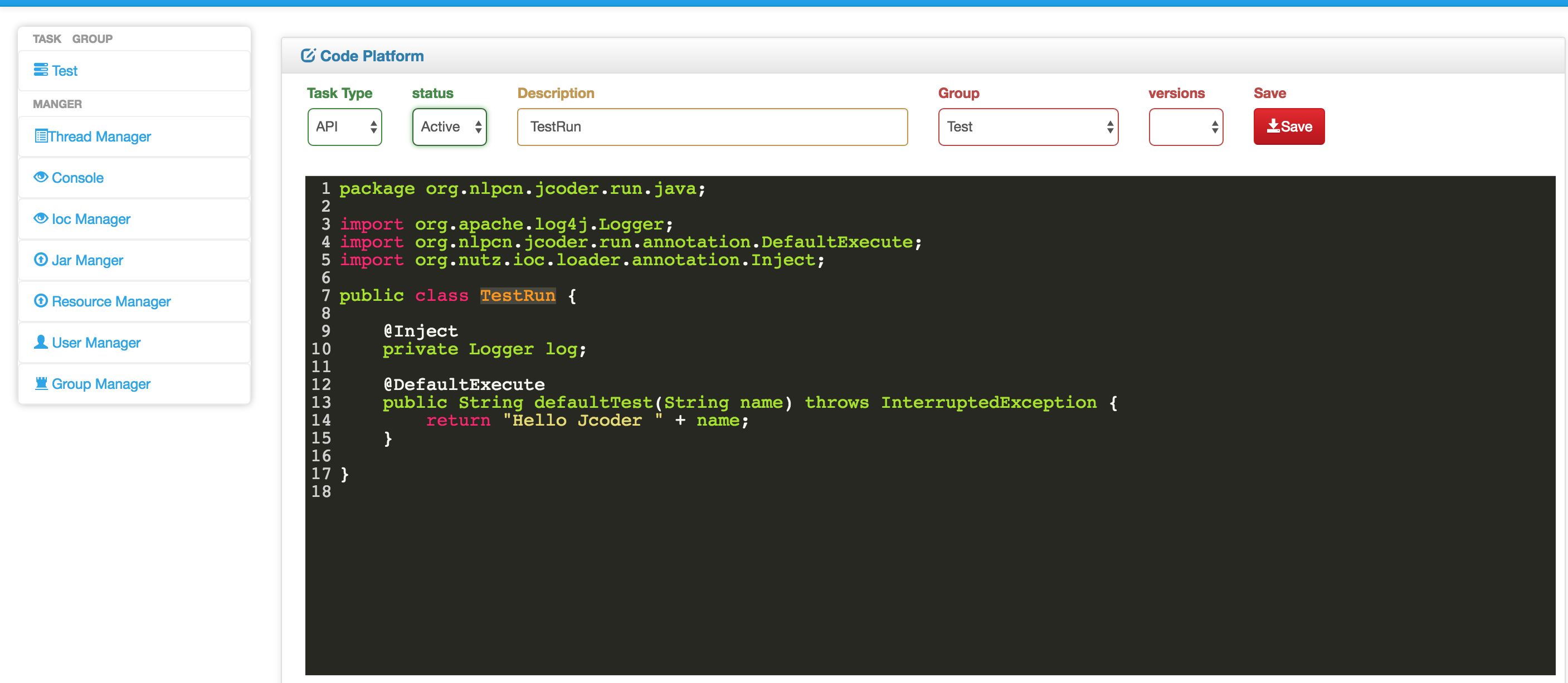
Code :
package org.nlpcn.jcoder.run.java;

import org.apache.log4j.Logger;
import org.nlpcn.jcoder.run.annotation.DefaultExecute;
import org.nutz.ioc.loader.annotation.Inject;

public class TestRun {

	@Inject
	private Logger log;

	@DefaultExecute
	public String defaultTest(String name) throws InterruptedException {
		return "Hello Jcoder " + name;
	}

}
select TaskType :
Activeand write some word to description now ClickSavebuttonnow you can use you api by : http://localhost:8080/api/TestRun?name=ansj
-
Publish a schedule task
Click
Test->Create-Task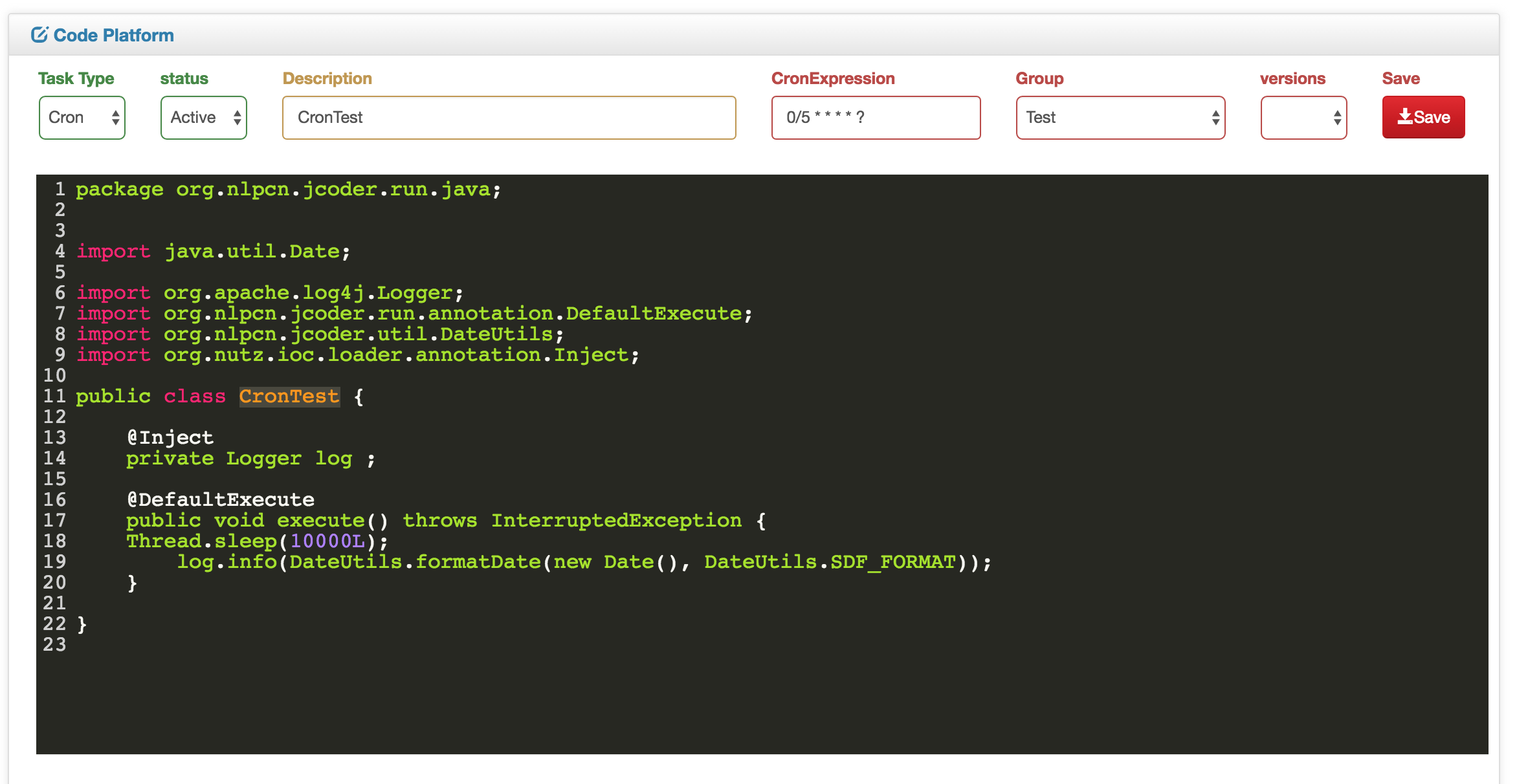
Code:
package org.nlpcn.jcoder.run.java;


import java.util.Date;

import org.apache.log4j.Logger;
import org.nlpcn.jcoder.run.annotation.DefaultExecute;
import org.nlpcn.jcoder.util.DateUtils;
import org.nutz.ioc.loader.annotation.Inject;

public class CronTest {

	@Inject
	private Logger log ;

	@DefaultExecute
	public void execute() throws InterruptedException {
    Thread.sleep(10000L);
		log.info(DateUtils.formatDate(new Date(), DateUtils.SDF_FORMAT));
	}

}
select TaskType :
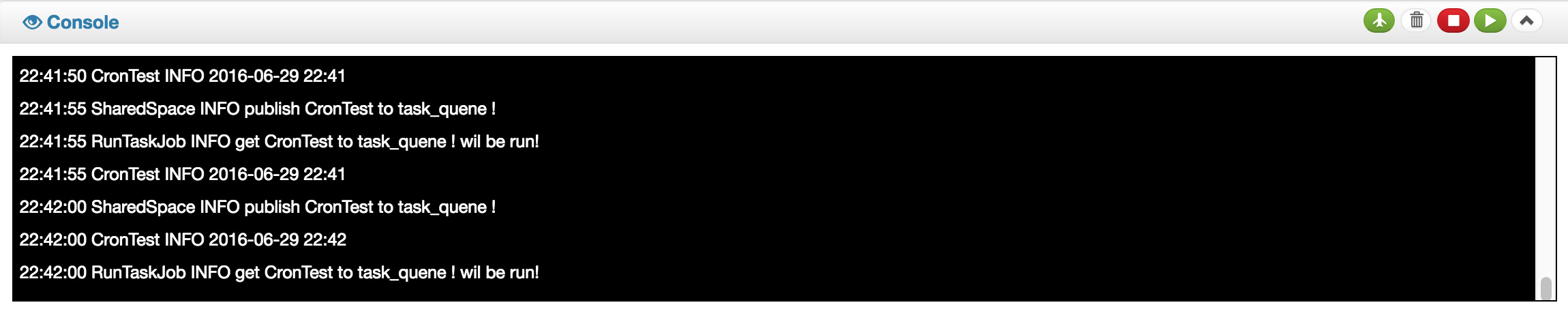
Activeand write some word todescriptionWrite Corn0/5 * * * * ?now ClickSavebuttonnow your job every 5`s run once!
-
how to use example by action
package org.nlpcn.jcoder.run.java; import org.nlpcn.jcoder.run.annotation.Cache; /** * this is a api example * * @author ansj * */ @Single(false) // default is true public class ApiExampleAction { @Inject private Logger log ; @Inject private Dao dao ; @Execute // publish this function to api ! // use url is // http://host:port/[className]/methodName?field=value // http//localhost:8080/ApiExampleAction/method?name=heloo&hello_word=hi public Object function(HttpServletRequest req, HttpServerResponse rep, String name, @Param("hello_word") Integer helloWord) { dosomething.. } @DefaultExecute // publish this function to api ! //http://localhost:8080/ApiExampleAction?user.name=aaa&user.passowrd=bbb //http://localhost:8080/ApiExampleAction/function2?user.name=aaa&user.passowrd=bbb //more about http://www.nutzam.com/core/mvc/http_adaptor.html @Execute(methods={"get","post"},restful=true, rpc=true) //methods default all , restufl,rpc default true @Cache(time=10,size=1000,block=false) // time SECONDS , block if false use asynchronous public Object function2(@Param("..") User user) { dosomething.. } } -
road map
- auto backup database export and import
- system properties view and manager
- publish socket api by netty
- add a util for testing task
- incremental update task from jcoder server
- publish a restful api by db table
- Perfect the documents
- add Dasboard page view task use time ,times ,err or other system info
Related Skills
node-connect
343.3kDiagnose OpenClaw node connection and pairing failures for Android, iOS, and macOS companion apps
frontend-design
92.1kCreate distinctive, production-grade frontend interfaces with high design quality. Use this skill when the user asks to build web components, pages, or applications. Generates creative, polished code that avoids generic AI aesthetics.
openai-whisper-api
343.3kTranscribe audio via OpenAI Audio Transcriptions API (Whisper).
qqbot-media
343.3kQQBot 富媒体收发能力。使用 <qqmedia> 标签,系统根据文件扩展名自动识别类型(图片/语音/视频/文件)。
