
IGame
iGame is a simple frontend for launching whdload games.
Install / Use
/learn @MrZammler/IGameREADME


Description
iGame is a frontend to launching WHDLoad games and demos for the Amiga. It is based on Magic User Interface and it works on AmigaOS 3.x Classic Amiga computers, AmigaOS 4 and MorphOS systems.
http://winterland.no-ip.org/igame/

Builds and releases
The iGame_rel folder should contain builds that are done at some point in time, following any major code changes.
Installing
Just place the iGame folder anywhere you want on your drive. iGame also is looking for the following libraries. Some of them are required to have it working. If any of them is missing, an alert window will show up.
- Kickstart 2.04 or higher
- Workbench 2.1 or higher
- MUI 3.8 or higher
- icon.library v37+ (v44+ Recommended)
- guigfx.library (optional)
- render.library (optional)
- guigfx.mcc (optional)
- Texteditor.mcc
- NListviews.mcc
- Urltext.mcc (optional)
Make sure your installation contains MUI and the above libraries. You can find the latest versions in Aminet.
Compiling
Please check the Wiki
Contributing
Please do :-)
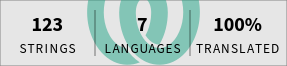
iGame is being translated using Weblate, a web tool designed to ease translating for both developers and translators. If you would like to contribute to translation of iGame, you need to register on https://translate.igame.rocks. Once you have activated your account, proceed to the translation section.
If you would like to contribute with code, please create pull requests to this repository.
Usage
Docs for the usage of iGame can be found inside the guide directory. The guide will be packed inside iGame releases and can also be brought up by pressing the Help key when running iGame.
