
Playsmf
command line smf midi looper / style player
Install / Use
/learn @MrBMueller/PlaysmfREADME
playsmf
If you have additional questions, remarks, comments, ideas, requests - contact bm3_2000@yahoo.com
playsmf is a small, but powerful Windows (32/64bit) commandline standard midi file (SMF) player. Its specifically designed for low CPU and memory consumption to leave enough system recources for other applications such as soft-synths, DAWs, mixer apps, etc. while playing live and running in background.
<img src=https://raw.githubusercontent.com/MrBMueller/playsmf/master/img/Img0.png width="100%">
In addition it comes with intrinsic flow control features based on labels, jumps and interrupts defined by smf marker events. This allows to program loops, breaks, fills, intros, outros, etc. In combination with realtime interrupt (song sequence transition) control, based on incoming midi data with or without chord recognition, the player can turn into an fully equipped arranger/arpeggiator accompaniement software. However unlike typical arpeggiators or style players, the player doesnt do any (more or less intelligent) event data modification such as transpose, volume adjustments, etc. to the smf midi data and plays strongly the raw data exactly as provided by the smf. This gives full transparency to all transmitted midi data and you know exacly what gets played with each individual chord, however the smf needs to provide individual pattern for all required key/scale/inversion combinations which are played during a live session. Therefore its possible to play individual pre-compiled pattern - for instance with randomized timings/volume/controller/sysex events - for each individual chord. On purpose, the player lags for a graphical user interface since everything should be controlled in realtime by external MIDI equipment without taking your hands off the keyboard while playing. This includes direct access to style variations, grouped track mutes/unmutes, start/stop/continue/reset control, etc.
<img src=https://raw.githubusercontent.com/MrBMueller/playsmf/master/img/Img4.png width="100%">
example files
To get started quickly, few example midi files are attached. Some of them are converted from Yamaha style files to demonstrate the players capabilities. Therefore best results will be achieved with an XG compatible sound device. In order to get full realtime performance, it is strongly recommended to use either real midi equipment or softsynths with low latency settings (response lag time <= 10ms). For realtime accompaniement demonstration of course a real midi controller aka. keyboard is strongly recommended as a primary input device.
In case you dont know your midi device IDs or names for the correct player setup, run MidiPorts.bat to list all input and output devices respective their IDs. Chose the right ones as primary input and output devices and adjust command line parameters #3 and #4 accordingly.
The style examples are typically setup with chord recognition left hand across 2 octaves thru keys 36..59 and melody right hand thru keys above 60 (middle C). If required, adjust the transmission midi channel on your primary input device in order to attach to the right smf tracks while playing.
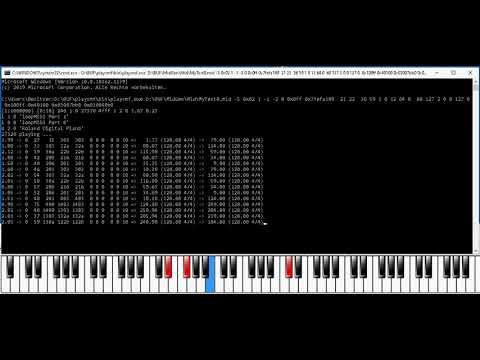 example video link
example video link example video link example video link example video link example video link example video link example video link example video link example video link example video link example video link example video link example video link
console output screen
Generally there is not much to display since the user should more focus on playing and listen rather than watching the screen. However in some situations it comes handy to track and follow requested sequence transitions. Therefore the console output displays one line for each transition request with additional information such as labels and song/sequence positions for playing and target sequences.
<img src=https://raw.githubusercontent.com/MrBMueller/playsmf/master/img/Img12.png width="100%">
output MIDI devices
The player generally allows to play across multiple output devices simultaneously. Typically devices are chosen by SMF Meta-Event 0x20 (port ID select) at the very beginning of each individual track, but in addition the player also allows switching port IDs while playing at any song position. If port-select events are missing, the player uses the default midi output device provided by command line parameter #3. In addition SMF Meta-Text-Event 0x9 is supported as well for name based port selection, however it is recommented to use device IDs rather than port names for better across system portability.
midi smf recording
The player generally supports full live session recording and captures all data across all sources such as smf-, primary- and secondary inputs at once. This provides a merged smf output for either further offline processing or manual editing and inspection in any sequencer software. The output smf structure is organized in track groups and tracks for each individual data source and their functional data splits. This includes the following output tracks:
- "conductor" track - contains general SMF setup data such as Tempo, Key-Signature, Time-Signature, etc. and Marker Labels for each individual Label transition. Together with the primary chord track, you can easily follow chord changes respective their triggered sequence transitions.
- "SMF*" tracks contain all input SMF data in the same track structure and order as provided by the input SMF
- "Primary" - contains all remaining events which are not part of the primary key zones below (mainly all non-key channel, SysEx and system or realtime data)
- "Pri-Var" - variation key zone
- "Pri-Mute" - single mute key zone
- "Pri-Mutes" - mute-set key zone
- "Pri-Chord" - chord key zone
- "Pri-Other" - all other key events which are not part of the key zones above
- "Zone*" - track(s) w/ midi thru data as defined by the zonal key setup per individual thru zone
- "Secondary*" - track(s) w/ non-channel data from Seondary input port(s) while channel data get mixed directly into corresponding SMF tracks
In addition, PortID and PortName information is stored for each track in case multi port setups are used. So if you replay your recording using playsmf, the right midi output ports should be selected automatically.
<img src=https://raw.githubusercontent.com/MrBMueller/playsmf/master/img/Img18.png width="100%">
<img src=https://raw.githubusercontent.com/MrBMueller/playsmf/master/img/Img23.png width="100%">
Recorded data will be stored into a smf named MyMidRecordTimeStamp.mid within the current working directory. This way you can record as many takes as required without deleting older ones for further processing.
Recording is controlled by command line parameter #8 (0x0ff = off, else enabled). In addition, the parameter controls internal smf recording using a message mask filter scheme in the following binary/hexadecimal format:
binary format: 0b_0mmmmmmm_MMMMMMMM_e_fffffff_FFFFFFFF
0mmmmmmm: data mask (7 bit)
MMMMMMMM: status mask (8 bit)
0fffffff: data filter (7 bit)
FFFFFFFF: status filter (8 bit)
e: disable/enable event playing (allows to record internal events w/o playing them)
example argument settings (hex values):
- 0x0ff - recording off
- 0x8000 - record all events across all input sources
- 0x1 - record only external primary input events
- 0x7ff040b0 - external input + internal damper pedal events across all channels w/o playing them
- 0x7ff0c0b0 - external input + internal damper pedal events across all channels
- 0x7fff06ff - external input + internal marker text events (record meta events)
- 0xff80f0 - external input + internal sysex events (might be used for sysex data/dump requests)
supported midi event types (playing, recording)
Basically all types of midi events including system common (sysex, time code, song select/position, etc.) and system realtime (start, stop, continue, active sensing) events are supported. Since system common (except sysex) and realtime events are not part of the smf specification, they are typically embedded in escape meta events (0xf7). The player generally supports such events and therfore it is possible to include for instance time code, active sensing or start/stop/continue transport control events into the song sequence for playback.
On the recording side, the player records everything including sysex, system common and system realtime events except midi timecode, timing clock and active sensing. Similar as on the player side, the recorder packs system common and realtime events (which are not part of the smf spec.) into escape meta events. This way you can also record something like start/stop/continue transport control data into the smf.
SMF text event support
SMF text events are typically ignored unless they are explicitly enbaled using argument 0x5xxxx where bits [15:1] represent a mask filter for SMF text meta event types 1 to 15. If bit 0 is disbaled, text messages within the 1st bar measure are ignored, else everthing gets displayed on the console output including track names, device names, etc. Text messages are simply displayed as they are on the console output screen at the time when they appear in the sequence. This can be used either for simple lyric printing or in
