
OpenCardiographySignalMeasuringDevice
Open-source device for measuring cardiograpgy signals with a GUI for easier handling and additional software for analyzing the data.
Install / Use
/learn @MilosRasic98/OpenCardiographySignalMeasuringDeviceREADME
OpenCardiographySignalMeasuringDevice
VIDEO OUT WITH DETAILED PROJECT EXPLANATIONS - CHECK BELOW!
DISCLAIMER: THIS IS A DEVICE INTENDED SOLELY FOR RESEARCH PURPOSES AND NOT A MEDICAL DEVICE INTENDED FOR CLINICAL OR DIAGNOSIS USE.
This repository covers the development process of hardware and software and results analysis, for an open-source Cardiography Signal Measuring Device. On this page, you will be able to find all of the CAD files for the 3D printed parts, Gerber files for PCB fabrication, all of the code needed for the project, and test results of the data analysis. If you have any questions or comments, feel free to contact me! The main goal of the project was to be able to record, store, and analyze these signals:
- Arm Cuff Air Pressure Signals
- Electrocardiography Signals (ECG)
- Phonocardiography Signals (Stethoscope)
- Photoplethysmography Signals (PPG)
Through this project, I wanted to test out different algorithms for measuring blood pressure either by using just the air pressure signals from the arm cuff or those signals in combination with the other measurements, at the bottom of this page, you can take a look at the results. This project was developed as my Master's Thesis project at the University of Belgrade—School of Electrical Engineering (www.etf.bg.ac.rs), under the mentorship of Prof. Nadica Miljković. In the two pictures below you can see how the finished device looks and the design of the graphical interface for controlling the device.
For more detailed explanations about everything from electronics, to 3D printing, to measurements and data analysis, click the thumbnail below to check out the video!
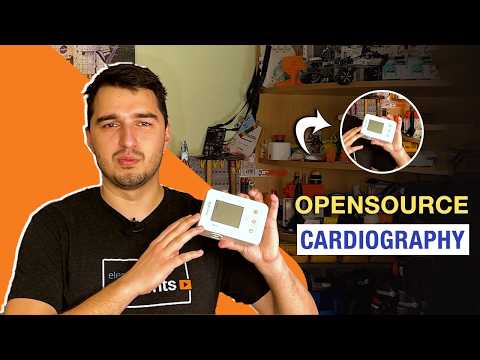
Details and discussion about the project can be found on the Element14 Community: E14 - CardiographyProject
For things like the BOM and the implemented commands, please check this Google Sheet which is updated as soon as something new is added: https://docs.google.com/spreadsheets/d/1H5B5Kw3XJPlpduM7bu2WPejcbya2c3x0Nj9kcexb-uc/edit?usp=sharing
The project is featured in the MagPi Magazine issue 150, you can check it out here: https://magpi.raspberrypi.com/issues/150
You can take a look at the CAD models and download them from Printables as well:
- Main Device: https://www.printables.com/model/1052466-open-cardiography-signal-measuring-device
- PPG Clamp: https://www.printables.com/model/1052459-ppg-clamp
Mechanical Design
The case and all of the necessary components have been 3D printed out of PLA on the Creality K1C, you can find all of the STL files as well as STEP files in the CAD files directory. Since everything was printed on a single-color 3D printer, all of the different colored inlays were glued in during the assembly process. At the back of the device GX12 connectors are used, while there are two additional USB ports, type C for charging, and type B for data (charging currently not validated, more on that later). The case houses the main custom PCB, the 18650 LION battery, and the whole pneumatic setup needed for blood pressure measurement. In the pictures below, you can see the pneumatic setup, as well as how everything is packed inside the case.
Electronics
For electronics, a custom 4-layer PCB has been developed that uses the Raspberry Pi Pico W as the microcontroller for controlling everything. In the electronics directory, you can find the full schematics and also find the Gerber files necessary for manufacturing this PCB. The device is controlled over serial communication, and that is also how the data is sent over to the PC. These are some of the main features of the electronics:
- Isolated USB communication - The USB data connector is galvanically isolated from the rest of the electronics so that it's safe to use, it will act as a normal USB device when connected to a PC.
- 3V3 Buck-Boost regulator - Ensures that the device stays operational when the battery voltage drops below 3.3 V.
- 6V boost regulator - Powering the air pump and air valve for the blood pressure measurement process.
- Pressure Sensor Amplification - For amplifying the signal from the pressure sensor, an instrumentation INA826 amplifier has been used.
- Stethoscope Conditioning Signals - The original idea was to use a stethoscope with an AUX output, 3 different circuits are present on the PCB for conditioning the signal so that it can be safely measured with the Pi Pico W ADC. There is a DIP switch for disabling individual circuits.
- AD8232 ECG - The AD8232 is used for measuring the ECG signals, it was designed according to the datasheet for measuring ECG with 3 electrodes so that the signal can be analyzed for morphology.
The PCB can be powered ON by either using a switch or a button and then latching the EN pin on the buck-boost converter using the Raspberry Pi Pico W. The finished PCB design (V1) is shown in the picture below and below that is the PCB during the testing process.
For the sake of proper USB isolation and noise reduction around the switching converters, PCB cutouts, and plane breaks were added where necessary, as can be seen in the pictures below.
ERRORS
If you plan on pursuing this project further, below are the mistakes found during the testing process.
- The Q6 transistor in schematic 1-Power has been flipped, meaning that the protection circuit is not validated. A quick fix is to solder a wire from BAT- to GND.
- The isolated power supply was not working as it was supposed to. - Needs further testing.
- The pinout on the pressure sensor is wrong.
Software
The software for this project is currently split into three different codes and is written in C++ and Python. You can find all of the codes in the directory Software on this GitHub repo.
- Raspberry Pi Pico Firmware - C++ - Arduino IDE - Code that communicates with the PC over serial, controls all actuators and gathers data from the sensors.
- Graphical Interface - Python - Visual Studio Code - Code that enables easy use of the device and shows all of the measurements in real-time. It also enables users to record all of the data into a CSV file.
- Data Analysis - Python - Google Colaboratory - Code that analyses all of the data recorded and stored in the CSV directories.
Additional Hardware
Besides the main device that has been shown above, there are three more things developed that are used with this device. These include the PPG clamp, a custom stethoscope, and an apparatus for calibrating the pressure sensor. If you intend only to measure ECG signals, none of these are needed, however, if you want to measure the air pressure inside the arm cuff, you'll need a way to calibrate the system, for which the apparatus is used. Also, if you want to have PPG or stethoscope measurements, you'll need them as well.
PPG Clamp
The mechanical parts of the PPG clamp are 3D printed out of PLA as well, and the clamp is made around a MikroElektronika Oxy 5 Click, which interfaces with the system over I2C. While the outside clamp is not necessary, it provides constant pressure of the finger on the sensor, and it also blocks out outside light which helps with having better measurements. The clamp is shown in the picture below.
Stethoscope
The stethoscope that everyone has seen is an analog device that amplifies the sound so that the doctor can listen to different things such as breathing or listen to how the heart is beating. To connect this analog device to the rest of the system, the earphones were removed and a small piezo microphone was inserted into a tube so that it forms an air-tight seal. This microphone was then connected to an amplifier circuit that then goes to the analog pin of our device. The stethoscope is shown in the picture below.
Pressure Sensor Calibration Apparatus
When looking at the pressure sensor datasheet, the main thing we can see is that it has a linear response to the pressure. The problem here is that we are using a potentiometer to adjust the amplification, so we don't know what voltage translates to what pressure (We can always do calculations based on the potentiometer resistance and the INA826 datasheet, but it's more accurate to confirm using a calibration apparatus). This is why the calibration apparatus has been made, it can be seen in the pictures below.
The way the apparatus works is by being able to keep a constant pressure in the system t
Related Skills
diffs
328.6kUse the diffs tool to produce real, shareable diffs (viewer URL, file artifact, or both) instead of manual edit summaries.
openpencil
1.2kThe world's first open-source AI-native vector design tool and the first to feature concurrent Agent Teams. Design-as-Code. Turn prompts into UI directly on the live canvas. A modern alternative to Pencil.
HappyColorBlend
HappyColorBlendVibe Project Guidelines Project Overview HappyColorBlendVibe is a Figma plugin for color palette generation with advanced tint/shade blending capabilities. It allows designers to
ui-ux-pro-max-skill
47.4kAn AI SKILL that provide design intelligence for building professional UI/UX multiple platforms
