
BESO
Topology optimization using BESO or Bi-directional Evolutionary Structural Optimization.
Install / Use
/learn @Megidd/BESOREADME
BESO 
A Rhino3D plugin sponsored by Nano3DTech.
Installation
Simply visit the plugin page. Then log in and push the install button in front of latest released version. Or alternatively, do these:
- Use
PackageManagercommand on Rhino3D commandline. - Search for plugin name i.e.
BESO. - The plugin will be listed through the package manager UI.
- Click the install button.
How to use it
Once the plugin is installed, its commands can be accessed by typing the plugin name on command line. Start typing BESO on Rhino3D command line to auto complete the plugin commands.
User guide
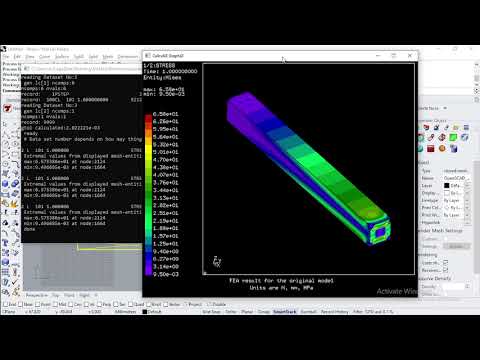
This video demonstrates how to use the plugin command after installation:
Screenshots
Original model

BESO result

Known issues
- After the FEA for the original model, you have to close the CGX window to proceed to BESO.
- Finite elements are generated by SDFX package. There is a known issue: https://github.com/Megidd/Feather/issues/2
Why this plugin?
An in-depth description of BESO and its capabilities are available on the wiki.
Commands
This plugin offers a BESOTopologyOptimization command to optimize usage process. Making sure your 3D model has maximum strength and minimum weight.
BESOTopologyOptimization command
This command helps you optimize the toplogy of 3D model. You can keep the model strength while decreasing its weight. The finite element analysis - FEA - along with topology optimization are the technologies under the hood. FEA will be done according to user-selected loads and restraints. An optimized 3D model will be generated. Some elements of the original 3D model are removed without affecting the required strength.

It may provide an opensource alternative for what Frustum does. The figure below is taken from Frustum.

Related Skills
diffs
337.4kUse the diffs tool to produce real, shareable diffs (viewer URL, file artifact, or both) instead of manual edit summaries.
clearshot
Structured screenshot analysis for UI implementation and critique. Analyzes every UI screenshot with a 5×5 spatial grid, full element inventory, and design system extraction — facts and taste together, every time. Escalates to full implementation blueprint when building. Trigger on any digital interface image file (png, jpg, gif, webp — websites, apps, dashboards, mockups, wireframes) or commands like 'analyse this screenshot,' 'rebuild this,' 'match this design,' 'clone this.' Skip for non-UI images (photos, memes, charts) unless the user explicitly wants to build a UI from them. Does NOT trigger on HTML source code, CSS, SVGs, or any code pasted as text.
openpencil
1.8kThe world's first open-source AI-native vector design tool and the first to feature concurrent Agent Teams. Design-as-Code. Turn prompts into UI directly on the live canvas. A modern alternative to Pencil.
ui-ux-pro-max-skill
51.9kAn AI SKILL that provide design intelligence for building professional UI/UX multiple platforms
