
Wechatircd
㊙用IRC客户端控制微信网页版
Install / Use
/learn @MaskRay/WechatircdREADME
wechatircd 


wechatircd injects JavaScript (injector.js) to wx.qq.com, which uses WebSocket to communicate with an IRC server (wechatircd.py), thus enable IRC clients connected to the server to send and receive messages from WeChat, set topics, invite/delete members, ...
           IRC               WebSocket                 HTTPS
IRC client --- wechatircd.py --------- browser         ----- wx.qq.com
                                       injector.user.js
                                       injector.js
Discuss wechatircd by joining #wechatircd on freenode, or the user group on Telegram. Video on using WeChat in WeeChat
Installation
Arch Linux
yaourt -S wechatircd-git. It will generate a self-signed CA key/certificate pair/etc/wechatircd/ca.{cert,key}.pemand a key/certificate pair{cert,key}.pem(see below).- Import the CA certificate
/etc/wechatircd/ca.cert.pemto the browser (see below). systemctl start wechatircd, which runs/usr/bin/wechatircd --http-cert /etc/wechatircd/cert.pem --http-key /etc/wechatircd/key.pem --http-root /usr/share/wechatircd. You may want to customize/etc/systemd/system/wechatircd.service.
wechatircd.py (the server) will listen on 127.0.0.1:6667 (IRC) and 127.0.0.1:9000 (HTTPS + WebSocket over TLS).
If you run the server on another machine, it is recommended to set up IRC over TLS and an IRC connection password with a few more options: --irc-cert /path/to/irc.key --irc-key /path/to/irc.cert --irc-password yourpassword. As an alternative to the IRC connection password, you may specify --sasl-password yourpassword and authenticate with SASL PLAIN. You can reuse the HTTPS certificate+key. If you use WeeChat and find it difficult to set up a valid certificate (gnutls checks the hostname), type the following lines in WeeChat:
/set irc.server.wechat.ssl on
/set irc.server.wechat.ssl_verify off
/set irc.server.wechat.password yourpassword
Not Arch Linux
- python >= 3.5
pip install -r requirements.txt-
openssl req -x509 -newkey rsa:2048 -sha256 -nodes -keyout ca.key.pem -out ca.cert.pem -days 9999 -subj '/CN=127.0.0.1' openssl req -new -newkey rsa:2048 -sha256 -nodes -keyout key.pem -subj '/CN=127.0.0.1' | openssl x509 -req -out cert.pem -CAkey ca.key.pem -CA ca.cert.pem -set_serial 2 -days 9999 -extfile <( printf "subjectAltName = IP:127.0.0.1, DNS:localhost") - Import the CA certificate
ca.cert.pemto the browser. ./wechatircd.py --http-cert cert.pem --http-key key.pem
The IP address or the domain name used to serve injector.js and injector.user.js should match the subjectAlternativeName fields. Chrome has removed support for commonName matching in certificates since version 58. See https://developers.google.com/web/updates/2017/03/chrome-58-deprecations#remove_support_for_commonname_matching_in_certificates for detail.
Userscript and self-signed CA certificate
Chrome/Chromium
- Visit
chrome://settings/certificates,importca.cert.pem,click theAuthoritiestab,select the127.0.0.1certificate, Edit->Trust this certificate for identifying websites. - Install extension Tampermonkey, install https://github.com/MaskRay/wechatircd/raw/master/injector.user.js. It will inject https://127.0.0.1:9000/injector.js to https://wx.qq.com. You need to change
127.0.0.1:9000if you want wechatircd to listen on another address.
Firefox
- Install extension Greasemonkey,install the userscript.
- Visit https://127.0.0.1:9000/injector.js, Firefox will show "Your connection is not secure", Advanced->Add Exception->Confirm Security Exception
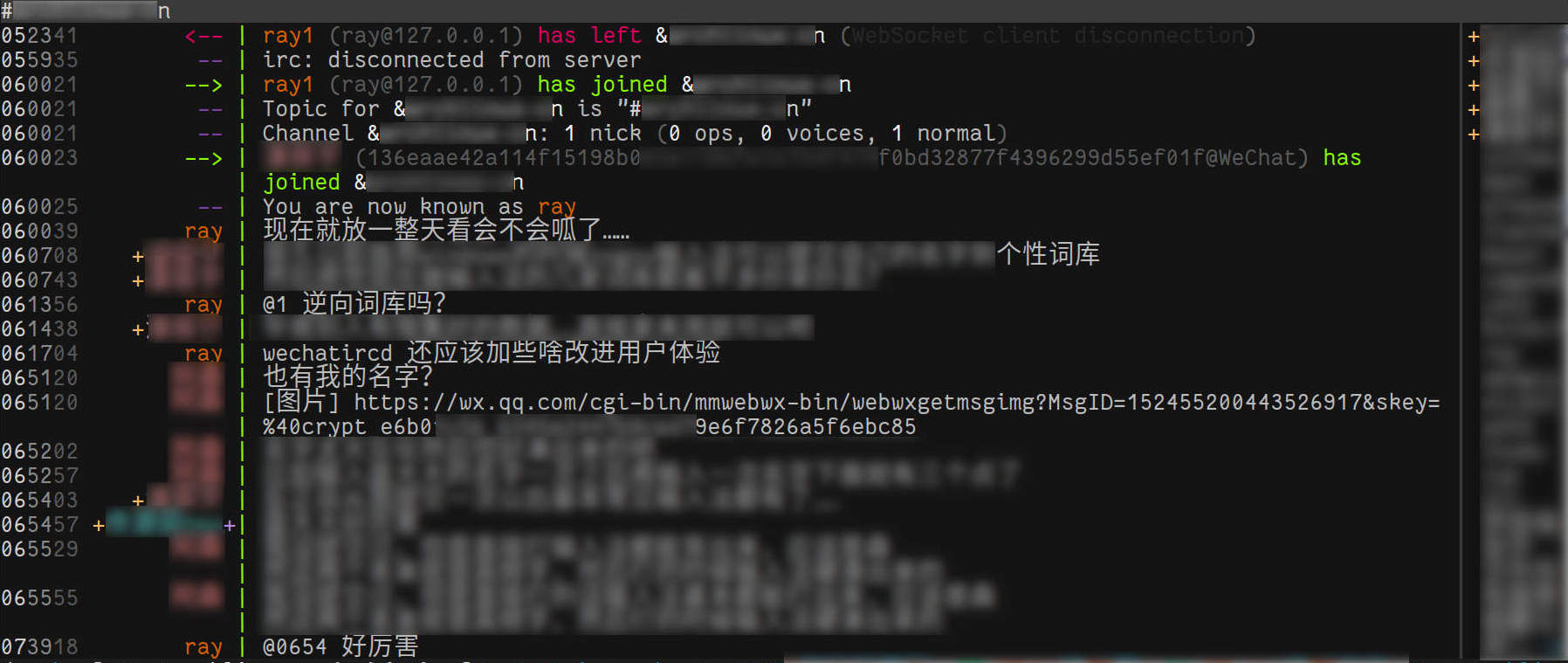
The server serves injector.js and WebSocket connections on 127.0.0.1:9000 by default, which can be overriden with --http-listen 0.0.0.0 --http-port 9000.
You can enable HTTPS in two ways:
--http-cert cert.pem --http-key key.pemto make wechatircd serve HTTPS- Omit
--http-cert --http-keyto make wechatircd serve HTTP, and use Nginx (with HTTPS enabled) as a reverse proxy. In this case, you need to passHost:to wechatircd (proxy_set_header Host $http_host;) as it changes the WebSocket URL defined ininjector.jsaccording toHost:specified by the browser.
Usage
- Run
wechatircd.py - Visit https://wx.qq.com, the injected JavaScript will create a WebSocket connection to the server
- Open devtools, and run
injector.run() - Connect to 127.0.0.1:6667 in your IRC client
You will join +wechat channel automatically and find your contact list there. Some commands are available:
helpeval, eval a Python expression, such as:eval server.nick2special_usereval server.name2special_roomstatus, show contacts/channelsreload_contact __all__, reload all contact info in case ofno such nick/channelin privmsg
The server can only be bound to one wx.qq.com account, however, you may have more than one IRC clients connected to the server.
IRC features
- Standard IRC channels have names beginning with
#. - WeChat groups have names beginning with
&. The channel name is generated from the group title.SpecialChannel#update - Contacts have modes
+v(voice, usually displayed with a prefix+).SpecialChannel#update_detail - Multi-line messages:
!m line0\nline1 - Multi-line messages:
!html line0<br>line1 nick0: nick1: testwill be converted to@GroupAlias0 @GroupAlias1 test, whereGroupAlias0isMy Alias in Group/Namein profile/WeChat IDset by that user. It corresponds toOn-screen namesin the mobile application.- Reply to the message at 12:34:SS:
@1234 !m multi\nline\nreply, which will be sent as「Re GroupAlias: text」text - Reply to the message at 12:34:56:
!m @123456 multi\nline\nreply - Reply to the penultimate message (your own messages are not counted) in this channel/chat:
@2 reply - Paste detection. Lines will be hold for up to 0.1 seconds before sending, lines in this interval will be packed to a multiline message
--http-url https://127.0.0.1:9000if you want to shorten media URLs to something likehttps://127.0.0.1:9000/media/0
!m , @3 , nick: can be arranged in any order.
For WeeChat, its anti-flood mechanism will prevent two user messages sent to IRC server in the same time. Disable anti-flood to enable paste detection.
/set irc.server.wechat.anti_flood_prio_high 0
server-time extension from IRC version 3.1, 3.2. wechatircd.py includes the timestamp (obtained from JavaScript) in messages to tell IRC clients that the message happened at the given time. See http://ircv3.net/irc/. Seehttp://ircv3.net/software/clients.html for Client support of IRCv3.
Configuration for WeeChat:
/set irc.server_default.capabilities "account-notify,away-notify,cap-notify,multi-prefix,server-time,znc.in/server-time-iso,znc.in/self-message"
Supported IRC commands:
/cap, supported capabilities./dcc send $nick/$channel $filename, send image or file。This feature borrows the command/dcc sendwhich is well supported in IRC clients. See https://en.wikipedia.org/wiki/Direct_Client-to-Client#DCC_SEND./invite $nick [$channel], invite a contact to the group./kick $nick, delete a group member. You must be the group leader to do this. Due to the defect of the Web client, you may not receive notifcations about the change of members./kill $nick [$reason], cause the connection of that client to be closed/list, list groups./mode +m, no rejoin in--join newmode./mode -mto revert./motd, view latest 5 commits of this repo/names, update nicks in the channel./part [$channel], no longer receive messages from the channel. It just borrows the command/partand it will not leave the group./query $nick, open a chat window with$nick./squit $any, log out/summon $nick $message,add a contact./topic topic, change the topic of a group. Because IRC does not support renaming of a channel, you will leave the channel with the old name and join a channel with the new name./who $channel, see the member list.
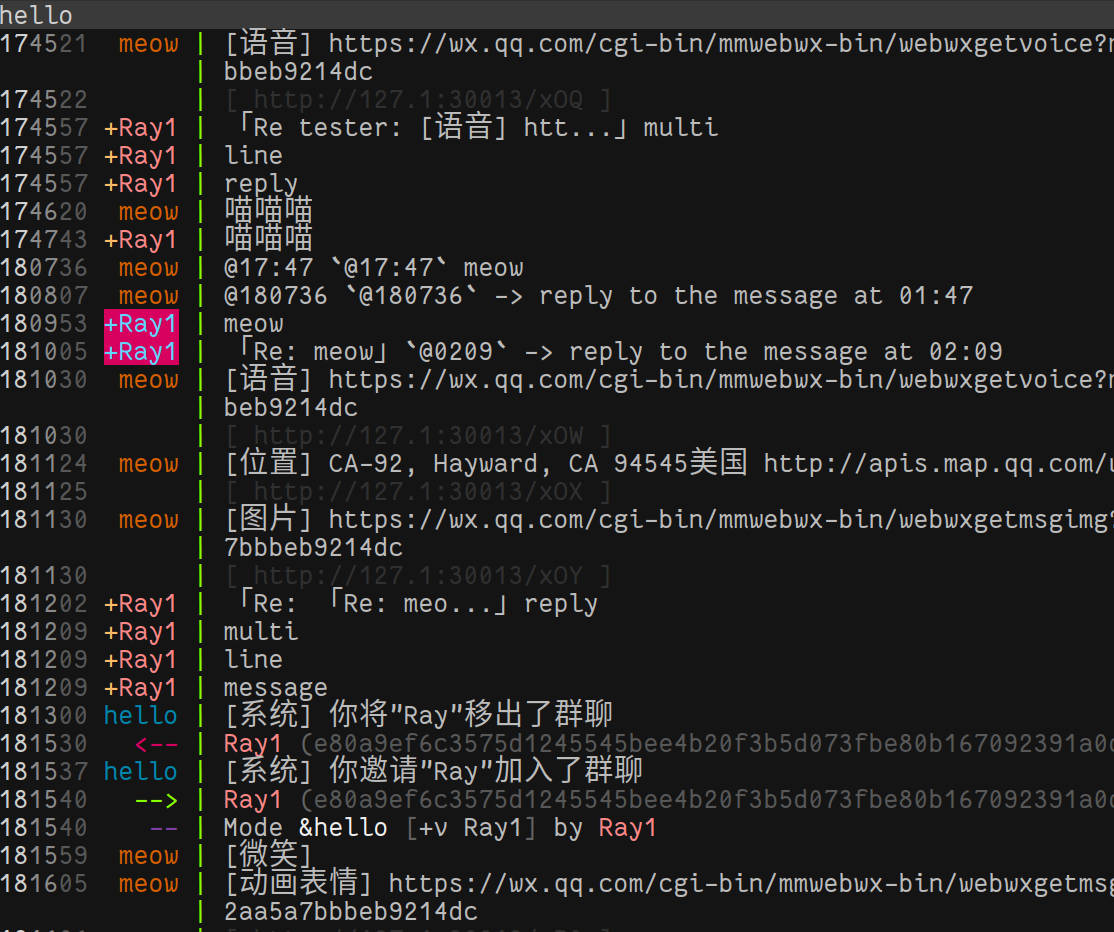
Display
MSGTYPE_TEXT,text, or invitation of voice/video callMSGTYPE_IMG,image, displayed as[Image] $urlMSGTYPE_VOICE,audio, displayed as[Voice] $urlMSGTYPE_VIDEO,video, displayed as[Video] $urlMSGTYPE_MICROVIDEO,micro video?,displayed as[MicroVideo] $urlMSGTYPE_APP,articles from Subscription Accounts, Red Packet, URL, ..., displayed as[App] $title $url
QQ emojis are displayed as <img class="qqemoji qqemoji0" text="[Smile]_web" src="/zh_CN/htmledition/v2/images/spacer.gif">, [Smile] in sent messages will be replaced to emoticon.
Emojis are rendered as <img class="emoji emoji1f604" text="_web" src="/zh_CN/htmledition/v2/images/spacer.gif">. Each emoji will be converted to a single character before delivered to the IRC client. Emojis may overlap as terminal emulators may not know emojis are of width 2,see 终端模拟器下使用双倍宽度多色Emoji字体.
Server options
--config, short option-c, config file path, see config- HTTP/WebSocket related options
--http-cert cert.pem, TLS certificate for HTTPS/WebSocket. You may concatenate certifica
