AutoLabeler
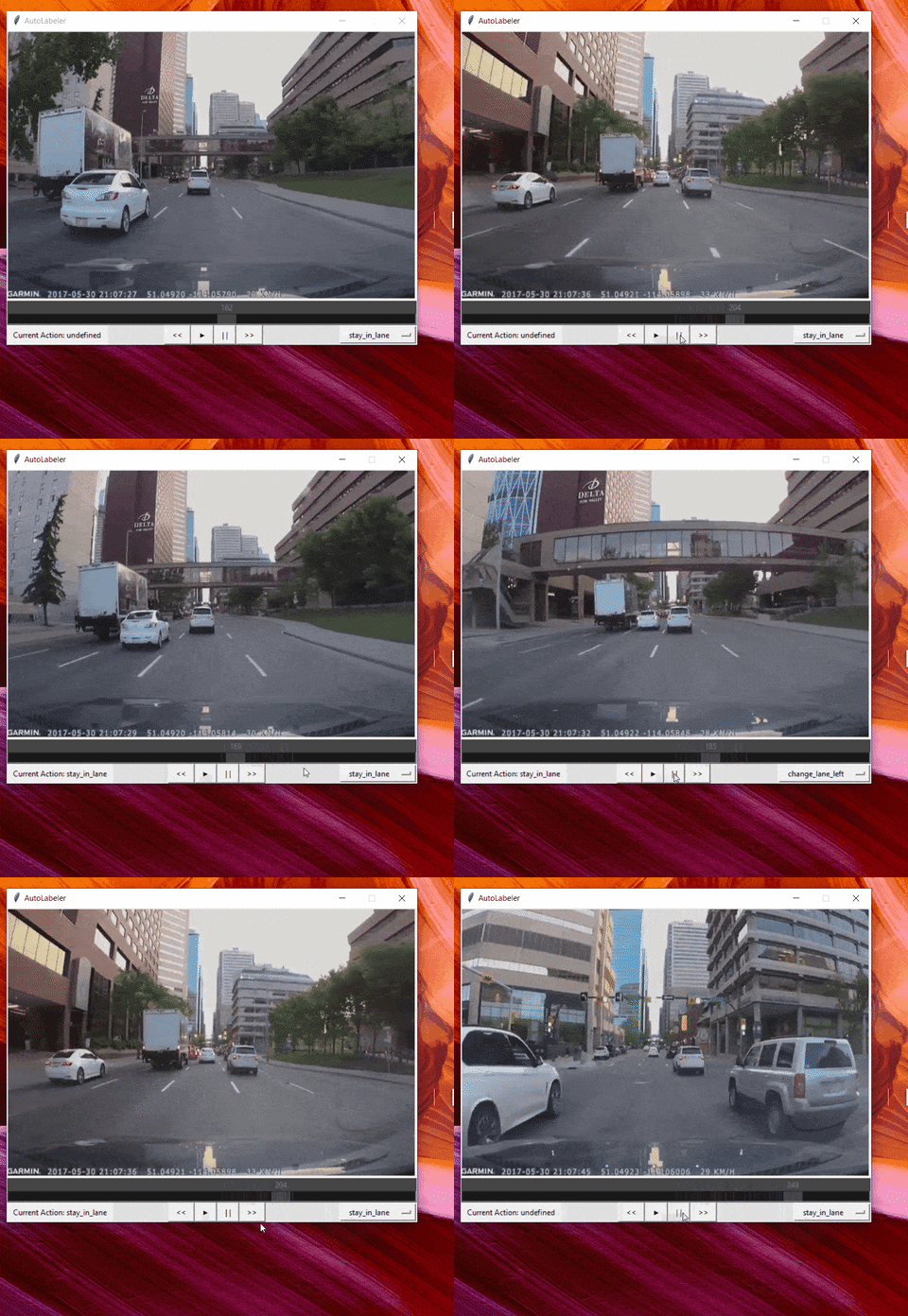
Autolabel is a simple GUI tool to easily assign and verify *action labels* to individual frames of your self driving dataset.
Install / Use
/learn @MankaranSingh/AutoLabelerREADME
AutoLabel
See Animated Demo

Description:
Autolabel is a simple GUI tool to easily assign and verify action labels to individual frames of your self driving dataset.
Many open online datasets (Sully Chen's, Udacity's, etc to name a few) didn't had action labels like:
- Stay in lane
- Turn Right
- Switch to left lane
- And any other you can think of
This tool can be used to easily group frames into these categories. Lack of these labels may make machine learning model very inflexible.
Adding these labels to existing dataset would increase the flexibility and control over your model.
Installation:
Install the dependencies using pip install -r requirements.txt
Usage:
Creating datafile:
You first need to create a datafile that contains all the filenames of your individual frames under a single base directory. An example of datafile.csv is provided below. The column name must be filename. Additionally, an already existing datafile with an additional column action may be used to load your progress. You do not need to provide the action column in your first run. All action labels would be initialized to 'undefined'.
| filename | action | |---------|------------------| | 0.jpg | stay_in_lane | | 1.jpg | stay_in_lane | | 2.jpg | stay_in_lane | | 3.jpg | change_lane_left |
Running AutoLabel:
Once the datafile has been created, run the following command to start the GUI:
python autolabeler.py --basedir "./data" --datafile "./data/datafile.csv" --savefile "./output.csv"
Note: Use double quotes for providing filepaths if they contain spaces.
Assigning Labels to frame:
Choose the label name from the drop down on bottom right and click on play button. The selected label would be assigned to the displayed frames. Here are some tips:
- If drop down is set to 'disabled', no label would be overwritten. Always set drop down to 'disabled' while 'seeking' to avoid any overwriting of previously assigned labels
- Do not seek to other frames without pausing or setting the drop down to 'disabled'
- Seeking while in pause state doesn't overwrite labels.
Saving progress:
You may specify a savefile location to save your progress to. Click on save button before exiting. Do not close the command prompt window directly or else you won't be able to save progress.
Loading Progress:
You can reuse the savefile to load your progress of assigning labels to the frames. Just pass your savefile as the datafile when you next start the session.
Additional Command Line Arguements:
-b      --basedir        <Directory where all image frames are located>      |   Default = ./
-d      --datafile       <Location of datafile>`                             |   Default = None
-s      --savefile       <Location to store the generated labels>            |   Default = ./output.csv
-h      --height         <Adjust height of the window>`                      |   Default = None
-w      --width          <Adjust width of the window>`                       |   Default = Non
GUI Widgets:
- Play Button
- Pause Button
- Seek
- Fast Forward
- Slow Mo
- Label Selector Dropdown
- Current label display
Related Skills
claude-opus-4-5-migration
107.8kMigrate prompts and code from Claude Sonnet 4.0, Sonnet 4.5, or Opus 4.1 to Opus 4.5
model-usage
347.0kUse CodexBar CLI local cost usage to summarize per-model usage for Codex or Claude, including the current (most recent) model or a full model breakdown. Trigger when asked for model-level usage/cost data from codexbar, or when you need a scriptable per-model summary from codexbar cost JSON.
TrendRadar
50.8k⭐AI-driven public opinion & trend monitor with multi-platform aggregation, RSS, and smart alerts.🎯 告别信息过载,你的 AI 舆情监控助手与热点筛选工具!聚合多平台热点 + RSS 订阅,支持关键词精准筛选。AI 智能筛选新闻 + AI 翻译 + AI 分析简报直推手机,也支持接入 MCP 架构,赋能 AI 自然语言对话分析、情感洞察与趋势预测等。支持 Docker ,数据本地/云端自持。集成微信/飞书/钉钉/Telegram/邮件/ntfy/bark/slack 等渠道智能推送。
mcp-for-beginners
15.8kThis open-source curriculum introduces the fundamentals of Model Context Protocol (MCP) through real-world, cross-language examples in .NET, Java, TypeScript, JavaScript, Rust and Python. Designed for developers, it focuses on practical techniques for building modular, scalable, and secure AI workflows from session setup to service orchestration.