
Docs
No description available
Install / Use
/learn @Maker-Management-Platform/DocsREADME
[!IMPORTANT]
Project Status: Seeking Successor
MMP will be archived on Jan 31, 2026 unless a new maintainer takes the lead. I am available for video onboarding sessions to help you get started with the Go/React architecture.
Reach out: eduardoliveira2009[at]g m a i l.com
If you are looking for active alternatives, please explore Orynt3D or Manyfold.
Maker Management Platform
Maker Management Platform, or MMP, aims to simplify and unify the management of a variety of digital assets related to 3d printing, manufacturing, laser engraving and such.
Disclaimer
Insecure -- use locally only.
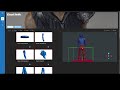
Check out this small demo
Create and manage projects

Projects are a collection of assets like models, images, slice files and documents

You can preview multiple models at the same time and see how they fit together

Send your slices directly to your printer


Integrate with your slicer

Import projects from public platforms
By using MMP Companion browser extension you can import projects from multiple public platforms.
This feature is also available in MMP UI but limited to thingiverse (see MMP companion for more details)
Support and Discussion
If you find any problems or want to request a feature please open an issue in the related project:
- UI-related issues: Here
- Backend-related issues: Here
- Companion (extension) related issues: Here
- Documentation/typo related issues: Here
If you have any doubts or you wanna chat join us on Discord

Running MMP locally
docker-compose.yml
---
version: "3.6"
services:
  agent:
    image: ghcr.io/maker-management-platform/agent:latest
    container_name: agent
    volumes:
      - ./library:/library # should contain your project library
      - ./data:/data # will contain config and state files
    ports:
      - 8000:8000 # currently required for your slicer integration, looking for a workaround
    restart: unless-stopped

  ui:
    image: ghcr.io/maker-management-platform/mmp-ui:latest
    container_name: ui
    ports:
      - 8081:8081
    environment:
      - "AGENT_ADDRESS=agent:8000" #local address for the agent
    restart: unless-stopped
Breaking changes
- v1.3 - now all the generated assets are created in a data/assets folder (https://github.com/Maker-Management-Platform/mmp-ui/issues/127).
After the first run of the new version and ensuring everything is okay you can delete all the .project.stlib files and generated assets from the library folder. Example commands (run at you own risk)
  cd <your lib path>
  find . -name ".project.stlib" -type f -delete
  find . -name "*.thumb.*" -type f -delete
  find . -name "*.render.*" -type f -delete
FAQs
How do I create a Thingiverse token?
To get a Thingiverse token go to Apps > Create an App
Select "Web App" fill in the name & description, accept the policy, and click on "Create & Get App Key" at the top of the page.
Use the "App Token" for the integrations -> thingiverse -> token setting.
How do I import my huge collection to the platform?
Just mount your collection root folder in the /library volume, MMP runs a discovery routine on start up and will create projects based on your directory structure.
The name of the directory that contains your assets will be the project name and the name of all the folders in the path will become tags to simplify searching.
Other details like the description or links will need to be added manually through the UI.
How do I reset my library if something goes wrong or I want to uninstall?
This process is irreversible and will delete all the MMP related data, leaving your library untouched.
You can reset all the information stored by deleting all the .project.stlib files, you can use the following command find . -name ".project.stlib" -type f -delete
You can also delete all generated gcode thumbnails by running find . -name "*.thumb.png" -type f -delete and all the stl renders with find . -name "*.render.png" -type f -delete
How can I contribute?
If you want to contribute with a bug fix for the current version use the latest branch
If you want to contribute for a future release use the master or main branch
Related Skills
node-connect
349.0kDiagnose OpenClaw node connection and pairing failures for Android, iOS, and macOS companion apps
frontend-design
109.4kCreate distinctive, production-grade frontend interfaces with high design quality. Use this skill when the user asks to build web components, pages, or applications. Generates creative, polished code that avoids generic AI aesthetics.
openai-whisper-api
349.0kTranscribe audio via OpenAI Audio Transcriptions API (Whisper).
qqbot-media
349.0kQQBot 富媒体收发能力。使用 <qqmedia> 标签,系统根据文件扩展名自动识别类型(图片/语音/视频/文件)。

Security Score
Audited on Feb 17, 2026