
SoulHackers2Fix
Migrated to https://codeberg.org/Lyall/SoulHackers2Fix
Install / Use
/learn @Lyall/SoulHackers2FixREADME
⚠️ This repository has been migrated
Active development has moved to Codeberg.
This repo is archived and will no longer receive updates.
Soul Hackers 2 Fix
 </br>
</br>

This BepInEx plugin for the game Soul Hackers 2 features:
- Proper ultrawide and non-16:9 aspect ratio support with pillarbox removal.
- Custom resolution support.
- Graphical tweaks to increase fidelity.
- Disable Chromatic Aberration
- Anisotropic Filtering
- LOD Bias
- Render Scale (Resolution Scale)
- Fix for slidey character movement above 60fps.
Installation
- Grab the latest release of SoulHackers2Fix from here.
- Extract the contents of the release zip in to the game directory.<br />(e.g. "steamapps\common\SOUL HACKERS2" for Steam).
- Run the game once to generate a config file located at <GameDirectory>\BepInEx\config\SoulHackers2Fix.cfg
- The first launch may take a little while as BepInEx does its magic.
Linux
- If you are running Linux (for example with the Steam Deck) then the game needs to have it's launch option changed to load BepInEx.
- You can do this by going to the game properties in Steam and finding "LAUNCH OPTIONS".
- Make sure the launch option is set to:
WINEDLLOVERRIDES="winhttp=n,b" %command%
|  |
|:--:|
| Steam launch options. |
|
|:--:|
| Steam launch options. |
Configuration
- See the generated config file to adjust various aspects of the plugin.
Known Issues
Please report any issues you see.
- Fullscreen exclusive for custom resolutions does not seem to work properly at the moment.
Screenshots
|  |
|:--:|
| Ultrawide pillarbox removal. |
|
|:--:|
| Ultrawide pillarbox removal. |
 |
| 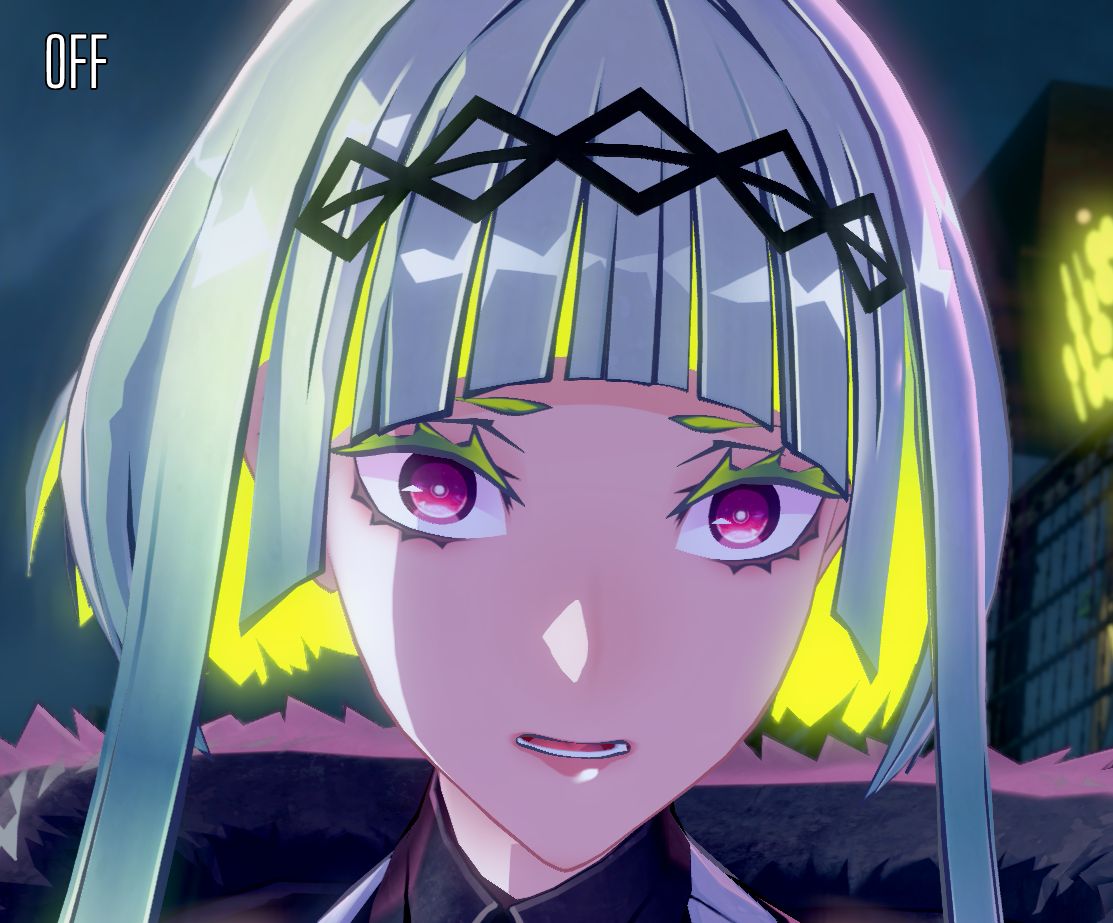
:-------------------------:|:-------------------------:
Chromatic Aberration On | Chromatic Aberration Off
Credits
- BepinEx is licensed under the GNU Lesser General Public License v2.1.
