
Mycroft
Mycroft is a Offline File Analyzer and Metadata Scraper
Install / Use
/learn @Lucksi/MycroftREADME
Introduction
Mycroft is a Offline File Analyzer and Metadata Scraper. Other than extracting metadata from a certain types of files it also a file analyzer which gives you extra information such as hashes,checksums and other file details.
Screenshot:
<img src = "Screenshot/Screenshot.png" >Requirements:
Python3
Installation Linux:
sudo apt-get update
sudo apt-get install python3
sudo apt-get install git
git clone https://github.com/Lucksi/Mycroft
Execution:
cd Mycroft
python3 main.py
Usage Example:
After executing the program a simple query example is the following
/home/test/Desktop/example.pdf
In case that an input folder is not specified the input folder will be the folder Files inside Mycroft folder with only the filename the program will extract only the metadata of the inserted file
Operating Sytstems:
| Platform | Tested | | ------------- | ------------- | | Linux | ✅ | | Mac-Os | ❌ | | Windows | ❌ |
Optional Commands:
| Option name | Description | Query Example |
| ------------- | ------------- | -------------|
| --internal | Scan files from 'Files' internal folder| test.docx --internal |
| --output | Insert path to a custom output folder | --output /home/test/Desktop |
| --ext_d | List Files of an external directory | list --ext_d /home/test/Desktop |
| --folder_name | Change the name of the output directory | --folder_name Test |
| --advanced | Extract advanced information from metadata | test.docx --advanced |
| --comments | Extract comments from the document | test.docx --comments |
| --text | Extract file text-content from document | test.docx --text |
| --urls | Extract urls from the document | test.docx --urls |
| --search | Search for a specific keyword in the document | test.docx --text --search Test |
| --db_search | Search for a specific file in the database by (id,md5,sha1,sha256,sha512 or name) | --db_search test.txt |
| --adv_db_search | Create Custom search Query's | --adv_db_search name="test" AND extension = "txt"|
| --noVerbose | Disable screen output | test.docx --verbose
| --noOutput | Disable file output | test.docx --noOutput |
| --media | Extract media from documents| test.docx -- advanced --media
| --extraction | Extract files from archives| test.zip --extraction
Features:
| Description | File-Format | | ------------- | ------------- | | Extract metadata | docx, pdf, xlsx, pptx, jpg, png, mp4, odt, odg, dotx, potx , docm , xlsm , pptm, odp, ods, zip, apk, jar, psd, gif, jps, bmp, tar.xz, tar.gz, tar.bz2| | Get file hashes | All formats | | Get local informations | All formats | | Extract and Download media | docx, pptx, odp, odt | | Extract Text | docx, pptx, xlsx, odt, odp, ods| | Extract Comments | docx, pptx, xlsx, odt, odp, ods| | Extract Urls | docx, pptx, xlsx, odt, odp, ods| | Search Keyword | docx, pptx, xlsx, odt, odp, ods| | Extract files | zip, apk, jar, tar.xz, tar.gz, tar.bz2 | | Get archives file information | zip, apk, jar | | Get archive information | zip, apk, jar | | Get Pdf File Permission | pdf | | Recognize archive Compression Type | zip, apk, jar | | Recognize Password Protection | zip, apk, jar| | Recognize Shared File | docx, pptx, xlsx | | Recognize Suspicious keywords | pdf | | Recognize Encryption Algorithm | pdf |
Examples:
| Docx Comment Extraction | Jpg Image Analysis | | ------------- | ------------- | |<img src = "Screenshot/Example_1.png" height = "528px">| <img src = "Screenshot/Example_2.png" height = "528px"> |
File Hashing formats:
| Name | File-Format |
| ------------- | ------------- |
| MD5 | all files except archive protected files |
| SHA1 | all files except archive protected files |
| SHA256 | all files except archive protected files |
| SHA384 | all files except archive protected files |
| SHA512 | all files except archive protected files |
File Checksum formats:
| Name | File-Format |
| ------------- | ------------- |
| Crc32 | All Formats |
| Crc32-Control-Code | All Formats |
| Adler32-Checksum | All Formats |
Compression Algorithm:
| Name | Archive Format |
| ------------- | ------------- |
| Storage | zip, apk, jar |
| Deflate | zip, apk, jar |
| Enhanced Deflate | zip, apk, jar |
| Bzip2 | zip, apk, jar |
| LZMA | zip, apk, jar |
| Wavpack | zip, apk, jar |
| JPEG | zip, apk, jar |
| XZ | zip, apk, jar |
| PPMD | zip, apk, jar |
| AES | zip, apk, jar |
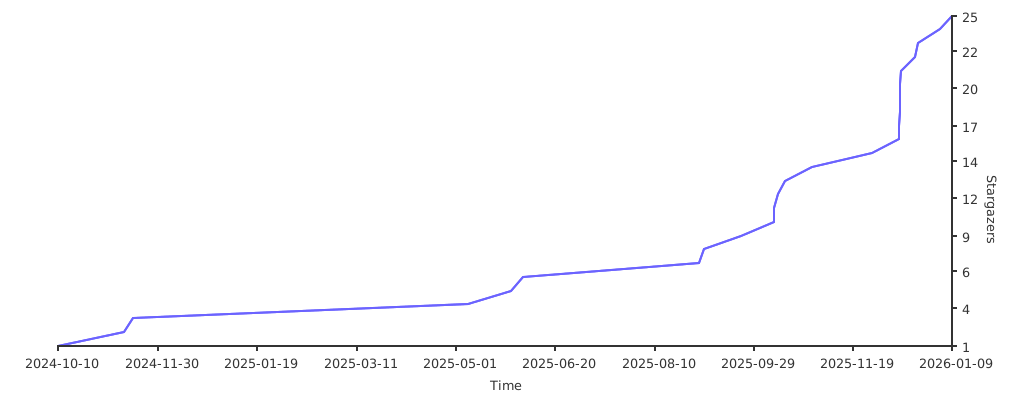
STARGAZERS OVER TIME
<p align = center> ORIGINAL CREATOR: <a href = "https://github.com/Lucksi">LUCA GAROFALO (Lucksi)</a></p>
<p align = center>LICENSE: GPL-3.0 License <br>COPYRIGHT: (C) 2024-2026 Lucksi
Related Skills
node-connect
339.3kDiagnose OpenClaw node connection and pairing failures for Android, iOS, and macOS companion apps
claude-opus-4-5-migration
83.9kMigrate prompts and code from Claude Sonnet 4.0, Sonnet 4.5, or Opus 4.1 to Opus 4.5
frontend-design
83.9kCreate distinctive, production-grade frontend interfaces with high design quality. Use this skill when the user asks to build web components, pages, or applications. Generates creative, polished code that avoids generic AI aesthetics.
model-usage
339.3kUse CodexBar CLI local cost usage to summarize per-model usage for Codex or Claude, including the current (most recent) model or a full model breakdown. Trigger when asked for model-level usage/cost data from codexbar, or when you need a scriptable per-model summary from codexbar cost JSON.
